# CoW Protocol Documentation
> The leading intents-based DEX aggregation protocol
This file contains all documentation content in a single document following the llmstxt.org standard.
## Welcome
# CoW DAO
CoW DAO is on a mission to innovate the most user-protective products in Ethereum.
Currently, CoW DAO's two main products are [**CoW Protocol**](cow-protocol) and [CoW AMM](https://cow.finance/cow-amm), which it supports with development and marketing resources – including the [CoW Grants Program](https://grants.cow.finance), the [CoW Protocol Explorer](cow-protocol/tutorials/cow-explorer), and the [CoW Swap frontend](cow-protocol/tutorials/cow-swap).
## What is [CoW Protocol](cow-protocol)?
CoW Protocol is a fully permissionless trading protocol that leverages [fair combinatorial batch auctions](cow-protocol/concepts/introduction/fair-combinatorial-auction) as its price finding mechanism. CoW Protocol uses fair combinatorial auctions to maximize liquidity via Coincidence of Wants (CoWs) in addition to tapping all available on-chain liquidity whenever needed.
## What is [CoW AMM](https://cow.finance/cow-amm)?
CoW AMM is a new type of AMM built from the ground up to protect LPs from price exploitation in the form of [LVR](https://cow.finance/learn/what-is-loss-versus-rebalancing-lvr). Liquidity providers expect their tokens to earn yield, but most liquidity pools are actually not profitable after accounting for stale prices. Arbitrageurs exploit these stale prices at the expense of LPs. CoW AMM fixes LVR once and for all, with liquidity pools proven to outperform reference Balancer and Uniswap pools.
## [Governance](governance)
CoW DAO is of its community, by its community, and for its community. CoW DAO uses a [decentralized governance model](governance) to ensure that the community has full control over the direction of the protocol.
## How to use CoW DAO's documentation
CoW DAO's documentation follows a "Concepts", "Tutorials", "Technical Reference" methodology. For example when a user wants to learn:
- **_What_** something is (example: batch auctions) → see [Concepts](/category/concepts)
- **_How_** to do something (example: create an order) → see [Tutorials](/category/tutorials)
- **_Technical_** information (example: such as SDKs, APIs) - see [Technical Reference](/category/technical-reference)
---
## CoW AMM: The First MEV-capturing AMM
CoW AMM protects LPs from LVR so they can provide liquidity with less risk and more return. CoW AMM achieves close to 5% more in TVL compared to reference pools, protects millions from LVR, and has captured over $100,000 in surplus for LPs to date.
## AMMs don't want you to know about LVR
Liquidity providers expect their tokens to earn yield, but the dirty little secret of AMMs is that most liquidity pools lose money. In fact, hundreds of millions of dollars of LP funds are stolen by arbitrageurs every year. These losses are known as loss-versus-rebalancing (LVR). LVR is a bigger source of MEV than frontrunning and sandwich attacks combined.
## An AMM designed with LPs in mind
CoW AMM eliminates LVR once and for all by using batch auctions to send surplus to LPs
1. Liquidity providers deposit tokens into protected CoW AMM liquidity pools, where traders can access the liquidity
2. Solvers bid to rebalance CoW AMM pools whenever there is an arbitrage opportunity
3. The solver that offers the most surplus to the pool wins the right to rebalance the pool
4. CoW AMM eliminates LVR by capturing arbitrage value for LPs and shielding it from MEV bots
## Deploy liquidity on CoW AMM
Thanks to CoW AMM's integration with Balancer, LPs can now [deploy their liquidity or create a brand new pool in just a few clicks](https://balancer.fi/pools/cow).
---
## How CoW AMMs Work
## FM-AMMs
The [“Function-Maximizing” AMM](https://arxiv.org/abs/2307.02074) is a novel AMM mechanism that tackles the shortcomings of the CF-AMM design and eliminates LVR. The FM-AMM batches trades together, executing all the orders in a batch at the same uniform clearing price. This price is such that the AMM “moves up the curve” with each trade. Since anyone can submit trades to the FM-AMM while its batch is open, competition between arbitrageurs guarantees that FM-AMM always trades at the correct, equilibrium price.
## CoW AMM
CoW AMM is a production-ready implementation of an FM-AMM that supplies liquidity for trades made on CoW Protocol. Solvers compete with each other for the right to trade against the AMM. The winning solver is the one that moves the AMM curve higher.
CoW AMM pools are optimal for every token pair that is not stable-to-stable. Since volatility dictates the amount of LVR that takes place in any given liquidity pool, CoW AMM pools are most effective for volatile token pairs where arbitrage outweighs LP fees.
## Getting Started with CoW AMM
To facilitate easy liquidity providing, CoW DAO has partnered with Balancer to implement CoW AMMs into the Balancer ecosystem. LPs can [use the Balancer app](https://balancer.fi/pools/cow) to LP direclty on one of over a dozen liquidity pools.
In the next section, LPs can learn how to create their own CoW AMM pools for brand new assets either on Balancer or outside the platform.
---
## The Problem of LVR (Loss-versus-rebalancing)
First coined by a team of researchers from [Columbia University,](https://arxiv.org/abs/2208.06046) LVR is a form of arbitrage that occurs whenever an AMM has an outdated (stale) price in comparison to some other trading venue.
Arbitrageurs exploit this difference by trading from the AMM to the more liquid exchange (usually a centralized exchange like Binance), correcting the arbitrage and extracting value from LPs in the process.
# How LVR Works
Most AMMs (such as Uniswap) are examples of constant function automated market makers—CF-AMMs. These AMMs take in two assets and automatically re-calculate prices after each trade to ensure ample liquidity at all times. This means the AMMs experience asset price discovery as they are being traded against.
However, since crypto assets trade on various platforms including centralized exchanges, the prices on a CF-AMM may be outdated compared to the more liquid prices on a centralized exchange. This discrepancy allows arbitrageurs to trade between the liquid exchange and the outdated AMM, correcting prices and capturing arbitrage in the process.
"Loss-versus-rebalancing" is the scenario where an LP provides liquidity to a CF-AMM whose prices are stale compared to a more liquid venue like a centralized exchange. By leaving their funds in the liquidity pool, they are not making as much money as they could be if they were to constantly "rebalance" between the AMM and the exchange. Thus, they incur a "loss" compared to what they would have in a "rebalancing" strategy.
# The Impact of LVR on LPs
Many liquidity providers haven’t even heard of LVR, but it costs them 5–7% of their liquidity, resulting in hundreds of millions lost each year. In fact, when accounting for LVR, many of the largest liquidity pools are not profitable for LPs at all.
Due to these losses, LVR is a type of MEV (maximal extractable value) that accounts for more price exploitation than frontrunning and sandwich attacks combined.
---
## Deploying a CoW AMM Using Balancer
In this short tutorial, we describe how you can create and deploy their own Balancer CoW AMM.
**You may also deploy a CoW AMM through the Balancer UI using [this guide.](https://cow.finance/learn/how-to-create-a-lvr-protected-liquidity-pool-on-cowamm)**
The proposed transactions and interactions can be executed through any smart contract or EOA transaction builder, Etherscan "Write Contract," from other UI mechanisms, or directly from the console.
The current factory contract addresses are the following:
- Ethereum Mainnet: [`0xf76c421bAb7df8548604E60deCCcE50477C10462`](https://etherscan.io/address/0xf76c421bAb7df8548604E60deCCcE50477C10462#code)
- Gnosis Chain: [`0x703Bd8115E6F21a37BB5Df97f78614ca72Ad7624`](https://gnosisscan.io/address/0x703Bd8115E6F21a37BB5Df97f78614ca72Ad7624#code)
- Arbitrum One: [`0xE0e2Ba143EE5268DA87D529949a2521115987302`](https://arbiscan.io/address/0xe0e2ba143ee5268da87d529949a2521115987302#code)
- Base: [`0x03362f847B4fAbC12e1Ce98b6b59F94401E4588e`](https://basescan.org/address/0x03362f847b4fabc12e1ce98b6b59f94401e4588e#code)
- Avalanche: N/A
- Polygon: N/A
- BNB: N/A
- Linea: N/A
- Plasma: N/A
- Sepolia Testnet: [`0x1E3D76AC2BB67a2D7e8395d3A624b30AA9056DF9`](https://sepolia.etherscan.io/address/0x1E3D76AC2BB67a2D7e8395d3A624b30AA9056DF9#code)
These contracts can be verified through [this](https://github.com/balancer/cow-amm) repository.
1. In order to create a new pool, one first needs to call the `newBPool` function of the factory contract. An example transaction that creates a new pool can be found [here](https://etherscan.io/tx/0x7543a97853827e267ecd3c1309509ac7704e4f85a53fbfacd6060f461d85bad8#eventlog). The relevant `LOG_NEW_POOL` log also reveals the address of the newly created pool; in our example transaction, it is `0x81530e9B069c69F6671A0A9d7Ee337cafEF419F6`.
:::note
In case ABI of the factory contract is not fetched, the ABI from the Sepolia network can be used.
:::
1. The next step is to approve the tokens we want to add to the pool; this can be done by calling the `approve()` function on the contract of the relevant ERC-20 token that is being added to the pool, where the "spender" needs to be set to the newly created BPool address from (1).
:::caution
One needs to take the token's decimals into account in order to set the correct approval.
:::
1. The next step is to bind the approved tokens to the pool, by using the `bind()` function of the newly created pool contract. We need to do one bind per token that will be added to the pool. Note that the `denorm` parameter should always be set to 1000000000000000000 (i.e., 10^18).
2. We can then set the swap fee; this is the fee trades will pay if they trade permissionlessly (i.e., outside of the batch), and this is done by calling the `setSwapFee()` function of the pool contract. The fee parameter needs to be specified in wei, hence, a 10% fee would be 100000000000000000 (i.e., 10^17)
:::note
In order to guarantee full LVR protection, the fee should be set to 100%.
:::
:::caution
The fee parameter is an unsigned integer where 10^18 corresponds to 100% of fee. Note that 100% is actually not a valid value though, but one can set up to 99.99%.
:::
1. The final step is to finalize the pool by calling the `finalize()` function of the newly created pool contract.
---
## CoW AMM Liquidity for Solvers
## I'm a solver. How do I use CoW AMM liquidity?
CoW AMM orders already appear in the CoW Protocol orderbook, so you're already using its liquidity.
However, CoW AMMs allow solvers to specify custom buy and sell amounts, as long as the order preserves or increases the constant product invariant of the token reserves.
CoW AMMs can be treated as a liquidity source akin to Uniswap or Balancer weighted pools with uniform weights.
Each CoW AMM is a pair that trades two tokens.
Importantly, surplus for a CoW AMM order is measured differently when computing the solver reward payout.
### Indexing Balancer CoW AMMs
CoW AMM pairs can be detected by listening to the `COWAMMPoolCreated` events emitted by the `BCowFactory` instance for the current chain (see the [official contract repository](https://github.com/balancer/cow-amm) for the current deployment addresses).
All addresses of Balancer CoW AMMs are sent as part of the auction instance as `surplusCapturingJitOrderOwners`.
The AMM reserves are the balance of the two tokens traded by the AMM.
### Creating CoW AMM orders with the helper contract
Integrating CoW AMM orders requires adding a JitOrder with the CoW AMM. This order should be described from the CoW AMM pool's perspective. So if a user wants to sell token A to buy token B and you would like to settle (part of) this order with a CoW AMM, then you would need to add a JitOrder from the CoW AMM's perspective to match (part of) this order. In other words, you would be adding a JitOrder for the CoW AMM to sell token B to buy token A. You can do this by calling the `orderFromBuyAmount` because the user’s amount is exactly how much you would want the pool to receive, asking for the amount of tokens in exchange.
[The source code for the helper contract can be found here.](https://github.com/balancer/cow-amm/blob/main/src/contracts/BCoWHelper.sol) The `orderFromBuyAmount` and 'orderFromSellAmount' methods return the order, preInteractions, postInteractions, and signature. This can be used to generate the order (JitOrder) and check prices.
This order generated by the BCoWHelper contract will contain the limit prices for which the CoW AMM is willing to trade. Trading at exactly these limit prices will not generate surplus for the CoW AMM, any price improvement from these limit prices will be surplus captured by the CoW AMM.
One thing to keep in mind when using the helper contract to generate these JitOrders is that both the `orderFromSellAmount` and `orderFromBuyAmount` methods return an order where the `partiallyFillable` field is marked as true. However, since the driver does not support partially fillable JitOrders, it replaces the partiallyFillable field with false. This means that the `partiallyFillable` field must be set to false before passing the solution to the driver and the signature of both the JitOrder and the commit hash in the pre-interaction should be updated accordingly.
Doing this will generate additional surplus in the solver competition (assuming you trade at a better price than the provided limit price). For example, if a solver would like to settle a user using outside liquidity that trades a pair for which there is a CoW AMM, then that solver can compare those prices with that of the CoW AMM. This (or part of this) interaction can then be replaced with the CoW AMM to generate additional surplus. This way the solver can integrate CoW AMMs by solving as if these CoW AMM's do not exist, and then check whether some of the outside interactions can be replaced by CoW AMMs (note: UPC and EBBO apply to CoW AMMs as well).
Another way that a solver can use CoW AMM's is by using outside liquidity from the competition/auction to trade with the CoW AMM, thereby re-balancing the AMM and receiving an additional surplus for doing so if the prices of the CoW AMM is off relative to the outside world.
The helper contracts are deployed here:
- [Mainnet](https://etherscan.io/address/0x03362f847b4fabc12e1ce98b6b59f94401e4588e#code)
- [Arbitrum](https://arbiscan.io/address/0xdb2aeab529c035469e190310def9957ef0398ba8#code)
- [Gnosis](https://gnosisscan.io/address/0xdb2aeab529c035469e190310def9957ef0398ba8#code)
- [Base](https://basescan.org/address/0x467665d4ae90e7a99c9c9af785791058426d6ea0#code)
- Avalanche N/A
- Polygon N/A
- BNB N/A
- Linea N/A
- Plasma N/A
### Settling a custom order
You need to choose a valid CoW Swap order with the following restrictions:
- `sellToken`: any token in the pair.
- `buyToken`: the other token in the pair.
- `receiver`: must be `RECEIVER_SAME_AS_OWNER` (zero address).
- `sellAmount`: any value.
- `buyAmount`: any value such that, after trading these exact amounts, the product of the token reserves is no smaller than before trading.
- `validTo`: at most 5 minutes after the block timestamp at execution time.
- `appData`: must be the value specified in `staticInput`.
- `feeAmount`: must be zero.
- `kind`: any value.
- `partiallyFillable`: any value.
- `sellTokenBalance`: must be `BALANCE_ERC20`.
- `buyTokenBalance`: must be `BALANCE_ERC20`.
:::note
The sell and buy amount specified are the limit amounts of the order. The actual executed amounts are determined using prices from the auction.
In that regard, CoW AMM orders behave exactly like normal trader orders.
:::
You also need to compute:
- the order hash `hash` as defined in the library `GPv2Order`, and
- the order signature
Example code that generates an order can be found in [the `order` function of the BCoWHelper contract](https://github.com/balancer/cow-amm/blob/04c915d1ef6150b5334f4b69c7af7ddd59e050e2/src/contracts/BCoWHelper.sol).
This order can be included in a batch as any other CoW Protocol orders with two extra conditions:
- One of the pre-interactions must set the commitment by calling `BCoWPool.commit(hash)`.
- Must contain at most one order from the AMM in the same batch.
:::note
Solvers using the non co-located driver should add a [`JitTrade`](https://github.com/cowprotocol/services/blob/95ecc4e01b7fd06ec0b71c6486cb2cdd962e5040/crates/solvers/openapi.yml#L744C1-L774C52) and a [`preInteraction`](https://github.com/cowprotocol/services/blob/95ecc4e01b7fd06ec0b71c6486cb2cdd962e5040/crates/solvers/openapi.yml#L920C1-L925C46) to their solution.
:::
### Surplus
The surplus for a CoW AMM order is measured the same way as other orders, by comparing the traded amounts to limit amounts.
When creating a CoW AMM order it is therefore encouraged to use the smallest possible limit amount which does not violate the invariant of the pool.
If we call `X` (resp. `Y`) the reserves of sell (resp. buy) token, and `x` (resp. `y`) the executed sell (resp. buy) amount, then the minimal buy amount is `x Y / (X - x)`
and the order surplus with that choice for the limit amount is:
```
x Y
surplus = y - ----- .
X - x
```
Maximizing this quantity will lead to the largest score in the solver competition.
---
## CoW Protocol
CoW Protocol is a meta-DEX aggregation protocol that leverages [trade intents](/cow-protocol/concepts/introduction/intents) and [fair combinatorial batch auctions](/cow-protocol/concepts/introduction/fair-combinatorial-auction) to find users better prices for trading crypto assets.
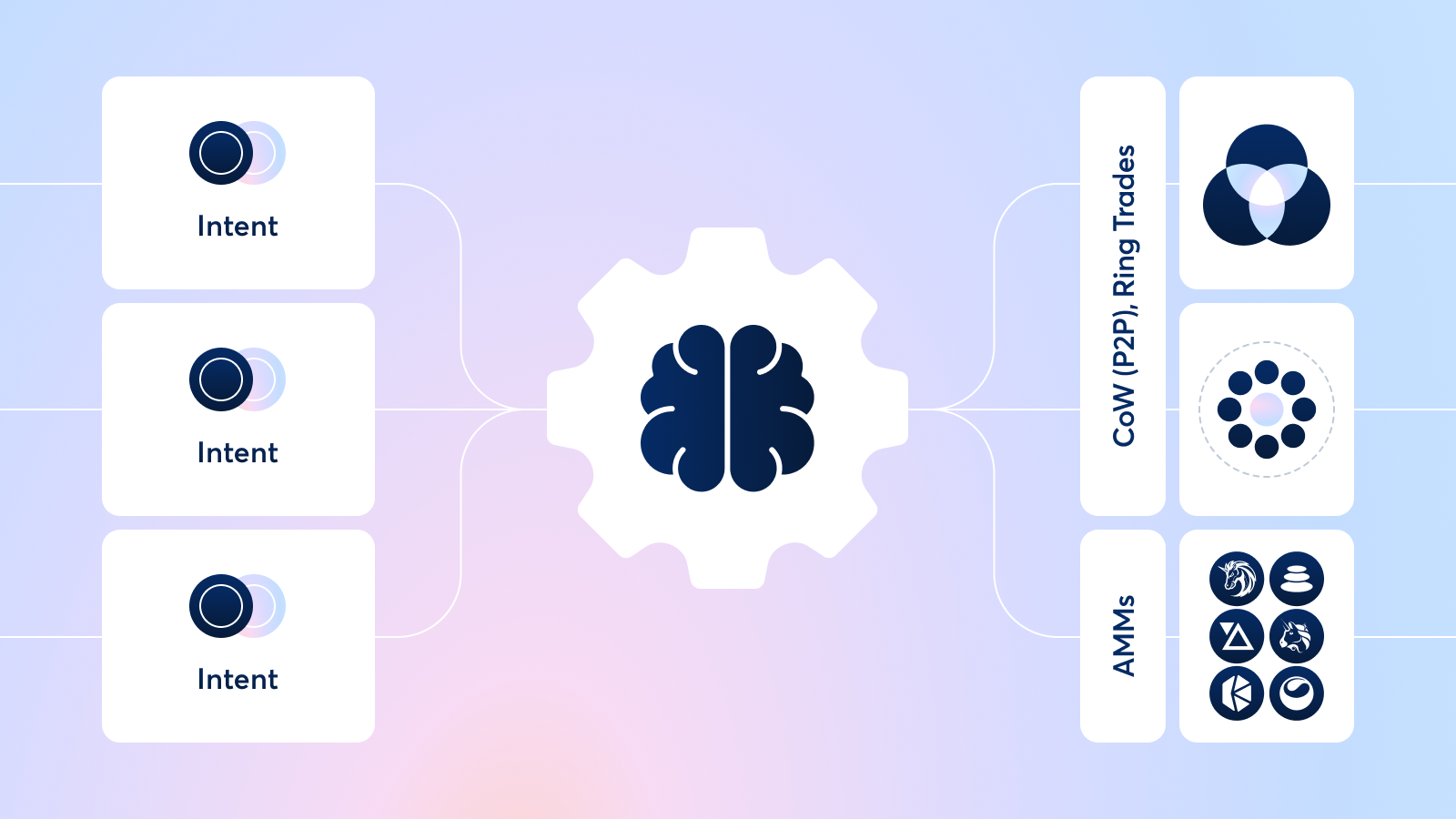
The protocol relies on third parties known as "[solvers](/cow-protocol/concepts/introduction/solvers)" to find the best execution paths for trade intents — signed messages that specify conditions for executing transaction on Ethereum and EVM-compatible chains.
Upon first receiving a user intent, the protocol groups it alongside other intents in a [batch](/cow-protocol/concepts/introduction/fair-combinatorial-auction).
When executing trade intents, solvers first try to find a [*Coincidence of Wants (CoW)*](/cow-protocol/concepts/how-it-works/coincidence-of-wants) within the existing batch to offer an optimal price over any on-chain liquidity.
If the protocol does not find a CoW, the solvers search all available on-chain and off-chain liquidity to find the best price for a set of trade intents within a batch.
Liquidity sources include:
- AMMs (e.g. Uniswap, Sushiswap, Balancer, Curve, etc.)
- DEX Aggregators (e.g. 1inch, Paraswap, Matcha, etc.)
- Private Market Makers
The wide range of liquidity that solvers tap into makes CoW Protocol a meta-DEX aggregator, or an aggregator of aggregators.
**To learn more about the concepts CoW Protocol makes use of, see [Concepts](/category/concepts).**
**For more info on how to use CoW Protocol or CoW Swap, see [Tutorials](/category/tutorials).**
**To dive into the technical details, see [Technical reference](/category/technical-reference).**
---
## CoW Swap Affiliate Program
The CoW Swap Affiliate Program rewards affiliates and referred traders when referred wallets generate qualifying trading volume on CoW Swap. Rewards are milestone-based and paid in USDC.
The program operates within a governance-approved framework with defined parameters, eligibility requirements, and enforcement rights.
For operational details, see the [Affiliate Program FAQ](/cow-protocol/affiliate-program/faq).
## Definitions
- **Affiliate**: A participant who generates and distributes a referral code or link tied to their wallet
- **Trader**: A wallet that activates an affiliate referral link or code and executes at least one qualifying trade on CoW Swap
- **Attribution window**: The period during which a referred wallet's qualifying volume is attributed to an affiliate
- **Qualifying volume**: Eligible trading volume on CoW Swap counted toward milestone rewards, subject to exclusions
## Program Flow
1. An affiliate generates a unique referral code tied to their wallet.
2. A trader activates the code through a referral link or by entering it manually.
3. The trader executes their first qualifying trade.
4. The trader wallet becomes attributed to the affiliate.
5. Qualifying volume is tracked during the attribution window.
6. Rewards are distributed when milestone thresholds are reached.
Attribution is wallet-based and not retroactive.
## Initial Launch Parameters
The program launches with the following default configuration:
- Reward per milestone: `10 USDC`
- Milestone volume: `250,000 USD` of cumulative qualifying volume
- Attribution window: `90 days`
- Maximum rewardable volume per referred wallet: `50,000,000 USD`
- Rewards are paid weekly in `USDC` through batch transfers
These parameters may be adjusted within governance-approved limits.
## Attribution Rules
- Each referred wallet may be attributed to only one affiliate.
- Attribution starts when a trader activates a referral code and completes a first qualifying trade.
- Only volume executed within the attribution window is eligible.
- Volume executed before attribution does not count.
Attribution logic is deterministic and wallet-based.
## Qualifying Volume
Qualifying volume includes eligible trades executed on CoW Swap during the attribution window.
The program may exclude:
- Economically non-meaningful swaps
- Low-fee or zero-fee pairs
- Artificial volume generation
- Trades determined to be abusive or manipulative
Eligibility rules may be refined within governance-approved parameters.
## Rewards and Payouts
Rewards are triggered when cumulative qualifying volume reaches the defined milestone thresholds.
- Rewards are paid in `USDC`.
- At launch, both the affiliate and the referred trader receive rewards when eligible milestones are reached.
- Payouts are processed weekly, typically by Friday.
- A defined data cut-off applies to each payout cycle.
- Rewards may be withheld pending review if suspicious activity is detected.
Payouts are executed as batch transfers.
## Enforcement and Disqualification
The program enforces anti-abuse protections to maintain protocol integrity.
Prohibited behavior includes:
- Self-referrals
- Circular referral schemes
- Sybil activity
- Wash trading
- Artificial volume generation
- Misleading or deceptive marketing practices
Program Managers reserve the right to:
- Disqualify participants
- Deny unpaid rewards
- Withhold payouts pending investigation
- Modify eligibility within approved parameters
- Pause or terminate participation
## Parameter Adjustments
Certain program parameters may be adjusted within a governance-approved envelope.
Adjustable parameters include:
- Reward per milestone
- Milestone volume
- Attribution window
- Maximum rewardable volume per wallet
- Affiliate and trader reward split
- Eligibility refinements
- Volume exclusions
Changes outside the approved envelope require a new governance proposal.
## Program Term and Cap
- The program operates for a 6-month term from the launch date. Renewal or material expansion requires a new CIP.
- A hard incentive cap of `500,000 USDC` applies.
- Once the cap is reached, no further rewards will be distributed.
- The program may be paused or terminated in case of abuse, critical issues, or material risk.
## Irreversibility and Finality
- Referral codes and links are wallet-bound and permanent.
- Wallet changes are not supported.
- Attribution cannot be reassigned.
- Rewards are calculated according to the program's eligibility rules.
- Decisions regarding abuse and eligibility are final.
## Support
For support requests, please provide:
- Your registered wallet address
- Your referral code, if applicable
- A transaction hash, if applicable
Program updates and support are handled through the CoW Protocol Discord.
---
## Affiliate Program FAQ
### Overview
#### What is the CoW Swap Affiliate Program?
A 6-month pilot program that rewards affiliates who refer new retail traders when those referred wallets generate qualifying CoW Swap trading volume. The program operates within a governance-approved parameter envelope and hard budget cap. It is not an investment scheme or brokerage arrangement. Rewards are provided solely for marketing and referral services.
#### Who can participate?
Anyone can participate by generating a referral code tied to their wallet and sharing it. Traders who use these codes or links and meet eligibility and jurisdiction requirements can be attributed as referred users.
#### How do I apply?
The Affiliate Program is open and permissionless.
To participate, generate your referral link from the CoW Swap interface and start sharing it. There is no approval process required.
You may join our [Discord server](https://discord.gg/cowprotocol) for support, updates, and community discussions. Participation in Discord is optional.
#### How long will the program run?
6 months from launch date. Renewal or material expansion requires a new CIP.
### How It Works
#### How do referral links work?
Affiliates generate unique links or codes. A trader becomes attributed when they access CoW Swap via that link or code.
#### Can I change my code/link?
No. Once a code/link is created, it cannot be changed.
#### When does a trader become attributed to me?
A trader is "bound" to an affiliate for a maximum of 90 days from the first trade after clicking a link or entering a code manually and executing their first qualifying trade.
#### How long does attribution last?
Up to 90 days per wallet.
#### Can one trader be referred by multiple Affiliates?
No. Once a trader uses a referral link or code and completes their first qualifying trade, that wallet becomes attributed (or "bound") to that affiliate for up to 90 days. During that attribution window, the trader cannot be referred by another affiliate.
#### When do rewards start counting?
When the referred trader wallet reaches cumulative qualifying volume milestones.
### Rewards
#### How are rewards calculated?
Rewards are paid in USDC when eligible referred trader wallets reach cumulative qualifying volume milestones. The current setting is 10 USDC per 250,000 USD in cumulative qualifying volume generated.
Reward parameters, including milestone thresholds and amounts, may be adjusted within the governance-approved parameter envelope with public disclosure.
#### What is a milestone?
A cumulative qualifying volume threshold that, once reached, triggers a reward payout.
#### What are the current reward settings?
10 USDC per 250,000 USD in cumulative qualifying volume generated.
#### Who earns rewards?
Both the affiliate and the referred trader receive the reward amount of 10 USDC per milestone.
#### Is there a maximum reward per wallet?
Yes. Rewards cease once a referred wallet exceeds 50,000,000 USD in volume.
#### Can reward parameters change?
Yes, within the governance-approved "Parameter Envelope," with public disclosure and reporting requirements.
### Eligibility
#### What qualifies as a "new wallet"?
A "new wallet" is a wallet that has never executed a trade via the CoW Swap UI before activating a referral link. Only these wallets are eligible to be attributed to an affiliate.
If a wallet has already traded via the CoW Swap UI in the past, it will not qualify as a referred trader.
#### Do trades on partner integrations affect "new wallet" eligibility?
No. A wallet is still considered "new" if it has not traded directly on CoW Swap, even if it has executed trades via partner integrations that use CoW Protocol in the background.
#### Are there jurisdiction restrictions?
Yes. Participation is prohibited if you are located in, or a citizen of, any jurisdiction prohibited by the [CoW Swap Terms](https://cow.finance/legal/cowswap-terms).
#### What counts as a qualifying volume?
Volume counted under a defined methodology and subject to exclusions (e.g., low-fee pairs, disallowed categories, suspected wash-trading).
#### Are all swaps eligible?
No. Swaps that are economically non-meaningful, below minimum protocol-fee thresholds, or excluded categories (e.g., suspected self-trading, certain stable-stable swaps, farming patterns) may not qualify.
#### Is the Affiliate Program available on all chains?
The program applies to all supported CoW Swap chains, except Sepolia.
### Payouts & Tracking
#### How and when are rewards paid?
Rewards are paid in USDC on a weekly basis, typically by Friday. Payouts are distributed via batch transfers, with Ethereum Mainnet as the default payout chain.
#### Are payouts transparent?
Yes. Transactions are recorded on a public blockchain and visible to the community.
#### Is there a minimum payout threshold?
The minimum threshold to payout is 10 USDC. Balances below this amount will roll over to the next payout period.
#### Can I change my payout wallet?
No. The payout wallet is fixed and cannot be changed under any circumstances.
#### What happens if I lose access to my wallet?
Rewards are distributed on-chain to the registered wallet. If you lose access to your wallet, the program cannot recover previously distributed rewards.
If access is lost before payout, please contact the team immediately. While we may attempt to review the situation, recovery or changes are not guaranteed.
#### What if I believe my rewards are incorrect?
1. Share your wallet address, never private keys.
2. Share your referral code.
3. Provide relevant transaction hashes.
Post this in the Affiliate Discord channel so the team can review.
### Volume & Rewards Nuances
#### Is volume counted gross or net of fees?
Volume is counted gross of fees.
#### Is volume calculated in USD at time of trade?
Yes. Volume is calculated based on the USD value of swaps at execution time.
#### Are partially filled orders counted?
Yes. Only the filled portion of the order counts toward volume.
#### Do limit orders count?
Yes. Limit orders are eligible and count toward volume when filled.
#### Do cross-chain swaps count?
Yes. Cross-chain swaps are included in qualifying volume.
#### Are failed or reverted transactions counted?
No. Only successful trades executed on-chain count toward qualifying volume. Failed, reverted, or canceled transactions do not count.
#### What if a trade is later canceled?
Canceled trades do not count. Only successfully executed swaps are included in qualifying volume calculations.
### Abuse & Disqualification
#### What counts as self-referral?
Self-referral includes referring a wallet that you directly or indirectly control, or participating in circular referral schemes designed to generate rewards from your own trading activity.
#### Can I refer wallets I control?
No. That would classify as "self-referral" and is not allowed.
#### What happens if I'm flagged for abuse?
The program reserves the right to:
- Disqualify participants
- Deny unpaid rewards
- Pause payouts
- Restrict or terminate participation
A forum notice may be published in case of material program changes or pauses.
#### Will unpaid rewards be clawed back?
If abuse or fraud is suspected, unpaid rewards may be denied.
#### Can rewards be retroactively revoked?
Once rewards have been distributed on-chain, they cannot be reversed due to the nature of blockchain transactions.
However, the program reserves the right to disqualify participants and deny any unpaid rewards in cases of fraud, abuse, or violation of the Terms. Future participation and payouts may also be restricted.
### Dashboard and Reporting
#### Is there an affiliate dashboard?
Yes. You can see the affiliate dashboard here: [swap.cow.finance/#/account/affiliate](https://swap.cow.finance/#/account/affiliate).
#### What can I track as an affiliate or trader?
Traders: Go to [swap.cow.finance/#/account/my-rewards](https://swap.cow.finance/#/account/my-rewards) to see your all-time earnings.
Affiliates: Go to [swap.cow.finance/#/account/affiliate](https://swap.cow.finance/#/account/affiliate) to see your referred volume, referred traders, and all-time earnings.
#### How often does the rewards data update?
Rewards data updates every 24 hours at 02:00 UTC. Data may be delayed and should not be considered real-time.
#### Where can I see my expected rewards?
Traders: Visit [swap.cow.finance/#/account/my-rewards](https://swap.cow.finance/#/account/my-rewards) to see:
Expected rewards for the next payout cycle
Past payout amounts
Affiliates: Visit [swap.cow.finance/#/account/affiliate](https://swap.cow.finance/#/account/affiliate) to see:
Expected rewards for the next payout cycle
Past payout amounts
#### Where can I see my payout history?
Payout history will be visible in your account page. All payouts are recorded on-chain.
### Communication & Support
#### Where will affiliate updates be shared?
All official Affiliate Program updates will be shared in the Affiliate Discord channel.
#### Is support available?
If you have questions about:
- Tracking
- Rewards
- Attribution
- Payouts
Please post in the dedicated Affiliate Discord channel.
#### How do I request support?
When contacting support, please provide:
- Your wallet address
- The referral code you are using, if relevant
- A transaction hash, if reporting a specific issue
This allows us to locate your referral data and investigate efficiently. Requests without a wallet address may not be reviewed.
#### What materials are available to me as an Affiliate?
Affiliates can access to a dedicated Discord channel (`#affiliate-program`) where they'll be able to find:
- Brand kit (logos, approved assets)
- Launch assets
- Program updates and parameter changes
Materials are updated periodically.
#### Can I run paid ads with my referral link?
Affiliates must comply with the program's conduct rules.
Misleading claims, spam, or "guaranteed income" language are strictly prohibited. Paid advertising may be subject to additional review and compliance requirements depending on jurisdiction and platform rules.
---
## Additional benefits
CoW Protocol's [intent-based trading model](/cow-protocol/concepts/introduction/intents) and [its auction mechanism](/cow-protocol/concepts/introduction/fair-combinatorial-auction) that allows for batching provide a number of benefits, including support for expressing any intent, MEV protection, and price improvement.
There are also several additional benefits unique to CoW Protocol that every order inherits:
- Gasless trades (users pay settlement fees in their sell token; settlement fees can be lower than gas fees if the trade is included in a batch)
- No fees for failed or cancelled orders (most exchanges make users pay gas fees regardless of whether their order executes or not)
- Order settlement at Ethereum Best Bid Offer or better
- Support for placing multiple orders at once
- Slippage protection on all orders
The protocol's architecture also provides important "passive" benefits and supports niche trading use-cases:
- Minimized smart contract risk as solvers take on the exposure to all on-chain AMMs
- Support for tapping straight into exotic tokens as solvers abstract away intermediate steps like depositing, minting, and staking
- Tighter spreads from private market makers thanks to fast settlement of off-chain orders
- Increased gas efficiency as all trades are credited directly to user accounts without withdrawals or deposits into an exchange contract
- Increased security as funds can only be transferred if a trader has approved the contract and signed an order to sell the given token for another
- A guarantee that the limit prices and amounts of any given signed order will always be satisfied
- Signed orders have an expiry date and they can be cancelled on-chain, preventing exploits where orders can be re-executed by relying on old approvals
- Only solvers subject to slashing can execute the batch auction settlement
- Fair, decentralized settlement in which an open competition for order matching replaces a central operator or a constant function market maker
---
## MEV protection
One of the main benefits of CoW Protocol is comprehensive MEV protection for every order.
MEV, or maximal extractable value, is a form of price exploitation that affects token swaps and other types of transactions on Ethereum. MEV attacks happen when malicious traders (usually MEV bots) strategically place transactions before and after a user's order, manipulating the price of assets at the expense of the user — this is commonly known as a "[sandwich attack](https://blog.cow.finance/what-is-a-sandwich-attack-and-how-can-you-protect-yourself-b101c9a9b9b3)". To date, MEV is responsible for over a billion dollars in losses for everyday traders.
MEV attacks happen on most major exchanges. However, CoW Protocol's unique trading model protects users from MEV in three main ways:
- **Uniform Clearing Prices**: If the same token pair (such as ETH-USDC) is traded multiple times in the same [batch](../introduction/fair-combinatorial-auction), the assets will clear for the same market prices for each trade in the same direction.
This mechanism is called a "uniform directed clearing price" and it makes transaction order irrelevant, so MEV bots cannot re-order trades in order to extract a profit.
Uniform directed clearing prices enable the Ethereum DeFi ecosystem to establish consistent prices for identical directed token pairs within the same block, addressing the inconsistency caused by the design of Constant Function Market Makers (CFMMs) like traditional Uniswap liquidity pools.
- **Delegated Trade Execution**: On CoW Protocol, bonded third parties known as [solvers](../introduction/solvers) execute trades on behalf of users.
This means that users are never directly exposed to MEV on-chain (though the solvers may be).
The winning solver is required to give users the price they signed or greater, meaning that solvers take on all price risk from potential MEV attacks.
Solvers are professional parties, so they calculate the optimal slippage for each trade and match liquidity off-chain through CoWs or private market makers when possible in order to reduce MEV risk.
- **Coincidence of Wants**: MEV attacks rely on the dynamics of automated market makers (AMMs) for their price exploitation. When orders are matched peer-to-peer through a CoW, however, they don't tap into on-chain liquidity, and are therefore protected from MEV
Read more about CoW Protocol's unparalleled MEV protection [on our blog](https://blog.cow.finance/how-cow-swap-solves-the-mev-problem-fd35b0127390).
---
## Price improvement
In addition to [MEV protection](./mev-protection), another major benefit of CoW Protocol is optimal price execution that leads to price improvement and order surplus.
All orders on CoW Protocol have the ability to capture surplus.
This means that if there is a positive difference between the quote you receive before placing your order and the price that the order executes at, you will receive the difference as surplus.
CoW Protocol even offers surplus on [limit orders](../order-types/limit-orders) and [TWAP orders](../order-types/twap-orders).
When orders do not receive significant price surplus, [solvers](../introduction/solvers) still find the optimal execution path for each trade across all available on-chain and off-chain liquidity.
With CoW Protocol, users can receive better prices than they would on another DEX or DEX aggregator thanks to:
- **Efficient Order Routing:** Solvers search all available on-chain liquidity to get the best rates for the trades in a batch at the time the orders are executed.
Sometimes a solver will split a trade between multiple liquidity sources to reduce price impact.
- **Private Off-Chain Liquidity**: Solvers may also have access to private market maker liquidity that provides better prices that on-chain liquidity and is not indexed by other DEXs or aggregators.
- **Coincidence of Wants**: Peer-to-peer [Coincidences of Wants](../how-it-works/coincidence-of-wants) match traders against each other and give better prices because they cost less in gas and avoid liquidity provider fees charged by AMMs. CoWs provide additional gas savings in cases where orders share the same direction and trading pairs - they all get grouped into a single order rather than executing individually.
---
## Trade any intent
CoW Protocol allows users to express any type of trade intent on Ethereum and EVM-compatible chains, leveraging [solvers](../introduction/solvers) to execute the transactions through the most optimal route.
The protocol supports any order logic which includes standard market and limit orders, but also advanced order types such as [TWAP](../order-types/twap-orders). Thanks to `ERC-1271`, smart contracts can also submit intents, paving the way for the [Programmatic Order Framework](../order-types/programmatic-orders) and contracts like [Milkman](../order-types/milkman-orders).
Finally, intents aren't limited to trading alone. [CoW Hooks](../order-types/cow-hooks) allow users to specify any set of EVM-compatible actions that they would like the solvers to execute before or after a trade.
So whether you want to create an automated trading strategy that runs based on on-chain conditions, bridge & swap all in a single intent, or just place a simple market order, CoW Protocol has got you covered.
---
## What is a flash loan?
A flash loan is a unique type of loan that is borrowed and repaid atomically within a single transaction on the blockchain.
Flash loans allow anyone with access to the blockchain to borrow assets without the need for collateral, provided that the loan is repaid before the transaction ends. If the loan is not repaid, the entire transaction is reverted, effectively canceling the loan.
Flash loans are standardized in [EIP-3156](https://eips.ethereum.org/EIPS/eip-3156), but not all providers follow this EIP. Many smart contracts that hold significant amounts of funds allow users to draw on them in flash loans:
| Protocol | Fee Percentage | ERC-3156 Compliant | Documentation Link |
|-------------------------|----------------|--------------------|----------------------------------------------------------------------------------------------------------------------|
| **Aave V3** | 0.5%* | No | [Aave Flash Loans](https://aave.com/docs/developers/flash-loans) |
| **Uniswap (FlashSwap)** | swap fee | No | [Uniswap V3 Overview](https://docs.uniswap.org/contracts/v3/guides/flash-integrations/inheritance-constructors) |
| **Balancer V3** | 0% | No | [Balancer Flash Loans](https://docs.balancer.fi/concepts/vault/flash-loans.html) |
| **MakerDAO** | 0% | Yes | [MakerDAO DSS Flash](https://docs.makerdao.com/smart-contract-modules/flash-mint-module) |
| **Euler** | 0% | Yes (via adapter) | [Euler Flash Loans](https://docs-v1.euler.finance/developers/getting-started/integration-guide#eip-3156-flash-loans) |
* this fee could be potentially disabled
# Key features
- **Uncollateralized:** Unlike traditional loans, flash loans do not require any collateral, as they are designed to be repaid within the same transaction.
- **Transaction Reverts if Not Repaid:** If the loan is not repaid in full, the entire transaction (including borrowing and usage of funds) is reverted to the initial state, ensuring no loss for the lender.
- **Instantaneous:** Flash loans are executed and settled instantly. They are typically used for arbitrage, collateral swapping, or liquidity provision.
- **Using the Funds:** The user can perform various actions with the borrowed funds during the same transaction block using pre/post-hooks, such as arbitrage, debt refinancing, or liquidating positions.
## Getting started
Want to place a flash loan order? Check out our flash loan tutorial.
---
## How does it work?
A flash loan typically happens in the following steps:
1. Advance funds to the user.
2. Invoke a function that allows the user to execute an operation with the borrowed funds.
3. Return the funds to the lender.
4. Verify that the full amount has been repaid.
If any step fails, the entire transaction is reverted, ensuring that no funds are moved. This makes flash loans risk-free, even without collateral.
The user must ensure that by the end of the order execution, the settlement contract has sufficient funds to repay the lender. For example, the user can define operations in the pre-hook that utilize the loaned tokens (e.g., repaying a debt using collateral). Then, within the user order, they can perform a swap to obtain the required loaned tokens for repayment.
```mermaid
sequenceDiagram
participant Personal
actor User
participant CoW Protocol
participant Flash Loan Provider
User->>+CoW Protocol: order with flash loan
CoW Protocol->>+Flash Loan Provider: flash loan
Flash Loan Provider-->>CoW Protocol: loan token
CoW Protocol->>Personal: repay debt
Personal-->>CoW Protocol: collateral token
CoW Protocol-->>Flash Loan Provider: return loaned token
CoW Protocol-->>User: order executed
deactivate CoW Protocol
deactivate Flash Loan Provider
```
## Flash loans Use Cases
A flash loan can be useful in many different scenarios. For example:
- **[Paying outstanding debt with collateral](../order-types/pay-debt-flash-loans.md)**: A key use case of flash loans is the ability to repay debt with collateral, since flash loans allow users to close or reduce their debt positions without needing upfront liquidity.
- **Preventing liquidation of leveraged positions**: When a trader’s collateral value drops close to the liquidation threshold, a flash loan can be used to temporarily inject liquidity, repay part of the debt, or shift funds to maintain a healthy collateral ratio. This proactive adjustment prevents forced liquidations and minimizes potential losses.
---
## How to specify an order with flash loan
The flash loan is encoded into the [appData](/cow-protocol/reference/core/intents/app-data)'s metadata as an optional object. This information serves as a hint for the solver, but the solver ultimately can decide for a different approach in order to make the operation more optimal.
It is important to ensure that the flash loan gas overhead is added to the slippage tolerance when creating the order.
```json
{
"flashloan": {
"lender": "0x1111111111111111111111111111111111111111",
"borrower": "0x2222222222222222222222222222222222222222",
"token": "0xdAC17F958D2ee523a2206206994597C13D831ec7",
"amount": "1000000"
}
}
````
- **lender:** the contract that could be used to borrow the funds from. For example `0x60744434d6339a6B27d73d9Eda62b6F66a0a04FA` for any `ERC-3156` compliant lender contract, or `0x87870Bca3F3fD6335C3F4ce8392D69350B4fA4E2` for AAVE.
- **borrower (optional):** who should receive the borrowed tokens. If no value is provided, the order owner's address will be used as the borrower.
- **token:** the token that needs to get borrowed.
- **amount:** how many atoms of the token need to get borrowed (e.g., 1 `WETH` would be 10¹⁸).
# How a lender protocol can be compatible with CoW Protocol
If the lender supports ERC-3156 then there is no extra smart-contract work needed.
If the lender protocol rely on direct repayment from the borrower through `transferFrom`, then the lender protocol could implement the borrower functions as in [Aave Borrower](https://github.com/cowprotocol/flash-loan-router/blob/main/src/AaveBorrower.sol) or in [ERC-3156 wrapper](https://github.com/cowprotocol/flash-loan-router/blob/main/src/ERC3156Borrower.sol).
---
## Coincidence of Wants
**CoW (Coincidence of Wants)**: An economic phenomenon where two parties - each holding the asset that the other needs - exchange assets directly in an equivalent barter.
Thanks to CoW Protocol's batching mechanism, users can make peer-to-peer swaps in cases where they're trading the same assets.
For example, if one trader in a batch wants to sell \$2,000 of DAI for 0.5 ETH and another trader in the same batch wants to sell 0.5 ETH for $2,000 DAI, CoW Protocol's solvers will match both traders together so they can swap assets without tapping into on-chain liquidity - saving them from incurring liquidity provider fees.
CoWs allow users to bypass liquidity provider (LP) fees and also reduce gas fees since orders only interact with CoW Protocol's smart contracts.
CoWs can be full or partial. In a partial CoW, only one of the trades in a batch is completely filled with opposing liquidity, and solvers must source liquidity to fill the rest of the other trade.
## Types of CoWs
### Simple
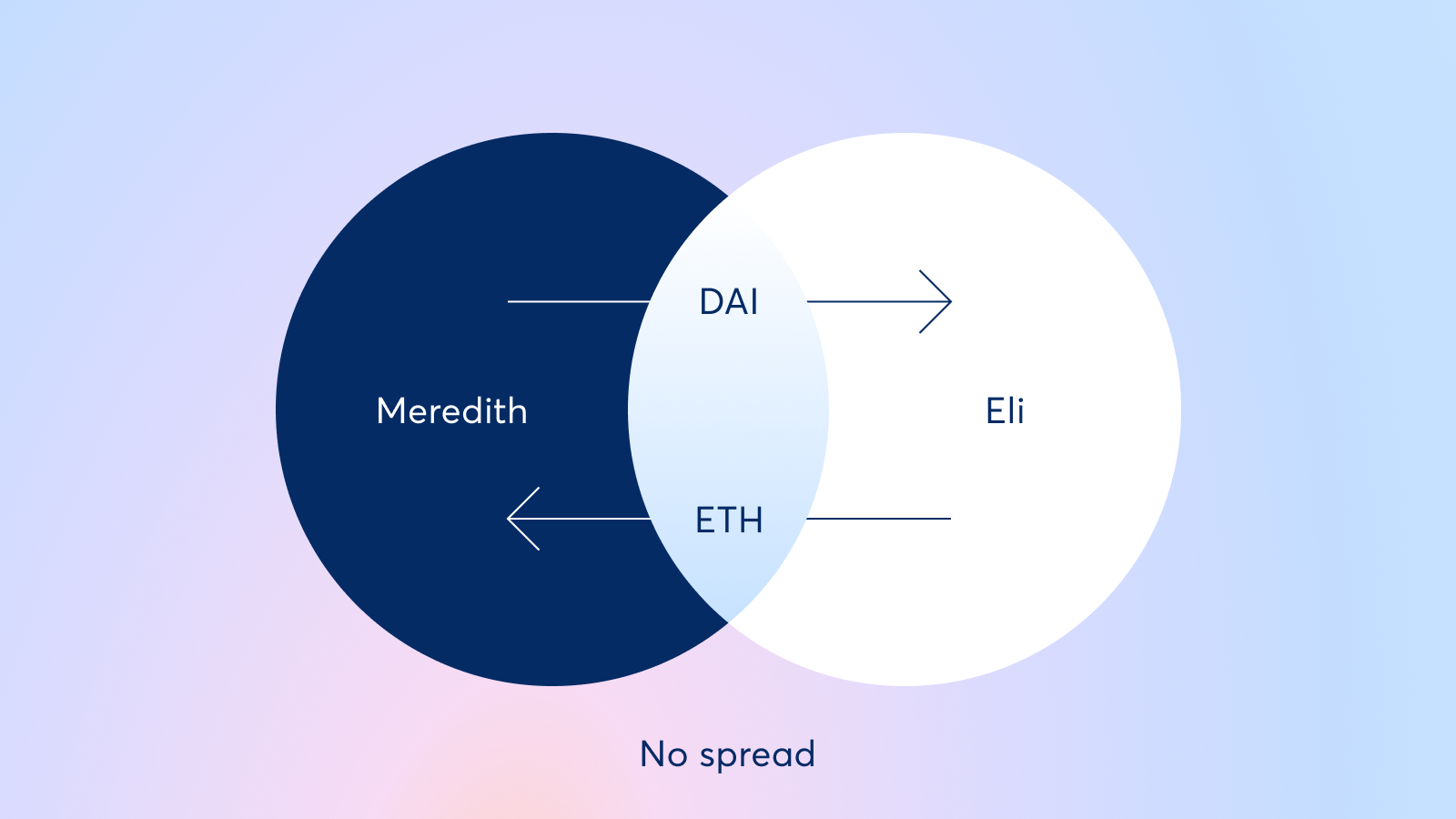
A simple CoW is where two traders are each selling what the other is buying.
They swap assets with each other instead of interacting with AMM liquidity pools.
Simple CoWs can be either *complete*, where each trader is trading exactly the same amount that the other needs, or they can be *partial* where two traders are trading opposite assets but only one can have their full liquidity met through a CoW.
In the latter case, the rest of the trade goes on-chain to finish filling.
### Batching
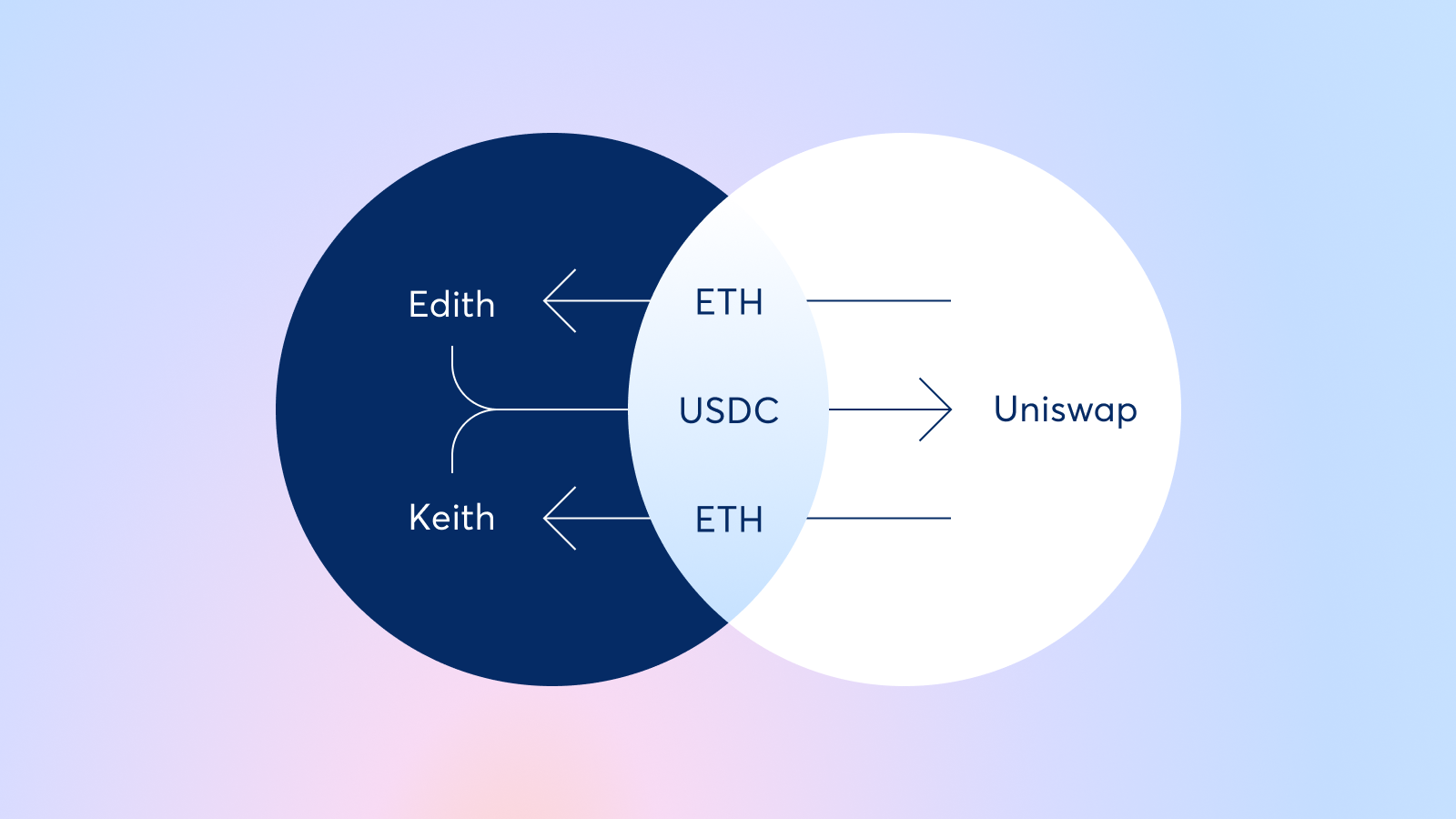
Often, a batch auction contains multiple intents from different users who all want to perform the same trade.
Instead of sending their trades individually one by one, solvers can batch all of the intents together and execute them as a single trade on-chain.
Although a batching CoW goes on-chain, this optimization reduces gas fees, as users trades interact with AMM smart contracts fewer times.
### Intermediate
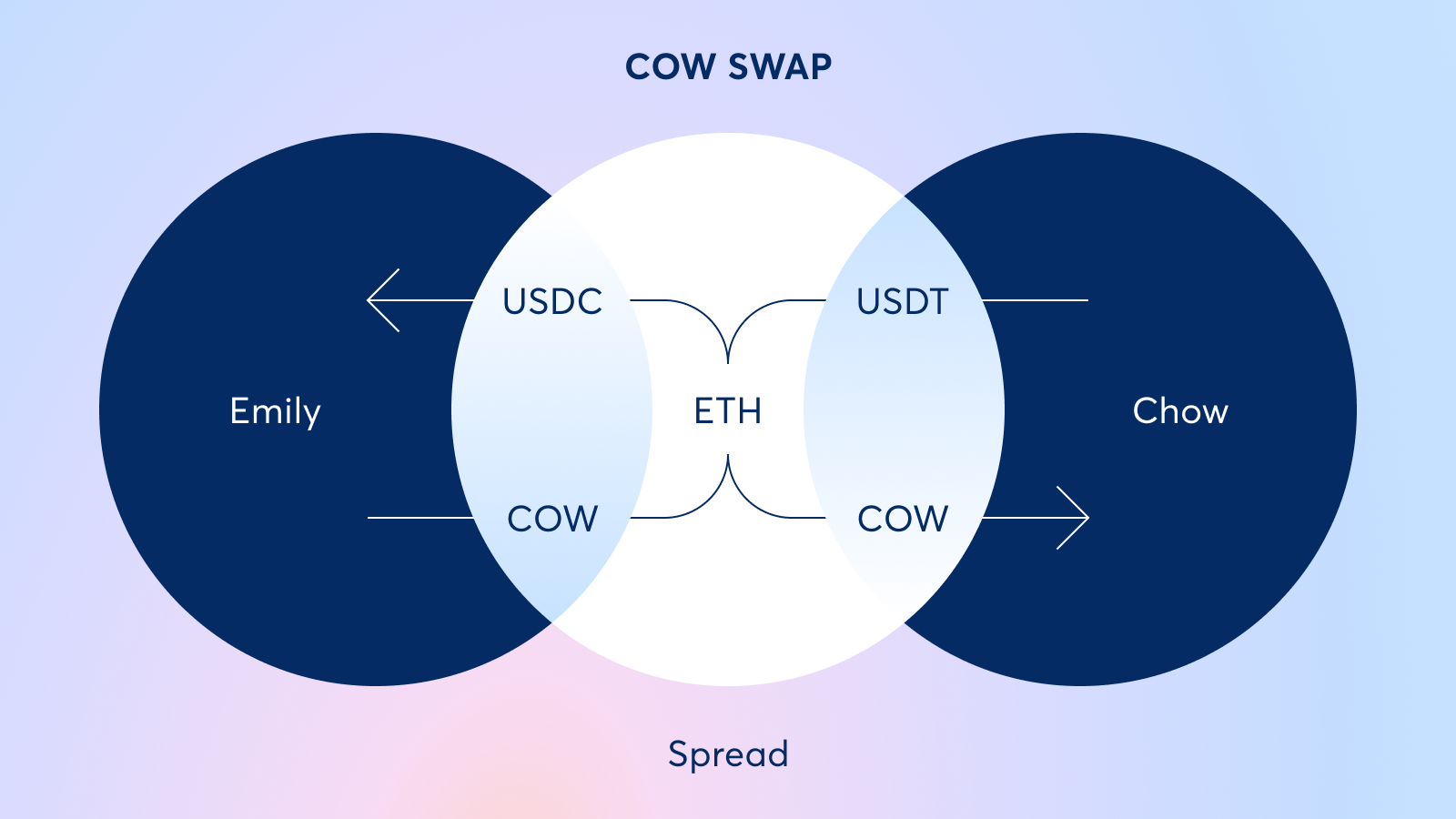
An intermediate CoW occurs when there are "intermediate" trades that can be settled peer-to-peer.
For example, if one party is trading CRV for USDT and another party is trading USDT for COW, the trades may require an intermediate "ETH" trade.
The first trader may need to go from CRV to ETH and then ETH to USDT.
The second trader may need to go USDT to ETH and then ETH to COW.
In this example, the ETH to USDT trade of the first trader and USDT to ETH trade of the second trader can be filled peer-to-peer as a CoW.
### Multidimensional (Ring)
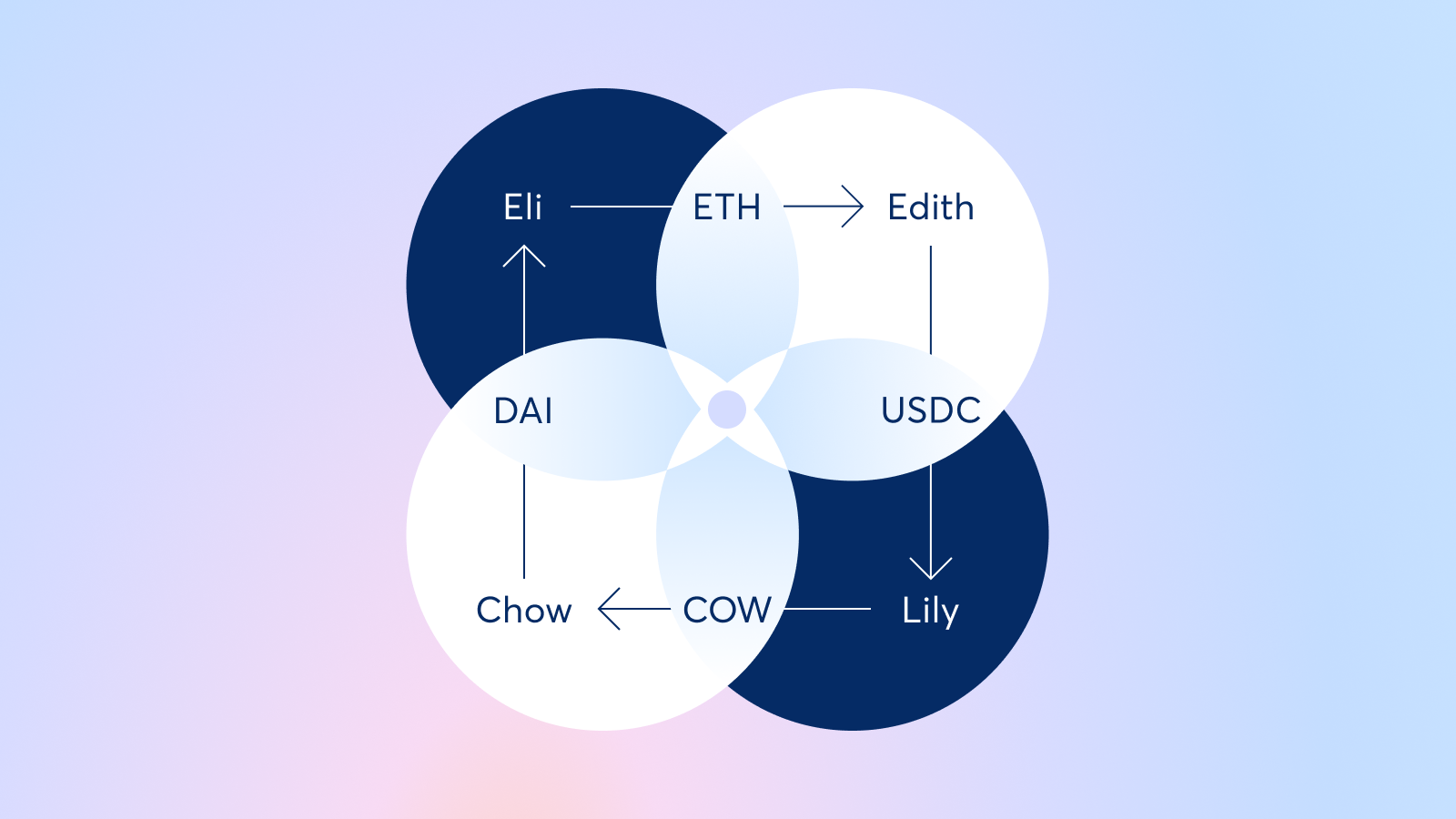
A multidimensional CoW consists of three or more users and shares liquidity between each of their trades.
It often includes multiple assets and relies on the solvers to find the optimal path from each user to the next in order to maximize off-chain liquidity utilization.
While some orders are filled entirely through a CoW, many are only partially filled peer-to-peer.
In these latter cases, solvers automatically go on-chain to source the rest of the liquidity necessary to finish filling the order.
---
## Flow of an order
Rather than creating executable on-chain transactions, CoW Protocol users submit their orders as signed [*intent to trade*](../introduction/intents) messages.
This allows [solvers](https://docs.cow.finance/cow-protocol/concepts/introduction/solvers) to find the optimal execution path for the batch of orders before committing them on-chain.
Let's bring all of our main concepts together by taking a look at the flow of an order through CoW Protocol.
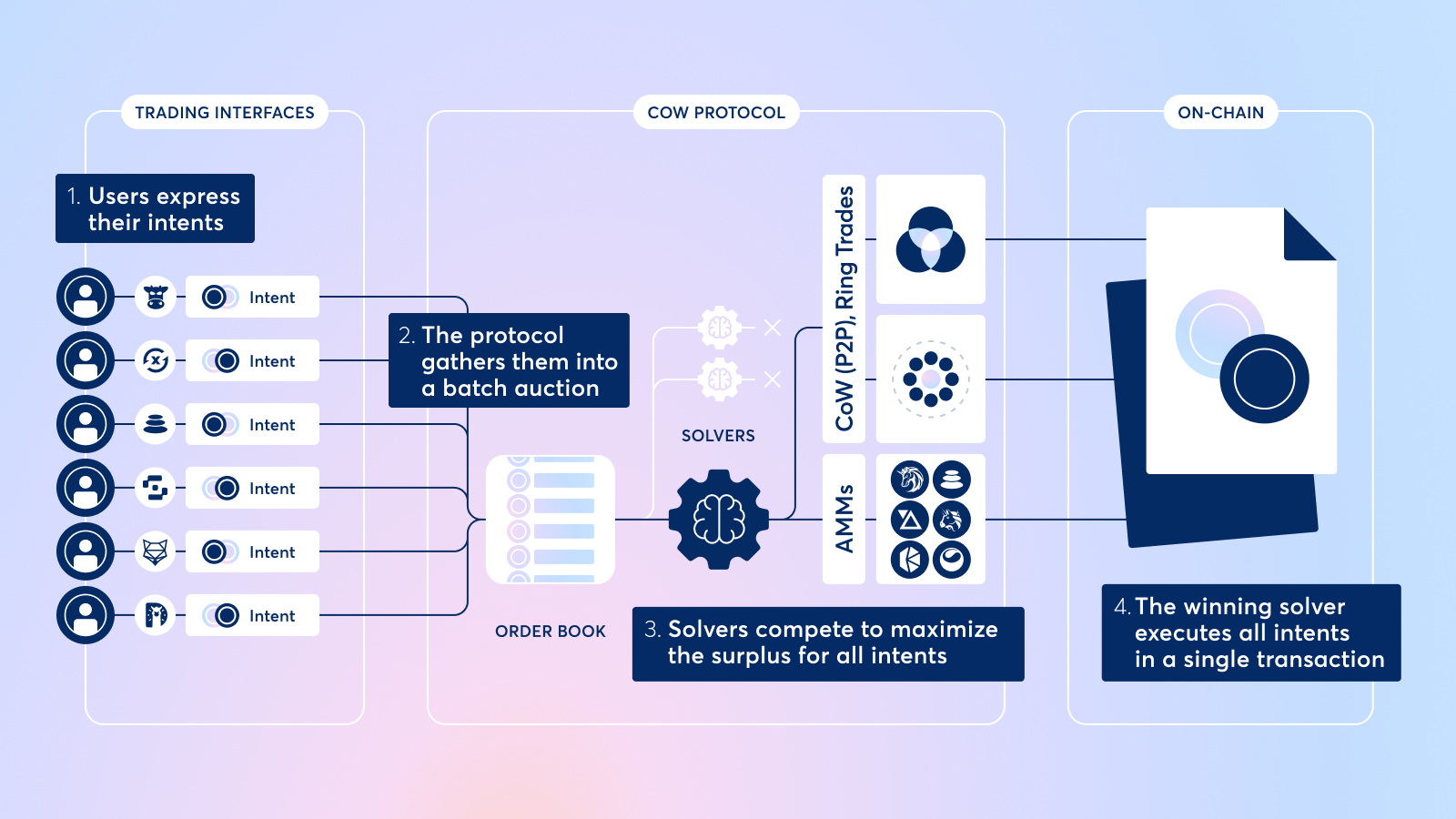
There are 4 main steps to an order on CoW Protocol:
1. Users express their trade intents by signing messages that specify the assets and amounts they want to trade, alongside other parameters.
2. The protocol gathers the intents of multiple users into a [fair combinatorial batch auction](../introduction/fair-combinatorial-auction).
3. Solvers have a set amount of time to propose settlements for the batch. The solver that is able to generate the highest amount of surplus for the batch is declared the winner.
4. The winning solver submits the batch transaction on-chain on behalf of the users.
Once the winning solver executes the batch's orders on-chain, users receive their tokens.
The competition between solvers in a batch auction ensures that users (including traders, DAOs, smart contracts, and bots) always receive the best prices for their trades.
Letting solvers do the heavy lifting means users don't have to worry about finding the best liquidity pool, setting the right gas price, or picking the optimal slippage tolerance for their trades.
Solvers are also experts at avoiding MEV so users can rest assured their orders are protected from MEV bots that exploit their price through frontrunning and sandwich attacks.
---
## How Intents Are Formed
An [_intent_](https://docs.cow.finance/cow-protocol/concepts/introduction/intents) in CoW Protocol is a signed message that represents a user's wish to trade. It doesn't execute a trade directly — instead, it delegates execution to [solvers](../introduction/solvers) who find the optimal path.
:::caution
This document explains the anatomy of intents and interaction with the API at a low level.
For practical use of the protocol, it is recommended to use high-level tools such as the **[CoW SDK](../../reference/sdks/cow-sdk)**.
:::
Forming an intent follows three stages:
```
Intention → Quote → Intent
```
## 1. Intention
An intention is the user's raw desire to trade. To obtain a quote, you send this intention to the `/quote` API endpoint:
```
POST https://api.cow.finance/mainnet/api/v1/quote
```
The request body describes what the user wants. Basic fields of the request:
```json
{
"kind": "sell",
"sellToken": "0xfFf9976782d46CC05630D1f6eBAb18b2324d6B14",
"buyToken": "0xbe72E441BF55620febc26715db68d3494213D8Cb",
"sellAmountBeforeFee": "1000000000000000000",
"from": "0xfb3c7eb936cAA12B5A884d612393969A557d4307",
"receiver": "0xfb3c7eb936cAA12B5A884d612393969A557d4307",
"validFor": 1800,
...
}
```
| Field | Description |
|---|---|
| `kind` | `"sell"` or `"buy"` — whether you're fixing the sell or buy amount |
| `sellToken` | Token address you're selling |
| `buyToken` | Token address you're buying |
| `sellAmountBeforeFee` | How much you want to sell (for `sell` orders) |
| `from` | Address of the trader |
| `receiver` | Address that receives the bought tokens (often same as `from`) |
| `validFor` | Order validity period in seconds |
:::note
More details see the [Order Book API](../../reference/apis/orderbook.mdx)
:::
## 2. Quote
The `/quote` response provides the price information needed to build the order, including fee breakdowns.
### Sell order response
---
```json
{
"protocolFeeBps": "2",
"quote": {
"buyAmount": "191179999",
"feeAmount": "62483346430736",
"sellAmount": "99937516653569264",
"kind": "sell"
},
...
}
```
| Field | Description |
|---|---|
| `protocolFeeBps` | Protocol fee in basis points |
| `quote.sellAmount` | Sell amount **after** network costs have been deducted |
| `quote.feeAmount` | Network costs, in **sell token** units |
| `quote.buyAmount` | Buy amount **after** network costs and protocol fee have been deducted |
### Buy order response
---
```json
{
"protocolFeeBps": "2",
"quote": {
"buyAmount": "200000000",
"feeAmount": "42560776189182",
"sellAmount": "104486220751250279",
"kind": "buy"
},
...
}
```
For buy orders, `sellAmount` is **after** the protocol fee, and the `feeAmount` (network costs) is **not yet included** in the sell amount — it must be added separately.
## 3. Amount Stages
The quote response and order construction use a shared vocabulary of amount stages — each representing the token amount at a specific point in the fee pipeline. Understanding these terms is essential for interpreting quote values and building orders correctly.
| Term | Description |
|---|---|
| **`beforeAllFees`** (= `spotPrice`) | The raw exchange rate with no fees applied. This is the theoretical "perfect world" price. It serves as the reference point for calculating partner fees and slippage. |
| **`afterProtocolFees`** | Amount after CoW Protocol's own fee (`protocolFeeBps`) has been applied. |
| **`afterNetworkCosts`** | Amount after gas costs (network costs) have been applied. Network costs are always denominated in the **sell token**, but may be converted to buy token units when applied to the buy side. |
| **`afterPartnerFees`** | Amount after the integrator/partner fee has been deducted. |
| **`afterSlippage`** | The final amount after the user's slippage tolerance has been applied. **This is the value signed into the order** — it is the minimum the user will receive (sell orders) or the maximum they will pay (buy orders). |
### Flow for sell orders
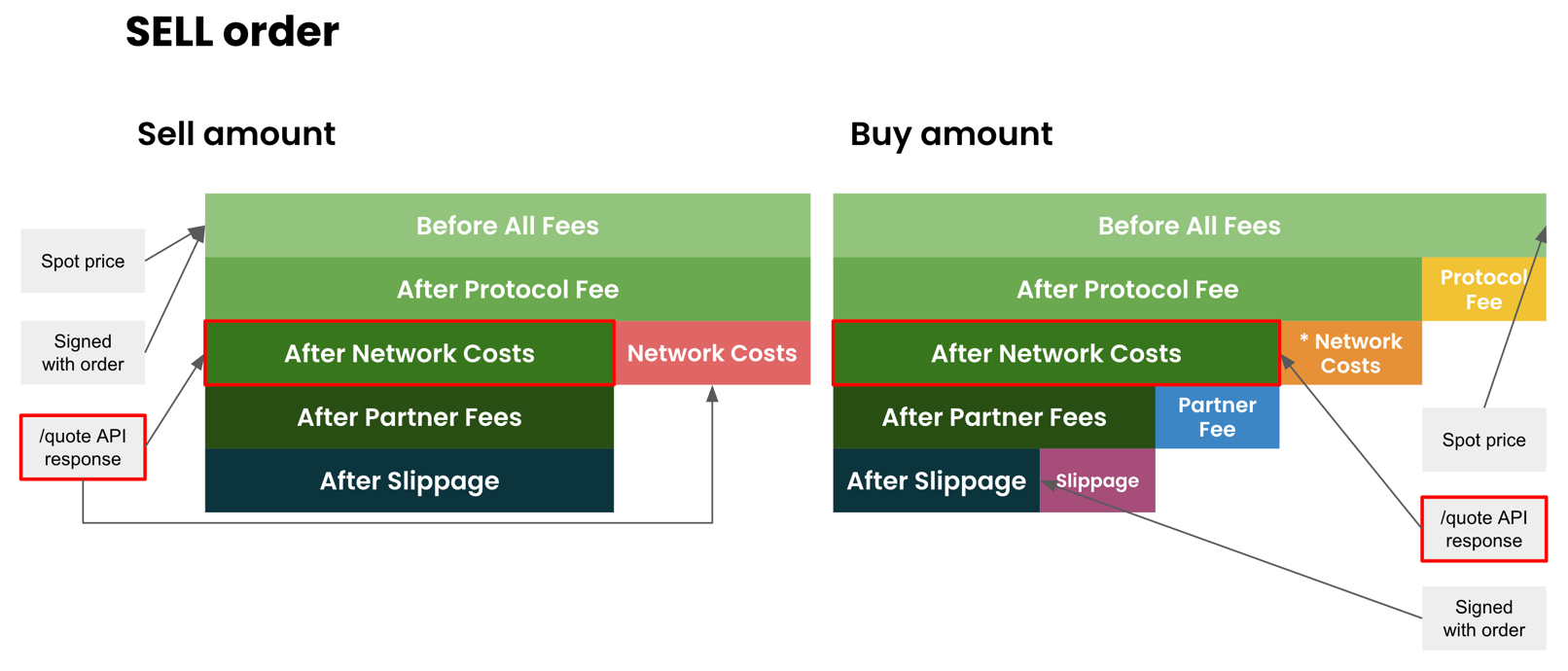
>The code below is simplified, see the full working code in [CoW SDK `getQuoteAmountsAndCosts`](https://github.com/cowprotocol/cow-sdk/blob/main/packages/order-book/src/quoteAmountsAndCosts/getQuoteAmountsAndCosts.ts).
The `/quote` response maps directly to `afterNetworkCosts`. `beforeAllFees` is reconstructed from it for partner fee calculations:
```ts
// /quote response maps to afterNetworkCosts
const afterNetworkCosts = {
sellAmount: quote.sellAmount,
buyAmount: quote.buyAmount,
}
// reconstruct beforeAllFees (spot price) — used as the base for partner fee calculation
const networkCostAmountInBuyCurrency = (quote.buyAmount * quote.feeAmount) / quote.sellAmount
const beforeAllFees = {
sellAmount: quote.sellAmount + quote.feeAmount,
buyAmount: quote.buyAmount + networkCostAmountInBuyCurrency + protocolFeeAmount,
}
// partner fee is deducted from buy amount, relative to spot price
const afterPartnerFees = {
sellAmount: afterNetworkCosts.sellAmount,
buyAmount: afterNetworkCosts.buyAmount - partnerFeeAmount,
}
// partnerFeeAmount = beforeAllFees.buyAmount * partnerFeeBps / 10000
// slippage reduces buy amount (user accepts receiving less)
const afterSlippage = {
sellAmount: afterPartnerFees.sellAmount,
buyAmount: afterPartnerFees.buyAmount - slippageAmount,
}
// slippageAmount = afterPartnerFees.buyAmount * slippageBps / 10000
// sell is set to spot price — settlement contract deducts network costs itself
const amountsToSign = {
sellAmount: beforeAllFees.sellAmount, // = quote.sellAmount + quote.feeAmount
buyAmount: afterSlippage.buyAmount, // minimum to receive
}
```
### Flow for buy orders
>The code below is simplified, see the full working code in [CoW SDK `getQuoteAmountsAndCosts`](https://github.com/cowprotocol/cow-sdk/blob/main/packages/order-book/src/quoteAmountsAndCosts/getQuoteAmountsAndCosts.ts).
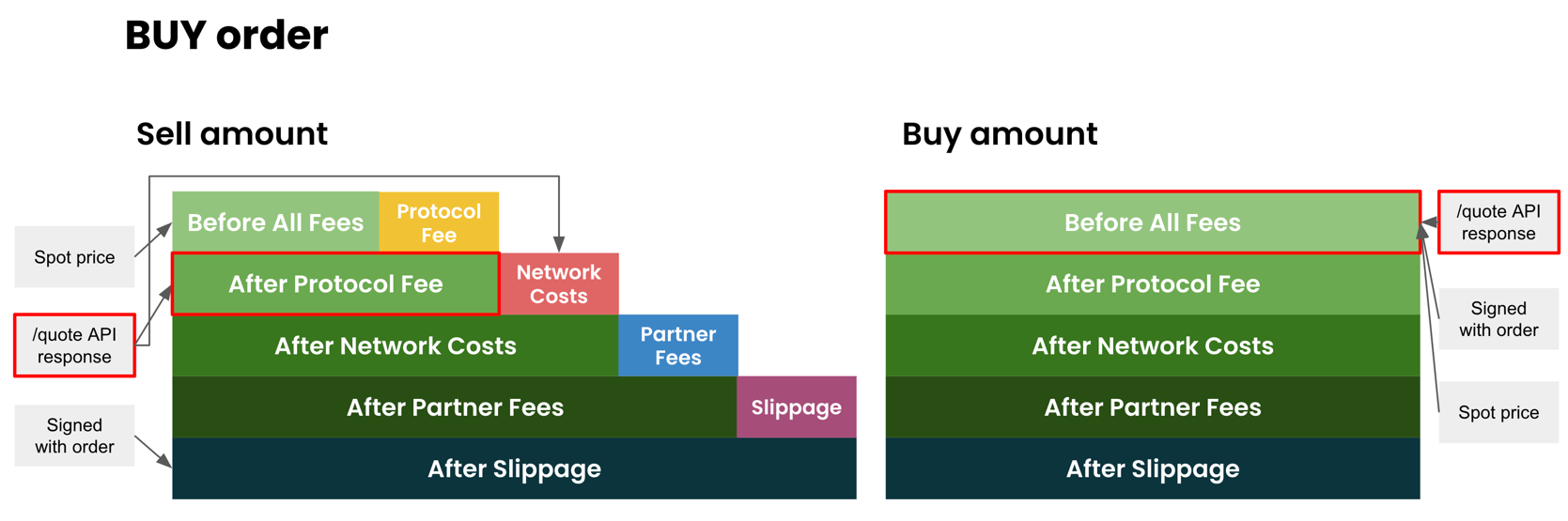
The `/quote` sell amount maps to `afterProtocolFees`. The buy amount is fixed and maps to `beforeAllFees`:
```ts
// /quote response: sell maps to afterProtocolFees, buy is fixed (= beforeAllFees)
const afterProtocolFees = {
sellAmount: quote.sellAmount,
buyAmount: quote.buyAmount,
}
// reconstruct beforeAllFees (spot price) — used as the base for partner fee calculation
const beforeAllFees = {
sellAmount: quote.sellAmount - protocolFeeAmount,
buyAmount: quote.buyAmount,
}
// add network costs to sell amount
const afterNetworkCosts = {
sellAmount: quote.sellAmount + quote.feeAmount,
buyAmount: quote.buyAmount,
}
// partner fee is added to sell amount, relative to spot price
const afterPartnerFees = {
sellAmount: afterNetworkCosts.sellAmount + partnerFeeAmount,
buyAmount: afterNetworkCosts.buyAmount,
// partnerFeeAmount = beforeAllFees.sellAmount * partnerFeeBps / 10000
}
// slippage increases sell amount (user accepts paying more)
const afterSlippage = {
sellAmount: afterPartnerFees.sellAmount + slippageAmount,
buyAmount: afterPartnerFees.buyAmount,
// slippageAmount = afterPartnerFees.sellAmount * slippageBps / 10000
}
// buy is fixed (exact amount to receive), sell includes all fees and slippage
const amountsToSign = {
sellAmount: afterSlippage.sellAmount, // maximum to pay
buyAmount: beforeAllFees.buyAmount, // = quote.buyAmount
}
```
## 4. Fees & Slippage
Several layers of fees transform the raw spot price into the final amounts signed in the order.
### Fee types
| Fee | Description | Token |
|---|---|---|
| **Network costs** | Gas fees for on-chain execution, estimated by the protocol | Sell token |
| **Protocol fee** | CoW Protocol's fee, expressed in basis points (`protocolFeeBps`) | Buy token (sell orders) / Sell token (buy orders) |
| **Partner fee** | Optional fee added by integrators (e.g. widget providers) | Buy token (sell orders) / Sell token (buy orders) |
| **Slippage** | Tolerance buffer to account for price movements | Buy token (sell orders) / Sell token (buy orders) |
## Spot Price (beforeAllFees)
The spot price is the exchange rate before any fees are applied. It serves as the reference for partner fee and slippage calculations.
### Sell order
```
beforeAllFees.sellAmount = quote.sellAmount + quote.feeAmount
Network Costs (buy token) = (quote.buyAmount × quote.feeAmount) / quote.sellAmount
beforeAllFees.buyAmount = quote.buyAmount + protocolFeeAmount + Network Costs (buy token)
```
### Buy order
```
beforeAllFees.sellAmount = quote.sellAmount - protocolFeeAmount
beforeAllFees.buyAmount = quote.buyAmount
```
## Protocol Fee
The protocol fee is expressed as basis points (`protocolFeeBps`) in the quote response.
### Sell orders (buy token units)
For sell orders, `quote.buyAmount` is already **after** the protocol fee has been deducted:
```
protocolFeeAmount = quote.buyAmount × (protocolFeeBps / 10000) / (1 − protocolFeeBps / 10000)
```
### Buy orders (sell token units)
For buy orders, the protocol fee is applied to the sum of sell amount and network costs:
```
protocolFeeAmount = (quote.sellAmount + quote.feeAmount) × (protocolFeeBps / 10000) / (1 + protocolFeeBps / 10000)
```
## Partner Fee
The partner (integrator) fee is calculated as a percentage of the **spot price** (`beforeAllFees`), not the post-fee amounts.
### Sell orders (buy token units)
```
partnerFeeAmount = beforeAllFees × partnerFeePercent / 100
```
### Buy orders (sell token units)
The same formula applies, but the result is in sell token units.
## Slippage
Slippage tolerance uses the same calculation as the partner fee, but it is applied to the **`afterPartnerFees`** amount rather than the spot price:
```
slippageAmount = afterPartnerFees × slippagePercent / 100
```
## Forming the Final Order
The signed order combines the quote API response with UI/integrator settings:
| Source | Fields |
|---|---|
| `/quote` API response | `sellAmount`, `buyAmount`, `feeAmount`, `protocolFeeBps` |
| UI / integrator settings | `partnerFee`, `slippage` |
The resulting order contains the **`afterSlippage`** buy amount (for sell orders) or sell amount (for buy orders), which the protocol guarantees as the minimum the user will receive (or maximum they'll pay). Fixed amount (`sellAmount` for `SELL` order, `buyAmount` for `BUY` order), meanwhile, corresponds to the spot price amount.
### Sell order
```typescript
const orderToSign = {
sellAmount: beforeAllFees.sellAmount,
buyAmount: afterSlippage.buyAmount
}
```
### Buy order
```typescript
const orderToSign = {
sellAmount: afterSlippage.sellAmount,
buyAmount: beforeAllFees.buyAmount
}
```
---
## CoW Protocol vs. CoW Swap
While the two are intertwined, there are important differences between CoW Protocol and CoW Swap.
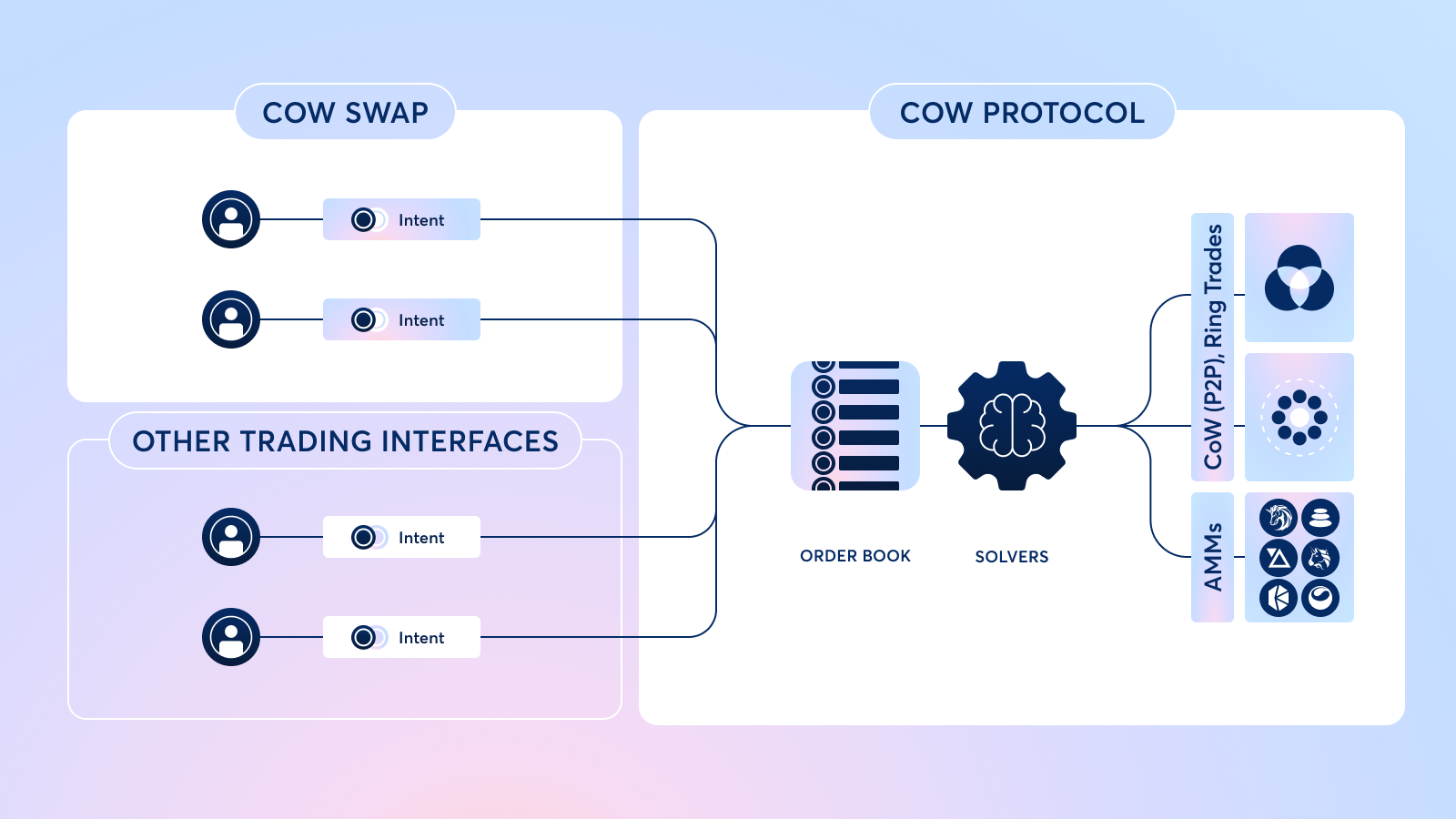
## CoW Protocol
CoW Protocol is a trading protocol that leverages [intents](../introduction/intents) and [fair combinatorial batch auctions](../introduction/fair-combinatorial-auction) to find optimal prices and protect orders from Maximal Extractable Value (MEV).
The protocol groups orders together into batches and relies on a competition between third parties, known as [solvers](../introduction/solvers), to find the best execution price for all orders in a given batch.
Solvers search all available on-chain liquidity and even tap off-chain private inventory to fill orders.
If two orders in a batch are swapping opposite assets, solvers match them together in a peer-to-peer [*Coincidence of Wants (CoW)*](./coincidence-of-wants) trade.
Once they have found their solutions, solvers compete to win the right to settle a batch of orders.
The protocol runs a solver competition and picks the "winning" solver to settle each batch of orders, defined as the solver that can maximize surplus for traders.
Solvers typically win the competition by finding the best combination of on- and off-chain liquidity sources, the most optimal CoW, the most efficient technical execution, or a combination of these in a single settlement.
## CoW Swap
CoW Swap was the first trading interface built on top of CoW Protocol and is currently the most popular way for users to trade with CoW Protocol.
Other trading apps and dApps, like Balancer, have also integrated CoW Protocol natively within their trading interfaces and advanced traders often place trades directly through the protocol.
The UI of CoW Swap includes some unique features, such as:
- Wallet history
- User token balances
- Games
- The legendary "Moo" sound
- Fortune cookies
CoW Swap works with many popular wallets, including [Rabby](https://rabby.io/), [MetaMask](https://metamask.io/), [Trust Wallet](https://trustwallet.com/), [Safe](https://safe.global/), [Trezor](https://trezor.io/), [Ledger](https://www.ledger.com/), and any wallet supporting [WalletConnect v2](https://walletconnect.com/).
---
## Fair Combinatorial Batch Auction
CoW Protocol collects and aggregates [intents](./intents) off-chain and auctions them off to [solvers](./solvers). The auction is combinatorial because each solver can submit multiple bids. A solver can submit multiple bids on individual orders, in which case each "bid" represents the best price this solver can provide to an individual order. However, a solver can also submit "batched" bids, that is, bids on groups of orders.
The protocol filters out ``unfair'' batched bids, which are those delivering less to an order than some available "non-batched" bids. It then selects the combination of winning bids that maximizes the surplus received by the orders that are part of the auction (subject to some computational constraints due to the combinatorial nature of the problem).
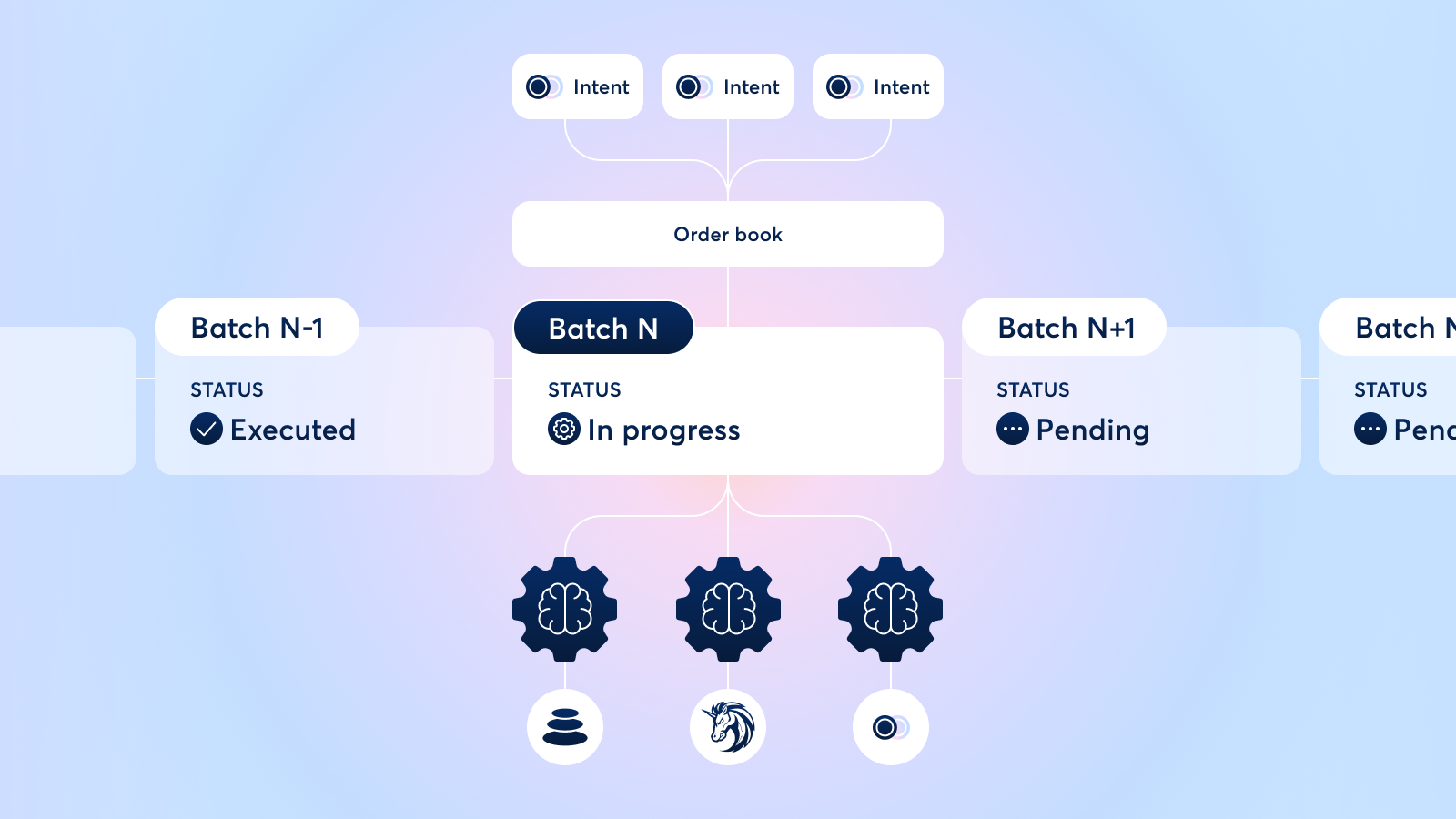
The fair combinatorial auction provides several benefits:
- [**MEV Protection**](../benefits/mev-protection): Fair combinatorial auctions allow for Uniform Directed Clearing Prices (UDP), where a directed asset pair that appears multiple times across orders in the same auction settles for a consistent price. This makes transaction order irrelevant within the block, undermining the ability for MEV bots to extract value.
- **[Coincidence of Wants](../how-it-works/coincidence-of-wants)**: When multiple orders trade the same assets within an auction, there may be an opportunity for a peer-to-peer swap that doesn't tap on-chain liquidity, which a solver could exploit by submitting a batched bid.
- **Fairness**: Ensuring that each order receives as much as it would have received had that order been auctioned off alone.
---
## Intents
Rather than placing orders by _**signing a raw transaction**_ that executes directly on-chain (i.e. as happens on Uniswap or SushiSwap), CoW Protocol users place orders by _**signing an "intent to trade" message**_ that specifies parameters like the assets and amounts they would like to trade.
The intent is a signed message which allows the solvers to execute a trade on behalf of the user using their specified assets and amounts.
There are a number of [financial](#financial-benefits-of-intents) and [technical](#technical-benefits-of-intents) advantages to intent-based trading.
## Financial Benefits of Intents
When a user places a trade directly on-chain, the execution path is set in stone and the trader receives whatever price (+/- slippage) the AMM or aggregator they're trading on gives them.
Thanks to its intent-based architecture, CoW Protocol delegates the job of finding the optimal execution path to professional third parties known as [solvers](./solvers).
Solvers not only scan all available on-chain liquidity (similar to a DEX aggregator) they also provide extra price improvements in several ways:
- [**Coincidence of Wants**](../how-it-works/coincidence-of-wants): Direct P2P (peer-to-peer) matching for two or more users who have expressed opposite buy and sell intents for the same token pair.
This optimization, enabled by batch auctions, allows users to bypass liquidity provider (LP) fees and it reduces the gas fees for trading as orders don't need to interact with other non-CoW Protocol smart contracts.
- **Private Market Maker Inventory**: Many solvers have access to off-chain liquidity through CEX inventory, integration with private market makers, or private liquidity of their own.
This allows them to fill certain trades at better prices than what may be available through on-chain AMMs at any given time.
- [**MEV Protection**](../benefits/mev-protection): On CoW Protocol, users are never exposed to MEV bots. Instead, solvers settle trades on behalf of the user, taking on all MEV risk.
In addition, solvers submit all orders in a batch at a uniform clearing price, meaning there is no advantage to re-ordering trades (the basis of all MEV exploitation).
## Technical Benefits of Intents
The intent-based architecture of CoW Protocol also provides a number of technical benefits:
- Enabling [solvers](./solvers) to execute all sorts of transactions (not just trades) based on specific instructions and on-chain conditions. This powers products like [CoW Hooks](../order-types/cow-hooks) and [Programmatic Orders](../order-types/programmatic-orders)
- Establishing additional rules for the way orders settle on-chain, such as guaranteeing that the trade is settled at [EBBO](/cow-protocol/reference/core/definitions#ebbo) (Ethereum best bid and offer, guaranteeing that the baseline price for the trade is what on-chain AMMs offer) and uniform clearing prices (where trades with the same token pair in the same batch are cleared at the same price)
- Allowing users to pay gas fees in their *sell token* without needing to hold the chain-native token (like ETH) in their wallet
- Eliminating fees for failed transactions
- Allowing users to place multiple orders at once
- Allowing the protocol to settle orders in batches, generating efficiencies from [Coincidence of Wants](../how-it-works/coincidence-of-wants) or gas savings.
---
## Solvers
CoW Protocol delivers optimal price outcomes by leveraging an open solver competition for order matching.
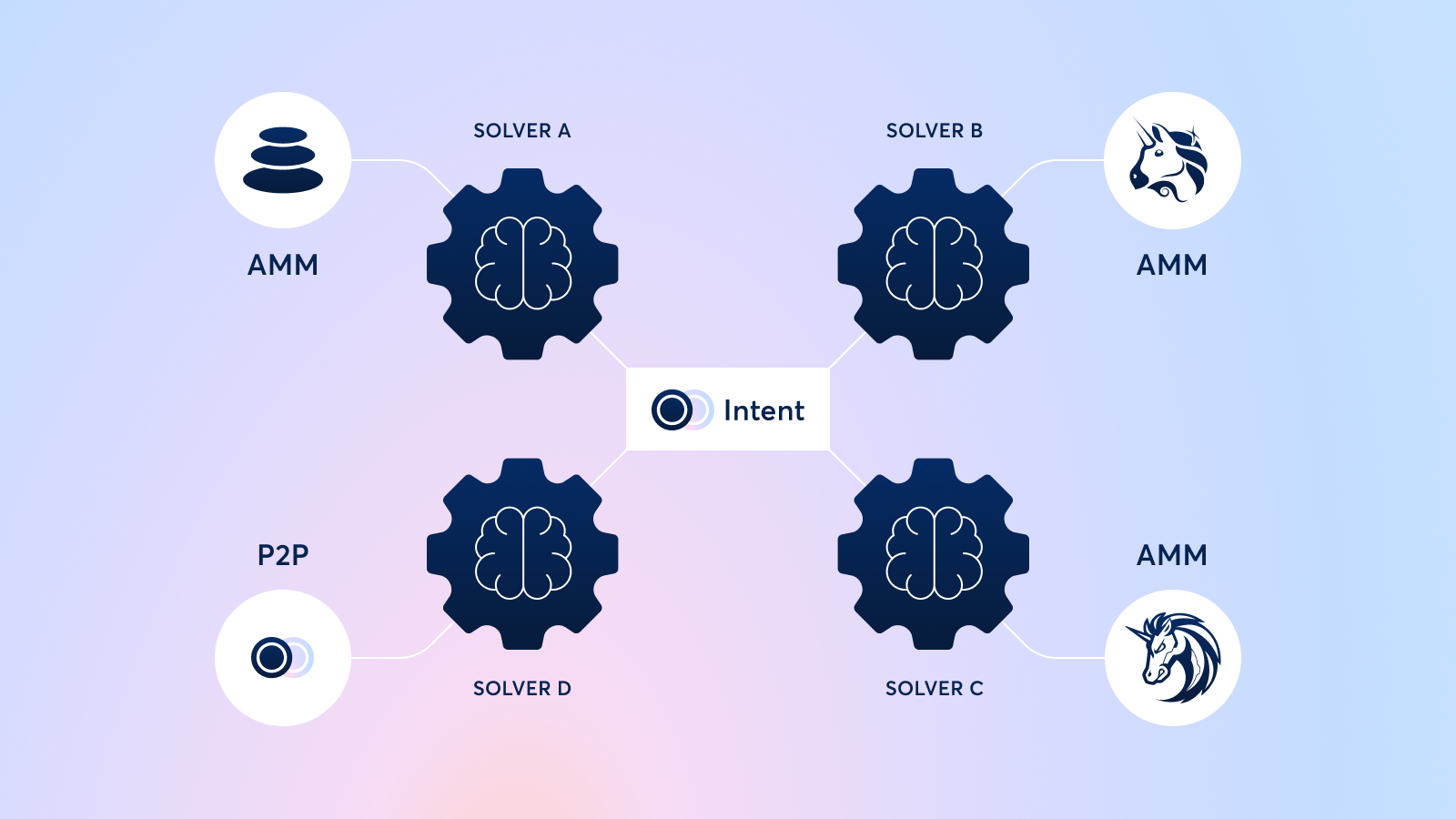
Solvers are bonded third parties that execute trades on behalf of users through an [intent-based delegated execution model](intents).
Once a user submits an [intent](intents), the protocol groups it alongside other intents in a batch auction.
As soon as a batch is "closed for orders", meaning that it stops considering new orders, the protocol runs a [competition](/cow-protocol/reference/core/auctions) where solvers submit solutions for the intents in the batch.
Whichever solver offers the best [solution](/cow-protocol/reference/core/auctions/the-problem#solution) for the batch auction (defined as the solver that provides the most surplus to user orders) gets to execute the orders.
Solvers are compensated in COW tokens for settling batches, incentivizing them to compete to find better prices and win the right to execute user intents.
## How Solvers Work
Solvers can move tokens on behalf of the user using the `ERC-20` approvals that the user granted to the [vault relayer](/cow-protocol/reference/contracts/core/vault-relayer) contract.
The [settlement](/cow-protocol/reference/contracts/core/settlement) contract, meanwhile, verifies the signature of the user's intent and ensures that execution happens according to the limit price and quantity specified by the user.
Anyone with some DeFi knowledge and ability to code an optimizations algorithm can create a solver.
---
## CoW Hooks
CoW Hooks allow users to pair any Ethereum action (or set of actions) with an order on CoW Protocol, leveraging the [solvers](../introduction/solvers) to execute the actions together in the sequence.
Hooks execute the entire sequence as a single transaction. True to the CoW Protocol model, users pay gas fees in their sell token if, and only if, the sequence of transactions succeeds. Under the hood, CoW Hooks are arbitrary Ethereum "calls" that attach to an order and execute before and/or after the order. Developers and advanced traders can use code to express an intent that performs some action before a swap (pre-hooks) and after a swap (post-hooks).
## Pre-Hooks
These are actions that execute before the swap, allowing pre-hooks to be used to "set up" an order. Some examples including:
- Unstaking tokens just-in-time for trading
- Claiming an airdrop right before dumping
- Signing token approvals so that the approval and the trade itself are batched together as a single action
## Post-Hooks
These are actions that execute after the swap, taking advantage of trade proceeds. Examples include:
- Bridging funds to L2s
- Staking funds
## Getting started
To get started with writing a CoW Hook, check out [our technical documentation](/cow-protocol/reference/core/intents/hooks). You can also [read more about CoW Hooks on our blog](https://blog.cow.finance/cow-hooks-you-are-in-control-480ccb40044a) or through our tutorials — [here](https://www.youtube.com/watch?v=FT36lWtC1Oc) and [here](https://www.youtube.com/watch?v=29OaasbqY_g).
---
## Limit orders
Limit orders are orders to buy or sell tokens at a specified price before a certain expiration date.
If the market price of the asset matches the target price at any point before the expiration date, the order executes. Otherwise, it expires. Limit orders are ideal for trades that are price-sensitive but not time-sensitive.
### How CoW Protocol Does Limit Orders
Thanks to CoW Protocol's [intent-based trading model](../introduction/intents), limit orders come with a few big advantages over their counterparts on other DEX's:
- **Gasless Order Management**: Traders can create, modify, and cancel limit orders without paying any gas fees.
- **Simultaneous Orders**: Traders can use the same crypto balance to place multiple outstanding orders at once and CoW Protocol automatically fills them as long as the user wallet has funds in it.
- **Order Surplus**: Across all CoW Protocol orders, traders receive the price determined at execution time. When it comes to limit orders, if the market price falls below the limit price, the user receives all the upside (unlike other exchanges, which would execute the limit order at the limit price, regardless of the asset's true market price). Additionally, any price improvements the solvers generate through finding better execution paths (i.e. finding a [Coincidence of Wants](../how-it-works/coincidence-of-wants)) belong to the trader.
CoW Protocol's limit orders provide more flexibility and better prices than other DEX's thanks to the protocol's [intents-based execution](../introduction/intents) and [fair combinatorial batch auctions architecture](../introduction/fair-combinatorial-auction).
## Getting started
Wanting to place a limit order? Check out our [limit order tutorial](/cow-protocol/tutorials/cow-swap/limit). You can also [read about limit orders on our blog.](https://blog.cow.finance/the-cow-has-no-limits-342e7eae8794)
---
## Market orders
Market orders are orders to buy or sell tokens as soon as possible at the current market rate.
They are essentially limit orders where the limit price is close to or below the current market rate.
When users place a market order on CoW Protocol, they agree to receive the best price that the solvers can find at that moment in time. Market orders are **fill or kill** (as opposed to partially fillable), meaning solvers have to find liquidity for the order in its entirety or wait to execute the order until enough liquidity is available.
As with other exchanges, users also need to specify a "slippage tolerance" which allows the price to deviate by some percentage in order to ensure execution even in volatile market conditions.
:::note
Unlike other DEXs, your slippage tolerance cannot be extracted by MEV Bots (cf. [MEV Protection](../benefits/mev-protection)).
If the solvers are able to find optimizations within the batch auction your order is settled with, you may also get a better price.
:::
## Getting started
Wanting to make a market order? Check out our [market order tutorial](/cow-protocol/tutorials/cow-swap/swap).
---
## Milkman orders
Milkman is an order placement mechanism developed by [Yearn Finance](https://yearn.fi/) in collaboration with CoW Protocol through the [CoW DAO Grants program](https://grants.cow.finance/).
The contract allows users to utilize a price feed for their orders rather than specifying a fixed price.
This means orders can execute at a fair market price even far into the future, making Milkman a popular choice for DAOs and governance-dependent trades.
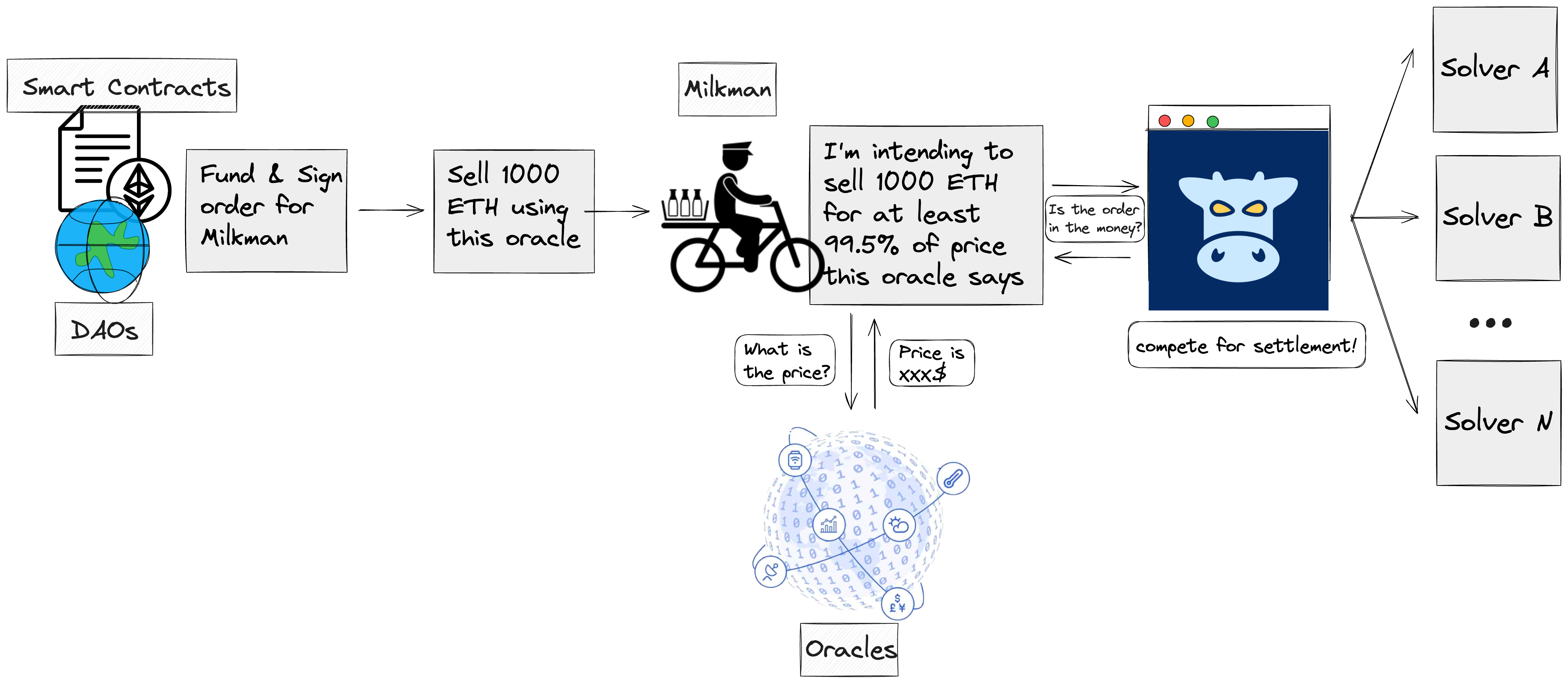
Let's say a DAO wants to sell 10,000 ETH from its treasury for USDC.
The DAO's governance process dictates that the trade must first be put to a vote, but this means that the price of ETH will fluctuate significantly from the time the proposal is created to the time the trade actually executes.
Rather than specifying a minimum fixed number of tokens they are willing to receive for their trade, users can utilize Milkman to specify a price feed (from an oracle source such as Chainlink, Tellor, or any custom on-chain data source) that will give the order a fair market price at the time of execution.
Finally, once a user places a trade via Milkman, the order gets sent to the CoW Protocol order book where solvers pick it up and compete to find the best execution price for it.
## Getting started
Milkman follows a UniswapV2-style interface. To interact with Milkman, smart contracts need only to call the following function:
```solidity
function requestSwapExactTokensForTokens(
uint256 amountIn,
IERC20 fromToken,
IERC20 toToken,
address to,
address priceChecker,
bytes calldata priceCheckerData
)
```
The priceChecker is the data feed provider, and priceCheckerData is an array of arbitrary bytes that the function passes to the price checker (e.g. the desired slippage tolerance).
Price checkers have been deployed for Chainlink, Curve, SushiSwap, Uniswap V2, Uniswap V3, and combinations of these. Deployment addresses can be found [here](https://github.com/cowdao-grants/milkman/blob/main/DEPLOYMENTS.md), and the core Milkman code can be found [here](https://github.com/cowdao-grants/milkman/blob/main/contracts/Milkman.sol). Anyone can run a [Milkman bot](https://github.com/cowprotocol/milkman-bot), which simply functions as a hook that watches for new swap requests and surfaces them to CoW Protocol. Running a bot is fairly easy if you have a Kubernetes cluster; the instructions are in the repo.
---
## Repay debt with collateral using flash loans
A key use case of flash loans is the ability to repay debt with collateral, since flash loans allow users to close or reduce their debt positions without needing upfront liquidity.
Instead of requiring users to have assets readily available to repay their loans, flash loans enable them to temporarily borrow the needed funds, use those funds to repay their debt, and immediately reclaim their locked collateral. Once the collateral is received, it can be swapped or liquidated to cover the borrowed amount, ensuring the loan is repaid within the same transaction.
This approach eliminates the need for users to preemptively sell assets or find external liquidity, making it a highly flexible and efficient way to manage debt positions.
### How to pay back a debt with collateral
This can be achieved using a buy order where:
- The **buy token** is the flash loaned asset that needs to be repaid.
- The **buy amount** is the exact amount needed to repay the flash loan (it must be sufficient to complete the transaction; otherwise, the transaction will revert!).
- The **sell token** is the asset used as collateral.
- The **sell amount** is the full collateral amount.
The receiver of the order must always be the settlement contract, to let the protocol handle repaying the appropriate amount for you.
When it comes to repaying debt, the approach depends on the lender's contract terms. Some lenders allow a third party to initiate the transfer of collateral tokens from the lending pool to the trader's address, while others may not.
#### Lender allows a third-party to initiate the transfer of collateral tokens
In this case, the user can sign a pre-hook that deploys a [COWShed](https://github.com/cowdao-grants/cow-shed) to repay the debt using flash-loaned tokens. `COWShed` is a user owned ERC-1967 proxy deployed at a deterministic address. This deterministic deployment allows users to set the proxy address as the receiver for cowswap orders with pre/post-hooks. The user signs a EIP-712 message for the pre/post-hooks which gets validated. Only user signed hooks are executed on the user's proxy. This allows users to confidently perform permissioned actions in the hooks such as:
- transferring assets from the proxy to someone else.
- use the proxy to add collateral or repay debt on a maker CDP or an AAVE debt position, etc.
In order to create the `COWShed`, the user can use the [COWShed SDK](https://github.com/cowprotocol/cow-sdk/tree/main/src/cow-shed).
The underlying user order is only used to repay the required flash loan. Since the repayment is handled via `COWShed`, the user can be either an EOA (Externally Owned Account) or a contract (e.g., a SAFE wallet).
#### Lender does not allow a third-party to initiate the transfer of collateral tokens
If the lender does not allow third-party to initiate the transfer of collateral tokens from the lending pool to the trader's address, the process becomes more involved. In this case, the repayment must come directly from the owner's account, meaning the owner cannot simply be an EOA (Externally Owned Account). Instead, it must be a smart contract (e.g. a SAFE wallet). That enables you to authorize function calls coming from the safe by signing them with the safe. That way you can create a hook initiating the withdrawal of the collateral tokens that a third-party can initiate. This is not possible when the collateral owner is an EOA.
Additionally, repayment might not always involve selling the collateral token directly. In some cases, the protocol allows selling an interest-bearing version of the token instead. For example, if the collateral is aUSDC (which represents USDC deposited in Aave and earning interest), selling aUSDC instead of withdrawing and selling USDC directly ensures a more seamless repayment process. Understanding these trade-offs helps determine the correct approach based on the specific requirements of the lending protocol.
---
## Programmatic orders
In addition to normal wallets, CoW Protocol also supports smart contract wallets that implement `ERC-1271`.
This allows users to place orders through smart contracts with programmable parameters that execute based on certain conditions.
We call these types of orders "programmatic orders" and we've developed a framework for creating programmatic orders, aptly named the "Programmatic Order Framework."
## Creating & Using Programmatic Orders
CoW Protocol's Programmatic Order Framework makes it easy to create conditional orders that execute when certain on-chain conditions are met (such as asset prices, wallet balances, time elapsed, and much more).
The Framework takes care of all the boilerplate code necessary to create orders through CoW Protocol, so users only have to focus on coding the order logic itself.
Programmatic order intents can also be created, updated, or deleted as a group with just a single transaction.
Thanks to the Programmatic Order Framework, users can automate everything from complex trading strategies to advanced order types, portfolio management, DAO operations, and more with just a few lines of code.
**Example Use-Cases of Programmatic Orders:**
- **Advanced order types:** The conditional nature of programmatic orders allows for complex order types such as stop-loss, good-after-time, take-profit, and more. In fact, CoW Protocol's [TWAP orders](./twap-orders) are built on top of the Programmatic Order Framework.
- **Automated wallet operations:** Wallets of all sizes can automate recurring actions using the Programmatic Order Framework. DAOs can automate payroll, treasury diversification, fee collections and more, while individuals can automate portfolio rebalancing, yield farming, hedge market positions and more.
- **Protocol integrations:** Through the Programmatic Order Framework, protocols can add custom functionality to any transaction type. DAO tooling companies, for example, can build plug-n-play products while DeFi protocols can leverage the power of the Framework to assist with recurring protocol-level transactions like loan liquidations.
## Getting started
To start developing with the Programmatic Order Framework, check out our [technical documentation](/cow-protocol/reference/contracts/periphery/composable-cow). You can also read more about programmatic orders [on our blog](https://blog.cow.finance/introducing-the-programmatic-order-framework-from-cow-protocol-088a14cb0375).
---
## TWAP orders
Time-Weighted Average Price (TWAP) orders are an advanced order type available on CoW Protocol that breaks up a large order into several smaller pieces.
TWAP orders are ideal for executing big trades with minimal price impact.
## How TWAP Orders Work
TWAP orders split up a large order into a series of normal limit orders that trade at fixed intervals. When setting up a TWAP order, users specify how many parts they'd like to split their trade into, as well as the total duration of the order (can be hours, days, weeks, or even months).
TWAP orders on CoW Protocol require several inputs:
- **Assets**: Just like you would with a regular swap, begin by specifying the assets you want to swap
- **Price Protection**: One of the unique parts of TWAP orders on CoW Protocol is the "price protection" option which allows you to specify the minimum market price you'd be willing to take for your order. If the price of the asset you're buying falls below what you specify for any, that part of the TWAP order will not execute until the price recovers above your threshold
- **Number of Parts**: Here you specify how many parts you'd like to split your large order into
- **Total Duration**: Specify the total length of time that you want all parts of your order to execute over
## Benefits
TWAP orders provide a number of benefits, especially when it comes to large orders:
- **Lower slippage**: Breaking up a large order into smaller pieces allows users to set a smaller slippage tolerance for each piece than if they had executed the large order as one
- **Lower price impact**: As with slippage, breaking up a large order into small pieces allows users to spread their liquidity needs over time, reducing price impact
- **100% of order surplus**: On CoW Swap, all order surplus is forwarded to the user. If an order executes for a price better than the quoted price - thanks to [Coincidences of Wants](../how-it-works/coincidence-of-wants) or any other price improvement that solvers are able to find - the extra price improvement will be forwarded to the user
- **Eliminating market fluctuations**: By giving traders the time-weighted average price, TWAP orders smooth out market volatility
- **Custom order parameters**: Users can choose how many parts to split their TWAP order into, adjust the execution timeframe, and even enable a "price protection" feature which prevents execution at unfavorable prices due to market volatility
## TWAP Requirements
There are also several requirements for placing TWAP orders through CoW Protocol
- Trades on Ethereum Mainnet must be a minimum of \$1,000 (the minimum is only $5 for trades on Gnosis chain, Arbitrum One and Base)
- Users must have a [Safe wallet](https://safe.global/wallet) with an [upgraded fallback handler](https://blog.cow.finance/all-you-need-to-know-about-cow-swaps-new-safe-fallback-handler-8ef0439925d1)
## Getting started
Wanting to place a TWAP order? Check out our [TWAP order tutorial](/cow-protocol/tutorials/cow-swap/twap). You can also [read about TWAP on our blog.](https://blog.cow.finance/cow-swap-launches-twap-orders-d5583135b472)
---
## Generalized Wrappers
Generalized wrappers are a new framework to allow custom logic to execute before and/or after order settlement on CoW Protocol. They enable complex DeFi workflows—like flash loans, leveraged positions, and programmatic orders—all while preserving the security and assurances granted by CoW Protocol.
## What are Wrappers?
Wrappers are smart contracts that "wrap" the settlement process, executing custom logic surrounding the settlement contract. When a solver executes a settlement that includes a wrapper, they call the wrapper contract instead of the settlement contract directly. The wrapper calls the settlement contract on behalf of the solver.
This mechanism extends CoW Protocol's functionality in a modular way, allowing new features and integrations to be added without modifying the core settlement contract or requiring any changes to solver implementations.
## Use Cases
As we begin to roll out wrappers more widely across our infrastructure, below is an overview of some of the ways Wrappers can be used.
* **Leveraged Positions:** By wrapping the execution context of a CoW settlement, protocols implementing leveraged position opening capabilities can be supported.
- This case is utilized by [Euler](https://github.com/cowprotocol/euler-integration-contracts) to open, close, and collateral swap leverage positions with the [Ethereum Vault Connector](https://evc.wtf/) in the flagship implementation of the wrapper contracts.
* **Flash Loan Integration:** Currently, CoW Protocol uses a dedicated `FlashLoanRouter` contract for flash loan functionality. However, this implementation comes with additional implementation effort from both the solvers and the CoW Protocol backend infrastructure. With generalized wrappers, flash loan integration becomes simpler and more flexible.
* **Programmatic Orders:** Wrappers can place, gate, or cancel the execution of user orders when authorized, allowing for advanced order types like TWAP, OCO, Stop-Loss/Take-Profit, or DCA with support for every type of wallet.
* **Protocol-Approved Hooks:** Unlike [CoW Hooks](./cow-hooks.mdx), which can revert even if the order is executed successfully, wrappers provide a way to enforce required pre- and post-settlement operations that the user may want. Since wrappers are protocol-approved through the allowlist authenticator, they can implement critical functionality that must execute:
- Cross chain transfers (pre- or post-transfer)
- Deposit in a vault or other wrapper contract (swap and stake)
* **Something else:** Anyone can build and submit a new wrapper contract, and there are few restrictions on what a wrapper can do during execution.
## Considerations
While wrappers are powerful, there are important considerations to keep in mind:
### Gas Overhead
Wrappers add gas overhead to settlement transactions. This is an important factor in deciding whether to use a wrapper — see the [Integration Guide](../../integrate/wrappers.mdx#gas-estimation) for benchmarks and estimation guidance.
### Requires Protocol Approval
Wrappers cannot be deployed and used immediately—they must be approved by CoW DAO through the allowlist authenticator. This approval process ensures high-quality wrapper implementations and safety for solvers, but means there's a roadblock for developers looking to extend CoW Protocol. Developers should plan for this approval process when building wrapper-based integrations.
### Wrapper and Settlement Call Pairing not Guaranteed On-chain
Despite off-chain rules incentivizing solvers to execute wrappers as specified by an order, this is not enforced onchain and a solver may (due to technical error or malicious intent) execute an order without the corresponding wrapper. Conversely, the solver may execute the wrapper without the corresponding order in the settlement call. This means wrappers must be designed defensively:
- If a wrapper is strictly required as part of an order, the order should fail to settle without it
- If the wrapper call must be executed with the order settlement, it should revert if the settlement output is not delivered.
- Wrappers should validate all input data and fail in cases where a user's funds could be at risk
## Getting Started
Wrappers are a powerful tool for advanced integrations on CoW Protocol. To start building with wrappers:
- **For developers**: See the [Integration Guide](../../integrate/wrappers.mdx) for implementation details, code examples, and security guidelines
- **For technical specs**: Consult the [Technical Reference](../../reference/contracts/periphery/wrapper.mdx) for detailed contract documentation and API specifications
To learn more about wrappers and see example implementations:
- **For Wrapper Contract Builders:** [Euler Integration Contracts Repository](https://github.com/cowprotocol/euler-integration-contracts) - Contains the `CowWrapper` abstract contract and example implementations
- **For Solvers:** [Services Repository PR #3700](https://github.com/cowprotocol/services/pull/3700) - Example backend integration implementation. Good reference for solvers looking to support wrappers.
Wrappers represent a significant evolution in CoW Protocol's capabilities, enabling complex DeFi workflows while maintaining security and simplicity for solvers. As more wrappers are developed and approved, they will continue to expand what's possible with intent-based trading.
---
## Integrate CoW Protocol
CoW Protocol offers multiple integration approaches to suit different development needs and use cases. Whether you're building a DeFi application, creating a custom trading interface, or integrating CoW's functionality into your existing platform, there's an integration method that fits your requirements.
## Integration Approaches
| Approach | Best For | Development Effort | Customization Level |
|----------|----------|-------------------|---------------------|
| **Widget** | Quick integration, minimal setup | Low | Basic styling and configuration |
| **SDK** | Full control, custom UI | Medium | Complete control over UI/UX |
| **API** | Backend integration, custom logic | High | Maximum flexibility |
## Choose Your Integration Method
### 🎨 Widget Integration
Perfect for getting started quickly with minimal development effort. The CoW Widget provides a pre-built trading interface that can be embedded into any web application.
- **Setup time**: Minutes
- **Customization**: Theme, token lists, styling
- **Use case**: Quick integration, MVP development
### 🛠️ SDK Integration
Ideal for developers who want to build custom trading interfaces while leveraging CoW Protocol's powerful features.
- **Setup time**: Hours to days
- **Customization**: Complete UI control
- **Use case**: Custom applications, advanced features
### 🔧 API Integration
Best for backend services, advanced integrations, and when you need maximum control over the trading logic.
- **Setup time**: Days to weeks
- **Customization**: Full control over all aspects
- **Use case**: Backend services, complex integrations
---
Choose the integration method that best fits your project's requirements and development timeline. Each approach is designed to provide progressively more control and customization options.
---
## API Integration
The CoW Protocol API provides direct access to the protocol's functionality through RESTful endpoints. This approach offers maximum flexibility and control for backend integrations and custom implementations.
## Overview
The API integration allows you to interact with CoW Protocol at the lowest level, giving you complete control over order management, quote fetching, and trade execution. This is ideal for advanced integrations, backend services, and custom trading logic.
## Key APIs
### Order Book API
The primary API for creating and managing orders on CoW Protocol.
- **Base URL**: `https://api.cow.finance/`
- **Purpose**: Quote generation, order submission, order management
- **Authentication**: No API key required for basic operations
### Key Endpoints
- `POST /api/v1/quote` - Get trading quotes
- `POST /api/v1/orders` - Submit signed orders
- `GET /api/v1/orders/{uid}` - Get order details
- `DELETE /api/v1/orders/{uid}` - Cancel orders
- `GET /api/v1/trades` - Get trade history
## Quick Start Example
### 1. Get a Quote
```bash
curl -X POST "https://api.cow.finance/mainnet/api/v1/quote" \
-H "Content-Type: application/json" \
-d '{
"sellToken": "0xA0b86a33E6411Ec5d0b9dd2E7dC15A9CAA6C1F8e",
"buyToken": "0xC02aaA39b223FE8D0A0e5C4F27eAD9083C756Cc2",
"sellAmountBeforeFee": "1000000",
"kind": "sell",
"from": "0xYourWalletAddress"
}'
```
### 2. Sign and Submit Order
```javascript
// After getting a quote, sign the order
const order = {
...quoteResponse,
signature: await signOrder(quoteResponse, signer),
signingScheme: "eip712"
}
// Submit the signed order
const response = await fetch('https://api.cow.finance/mainnet/api/v1/orders', {
method: 'POST',
headers: { 'Content-Type': 'application/json' },
body: JSON.stringify(order)
})
const orderId = await response.text()
```
### 3. Monitor Order Status
```javascript
// Check order status
const orderResponse = await fetch(
`https://api.cow.finance/mainnet/api/v1/orders/${orderId}`
)
const orderDetails = await orderResponse.json()
console.log('Order status:', orderDetails.status)
```
## Network Endpoints
CoW Protocol APIs are available on multiple networks:
- **Mainnet**: `https://api.cow.finance/mainnet/api/v1/`
- **Gnosis Chain**: `https://api.cow.finance/xdai/api/v1/`
- **Arbitrum**: `https://api.cow.finance/arbitrum_one/api/v1/`
- **Base**: `https://api.cow.finance/base/api/v1/`
- **Sepolia (Testnet)**: `https://api.cow.finance/sepolia/api/v1/`
## Order Signing
Orders must be cryptographically signed before submission. The signing process involves:
1. **EIP-712 Domain**: Chain-specific domain separator
2. **Order Struct**: Structured order data
3. **Signature**: ECDSA signature or pre-signed order
```javascript
// Example order signing with ethers.js
const domain = {
name: 'Gnosis Protocol',
version: 'v2',
chainId: 1,
verifyingContract: '0x9008D19f58AAbD9eD0D60971565AA8510560ab41'
}
const types = {
Order: [
{ name: 'sellToken', type: 'address' },
{ name: 'buyToken', type: 'address' },
{ name: 'receiver', type: 'address' },
// ... other order fields
]
}
const signature = await signer._signTypedData(domain, types, orderData)
```
## Error Handling
The API returns standard HTTP status codes:
- **200**: Success
- **400**: Bad Request (invalid parameters)
- **404**: Order not found
- **429**: Rate limited
- **500**: Internal server error
```javascript
try {
const response = await fetch(apiUrl, requestOptions)
if (!response.ok) {
const error = await response.json()
throw new Error(`API Error: ${error.description}`)
}
return await response.json()
} catch (error) {
console.error('Order submission failed:', error)
}
```
## When to Use the API
- **Backend integration**: Server-side order management
- **Custom trading logic**: Advanced order types and strategies
- **High-frequency trading**: Programmatic order placement
- **Multi-chain applications**: Cross-chain arbitrage and liquidity
- **Analytics platforms**: Order and trade data analysis
## Rate Limits
- **Quote requests**: 10 requests/second
- **Order submission**: 5 requests/second
- **General endpoints**: 100 requests/minute
## Next Steps
For complete API documentation including all endpoints, parameters, and response schemas, see:
- **[Order Book API Reference](/cow-protocol/reference/apis/orderbook)** - Complete endpoint documentation
- **[API Documentation](https://api.cow.finance/docs/)** - Interactive API explorer
## Resources
- **[Order Book API Reference](/cow-protocol/reference/apis/orderbook)** - Detailed API documentation
- **[API Explorer](https://api.cow.finance/docs/)** - Interactive documentation
- **[GitHub Examples](https://github.com/cowprotocol/cow-sdk/tree/main/examples)** - Code examples
- **[Order Signing Guide](../reference/core/signing_schemes.mdx)** - Cryptographic signing details
---
## SDK Integration
The CoW SDK provides programmatic access to CoW Protocol's functionality, enabling you to build custom trading applications with full control over the user interface and trading logic.
## Overview
The CoW SDK is a TypeScript library that offers multiple levels of abstraction, from high-level trading functions to low-level API access. It supports multiple blockchain adapters (Ethers v5/v6, Viem) and works across all CoW Protocol-enabled networks.
## Key Features
- **Trading SDK**: High-level API for swaps and limit orders
- **Multi-network support**: Ethereum, Gnosis Chain, Arbitrum, Base, Polygon, and more
- **Flexible adapters**: Works with Ethers v5/v6 and Viem
- **Order management**: Create, sign, and manage orders programmatically
- **Quote fetching**: Get real-time pricing before executing trades
## Quick Start Example
```typescript
// Setup adapter
const adapter = new ViemAdapter({
provider: createPublicClient({
chain: mainnet,
transport: http('YOUR_RPC_URL')
}),
signer: privateKeyToAccount('YOUR_PRIVATE_KEY' as `0x${string}`)
})
// Initialize SDK
const sdk = new TradingSdk({
chainId: SupportedChainId.MAINNET,
appCode: 'YOUR_APP_CODE',
}, {}, adapter)
// Define trade parameters
const parameters: TradeParameters = {
kind: OrderKind.SELL,
sellToken: '0xA0b86a33E6411Ec5d0b9dd2E7dC15A9CAA6C1F8e', // USDC
sellTokenDecimals: 6,
buyToken: '0xC02aaA39b223FE8D0A0e5C4F27eAD9083C756Cc2', // WETH
buyTokenDecimals: 18,
amount: '1000000', // 1 USDC
}
// Get quote and execute trade
const { quoteResults, postSwapOrderFromQuote } = await sdk.getQuote(parameters)
const orderId = await postSwapOrderFromQuote()
console.log('Order created:', orderId)
```
## Installation
```bash
# Install the SDK
npm install @cowprotocol/cow-sdk
# Install an adapter (choose one)
npm install @cowprotocol/sdk-viem-adapter viem
npm install @cowprotocol/sdk-ethers-v6-adapter ethers
npm install @cowprotocol/sdk-ethers-v5-adapter ethers@^5.7.0
```
## When to Use the SDK
- **Custom UI requirements**: Building unique trading interfaces
- **Advanced features**: Implementing complex trading logic or order types
- **Backend integration**: Server-side order management
- **DApp development**: Integrating trading into existing applications
## Next Steps
For comprehensive documentation, examples, and advanced usage patterns, visit the [CoW SDK Documentation](/cow-protocol/reference/sdks/cow-sdk).
## Resources
- **[Complete SDK Documentation](/cow-protocol/reference/sdks/cow-sdk)** - Detailed guides and API reference
- **[GitHub Repository](https://github.com/cowprotocol/cow-sdk)** - Source code and examples
- **[API Reference](https://api.cow.finance/docs/)** - REST API documentation
- **[Examples](https://github.com/cowprotocol/cow-sdk/tree/main/examples)** - React and Node.js examples
---
## Widget Integration
The CoW Widget is the fastest way to integrate CoW Protocol's trading functionality into your application. It provides a complete, pre-built trading interface that can be embedded with just a few lines of code.
## Overview
The CoW Widget is a ready-to-use React component that provides the full CoW Swap trading experience. It's perfect for projects that want to add trading functionality quickly without building a custom interface from scratch.
## Key Features
- **Zero configuration**: Works out-of-the-box with minimal setup
- **Fully responsive**: Adapts to different screen sizes
- **Customizable themes**: Light, dark, and custom color schemes
- **Partner fees**: Earn revenue on trades through your integration
- **Multi-network support**: All CoW Protocol-enabled networks
- **Wallet integration**: Connect to existing wallet providers or standalone mode
## Quick Start Example
```typescript
// HTML element where the widget will be rendered
const widgetContainer = document.getElementById('cowswap-widget')
const params: CowSwapWidgetParams = {
appCode: 'YOUR-APP-NAME', // Required: identifies your app
width: 600,
height: 640,
sell: { asset: 'USDC' },
buy: { asset: 'WETH', amount: '0.1' },
theme: 'light', // 'light' | 'dark' | custom theme object
partnerFee: {
bps: 50, // 0.5% fee
recipient: '0xYourFeeRecipientAddress',
},
}
createCowSwapWidget(widgetContainer, { params })
```
## Installation
```bash
# Install the widget library
npm install @cowprotocol/widget-lib
```
## Configuration Options
The widget supports extensive customization:
- **Trading pairs**: Pre-select sell/buy tokens and amounts
- **Partner fees**: Earn revenue on trades (up to 1%)
- **Custom themes**: Match your app's branding
- **Token lists**: Use custom token lists
- **Wallet integration**: Connect to your app's wallet or standalone mode
- **Event handling**: Listen to trading events and notifications
## Example with Custom Theme
```typescript
const customTheme: CowSwapWidgetPalette = {
baseTheme: 'light',
primary: '#00ff85',
background: '#f7f7f7',
paper: '#1a4435',
text: '#ffffff',
}
const params = {
appCode: 'YOUR-APP-NAME',
theme: customTheme,
// ... other params
}
createCowSwapWidget(widgetContainer, { params })
```
## When to Use the Widget
- **Rapid integration**: Get trading functionality live in minutes
- **Standard UI/UX**: When CoW Swap's interface meets your needs
- **Minimal development**: Perfect for MVPs and quick prototypes
- **Partner fees**: Easy way to monetize trading volume
## Widget Configurator
Use the interactive configurator at [widget.cow.finance](https://widget.cow.finance) to:
- Preview different configurations
- Generate code snippets
- Test custom themes
- Configure partner fees
## Next Steps
For detailed configuration options, event handling, and advanced customization, see the [Widget Tutorial](../tutorials/widget/widget.md).
## Resources
- **[Widget Configurator](https://widget.cow.finance)** - Interactive configuration tool
- **[Complete Widget Guide](../tutorials/widget/widget.md)** - Detailed documentation
- **[GitHub Repository](https://github.com/cowprotocol/cowswap)** - Source code
- **[Partner Fee Program](/governance/fees/partner-fee)** - Revenue sharing details
---
## Wrapper Integration
Generalized wrappers enable custom logic to execute surrounding CoW Protocol settlements. This guide covers both using existing wrappers in your orders and building new wrapper contracts.
**Choose your path:**
- **[Building New Wrappers](#for-wrapper-developers)** - Develop custom wrapper contracts for advanced DeFi workflows
- **[Using Existing Wrappers](#for-order-creators-and-frontend-developers)** - Add wrappers to your orders and integrate into your application
- **[Executing Wrappers as a Solver](#for-solvers)** - Everything solvers need to know to execute wrapper orders
---
## For Wrapper Developers
This section covers building new wrapper contracts from scratch.
### Overview
To build a wrapper, you will:
1. Inherit from the `CowWrapper` abstract contract
2. Implement `_wrap()` with your pre/post-settlement logic
3. Implement `validateWrapperData()` for input validation
4. Test thoroughly on testnets
5. Review the [Implementation Requirements](../reference/contracts/periphery/wrapper.mdx#implementation-requirements-for-integrators) to ensure your wrapper meets the acceptance requirements
6. Submit for allowlist approval by the CoW Protocol team
Building a wrapper is a significant undertaking.
An insecure wrapper would put user and protocol funds at risk.
Make sure you understand CoW Protocol well before starting.
A contract audit by a reputable firm is mandatory before a wrapper is considered for approval.
Read more on the details of creating a wrapper from [the wrapper contract information page](../reference/contracts/periphery/wrapper.mdx).
---
## For Order Creators and Frontend Developers
This section shows you how to use existing wrappers in your orders and integrate wrapper support into your application.
### Adding Wrappers to Orders
To use a wrapper in your order, add it to the `appData` when creating the order:
### AppData Structure
```typescript
interface WrapperCall {
target: string; // Wrapper contract address (must be allowlisted)
data?: string; // Optional hex-encoded wrapper-specific data
isOmittable?: boolean; // Whether solver can skip this wrapper (default: false)
}
```
**Fields:**
- **`target`** (required): Address of the allowlisted wrapper contract
- **`data`** (optional): Hex-encoded data specific to the wrapper. Can be empty or omitted if the wrapper doesn't need custom data.
- **`isOmittable`** (optional): Defaults to `false`
- `false` = Solver MUST execute the wrapper with exact data or be slashed
- `true` = Solver MAY skip the wrapper if they find a better solution
### Example: Using the CoW SDK
```typescript
// Create order with wrapper
const orderCreation: OrderCreation = {
// ... standard order fields (sellToken, buyToken, amounts, etc.)
appData: {
// ... other appData fields
wrappers: [
{
target: "0x1234...", // Flash loan wrapper address
data: "0xabcd...", // Encoded flash loan params
isOmittable: false // Must execute
}
]
}
}
// Submit order
const orderId = await orderBookApi.sendOrder(orderCreation)
```
### Example: Multiple Wrappers (Nested)
You can chain multiple wrappers in a single order:
```typescript
appData: {
wrappers: [
{
target: "0x1111...", // Flash loan wrapper
data: "0xaaaa...",
isOmittable: false
},
{
target: "0x2222...", // Leverage wrapper
data: "0xbbbb...",
isOmittable: false
}
]
}
```
The wrappers execute in sequence: Wrapper1 → Wrapper2 → Settlement → Wrapper2 (post) → Wrapper1 (post). Note that wrappers from other users' orders may be interspersed, though this should generally not affect the execution of the order.
### Validating Wrapper Configuration
Before submitting an order, you can confirm the wrapper encoding is valid using [`CowWrapperHelpers`](../reference/contracts/periphery/wrapper.mdx#cowwrapperhelpers).
```typescript
// On-chain validation (via Ethers/Viem)
const helper = new ethers.Contract(HELPER_ADDRESS, HELPER_ABI, provider)
const isValid = await helper.verifyAndBuildWrapperData([
{
target: '0xSomeAddress',
data: '0xSomeData'
},
{
target: '0xSomeAddress2',
data: '0x'
}
])
// Returns encoded chainedWrapperData if valid, reverts if invalid
```
This checks:
- All wrappers are allowlisted
- Each wrapper can parse its data successfully
See the [periphery contract reference](../reference/contracts/periphery/wrapper.mdx#cowwrapperhelpers) for deployment addresses.
---
## For Solvers
This section explains how to execute settlements that include wrapper contracts as part of your solver implementation.
### Detecting Wrapper Orders
Wrappers are specified in the order's [`appData`](../reference/core/auctions/schema.md) under the `wrappers` field:
```json
{
"wrappers": [
{
"target": "0x1234...",
"data": "0xabcdef...",
"isOmittable": false
}
]
}
```
**Fields:**
- **`target`**: Address of the wrapper contract
- **`data`**: Wrapper-specific data
- **`isOmittable`**: Whether the `target` and `data` must be executed unmodified as part of the order execution
`target` may be any address and `data` is arbitrary bytes that will be passed to the target. There is generally no need for decoding the wrapper data since the execution process uses the same opaque format on each wrapper.
### Solver Requirements
#### 1. Execute Non-Omittable Wrappers
Orders with `"isOmittable": false` **MUST** be executed with the specified wrapper. You may be slashed for not doing so.
If `"isOmittable": true`, you MAY skip the wrapper if you find a better solution without it.
#### 2. Verify Wrapper Authentication and Simulate
All approved wrappers will be approved by the DAO and registered in [`GPv2AllowlistAuthenticator`](../reference/contracts/core/allowlist.md). It is advised to verify this is the case before attempting to process a wrapper order.
Additionally, wrappers define additional operations that may revert, so it is strongly recommended to *simulate the settlement transaction* while including the wrapper call to verify its viability. The call trace can also be inspected for any unusual behavior.
:::warning
The wrapper will be _directly_ called from the solver address and will mediate the settlement.
Since the data is user-supplied, it may be malicious.
:::
#### 3. Include Wrappers in the Solution
Whether using the CoW Protocol-provided driver or your own, ensure wrapper information flows from the auction to your final settlement transaction. This data should be passed unmodified from the orders in the auction to the final `Solution` submitted to the API.
### Encoding Wrapper Settlements
:::info
If you're using the driver provided by CoW Protocol, you can skip this section - the driver handles encoding automatically.
:::
#### Manual Encoding
To execute a settlement with wrappers:
##### 1. Change Transaction Target
Your transaction should call `wrappedSettle()` on the **first** wrapper (not the settlement contract):
```typescript
// Without wrapper
tx = {
to: SETTLEMENT_CONTRACT,
data: encodeSettle(...)
}
// With wrapper
tx = {
to: wrappers[0].target, // First wrapper address
data: encodeWrappedSettle(...) // See below
}
```
##### 2. Construct settleData Parameter
The `settleData` parameter is the **exact** calldata you would send to `GPv2Settlement.settle()`, including the 4-byte function selector:
```typescript
const settleData = settlementContract.interface.encodeFunctionData("settle", [
tokens,
clearingPrices,
trades,
interactions
]);
// This is your settleData - unchanged from normal settlement
```
##### 3. Encode the `chainedWrapperData` Parameter
Build `chainedWrapperData` according to the [Calldata Encoding Specification](../reference/contracts/periphery/wrapper.mdx#calldata-encoding-specification).
##### 4. Call wrappedSettle
```typescript
const tx = {
// The `chainedWrapperData` does not include the first wrapper to call,
// so it is supplied here as the _target_ of the settlement call.
to: wrappers[0].target,
data: wrapperContract.interface.encodeFunctionData("wrappedSettle", [
settleData, // From step 2
chainedWrapperData // From step 3
])
}
```
#### Using CowWrapperHelpers
`CowWrapperHelpers` is a read-only periphery contract that can be called to validate many important points prior to execution. See the [periphery contract documentation](../reference/contracts/periphery/wrapper.mdx#cowwrapperhelpers).
### Accumulating Wrappers in Solutions
#### Using CoW-Provided Driver
If you're using the CoW Protocol-provided driver, wrappers are handled automatically. Just ensure your solver process includes wrapper information in the solution output.
#### Custom Implementation
If implementing your own solver:
1. **Collect wrappers from orders**: As you process orders in an auction, collect all `wrappers` arrays from order appData
2. **Aggregate for batch**: Combine wrappers needed for all orders in the settlement batch
3. **Include in solution**: Add aggregated wrappers to your solution structure
4. **Encode transaction**: Use the encoding algorithm above to construct the final transaction
**Example (conceptual):**
```typescript
// Process auction
const solution = {
orders: [...],
wrappers: [] // Collect here
};
for (const order of auction.orders) {
if (order.appData.wrappers) {
// Add wrappers needed for this order
solution.wrappers.push(...order.appData.wrappers);
}
}
// Encode final transaction using the manual encoding steps described above:
// 1. Set tx target to solution.wrappers[0].target
// 2. Build settleData from your normal GPv2Settlement.settle() calldata
// 3. Build chainedWrapperData per the Calldata Encoding Specification in the reference docs
// 4. Call wrappedSettle(settleData, chainedWrapperData) on the first wrapper
const tx = {
to: solution.wrappers[0].target,
data: wrapperContract.interface.encodeFunctionData("wrappedSettle", [
settleData,
chainedWrapperData
])
};
```
### Testing and Validation
#### Gas Estimation
Account for wrapper gas overhead in your bids — see [Gas Overhead](../reference/contracts/periphery/wrapper.mdx#gas-overhead) for benchmarks and scaling factors. The easiest way to estimate overhead for a specific wrapper is to simulate the wrapper transaction against an empty settlement.
### Common Issues
#### Issue: "Not authorized" error
**Cause**: Wrapper is not allowlisted in `GPv2AllowlistAuthenticator`
**Solution**: Verify wrapper is DAO-approved before including in settlement
#### Issue: Settlement reverts in wrapper
**Cause**: Incorrect encoding or wrapper-specific validation failure
**Solution**:
- Verify `settleData` is identical to what you'd send to `GPv2Settlement.settle()`
- Check `chainedWrapperData` encoding follows specification exactly
- Use `CowWrapperHelpers` for validation
### Solver Resources
#### Documentation
- **[Wrapper Concepts](../concepts/order-types/wrappers.md)** - High-level overview
- **[Contracts Reference](../reference/contracts/periphery/wrapper.mdx)** - Contract specifications
- **[Services PR #3700](https://github.com/cowprotocol/services/pull/3700)** - Reference encoding implementation in production
---
---
## Driver API
---
## Order book API
---
## Solver API
---
## Core
Core contracts of CoW Protocol are those that are necessary for the protocol to function.
## Architecture
The goal of the protocol is to bundle multiple user orders together to minimize fees deriving from using external liquidity sources and stave off maximal extractable value.
User orders are signed off-chain and sent to the protocol. [Solvers compete in an auction](../core/auctions/rewards) to settle the orders. Orders without a direct match are settled by the solver using on-chain liquidity sources through the use of _interactions_.
A settlement is a list of orders traded together, their prices, and the on-chain interactions necessary to retrieve external liquidity.
To achieve this, the protocol needs to be able to:
* Collect and verify user orders, interact with on-chain liquidity, store information on the state of the orders
* Determine which addresses are solvers
* Firewall user funds from solvers
#### Guarantees and Invariants
1. User funds are **NOT** accessible _except_ for settling an order authorized by the user
2. A trade **MUST** be executed at the _limit price or better_ as specified in the order
3. Once an order is fulfilled, it **CANNOT** be traded again
## Deployments
:::tip
CoW Protocol contracts are deployed using deterministic addresses. This means that the same contract code will always be deployed to the same address. This is done by using the `CREATE2` opcode.
:::
:::caution
Take care when [signing](../core/signing-schemes), ensuring that the `EIP-712` domain separator is specified correctly.
:::
| **Contracts** | **Address / Chains** |
| ---------------------------------------------------------------------------------------------------------------------------------------------------------------------------------------- | ------------------------------------------------------------------------------------------------------------------------------------------------------------------------------------------------------------------------------ |
| [`GPv2Settlement`](core/settlement)Upgradeable: No ❎[GitHub](https://github.com/cowprotocol/contracts/blob/main/src/contracts/GPv2Settlement.sol) | `0x9008D19f58AAbD9eD0D60971565AA8510560ab41`{explorerLinks(["Arbitrum One","Avalanche","Base","BNB","Ethereum","Gnosis","Ink","Linea","Optimism","Plasma","Polygon","Sepolia",], "0x9008D19f58AAbD9eD0D60971565AA8510560ab41", {separator: })} |
| [`GPv2AllowListAuthentication`](core/allowlist)Upgradeable: Yes ⚠️[GitHub](https://github.com/cowprotocol/contracts/blob/main/src/contracts/GPv2AllowListAuthentication.sol) | `0x2c4c28DDBdAc9C5E7055b4C863b72eA0149D8aFE`{explorerLinks(["Arbitrum One","Avalanche","Base","BNB","Ethereum","Gnosis","Ink","Linea","Optimism","Plasma","Polygon","Sepolia",], "0x2c4c28DDBdAc9C5E7055b4C863b72eA0149D8aFE", {separator: })} |
| [`GPv2VaultRelayer`](core/vault-relayer)Upgradeable: No ❎[GitHub](https://github.com/cowprotocol/contracts/blob/main/src/contracts/GPv2VaultRelayer.sol) | `0xC92E8bdf79f0507f65a392b0ab4667716BFE0110`{explorerLinks(["Arbitrum One","Avalanche","Base","BNB","Ethereum","Gnosis","Ink","Linea","Optimism","Plasma","Polygon","Sepolia",], "0xC92E8bdf79f0507f65a392b0ab4667716BFE0110", {separator: })} |
Upgradeable allow-list
The allow-list is upgradeable to facilitate future decentralization of the protocol. Reasons to upgrade the allow-list include if CoWDAO decides to:
- add/remove solvers
- change the logic for who is a solver (such as automating a stake requirement)
The security considerations of upgradeability are discussed in the [GPv2AllowlistAuthentication](core/allowlist#guarantees-and-invariants) section.
## Security / Known Issues
### Partially fillable orders with zero amounts
If a user creates an order with:
* `sellAmount = 0`
* `buyAmount = 0`
* `partiallyFillable = true`
Then this order could be executed an arbitrary amount of times instead of just a single time.
This means that any solver could drain the fee amount from the user until not enough funds are available anymore.
:::tip
Never sign orders with `sellAmount = 0` and/or `buyAmount = 0`.
If developing smart contracts that create orders, make sure at a contract level that such orders cannot be created.
:::
### `ERC-1271` Replayability
The security of [`ERC-1271`](../core/signing-schemes#erc-1271) signatures depend on the developers' implementation of the _signing smart contract_.
Different smart contract wallets sign and verify messages very differently from each other.
There's a known issue in some smart-contract wallet implementations that should be known before using `ERC-1271` signatures on CoW Protocol.
#### Signature Replayability
On some popular smart-contract wallets, the signature of an owner is replayable: this means that if an address is an owner of two smart-contract wallets then a signature for the first wallet may also be a valid signature for the second wallet.
CoW Protocol only checks if the signature is valid; it doesn't know which wallet the signature was intended for.
This means that an order signed by a wallet with replayable signatures could be executed by another wallet owned by the same owner.
As a general recommendation, you should never sign any message with `ERC-1271` on wallets whose signature are replayable.
CoW Protocol can't protect your order from this attack at a protocol level.
:::tip
Signatures from a Safe wallet aren't replayable and don't require any special handling.
:::
#### Mitigation
You are still able to create `ERC-1271` orders from any wallet.
The CoW Protocol API allows you to specify some signed [metadata](../core/intents/app-data) in the order. This metadata can be sent along when creating an order on the CoW Protocol API.
The signer property in the `metadata` is used by the CoW Protocol API to check that the signature is meant for the specified wallet.
If this doesn't match the order origin, the order is rejected.
A minimal example of app data is the following:
```json
{ "metadata": { "signer": "0x291cf356e5639fb4c19ba5bfb4e2f8f82b371573" } }
```
where `0x29..73` is the address of the smart-contract wallet that uses `ERC-1271` to sign the order.
However, the CoW Protocol API must know the *full* metadata in advance for rejecting unknown orders, and by default you don't need to reveal the entire metadata when you submit the order, only its hash (the app data).
Once your order is created, the metadata will be permanently stored in the database and linked to the app data; no one will be able to post a replayed order on the CoW Protocol API for a different wallet.
If your signature is valid before your order is submitted and you want to make sure that the no one uses it before your order is submitted on the API, you can send the metadata to the API in advance.
Then, any incoming order with the same app data hash will be rejected if the smart contract wallet doesn't match.
The metadata can be sent in advance to the [API](/cow-protocol/reference/apis/orderbook) using the `PUT` method `/app_data/{app_data_hash}`.
:::caution
This process only prevents the order from being created in the CoW Protocol API.
A malicious solver would still be able to replay a signature when submitting a transaction on-chain.
However, as long as the metadata is known, this abuse will be detected upon inclusion of the transaction in a block and the solver will be penalized by the amount of the misused order.
:::
### EIP-712 cached domain separator
To maximise gas efficiency the [domain separator](https://eips.ethereum.org/EIPS/eip-712#definition-of-domainseparator) for the `GPv2Settlement` contract is initialized in the constructor and cached for all subsequent invocations.
Therefore, any signatures for a chain on which the `GPv2Settlement` contract has been deployed are replayable _on any subsequent fork of that chain_ (such as ETHPOW forking Ethereum mainnet).
### Loss of surplus if `ERC-1271` order allows arbitrary app data
An adversary can manipulate vulnerable [`ERC-1271`](../core/signing-schemes#erc-1271) orders, thereby transferring part of the expected surplus from the user order to an address that the adversary controls.
This applies to all `ERC-1271` orders where the [app data](/cow-protocol/reference/core/intents/app-data) field can be changed by an adversary in a way that keeps the signature valid for that order (for example, because `isValidSignature` ignores the `appData` field in the order).
All `ERC-1271` smart-contract order types that can be found in these docs are not affected by this vulnerability.
However, custom smart-contract order implementations may be affected: as usual, users should exercise caution when trading through unvetted smart-contract orders.
This vulnerability is particularly relevant to developers who are implementing their own smart-contract order type.
Possibly the easiest way to avoid being affected by this issue is:
1. making the app data immutable at deployment time (or equal to `bytes(0)`), and
2. have `isValidSignature` reject an order if the app data doesn't match.
But as long as untrusted parties cannot manipulate the app data of a valid `ERC-1271` order, an implementation is not affected.
The mechanism that allows surplus extraction from arbitrary app data possible is [partner fees](/governance/fees/partner-fee).
Partner fees are encoded in the app data struct and are accounted for once the order is included in the settlement.
From the perspective of the API, two orders with the same parameters and the same owner but different app data are two different valid orders.
It can happen that the order that is part of the final settlement is the one controlled by the adversary, especially if other order parameters can be changed to create the appearence of an inflated surplus.
In this case, the order surplus decreases as partner fees are taken from the surplus.
---
## GPv2AllowlistAuthentication
:::tip Historical Fact
CoW Protocol was previously known as Gnosis Protocol v2. It is for this reason that deployed contracts are prefixed GPv2.
:::
## Architecture
The allow-list authenticator contract determines which addresses are solvers. Before executing any operation which is access-restricted to a solver, the settlement contract queries this contract to determine if the caller is a solver.
The smart contract allows a manager to add or remove solvers with an on-chain transaction. The manager can be replaced in a transaction by the proxy owner or itself. Any of these actions emit the corresponding event.
### Guarantees and Invariants
* Only the `manager` or the `owner` can change the `manager`
* Only the `manager` can add or remove solvers
:::note
As this contract is deployed with a proxy pattern, these guarantees are only valid for the current implementation of the contract. If the contract is upgraded, these guarantees may not hold.
Any malicious actor with access to the `manager` may be able to introduce a malicious solver. The malicious solver may be able to steal funds from the settlement contract (i.e. CoW Protocol), however, this does **NOT** affect user funds.
:::
## Data Types and Storage
### `manager`
The manager is the address that can add or remove solvers.
```solidity
address public manager;
```
### `solvers`
The `solvers` mapping stores whether an address is a solver.
```solidity
mapping(address => bool) private solvers;
```
:::tip
The `solvers` mapping is private, but it is exposed through the `isSolver` function.
:::
## Functions
### For `owner` or `manager`
#### `setManager`
Allows the `owner` or the `manager` to set a new manager.
```solidity
function setManager(address manager_) external onlyManagerOrOwner;
```
### For `manager`
#### `addSolver`
Allows the `manager` to add a solver.
```solidity
function addSolver(address solver) external onlyManager;
```
#### `removeSolver`
Allows the `manager` to remove a solver.
```solidity
function removeSolver(address solver) external onlyManager;
```
### For anyone
#### `isSolver`
A view function that returns whether an address is a solver.
This method is used by the settlement contract to ensure critical functions can only be invoked by accounts passing the allow-list authentication.
```solidity
function isSolver(
address prospectiveSolver
) external view override returns (bool);
```
## Indexing
* `ManagerChanged` - when the manager is changed
* `SolverAdded` - when a solver is added
* `SolverRemoved` - when a solver is removed
## Off-chain
Nil
---
## GPv2Settlement
:::tip Historical Fact
CoW Protocol was previously known as Gnosis Protocol v2. It is for this reason that deployed contracts are prefixed GPv2.
:::
## Architecture
A settlement comprises of:
- A list of traded tokens with their corresponding price in the batch
- A list of trades to execute
- A list of interactions
A solver monitors on-chain liquidity and on receiving batch-auction instances from the Protocol, it determines which orders can be matched, the clearing prices of the settlement, and what extra liquidity is necessary from the blockchain.
Normally, all orders in a settlement are settled with _uniform clearing prices_, which means that every user receives the same price for the same token.
If the transaction does not revert, each order will be executed during a settlement and the user will receive the desired token after the settlement.
### Guarantees and Invariants
The parameters of the order are verified for validity:
- The signature for the order matches the user's address
- The order is not expired
- The order was not previously filled
- The current prices are equal to or better than what is specified in the order
### Trades
Trades contain a description of the users' orders, a signature for verifying its validity, and the executed amount (for partially fillable orders).
The contract decodes the order parameters from the trade.
### Interactions
Interactions allow solvers to execute arbitrary calls to any on-chain contract. Normally, they are used to interact with other on-chain liquidity providers, for example, to make a swap call to Uniswap.
Protocol fee collection
Interactions are also used for accounting / bookkeeping purposes as well. As trades are executed, the Protocol collects a fee from each trade and stores this in the settlement contract (known as internal buffers). At regular intervals, the Protocol withdraws the fees from the settlement contract to the Protocol's treasury Safe.
:::tip
Solvers are **NOT** able to directly access _user_ funds through interactions. There are strict guarantees enforced by the settlement contract over movement of user funds.
:::
:::caution
Allowing interactions by solvers, creates the possibility of malicious solvers that can steal funds from the settlement contract. This is why the Protocol only allows interactions to be executed by allow-listed solvers, and requires that the solver post a bond to the Protocol before it can be allowed.
:::
## Data Types and Storage
### `GPv2Order.Data` struct
The `GPV2Order.Data` is the one of the most important data structures in the Protocol. It:
- defines the parameters of an order
- is the basis of which the order digest is determined using `EIP-712` and subsequently [signed](../../core/signing-schemes) by the user
In code, it is defined as:
```solidity
struct Data {
IERC20 sellToken;
IERC20 buyToken;
address receiver;
uint256 sellAmount;
uint256 buyAmount;
uint32 validTo;
bytes32 appData;
uint256 feeAmount;
bytes32 kind;
bool partiallyFillable;
bytes32 sellTokenBalance;
bytes32 buyTokenBalance;
}
```
| **Field** | **Description** |
|---|---|
| `sellToken` | `ERC-20` token sell |
| `buyToken` | `ERC-20` token to buy |
| `receiver` | The address that will receive the proceedings of the trade. If this field is `address(0)` (i.e. the zero address `0x00...0`), then the user who signed the trade is going to receive the funds. |
| `sellAmount` | Amount of `sellToken` that is sold in wei. |
| `buyAmount` | Amount of `buyToken` that is bought in wei |
| `validTo` | UNIX timestamp (in seconds) until which the order is valid |
| `appData` | Extra information about the order. Not enforced by the smart contract outside of signature verification (may be used for referrals etc). |
| `feeAmount` | Amount of fees paid in `sellToken` wei |
| `kind` | `buy` or `sell` |
| `partiallyFillable` | partially fillable (`true`) or fill-or-kill (`false`) |
| `sellTokenBalance` | From where the `sellToken` balance is withdrawn |
| `buyTokenBalance` | Where the `buyToken` is deposited |
Balance locations
The `sellTokenBalance` and `buyTokenBalance` fields the `keccak256` hash of the balance location. The following table describes the possible values and their meaning:
| **Value** | **Description** |
|---|---|
| `erc20` | User's `ERC-20` balance via approvals given to the GPv2VaultRelayer (default)|
| `external` | User's `ERC-20` balance via approvals given to the Balancer vault |
| `internal` | User's internal Balancer vault balance |
### `orderUid`
The `orderUid` is a unique identifier for an order. It is 56 bytes and defined as:
```
orderUid = orderDigest ‖ owner ‖ validTo
```
Where:
- `orderDigest` is the `EIP-712` digest of the [`GPv2Order.Data` struct](#gpv2orderdata-struct) (32 bytes)
- `owner` is the address of the order owner (20 bytes)
- `validTo` is the timestamp until which the order is valid (4 bytes)
- `‖` is the concatenation operator
### `filledAmounts`
The `filledAmounts` mapping stores the amount of an order that has been filled. It is defined as:
```solidity
mapping(bytes => uint256) public filledAmounts;
```
The key is the `orderUid` and the value is the amount of the order that has been filled.
:::caution
Do **NOT** rely on the `filledAmounts` mapping to determine if an historical order has been filled. This is because the respective slot in the mapping may be freed by a solver after the order has expired to save gas.
:::
## Functions
This section will cover the main functions that are used by users and solvers.
### For users
#### `setPreSignature`
This function allows a user to pre-sign an order, which can be used if for some reason the user is unable to sign with `eth_sign`, `EIP-712`, or `ERC-1271`. This is most useful for smart contracts that have neither a private key, nor implement `ERC-1271`, but still want to use CoW Protocol.
```solidity
function setPreSignature(bytes calldata orderUid, bool signed) external;
```
#### `invalidateOrder`
This function allows a user to invalidate (cancel) an order:
```solidity
function invalidateOrder(bytes calldata orderUid) external;
```
### For solvers
#### `settle`
This function is permissioned and can only be called by solvers passing the allow-list authentication. It executes a settlement:
```solidity
function settle(
IERC20[] calldata tokens,
uint256[] calldata clearingPrices,
GPv2Trade.Data[] calldata trades,
GPv2Interaction.Data[][3] calldata interactions
) external nonReentrant onlySolver;
```
## Indexing
Events that are indexed are:
* `Trade` - on any trade
* `Interaction` - on any interaction
* `Settlement` - which solver executed the settlement
* `OrderInvalidated` - when an order is invalidated
* `PreSignature` - when pre-signing or revoking a pre-signed signature
## Off-chain
As this is the main contract of CoW Protocol, all the off-chain infrastructure is built around it. This includes:
- The Protocol
- Solvers
---
## GPv2VaultRelayer
:::tip Historical Fact
CoW Protocol was previously known as Gnosis Protocol v2. It is for this reason that deployed contracts are prefixed GPv2.
:::
## Architecture
The `GPv2VaultRelayer` contract is an important component used to protect user funds from malicious solvers. As previously mentioned, the `GPv2Settlement` contract allows using arbitrary on-chain liquidity through interactions (such as performing a swap on [Balancer V2](https://balancer.fi), or performing a Paraswap trade). If `Vault` and `ERC-20` allowances were made directly to a `GPv2Settlement` contract, a malicious solver could drain user funds through the interaction mechanism. However, since these allowances are made to the `GPv2VaultRelayer` contract and interactions to the contract are strictly forbidden, malicious solvers have no direct access to user funds. The `GPv2Settlement` contract uses the `GPv2VaultRelayer` to withdraw user tokens only as part of the trade, which contains strong guarantees that the user's signed order parameters are respected.
The `GPv2VaultRelayer` has access to user balances through 3 mechanisms:
1. [Fallback `ERC-20` Allowances](#fallback-erc-20-allowances)
2. [Balancer External Balances](#balancer-external-balances)
3. [Balancer Internal Balances](#balancer-internal-balances)
### Guarantees and Invariants
* The `GPv2VaultRelayer` is only able to transfer `ERC-20` tokens to the `GPv2Settlement` contract
### Fallback `ERC-20` Allowances
The first mechanism of approving tokens for CoW protocol is to use direct `ERC-20` allowances to the `GPv2VaultRelayer`. This works like most other trading protocols, where for each token you want to sell, an allowance must first be approved for the `GPv2VaultRelayer` contract.
Orders with the `sellTokenBalance` flag set to `erc20` will withdraw using this process. The `buyTokenBalance` flag can also be set to `erc20` in order to receive trade proceeds directly in `ERC-20` amounts.
### Balancer External Balances
The second mechanism that the `GPv2VaultRelayer` contract can use to withdraw user `ERC-20` tokens is through `Vault` external balances. This works by having an `ERC-20` allowance for the Balancer Vault, and a relayer approval for the `GPv2VaultRelayer` contract.
This allowance and approval combination allows the `GPv2VaultRelayer` contract to transfer `ERC-20` tokens through the `Vault`. Roughly speaking, the process works in the following way:
1. `GPv2VaultRelayer` request to the Balancer Vault an `ERC-20` transfer from the user account to the `GPv2Settlement` contract
2. The Balancer Vault verifies that the `GPv2VaultRelayer` contract is:
a. Authorized by Balancer governance to act as a relayer
b. The user has set an approval for that specific relayer
3. The Balancer Vault issues an `ERC-20` transfer from the user account to the `GPv2Settlement` contract using the Vault's existing `ERC-20` allowance
This system for withdrawing user funds has several advantages such as:
- It can reuse existing `Vault` `ERC-20` allowances and doesn't require new ones specific to the CoW Protocol.
- Upgrades to the CoW Protocol contract would only require a single relayer approval for all tokens instead of individual `ERC-20` approvals for each token being traded.
- The `GPv2VaultRelayer` approval can be revoked by a single transaction to the `Vault` instead of multiple transactions to each `ERC-20` token for which the user wants to remove the approval.
Orders with the `sellTokenBalance` flag set to `external` will withdraw using this process.
### Balancer Internal Balances
The third and final method is to use balances internal to the `Vault`. The Balancer V2 vault can accrue `ERC-20` token balances and keep track of them internally in order to allow extremely gas-efficient transfers and swaps. The CoW Protocol contracts can make use of this in order to decrease the gas cost of settling a user order on-chain. In order for this to work, the user must approve the `GPv2VaultRelayer` contract and have internal `Vault` balances available.
Internal balances can be withdrawn from the `Vault` at any time for their `ERC-20` equivalent amounts.
Orders with the `sellTokenBalance` flag set to `internal` will withdraw using this process. The `buyTokenBalance` flag can also be set to `internal` in order to receive trade proceeds in internal balances instead of `ER20` token balances.
## Data Types and Storage
Nil
## Functions
### For the Protocol
#### `transferFromAccounts`
This function is used for transferring `ERC-20` tokens from users to the `GPv2Settlement` contract in the course of settling a batch auction.
```solidity
function transferFromAccounts(
GPv2Transfer.Data[] calldata transfers
) external onlyCreator {
vault.transferFromAccounts(transfers, msg.sender);
}
```
#### `batchSwapWithFee`
This function is used in the course of settling a single trade on-chain. It is called by the `GPv2Settlement` contract and is used to perform a batch swap on the Balancer V2 vault. The function is defined as:
```solidity
function batchSwapWithFee(
IVault.SwapKind kind,
IVault.BatchSwapStep[] calldata swaps,
IERC20[] memory tokens,
IVault.FundManagement memory funds,
int256[] memory limits,
uint256 deadline,
GPv2Transfer.Data calldata feeTransfer
) external onlyCreator returns (int256[] memory tokenDeltas)
```
## Indexing
Nil
## Off-chain
Nil
---
## Periphery
Peripheral contracts are those that are not necessary for CoW Protocol to function, but are used to enhance user experience.
## Deployments
### EthFlow
**Documentation**: [`EthFlow`](periphery/eth-flow)
**Upgradeable**: No ❎
**GitHub**: [CoWSwapEthFlow.sol](https://github.com/cowprotocol/ethflowcontract/blob/main/src/CoWSwapEthFlow.sol)
| Environment | Address | Networks |
| ------------------------ | -------------------------------------------- | --------------------------------------------------------------------------------------------------------------------------------------------------------------- |
| Production (all chains) | `0xbA3cB449bD2B4ADddBc894D8697F5170800EAdeC` | {explorerLinks(["Ethereum","Gnosis","Arbitrum One","Base","Avalanche","Polygon","BNB","Linea","Plasma","Ink","Sepolia"], "0xbA3cB449bD2B4ADddBc894D8697F5170800EAdeC")} |
| Staging (all chains) | `0x04501b9b1D52e67f6862d157E00D13419D2D6E95` | {explorerLinks(["Ethereum","Gnosis","Arbitrum One","Base","Avalanche","Polygon","BNB","Linea","Plasma","Ink","Sepolia"], "0x04501b9b1D52e67f6862d157E00D13419D2D6E95")} |
:::warning
Sending native tokens to the EthFlow contract in the wrong chain leads to **irrecoverable loss of funds**!
Be very careful to choose the right address in the chains you're currently using.
:::
### HooksTrampoline
**Documentation**: [`HooksTrampoline`](periphery/hooks-trampoline)
**Upgradeable**: No ❎
**GitHub**: [HooksTrampoline.sol](https://github.com/cowprotocol/hooks-trampoline/blob/main/src/HooksTrampoline.sol)
**Address**: `0x60Bf78233f48eC42eE3F101b9a05eC7878728006`
:::warning
You should not assume that the HooksTrampoline contract address will remain fixed. Each solver may choose to use this implementation or another one, as long as it fulfills the hook intent.
:::
#### Networks
{explorerLinks([
"Arbitrum One",
"Avalanche",
"Base",
"BNB",
"Ethereum",
"Gnosis",
"Ink",
"Linea",
"Optimism",
"Plasma",
"Polygon",
"Sepolia",
], "0x60Bf78233f48eC42eE3F101b9a05eC7878728006")}
### ComposableCoW
**Documentation**: [`ComposableCoW`](periphery/composable-cow)
**Upgradeable**: No ❎
**GitHub**: [ComposableCoW.sol](https://github.com/cowprotocol/composable-cow/blob/main/src/ComposableCoW.sol)
**Address**: `0xfdaFc9d1902f4e0b84f65F49f244b32b31013b74`
**Networks**:
{explorerLinks([
"Arbitrum One",
"Avalanche",
"Base",
"BNB",
"Ethereum",
"Gnosis",
"Ink",
"Linea",
"Plasma",
"Polygon",
"Sepolia",
], "0xfdaFc9d1902f4e0b84f65F49f244b32b31013b74")}
### CoWUidGenerator
**Documentation**: [`CoWUidGenerator`](periphery/cow-uid-generator)
**Upgradeable**: No ❎
| Network | Address |
| ------------------------------------------------------------------------- | -------------------------------------------- |
| {explorerLinks("Ethereum", "0xe84DCd8587287B997F51299430A396AD03aAEC06")} | `0xe84DCd8587287B997F51299430A396AD03aAEC06` |
| {explorerLinks("Gnosis", "0xCA51403B524dF7dA6f9D6BFc64895AD833b5d711")} | `0xCA51403B524dF7dA6f9D6BFc64895AD833b5d711` |
| {explorerLinks("Base", "0x96ddDAC514d0799e34e3F642c5006852aD24CD68")} | `0x96ddDAC514d0799e34e3F642c5006852aD24CD68` |
---
## ComposableCoW
ComposableCoW is a framework for smoothing the developer experience when building conditional orders on CoW Protocol. Conditional orders are a subset of [`ERC-1271`](../../core/signing_schemes.mdx#erc-1271) smart contract orders. It allows one to create conditional orders that:
1. Can be used to generate multiple discrete order (self-expressing)
2. Assess a proposed order against a set of conditions (self-validating)
The framework makes boilerplate code for conditional orders a thing of the past, and allows developers to focus on the business logic of their order. ComposableCoW handles:
1. Authorization (multiple owners, with multiple orders per owner)
2. Order relaying (watch-towers)
## Architecture
The following principles have been employed in the architectural design:
1. `O(1)` gas-efficiency for `n` conditional order creation / replacement / deletion
2. Conditional orders **SHOULD** behave the same as a discrete order for EOAs (self-custody of assets, i.e. "wrapper" contracts not required)
3. Conditional orders **SHOULD** be optimized towards _statelessness_ - pass required data via `calldata`
4. **MAY** enhance the [Safe](https://safe.global) user experience when paired with [`ExtensibleFallbackHandler`](https://hackmd.io/-nLuF3JIRyuS5w864_mbrg) 🐮🔒
By using Merkle Trees, the gas efficiency of `O(1)` is achieved for `n` conditional orders. This is achieved by storing the Merkle Tree root on-chain, and passing the Merkle Tree proof to the `ComposableCoW` contract. This allows for `O(1)` gas efficiency for adding / removing conditional orders.
For simplicity, single orders are also supported, however, this is **NOT** recommended for large `n` as the gas efficiency is `O(n)`.
### Execution context
As there are many nested contracts, it's important for a callee to know some context from the caller. To achieve this, ComposableCoW passes a `bytes32` variable `ctx` to the callee, such that:
```
ctx = merkle root of orders: bytes32(0)
single order: H(ConditionalOrderParams)
```
Having this context also allows for conditional orders / merkle roots to use this as a key in a mapping, to store conditional order-specific data.
#### Conditional order verification flow
The following flowchart illustrates the conditional order verification flow (assuming `safe`):
```mermaid
flowchart TD
A[Extensible Fallback Handler: SignatureVerifierMuxer] -->|isValidSafeSignature| B[Check Authorization]
B -->|valid single order| S[SwapGuard:verify]
B -->|valid Merkle proof| S
B -->|invalid| I[Revert]
S -->|valid| V[IConditionalOrder:verify]
S -->|invalid| I
V -->|valid| T[Return `ERC-1271` Magic]
V -->|invalid| I
```
#### Settlement execution path
CoW Protocol order settlement execution path (assuming `safe`):
```mermaid
flowchart TD
A[GPv2Settlement] -->|call: isValidSignature| B[SafeProxy]
B -->|delegatecall: isValidSignature| C[SafeSingleton : FallbackManager]
C -->|call: isValidSignature| D[ExtensibleFallbackHandler : SignatureVerifierMuxer]
D -->|call: isValidSafeSignature| E[ComposableCoW]
E -->|call: verify| F[IConditionalOrder]
```
### Signature verification
ComposableCoW implements `ISafeSignatureVerifier`, which allows for delegated `ERC-1271` signature validation with an enhanced context:
```solidity
function isValidSafeSignature(
Safe safe,
address sender,
bytes32 _hash,
bytes32 domainSeparator,
bytes32, // typeHash
bytes calldata encodeData,
bytes calldata payload
) external view override returns (bytes4 magic);
```
| **Parameter** | **Description** |
|---|---|
| `safe` | Contract that is delegating signing |
| `sender` | `msg.sender` that called `isValidSignature` on `safe` |
| `_hash` | Order digest |
| `domainSeparator` | See [`EIP-712`](https://eips.ethereum.org/EIPS/eip-712#definition-of-domainseparator) |
| `typeHash` | Not used |
| `encodeData` | ABI-encoded [`GPv2Order.Data`](../core/settlement.md#gpv2orderdata-struct) (per [`EIP-712`](https://eips.ethereum.org/EIPS/eip-712#definition-of-encodedata)) to be settled |
| `encodeData` | ABI-encoded [`GPv2Order.Data`](../core/settlement.md#gpv2orderdata-struct) to be settled |
In order to delegate signature verification to `ComposableCoW`, the delegating contract may either:
1. Be a Safe and use `ExtensibleFallbackHandler` that allows for `EIP-712` domain delegation to a custom contract (i.e. `ComposableCoW`); or
2. Implement `ERC-1271` and within the `isValidSignature` method, call `ComposableCoW.isValidSafeSignature()`.
:::tip
ComposableCoW can also be used with contracts other than Safe. The [`ERC1271Forwarder`](https://github.com/cowprotocol/composable-cow/blob/main/src/ERC1271Forwarder.sol) abstract contract has been provided to allow for new contracts to easily integrate with ComposableCoW.
:::
:::note
If using `ExtensibleFallbackHandler`, and the CoW Protocol settlement domain is delegated to `ComposableCoW`, **ALL** `ERC-1271` signatures will be processed by `ComposableCoW`.
:::
### Discrete order verifiers
A conditional order that verifies a proposed discrete order against a set of conditions shall implement the `IConditionalOrder` interface.
```solidity
function verify(
address owner,
address sender,
bytes32 _hash,
bytes32 domainSeparator,
bytes32 ctx,
bytes calldata staticInput,
bytes calldata offchainInput
GPv2Order.Data calldata order,
) external view;
```
| **Parameter** | **Description** |
|---|---|
| `owner` | The owner of the conditional order |
| `sender` | `msg.sender` context calling `isValidSignature` |
| `_hash` | `EIP-712` order digest |
| `domainSeparator` | `EIP-712` domain separator |
| `ctx` | [Execution context](#execution-context) |
| `staticInput` | Conditional order type-specific data known at time of creation for **all** discrete orders |
| `offchainInput` | Conditional order type-specific data **NOT** known at time of creation for a **specific** discrete order (or zero-length bytes if not applicable) |
| `order` | The proposed discrete order's [`GPv2Order.Data`](../core/settlement.md#gpv2orderdata-struct) struct |
:::warning
Order implementations **MUST** validate / verify `offchainInput`!
:::
:::caution
The `verify` method **MUST** `revert` with `OrderNotValid(string)` if the parameters in `staticInput` do not correspond to a valid order.
:::
:::note
ComposableCoW is responsible for checking that all values **EXCLUDING** `offchainInput` belong to an order that was previously registered on-chain.
:::
### Discrete order generators
A conditional order that generates discrete orders shall implement the `IConditionalOrderGenerator` interface.
```solidity
function getTradeableOrder(
address owner,
address sender,
bytes32 ctx,
bytes calldata staticInput,
bytes calldata offchainInput
) external view returns (GPv2Order.Data memory);
```
To simplify the developer experience, a [`BaseConditionalOrder`](https://github.com/cowprotocol/composable-cow/blob/main/src/BaseConditionalOrder.sol) contract has been provided that implements the `IConditionalOrderGenerator` interface, and necessary boilerplate.
### Swap guards
A swap guard is a contract that implements the `ISwapGuard` interface, and if set by an `owner`, will be called by `ComposableCoW` prior to calling `verify` on the conditional order.
This allows for `owner`-wide restrictions on the conditional order, such as:
* [`receiver` lock](https://github.com/cowprotocol/composable-cow/blob/main/src/guards/ReceiverLock.sol) (i.e. `receiver` **MUST** be `owner`)
* Token whitelist
The `ISwapGuard` interface is as follows:
```solidity
function verify(
GPv2Order.Data calldata order,
bytes32 ctx,
IConditionalOrder.ConditionalOrderParams calldata params,
bytes calldata offchainInput
) external view returns (bool);
```
| **Parameter** | **Description** |
|---|---|
| `order` | Proposed discrete order |
| `ctx` | [Execution context](#execution-context) |
| `params` | [`ConditionalOrderParams`](#conditionalorderparams) |
| `offchainInput` | Conditional order type-specific data **NOT** known at time of creation for a **specific** discrete order (or zero-length bytes if not applicable) |
### Guarantees and Invariants
- CoW Protocol's settlement contract enforces single-use orders, i.e. **NO** `GPv2Order` can be filled more than once
- For merkle trees, `H(ConditionalOrderParams)` **MUST** be a member of the merkle tree `roots[owner]`
- For single orders, `singleOrders[owner][H(ConditionalOrderParams)] == true`
:::caution
While a discrete order can be filled only once on CoW Protocol, a single conditional order can be used to create many different discrete orders. It is the responsibility of the implementation to limit which and when discrete orders can be executed.
:::
## Data Types and Storage
### `ConditionalOrderParams`
A conditional order is defined by the following data:
```solidity
struct ConditionalOrderParams {
IConditionalOrder handler;
bytes32 salt;
bytes staticData;
}
```
| **Field** | **Description** |
|---|---|
| `handler` | The contract implementing the conditional order logic |
| `salt` | Allows for multiple conditional orders of the same type and data |
| `staticData` | Data available to **ALL** *discrete* orders created by the conditional order |
:::note
All of the above fields are verified by `ComposableCoW` to be valid, prior to calling the `verify` method on the handler (`IConditionalOrder`).
:::
:::tip
When used with Merkle Trees and a cryptographically-secure random `salt`, the conditional order is effectively private (until a discrete order cut from this conditional order is broadcast to the CoW Protocol API).
:::
:::caution
* `H(ConditionalOrderParams)` **MUST** be unique
* Not setting `salt` to a cryptographically-secure random value **MAY** result in leaking information or hash collisions
* Single orders **MAY** leak order information on creation
:::
### `PayloadStruct`
This is the data passed to `ComposableCoW` via the `payload` parameter of `isValidSafeSignature`:
```solidity
struct PayloadStruct {
bytes32[] proof;
IConditionalOrder.ConditionalOrderParams params;
bytes offchainInput;
}
```
| **Field** | **Description** |
|---|---|
| `proof` | Merkle Tree proof (if applicable, zero length otherwise) |
| `params` | [`ConditionalOrderParams`](#conditionalorderparams) |
| `offchainInput` | Off-chain input (if applicable, zero length otherwise) |
By setting `proof` to zero-length, this indicates to `ComposableCoW` that the order is a single order, and not part of a Merkle Tree.
### `Proof`
Some services pick up new conditional orders automatically from on-chain events.
The proof data can be emitted on-chain, but it can also be retrieved from other supported on-chain services.
The location field signals where this data can be retrieved.
```solidity
struct Proof {
uint256 location;
bytes data;
}
```
:::note
The `Proof.location` is intentionally not made an `enum` to allow for future extensibility as other proof locations may be integrated.
:::
| **Field** | **Description** |
|---|---|
| `location` | An integer representing the location where to find the proofs |
| `data` | `location` implementation specific data for retrieving the proofs |
#### Locations
| **Name** | **`location`** | **`data`** |
|---|---|---|
| `PRIVATE` | `0` | `bytes("")` |
| `LOG` | `1` | `abi.encode(bytes[] order)` where `order = abi.encode(bytes32[] proof, ConditionalOrderParams params)` |
| `SWARM` | `2` | `abi.encode(bytes32 swarmCac)` |
| `WAKU` | `3` | `abi.encode(string protobufUri, string[] enrTreeOrMultiaddr, string contentTopic, bytes payload)` |
| `IPFS` | `5` | `abi.encode(bytes32 ipfsCid)` |
:::caution
Locations above are for the point of defining a standard. The provided watch-tower currently does _not_ support Merkle Tree proofs for orders.
:::
JSON schema for proofs
It is expected that the proofs retrieved, excluding `PRIVATE` and `LOG` conform to a JSON schema:
```json
{
"type": "object",
"properties": {
"proof": {
"type": "array",
"items": {
"type": "string"
}
},
"params": {
"type": "object",
"properties": {
"handler": {
"type": "string"
},
"salt": {
"type": "string"
},
"staticData": {
"type": "string"
}
},
"required": [
"handler",
"salt",
"staticData"
]
},
"offchainInput": {
"type": "string"
}
"description": {
"type": "string"
}
},
"required": [
"proof",
"params",
]
}
```
### `roots`
Using an `owner` as a key, the `roots` mapping stores the Merkle Tree root for the conditional orders of that `owner`.
```solidity
mapping(address => bytes32) public roots;
```
### `singleOrders`
Using `owner, ctx` as a key, the `singleOrders` mapping stores the single orders for the conditional orders of that `owner`.
```solidity
mapping(address => mapping(bytes32 => bool)) public singleOrders;
```
### `cabinet`
Using `owner, ctx` as a key, the `cabinet` mapping stores the conditional order-specific data for the conditional orders of that `owner`.
```solidity
mapping(address => mapping(bytes32 => bytes32)) public cabinet;
```
### `swapGuards`
Using `owner` as a key, the `swapGuards` mapping stores the swap guards for the conditional orders of that `owner`.
```solidity
mapping(address => ISwapGuard) public swapGuards;
```
## Functions
### For users
#### `setRoot` / `setRootWithContext`
A `safe` or `owner` calls the respective setter method to set the Merkle Tree root for their conditional orders:
```solidity
function setRoot(bytes32 root, Proof calldata proof) public;
function setRootWithContext(
bytes32 root,
Proof calldata proof,
IValueFactory factory,
bytes calldata data
) external;
```
| **Parameter** | **Description** |
|---|---|
| `root` | Merkle Tree root of conditional orders |
| `proof` | [`Proof`](#proof) |
| `factory` | An `IValueFactory` that will be used to populate the `ctx` storage slot (if applicable) |
| `data` | Data to be passed to the `factory` to populate the `ctx` storage slot (if applicable) |
When a new merkle root is set, emits `MerkleRootSet(address indexed owner, bytes32 root, Proof proof)`.
:::note
`ComposableCoW` will **NOT** verify the proof data passed in via the `proof` parameter for `setRoot`. It is the responsibility of the client and watch-tower to verify / validate this.
:::
#### `create` / `createWithContext`
The `owner` calls the respective setter method to create a conditional order:
```solidity
function create(
IConditionalOrder.ConditionalOrderParams calldata params,
bool dispatch
) public;
function createWithContext(
IConditionalOrder.ConditionalOrderParams calldata params,
IValueFactory factory,
bytes calldata data,
bool dispatch
) external;
```
| **Parameter** | **Description** |
|---|---|
| `params` | [`ConditionalOrderParams`](#conditionalorderparams) |
| `factory` | An `IValueFactory` that will be used to populate the `ctx` storage slot (if applicable) |
| `data` | Data to be passed to the `factory` to populate the `ctx` storage slot (if applicable) |
| `dispatch` | If `true`, broadcast the `ConditionalOrderCreated` event |
#### `remove`
The `owner` calls the `remove(bytes32 singleOrderHash)` method to remove a conditional order:
```solidity
function remove(bytes32 singleOrderHash) external;
```
| **Parameter** | **Description** |
|---|---|
| `singleOrderHash` | `H(ConditionalOrderParams)` |
#### `setSwapGuard`
The `owner` calls the `setSwapGuard(ISwapGuard guard)` method to set a swap guard for a conditional order:
```solidity
function setSwapGuard(ISwapGuard swapGuard) external;
```
| **Parameter** | **Description** |
|---|---|
| `swapGuard` | The swap guard contract |
### For watch-towers
#### `getTradeableOrderWithSignature`
A watch-tower calls the `getTradeableOrderWithSignature` method to get a discrete order that is tradeable on CoW Protocol:
```solidity
function getTradeableOrderWithSignature(
address owner,
IConditionalOrder.ConditionalOrderParams calldata params,
bytes calldata offchainInput,
bytes32[] calldata proof
) external view returns (GPv2Order.Data memory order, bytes memory signature);
```
This function will:
1. Determine if `owner` is a `safe`, and provide the `SignatureVerifierMuxer` appropriate formatting for the `ERC-1271` signature submission to CoW Protocol.
2. If not a `safe`, format the `ERC-1271` signature according to `abi.encode(domainSeparator, staticData, offchainData)`.
Subsequently, `ComposableCoW` will:
1. Check that the order is authorized.
2. Check that the order type supports discrete order generation (i.e. `IConditionalOrderGenerator`) by using `IERC165` (and `revert` if not, allowing the watch-tower to prune invalid monitored conditional orders).
3. Call `getTradeableOrder` on the handler to get the discrete order ([`GPv2Order.Data`](../core/settlement.md#gpv2orderdata-struct)).
4. Generate the signing data as above.
## Indexing
* `ConditionalOrderCreated(address indexed owner, ConditionalOrderParams params)`
* `MerkleRootSet(address index owner, bytes32 root, Proof proof)`
### Custom error codes
* `ProofNotAuthed()` - the proof is not authorized (merkle root incorrect)
* `SingleOrderNotAuthed()` - the single order is not authorized
* `SwapGuardRestricted()` - the swap guard did not pass verification
* `InvalidHandler()` - the handler is not a valid conditional order
* `InvalidFallbackHandler()` - the fallback handler is not a valid conditional order
* `InterfaceNotSupported()` - the handler does not support the `IConditionalOrder` interface
:::tip Keep your orders watched
A conditional order developer **SHOULD** use these error codes to ensure that the conditional order is well-formed and not garbage collected / rate limited by a watch-tower.
:::
* `OrderNotValid(string)` - the `staticInput` parameters are not valid for the conditional order
* `PollTryNextBlock(string)` - signal to a watch-tower that polling should be attempted again
* `PollTryAtBlock(uint256 blockNumber, string)` - signal to a watch-tower that polling should be attempted again at a specific block number
* `PollTryAtEpoch(uint256 timestamp, string)` - signal to a watch-tower that polling should be attempted again at a specific epoch (unix timestamp)
* `PollNever(string)` - signal to a watch-tower that the conditional order should not be polled again (delete)
## Off-chain
### Watch-tower
As these orders are not automatically indexed by the CoW Protocol, there needs to be some method of relaying them to the Order Book API for inclusion in a batch.
This is the responsibility of a [watch-tower](https://github.com/cowprotocol/watch-tower). CoW Protocol runs a watch-tower that will monitor the `ConditionalOrderCreated` event, and relay the discrete orders to the Order Book API.
There is also a [DAppNode package for running a watch-tower](https://github.com/cowprotocol/dappnodepackage-cow-watch-tower).
---
## CoWUidGenerator
A helper contract for calculating the same EIP-712 signature hash for a given user order that the GPv2SettlementContract expects.
## Architecture
This contract is a simple helper contract that:
- References the CoW Protocol settlement contract’s `domainSeparator`.
- Constructs a Gnosis Protocol v2 (CoW) order data struct on-chain.
- Determines whether the order is a sell or buy order based on `isSell`.
- Computes the EIP-712 hash that matches what the CoW Protocol uses to verify user signatures off-chain.
## Data Types and Storage
### `GPv2SettlementContract`
An interface for the [CoW Protocol settlement contract](../core/settlement.md).
```solidity
interface GPv2SettlementContract {
function domainSeparator() external view returns (bytes32);
}
```
## Functions
### `getUid`
Constructs an order, determines if it is a sell or buy order, then computes the same EIP-712 hash used by CoW Protocol for verifying signatures. Returns both the EIP-712 digest and the ABI-encoded order.
:::tip
Note: The digest being returned is only the order digest, not the actual order uid. In order to get the order uid this must be concatenated with the address of the order owner and the timestamp until which the order is valid ([reference](../core/settlement.md#orderuid)).
:::
```solidity
getUid(
address sellToken,
address buyToken,
address receiver,
uint256 sellAmount,
uint256 buyAmount,
uint32 validTo,
bytes32 appData,
uint256 feeAmount,
bool isSell,
bool partiallyFillable)
public view returns (bytes32 hash, bytes memory encoded)
```
| **Parameter** | **Description** |
| --- | --- |
| `sellToken` | The token address being sold if the order is a sell order, or the token that the user owes if the order is a buy order |
| `buyToken` | The token the user will receive if the order is a sell order, or the token the user wants to buy if if the order is a buy order |
| `receiver` | The address to receive the bought tokens |
| `sellAmount` | The amount of `sellToken` being transferred (cannot be 0) |
| `buyAmount` | The amount of `buyToken` being transferred (cannot be 0) |
| `validTo` | Timestamp after which the order expires |
| `appData` | Optional field used by users/dapps/wallets to attach meta-information to orders |
| `feeAmount` | Amount of fee to be charged (currently hardcoded to 0) |
| `isSell` | Indicates whether the order is a buy or sell |
| `partiallyFillable` | Indicates whether the order is partially fillable or fill-or-kill |
## Indexing
Nil
## Off-chain
Nil
---
## Eth-flow
As CoW Protocol only [supports `ERC-20 tokens`](../../core/tokens), this means that if a user wants to sell `ETH` on CoW Protocol, they need to:
1. Convert their `ETH` into `WETH`
2. Approve the [vault relayer](../core/vault-relayer) for spending their `WETH`
3. Create their order
This process is time-consuming and potentially costly for the user and is why we developed Eth-flow, a contract that smooths the user experience when selling native tokens on CoW Protocol.
## Architecture
An intermediary smart contract is used to wrap `ETH` into `WETH` and create an intent on behalf of the user. This contract then expresses the users' intent to trade on CoW Protocol using an [`ERC-1271`](../../core/signing-schemes#erc-1271)-signed intent.
```mermaid
sequenceDiagram
actor User
participant EthFlow
participant WETH
participant Protocol
participant Settlement
actor Solver
activate Protocol
User->>EthFlow: createOrder()
activate User
activate EthFlow
EthFlow-->Protocol: emit OrderPlacement
EthFlow-->>User: return
deactivate User
deactivate EthFlow
Protocol->>Protocol: Add intent to book
Protocol->>Solver: /solve
activate Solver
Solver-->>Protocol: Proposed batch solution
deactivate Solver
Protocol->>Solver: /settle
activate Solver
Solver->>Settlement: settle()
activate Settlement
Settlement->>EthFlow: wrapAll()
activate EthFlow
EthFlow->>WETH: deposit()
activate WETH
WETH-->>EthFlow: return
deactivate WETH
EthFlow-->>Settlement: return
deactivate EthFlow
Settlement->>EthFlow: isValidSignature()
activate EthFlow
EthFlow-->>Settlement: return
deactivate EthFlow
Settlement->>WETH: transferFrom(EthFlow)
activate WETH
WETH-->>Settlement: return
deactivate WETH
Settlement->>Settlement: swap
Settlement->>User: buyToken
Settlement-->>Solver: return
deactivate Settlement
deactivate Solver
deactivate Protocol
```
The user interacts with Eth-flow to deposit `ETH` via `createOrder`. The Eth-flow contract will then create an intent on behalf of the user that will be placed into the Order Book by the Protocol and settled by solvers - the same way as if the user had wrapped their `ETH` to `WETH` and created the intent themselves.
The proceeds will go to the user and not to the exchange because we specify the user as the `receiver` in the Eth-flow contract intent.
### User intent / Contract intent
Every `ETH` sell intent from a user ("_user intent_") is transformed into a `WETH` sell intent in the Eth-flow contract ("_contract intent_").
This intent is implicitly created when the user deposits `ETH`, by emitting an on-chain event that is indexed by the off-chain components of the protocol.
The user's intent is a subset of the contract intent as some parameters are implicit (such as the sell token being `ETH` and the `receiver` being the user). The following table describes the parameters of the user intent.
:::note
The user intent described below is not a valid intent for the settlement contract. It represents the data used by the Eth-flow contract for bookkeeping. The contract intent ([`GPv2Order.Data`](../core/settlement#gpv2orderdata-struct)) is that which is settled by the Protocol.
:::
| **Parameter** | **User** | **Contract** | **Limitation** |
|---|---|---|---|
| `sellToken` | `ETH` | `WETH` | |
| `buyToken` | any | same as user | |
| `receiver` | `!= address(0)` | same as user | Must **NOT** be the zero address as this has the meaning of `self` in CoW Protocol |
| `sellAmount` | any | same as user | |
| `buyAmount` | any | same as user | |
| `validTo` | any | `type(uint32).max` | Required to be fixed at the maximum point in the future as `filledAmount` in `GPv2Settlement` contract is relied upon which can be cleared by `freeFilledAmountStorage` |
| `appData` | any | same as user | |
| `feeAmount` | any | same as user | |
| `kind` | `sell` | `sell` | Limited to `sell` intents only as dust from `buy` intents left in the Eth-flow contract would not be economical for a user to withdraw |
| `partiallyFillable` | any | same as user | |
| `sellTokenBalance` | `erc20` | `erc20` | Only `erc20` implemented |
| `buyTokenBalance` | `erc20` | `erc20` | Only `erc20` implemented |
### Contract order signing
The contract order uses [`ERC-1271`](../../core/signing-schemes#erc-1271) signatures.
The `signature` is empty, since all information needed to verify the order can be found on-chain.
Signature verification in a settlement works as follows:
1. The intent digest is computed as part of the settlement process and is the message that is assumed to be signed by the Eth-flow contract with `ERC-1271`. The digest is used to retrieve the `owner` and the `validTo` from the [intent mapping](#orders).
2. The intent `validTo` is checked against the current timestamp.
3. The intent must be valid (should be set and not invalidated).
If all verification steps succeed, Eth-flow affirmatively signs the digest with `ERC-1271`.
### Guarantees / Invariants
1. A user can have multiple open intents
## Data Types and Storage
### `EthFlowOrder.OnchainData`
This struct contains the parts of a user intent that need to be stored on chain.
```solidity
struct OnchainData {
address owner;
uint32 validTo;
}
```
For asserting the validity of the intent, the Eth-flow contract applies some assumptions to the `owner`:
* `owner = address(0)` ⇒ unset
* `owner = address(0xffffffffffffffffffffffffffffffffffffffff)` ⇒ invalidated
:::note
Modifying the `validTo` field does not change the contract intent digest.
:::
### `EthFlowOrder.Data`
This struct collects all parameters needed to describe a single user trade intent.
```solidity
struct Data {
IERC20 buyToken;
address receiver;
uint256 sellAmount;
uint256 buyAmount;
bytes32 appData;
uint256 feeAmount;
uint32 validTo;
bool partiallyFillable;
int64 quoteId;
}
```
| **Field** | **Description** |
|---|---|
| `...` | Same as [`GPv2Order.Data`](../core/settlement#gpv2orderdata-struct) |
| `quoteId` | `quoteId` returned by Order book API when requesting a quote for this order |
:::note
Users _should_ provide a valid `quoteId` when placing an order. This is not enforced by the Eth-flow contract, however quotes may be used as a basis to determine whether the automated refunding service should refund an order that has expired or not. In all cases, the user is able to manually refund the portion of their order that has not been matched.
:::
### `orders`
The Eth-flow contract stores users' intents as a `mapping`:
```solidity
mapping(bytes32 => EthFlowOrder.OnchainData) public orders;
```
The key of the mapping is the intent digest. It is derived by computing the contract intent digest (i.e. [`GPv2Order.Data` struct digest](../core/settlement#gpv2orderdata-struct)) from the user intent parameters.
:::note
There is a possibility of a collision in the digest. There could be two different Eth-flow intents that end up having the same digest. In this case, only one of the two intents can be created and the contract would revert if trying to create the second one.
:::
## Functions
:::note
All interactions with the Eth-flow contract require an Ethereum transaction by the user and incur a gas cost in *addition* to the protocol fee.
:::
### For users
#### `createOrder`
For when a user wants to sell `ETH`:
```solidity
function createOrder(EthFlowOrder.Data order) payable;
```
Eth-flow performs some checks when the user creates an intent. Failing any of these checks means that the transaction reverts:
1. The amount of `ETH` sent along with the transaction must be exactly what is needed to cover the sell amount plus the fees.
2. The order must be valid at the time the transaction is mined.
The intent parameters are used to compute the intent digest according to the [intent mapping](#user-intent--contract-intent). On successful execution of the transaction a new order is added to storage:
```raw
intent digest -> (msg.sender, validTo)
```
#### `invalidateOrder`
For when a user wants to invalidate an intent and return the `ETH` to the intent creator:
```solidity
function invalidateOrder(EthFlowOrder.Data order)
```
`order` is the same intent struct used to [create the intent](#createorder).
Intents can be invalidated in two ways:
1. The user who created the intent calls this function. Every valid intent can be invalidated at any time by its creator.
2. After the intent has expired, any address can trigger its invalidation. This is done to allow CoW Protocol to provide a service to automatically refund unmatched orders to the users.
An intent's validity and owner are recovered from the [intent mapping](#orders).
Each intent can be invalidated at most once and returns all funds that have not yet been used for trading. After invalidation, the intent is marked as invalid by setting the intent mapping for the intent digest to `invalidated`.
## Automatic Refund Service
CoW Protocol operates an automatic refund service that monitors expired Eth-flow orders and refunds unmatched ETH back to users. However, this service has specific criteria to ensure it only refunds orders that had reasonable execution parameters.
### Slippage Tolerance Requirements
The automatic refund service will **only refund orders that were created with a minimum slippage tolerance of 2%**. This requirement exists because:
- Orders with very low slippage tolerance have a higher probability of expiring without execution
- The 2% threshold helps distinguish between orders that failed due to market conditions versus those with unrealistic execution parameters
#### Automatic Refund Eligibility
**Automatically refunded:**
- Eth-flow orders with 2% or higher slippage tolerance
- Orders that expire without being matched
- Orders created through CoW Swap interface (uses 2% default)
- Orders created through CoW Widget (uses 2% default)
**Requires manual refund:**
- Eth-flow orders with less than 2% slippage tolerance
- Users must use the manual refund tool to recover their ETH
### Default Settings
#### CoW Swap Interface & CoW Widget
Both the CoW Swap interface and CoW Widget set **2% slippage tolerance as the default** for Eth-flow orders. Users who don't modify this default setting will automatically qualify for the refund service if their orders expire.
#### For Integrators
If you're integrating CoW Protocol and want your users' Eth-flow orders to be eligible for automatic refunds, ensure that:
- The default slippage tolerance is set to at least 2%
- Users are informed about the slippage requirements for automatic refunds
- Consider displaying a warning if users set slippage below 2% that they may need to manually refund expired orders
Integrators can also utilize the manual refund functionality by directing users to the [manual refund tool](https://manual-ethflow-refunder.cowdev.eth.limo/) when needed, or by running their own refund service using the [open-source code](https://github.com/cowprotocol/manual-ethflow-refunder) to automatically refund users' expired orders regardless of slippage tolerance.
:::tip
Do you need to manually recover funds from an Eth-flow intent? Use the [manual refund tool](https://manual-ethflow-refunder.cowdev.eth.limo/). Simply enter the TX hash of the Eth-flow intent creation transaction and the tool will generate a transaction that will invalidate the intent and return the funds to the user. For more details about automatic vs manual refunds, see the Automatic Refund Service section above.
:::
## Indexing
The Eth-flow contract has events that are indexed by the Protocol. These events are:
* `OrderPlacement`
## Off-chain
There are two components in [services](https://github.com/cowprotocol/services) that are used in the off-chain infrastructure for Eth-flow:
* Protocol - adds the intent to the order book
* Refunder - automatically refunds unmatched intents
---
## Flash Loans
Flash loans are handled through contracts implementing the following two interfaces: `IBorrower` and `IFlashLoanRouter`.
## `IFlashLoanRouter` contract
This contract manages all flash-loan requests and is eventually responsible for executing the settlement.
### Data Types and Storage
```solidity
interface IFlashLoanRouter {
function flashLoanAndSettle(Loan.Data[] calldata loans, bytes calldata settlement) external;
function borrowerCallBack(bytes calldata encodedLoansWithSettlement) external;
function settlementContract() external returns (ICowSettlement);
function settlementAuthentication() external returns (ICowAuthentication);
}
```
### Functions
#### `flashLoanAndSettle`
Request all flash loan specified in the input and, after that, executes the specified settlement.
```solidity
flashLoanAndSettle(Loan.Data[] calldata loans, bytes calldata settlement) external;
```
| **Parameter** | **Description** |
|---------------|-------------------------------------------------------------------------------------------------------------------------------|
| `loans` | The list of flash loans to be requested before the settlement is executed. The loans will be requested in the specified order |
| `settlement` | The ABI-encoded bytes for a call to `settle()` (as in `abi.encodeCall`) |
#### `borrowerCallBack`
Once a borrower has received the proceeds of a flash loan, it calls back the router through this function.
```solidity
borrowerCallBack(bytes calldata encodedLoansWithSettlement) external;
```
| **Parameter** | **Description** |
|------------------------------|-----------------------------------------------------------------------------|
| `encodedLoansWithSettlement` | The data the borrower received when it was called, without any modification |
#### `settlementContract`
The settlement contract supported by this router. This is the contract that will be called when the settlement is executed.
```solidity
settlementContract() external returns (ICowSettlement);
```
#### `settlementAuthentication`
The settlement authenticator contract for CoW Protocol. This contract determines whether CoW protocol considers an address an eligible solver.
```solidity
settlementAuthentication() external returns (ICowAuthentication);
```
## `IBorrower` contract
IBorrower is an abstraction around specific flash-loan providers. Each provider has slightly different syntax for the loan request, as well as for the function that is called back. The borrower contract abstracts this away for the router.
### Data Types and Storage
```solidity
interface IBorrower {
function flashLoanAndCallBack(address lender, IERC20 token, uint256 amount, bytes calldata callBackData) external;
function approve(IERC20 token, address target, uint256 amount) external;
function settlementContract() external view returns (ICowSettlement);
function router() external view returns (IFlashLoanRouter);
}
```
### Functions
#### `flashLoanAndCallBack`
Requests a flash loan with the specified parameters from the lender and, once the funds have been received, call back the router while passing through the specified custom data. The flash-loan repayment is expected to take place during the final settlement in the router.
```solidity
flashLoanAndCallBack(address lender, IERC20 token, uint256 amount, bytes calldata callBackData) external;
```
| **Parameter** | **Description** |
|----------------|-------------------------------------------------------------------------|
| `lender` | The address of the flash-loan lender from which to borrow |
| `token` | The token that is requested in the flash loan |
| `amount` | The amount of funds requested from the lender |
| `callBackData` | The data to send back when calling the router once the loan is received |
#### `approve`
Approves the target address to spend the specified token on behalf of the Borrower up to the specified amount.
```solidity
approve(IERC20 token, address target, uint256 amount) external;
```
| **Parameter** | **Description** |
|---------------|-----------------------------------------------------|
| `token` | The token to approve for transferring |
| `target` | The address that will be allowed to spend the token |
| `amount` | The amount of tokens to set as the allowance |
#### `settlementContract`
The settlement contract supported by this contract.
```solidity
settlementContract() external view returns (ICowSettlement);
```
#### `router`
The router contract that manages this borrower contract. It will be called back once the flash-loan proceeds are received and is the only address that can trigger a flash loan request.
```solidity
router() external view returns (IFlashLoanRouter);
```
---
## HooksTrampoline
A helper contract that may be used by solvers to securely execute user's [hooks](/cow-protocol/reference/core/intents/hooks) within the settlement transaction.
## Architecture
The main [settlement](../core/settlement.md) contract for CoW Protocol allows for custom [interactions](../core/settlement#interactions) to be executed before and after the settlement logic. This is primarily used by solvers to access on-chain liquidity for settling batch auctions, but it can also be made available to users to perform custom actions, hereafter referred to as *[hooks](/cow-protocol/reference/core/intents/hooks)*.
However, executing hooks from the settlement contract is not ideal for two reasons:
1. Hooks may be malicious and drain the protocol fees
2. Hooks may revert, causing the settlement contract to revert, disrupting the settlement process
Since solvers are responsible for any losses resulting from their settlement transactions, they execute hooks through an intermediary contract. The `HooksTrampoline` contract serves as a reference implementation that helps isolate the settlement contract and provide protection.
Therefore executing users' hooks can be visualized as follows:
```mermaid
sequenceDiagram
actor Solver
participant Settlement
participant HooksTrampoline
participant Hook
Solver->>Settlement: settle
activate Settlement
Settlement->>HooksTrampoline: execute
activate HooksTrampoline
loop pre-hooks
HooksTrampoline->>Hook: call
activate Hook
Hook->>HooksTrampoline: return/revert
deactivate Hook
end
HooksTrampoline->>Settlement: return
deactivate HooksTrampoline
Settlement->>Settlement: swap
Settlement->>HooksTrampoline: execute
activate HooksTrampoline
loop post-hooks
HooksTrampoline->>Hook: call
activate Hook
Hook->>HooksTrampoline: return/revert
deactivate Hook
end
HooksTrampoline->>Settlement: return
deactivate HooksTrampoline
Settlement->>Solver: return
deactivate Settlement
```
### Guarantees and Invariants
1. The trampoline contract is not upgradable
2. Hooks are only executed during the course of a settlement on CoW Protocol
3. Enough gas is forwarded to the hooks to execute the logic
:::warning
As a hook **developer**, you should:
* Beware of leaving any funds in the trampoline contract. These are accessible to anyone.
* Do **NOT** grant any permissions to the trampoline contract. These are accessible to anyone.
:::
:::warning
As a **solver**, you are responsible for:
* Executing the hook. Whether via the HooksTrampoline contract or any alternative mechanism
* Outcomes of that execution, including any violation of CoW Protocol rules (e.g., taking buffers from the settlement contract) attributable to the solver's execution.
:::
### Relying on the trampoline contract address
Solvers may use the `HooksTrampoline` contract to execute hooks, as it offers a pragmatic way to meet many of the security guarantees required of hook execution while still keeping the settlement submission logic relatively simple. However, the protocol does not mandate any specific implementation. In fact, solvers are not required to use an intermediary contract at all if they can ensure the security of their hooks by other means, they may do so and save gas.
:::warning
Do not design hooks that rely on the caller (`msg.sender`) being a specific `HooksTrampoline` contract:
1. **Not secure**: Such a check does not actually protect against third-party calls. Anyone can create an order that invokes your contract, and that call will still originate from a trampoline contract.
2. **Not reliable**: As noted above, the trampoline contract address can change at any time.
:::
## Data Types and Storage
### `Hook`
Hooks are passed to the trampoline contract as a `Hook` struct:
```solidity
struct Hook {
address target;
bytes callData;
uint256 gasLimit;
}
```
| **Field** | **Description** |
| --- | --- |
| `target` | Address of the contract to call |
| `callData` | Data to pass to the contract |
| `gasLimit` | Maximum amount of gas to use for the call |
## Functions
### For settlement
#### `execute`
This function is called by the settlement contract during the course of settlement as an *interaction* to execute the user's hooks.
```solidity
function execute(Hook[] calldata hooks) external onlySettlement;
```
| **Parameter** | **Description** |
| --- | --- |
| `hooks` | Array of hooks to execute |
## Indexing
Nil
## Off-chain
Nil
---
## Generalized Wrappers(Periphery)
Generalized wrappers are smart contracts that enable custom logic to execute before and after CoW Protocol settlement operations. This reference documents the contract interfaces, implementation patterns, and on-chain behavior of the wrapper system.
## Architecture
### Execution Flow
```mermaid
sequenceDiagram
participant Solver
participant Wrapper1
participant Wrapper2
participant Settlement
Solver->>Wrapper1: wrappedSettle(settleData, chainedWrapperData)
activate Wrapper1
Note over Wrapper1: Pre-settlement logic
Wrapper1->>Wrapper2: _next(settleData, remainingData)
activate Wrapper2
Note over Wrapper2: Pre-settlement logic
Wrapper2->>Settlement: settle(settleData)
activate Settlement
Note over Settlement: Execute trades
Settlement-->>Wrapper2: Return
deactivate Settlement
Note over Wrapper2: Post-settlement logic
Wrapper2-->>Wrapper1: Return
deactivate Wrapper2
Note over Wrapper1: Post-settlement logic
Wrapper1-->>Solver: Return
deactivate Wrapper1
```
### Key Design Principles
1. **Abstract**: There are very few limitations on what a wrapper can/can't do around a settlement transaction
2. **Efficient Encoding**: Wrapper-specific data appended to minimize gas overhead
3. **Nested Support**: Multiple wrappers chain by encoding addresses sequentially, allowing CoW orders
4. **Authentication**: Only allowlisted wrappers can call settlement contract
## Implementation
Developers looking to integrate using wrappers should copy this all-in-one solidity file into their project as vendored dependency.
It provides a few base contracts which can serve as the foundation for integration:
- **`ICowWrapper`**: Core interface all wrappers must implement
- **`CowWrapper`**: Abstract base contract providing security and utilities that all wrappers should use
See the code for [`CowWrapper.sol` on GitHub](https://github.com/cowprotocol/euler-integration-contracts/blob/master/src/CowWrapper.sol).
### Quick Start Example
The [`EmptyWrapper`](https://github.com/cowprotocol/euler-integration-contracts/blob/master/test/EmptyWrapper.sol) serves as a good starting point for building a wrapper. Following this, the implementation functions should be filled in as described below.
### Virtual Functions for integrators
#### `_wrap`
Contains custom surrounding settlement logic. **Must** call `_next()` to continue the chain to the settlement contract.
```solidity
function _wrap(bytes calldata settleData, bytes calldata wrapperData, bytes calldata remainingWrapperData) internal virtual;
```
**Implementation Requirements:**
- Parse wrapper-specific data from `wrapperData` as required
- Execute pre-settlement logic
- Call `_next(remainingWrapperData)` to continue chain
- Execute post-settlement logic
**Example:**
```solidity
function _wrap(bytes calldata settleData, bytes calldata wrapperData, bytes calldata remainingWrapperData) internal override {
// 1. Parse data
(address token, uint256 amount) = abi.decode(wrapperData, (address, uint256));
// 2. Pre-settlement logic. Example, receive tokens from user
IERC20(token).transferFrom(msg.sender, address(this), amount);
// 3. Continue chain (REQUIRED)
_next(settleData, remainingWrapperData);
// 4. Post-settlement logic. Example: stake tokens to a contract (for swap and stake)
stakeTokens(token, amount);
}
```
#### `validateWrapperData`
Validates wrapper-specific data. Must be deterministic and revert on invalid input.
```solidity
function validateWrapperData(
bytes calldata wrapperData
) external view override;
```
**Requirements:**
- **Deterministic**: Same input must always produce same output. This means you cannot check the timestamp and revert if the order is valid, for example.
- **View function**: Cannot modify state
- **Revert on invalid**: Revert if data is malformed
### Internal Functions (Provided for integrator use)
#### `_next`
Continues the wrapper chain or calls settlement. Handles all parsing and routing automatically.
```solidity
function _next(bytes calldata settleData, bytes calldata remainingWrapperData) internal;
```
**Behavior:**
- Extracts the next target address (first 20 bytes of `remainingWrapperData`)
- Calls the next wrapper via `wrappedSettle()`, or the settlement contract via `settle()` if no wrappers remain
## Calldata Encoding Specification
The `chainedWrapperData` parameter of `wrappedSettle(settleData, chainedWrapperData)` is specially encoded to minimize bit shuffling overhead:
```
┌──────┬──────────┬──────────┬──────┬──────────┐
│ Len₁ │ Data₁ │ Addr₂ │ Len₂ │ Data₂ │
│(2 B) │ (Len₁) │ (20 B) │(2 B) │ (Len₂) │
└──────┴──────────┴──────────┴──────┴──────────┘
│<─────────── chainedWrapperData ─────────────>│
```
**Components:**
- **Len₁**: 2-byte (uint16) length of wrapper 1's data
- **Data₁**: Wrapper 1's custom data
- **Addr₂**: 20-byte address of wrapper 2
- **Len₂**: 2-byte (uint16) length of wrapper 2's data
- **Data₂**: Wrapper 2's custom data
... (repeat Addr₂, Len₂, Data₂ for every subsequent wrapper)
### Wrapper Public Functions
#### `wrappedSettle`
Entry point for wrapper execution. Validates caller authentication and delegates to `_wrap()`--where integrators place their custom logic. See the [full implementation in `CowWrapper.sol`](https://github.com/cowprotocol/euler-integration-contracts/blob/master/src/CowWrapper.sol).
**Parameters:**
- `settleData`: Original `GPv2Settlement.settle(...)` calldata
- `chainedWrapperData`: Encoded wrapper chain — see [Calldata Encoding Specification](#calldata-encoding-specification)
## CowWrapperHelpers
A view-only periphery contract for validating and encoding wrapper chains. See the [source code](https://github.com/cowprotocol/euler-integration-contracts/blob/master/src/CowWrapperHelpers.sol) for the complete implementation.
### Deployments
The contract is deployed via `CREATE2`:
| Environment | Address |
|-------------|---------|
| Production | `0x8C8f88F3081A7d54fCbC2Bd7C6Cf5E9Fc26e30E9` |
| Staging | `0xfd1a35C8E7AEC58a4bB6AeDca0B2Bf9c9Be9E07F` |
:::note
`CowWrapperHelpers` may not yet be deployed on all networks supported by CoW Protocol.
:::
### Interface
```solidity
contract CowWrapperHelpers {
/// @notice A definition for a single call to a wrapper
struct WrapperCall {
/// @notice The smart contract that will be receiving the call
address target;
/// @notice Any additional data which will be required to execute the wrapper call
bytes data;
}
/// @notice Validates a wrapper chain configuration and builds the properly formatted wrapper data
/// @param wrapperCalls Array of calls in execution order
/// @return chainedWrapperData The encoded wrapper data ready to be passed to the first wrapper's wrappedSettle
function verifyAndBuildWrapperData(
WrapperCall[] memory wrapperCalls
) external view returns (bytes memory chainedWrapperData);
}
```
## Implementation Requirements for Integrators
### Security Requirements
#### 1. Audit by a Reputable Firm
The wrapper contract must be audited by a reputable security firm before submission for allowlist approval. The audit report should be made available to the CoW DAO as part of the approval process.
#### 2. Use CowWrapper Abstract Contract
It is strongly recommended to **NOT** implement `ICowWrapper` directly. The `CowWrapper` abstract contract provides:
- Solver authentication checks
- Correct calldata parsing and decoding
- Safe wrapper chain continuation
- Sanity checks for the settlement call
#### 3. Intermediate Contracts for User Calls
If allowing user-defined calls, route through intermediate contracts:
```solidity
// ❌ DANGEROUS
function _wrap(bytes calldata settleData, bytes calldata wrapperData, bytes calldata remainingWrapperData) internal override {
(address target, bytes memory data) = abi.decode(wrapperData, (address, bytes));
target.call(data); // User could call anything they want, including the settlement contract, using the wrapper's authenticated context
}
// ✅ SAFE
function _wrap(bytes calldata settleData, bytes calldata wrapperData, bytes calldata remainingWrapperData) internal override {
(address target, bytes memory data) = abi.decode(wrapperData, (address, bytes));
HooksTrampoline(TRAMPOLINE).execute(target, data); // Isolated execution
}
```
#### 4. Assume All Parameters Are Untrusted
Settlement data can be modified by nested wrappers, and solvers can supply arbitrary calldata. If it is important for your wrapper to be able to validate the wrapper it is receiving, only trust signature-protected or on-chain validated parameters.
As a concrete implication: **hooks cannot be enforced by inspecting settlement interaction data**. Neither checking that a desired hook is present in `settleData`, nor injecting a hook into the forwarded `settleData`, provides any guarantee — an intermediate wrapper can freely modify `settleData` before passing it along.
#### 5. Deterministic Parsing Required
`validateWrapperData()` must always produce the same result (revert or not) for same input:
```solidity
// ❌ NOT DETERMINISTIC
function validateWrapperData(bytes calldata wrapperData)
external view override
{
uint256 deadline = abi.decode(wrapperData, (uint256));
require(block.timestamp < deadline, "Expired"); // Changes over time!
}
// ✅ DETERMINISTIC
function validateWrapperData(bytes calldata wrapperData)
external view override
{
uint256 deadline = abi.decode(wrapperData, (uint256));
require(deadline > 0, "Invalid deadline"); // Always same result
}
```
In the example above, your `_wrap` code can always reject deadline past expired instead.
#### 6. Defensive Design
Though a solver would be slashed for doing so, there is no hard guarantee wrapper executes even if user specifies it. Additionally, even when a wrapper does execute, there is no guarantee that `settle` will eventually be called — an earlier wrapper in the chain could skip calling `_next()` entirely. Wrappers should not assume that settlement will complete.
### Gas Overhead
Wrapper execution adds gas overhead to settlements.
**Benchmark (EmptyWrapper on Ethereum mainnet):**
| Metric | Value |
|--------|-------|
| With EmptyWrapper | 217,033 gas |
| Without wrapper | 194,761 gas |
| **Overhead** | **22,272 gas (11.4%)** |
**Scaling Factors:**
- Settlement data size (calldata copying)
- Wrapper logic complexity
- Number of nested wrappers
**Methodology:** Single Uniswap V3 WETH→USDC trade. See [services PR #3700](https://github.com/cowprotocol/services/pull/3700).
## Resources
### Documentation
- **[Wrapper Concepts](../../../concepts/order-types/wrappers.md)** - High-level overview and use cases
- **[Integration Guide](../../../integrate/wrappers.mdx)** - Implementation guide for order creators and developers
- **[GPv2Settlement](../core/settlement.md)** - Core settlement contract documentation
### Code
- **[CowWrapper.sol](https://github.com/cowprotocol/euler-integration-contracts/blob/master/src/CowWrapper.sol)** - Abstract contract and interfaces
- **[EmptyWrapper](https://github.com/cowprotocol/euler-integration-contracts/blob/master/test/EmptyWrapper.sol)** - Minimal reference implementation
- **[Euler Integration](https://github.com/cowprotocol/euler-integration-contracts)** - Complete production wrapper example
---
## TWAP
A simple _time-weighted average price_ (TWAP) trade may be thought of as `n` smaller trades happening every `t` time interval, commencing at time `t0`. Additionally, it is possible to limit a part's validity of the order to a certain `span` of time interval `t`.
## Data Structure
```solidity=
struct Data {
IERC20 sellToken;
IERC20 buyToken;
address receiver; // address(0) if the safe
uint256 partSellAmount; // amount to sell in each part
uint256 minPartLimit; // minimum buy amount in each part (limit)
uint256 t0;
uint256 n;
uint256 t;
uint256 span;
bytes32 appData;
}
```
:::note
No direction of trade is specified, as for TWAP it is assumed to be a _sell_ order
:::
Example: Alice wants to sell 12,000,000 DAI for at least 7500 WETH. She wants to do this using a TWAP, executing a part each day over a period of 30 days.
- `sellToken` = DAI
- `buytoken` = WETH
- `receiver` = `address(0)`
- `partSellAmount` = 12000000 / 30 = 400000 DAI
- `minPartLimit` = 7500 / 30 = 250 WETH
- `t0` = Nominated start time (unix epoch seconds)
- `n` = 30 (number of parts)
- `t` = 86400 (duration of each part, in seconds)
- `span` = 0 (duration of `span`, in seconds, or `0` for entire interval)
If Alice also wanted to restrict the duration in which each part traded in each day, she may set `span` to a non-zero duration. For example, if Alice wanted to execute the TWAP, each day for 30 days, however only wanted to trade for the first 12 hours of each day, she would set `span` to `43200` (ie. `60 * 60 * 12`).
Using `span` allows for use cases such as weekend or week-day only trading.
## Methodology
To create a TWAP order:
1. ABI-Encode the `IConditionalOrder.ConditionalOrderParams` struct with:
- `handler`: set to the `TWAP` smart contract deployment.
- `salt`: set to a unique value.
- `staticInput`: the ABI-encoded `TWAP.Data` struct.
2. Use the `struct` from (1) as either a Merkle leaf, or with `ComposableCoW.create` to create a single conditional order.
3. Approve `GPv2VaultRelayer` to trade `n x partSellAmount` of the safe's `sellToken` tokens (in the example above, `GPv2VaultRelayer` would receive approval for spending 12,000,000 DAI tokens).
:::note
When calling `ComposableCoW.create`, setting `dispatch = true` will cause `ComposableCoW` to emit event logs that are indexed by the watch tower automatically. If you wish to maintain a private order (and will submit to the CoW Protocol API through your own infrastructure, you may set `dispatch` to `false`).
:::
Fortunately, when using Safe, it is possible to batch together all the above calls to perform this step atomically, and optimise gas consumption / UX.
:::note
For cancelling a TWAP order, follow the instructions at [Conditional order cancellation](/cow-protocol/reference/contracts/periphery/composable-cow#remove).
:::
---
## Auction mechanism
CoW Protocol uses an implementation of the ['Fair Combinatorial Auction'](https://arxiv.org/abs/2408.12225) for executing trades. Within a given auction, the goal is to compute prices and traded amounts to maximize a well-defined function, subject to a fairness constraint.
This can be formulated as a concrete optimization problem that needs to be solved, and this is where solvers come into play. Informally, a solver is an algorithm that takes as its input an auction instance and outputs a set of solutions (or bids), each corresponding to how it can best execute different combinations of orders in the batch. The solutions proposed by all solvers are then processed by the protocol, which selects (potentially multiple) winners according to a well-defined objective function.
---
## Solver competition accounting process
There is an accounting process in place for the solver competition. It is performed separately on each chain. Currently, the execution of the accounting process takes place once a week for all chains the protocol operates on, and each accounting week starts on Tuesday at midnight UTC and concludes a week later at midnight UTC. This accounting process consists of the following:
- calculation of total rewards/penalties, as specified by the [mechanism](/cow-protocol/reference/core/auctions/rewards);
- calculation of protocol and partner fees;
- settlement contract buffers accounting, which consists of (1) calculation of protocol and partner fees that solvers might deposit in the settlement contract, (2) calculation of network fees (meant to cover gas) that solvers might deposit in the settlement contract, and (3) all other imbalances appearing in the settlement contract after a transaction gets executed, for solvers that choose the settlement contract as their execution layer.
A summary of the above, that is used to verify the accounting process each week, can be found in this Dune dashboard: https://dune.com/cowprotocol/cow-solver-rewards.
## Auction rewards and penalties
Each auction with a winner has a reward/penalty associated with it, that is computed after the auction deadline passes. In the case of a successful submission on-chain within the auction deadline, a reward is computed, originally in the native token of the chain, as determined by the [mechanism](/cow-protocol/reference/core/auctions/rewards). On the other hand, in the case of an unsuccessful execution (e.g., revert or delayed execution), a penalty is computed, originally expressed in the native token of the chain, that again is determined by the mechanism.
In each accounting week, we first identify all auctions that took place within that week. Specifically:
- we identify all blocks with a timestamp that is at least as large as the starting Tuesday, 00:00 UTC timestamp and strictly smaller than the ending Teusday, 00:00 UTC timestamp ([this Dune query](https://dune.com/queries/3333356) does exactly this computation). Let [X,Y] denote this interval;
- we then look at all auctions whose block deadline (i.e., the latest block for which the on-chain submission is considered valid/on-time) is larger or equal than X and smaller or equal than Y, and these are the auctions for which we compute rewards for that particular accounting week.
At the end of each accounting week, for each solver, the rewards and penalties are aggregated, and we have a performance reward per solver; note this can be negative in the case where penalties exceed rewards. The reward, naturally expressed in the native token, for each auction can be found in this Dune table: https://dune.com/queries/4351957 (see `capped_payment` column).
Moreover, for each order executed on-chain, the solver that provided the quote that led to the order creation is rewarded, as determined by the mechanism of the price estimation competition. The solver that provided the winning quote for each order can be found in this Dune table: https://dune.com/queries/4364122 (see `quote_solver` column). We clarify here that for quote rewards, we consider all orders that got executed in a block that is larger or equal to X and smaller or equal to Y, where X and Y are defined as above. Note that this is slightly different compared to the auctions considered in the same time interval, as we use block deadlines for auctions while execution blocks for orders.
We stress that performance rewards and quote rewards are kept separate in the accounting.
We also highlight that performance and quote rewards are both paid in COW. To convert rewards from the native currency to COW, we use the average COW price, in USD, as provided in the `prices.usd` Dune table, where the blockchain is set to Ethereum, so as to ensure that this price is always available. The average is taken over the last 24h of the accounting period, in order to reduce the possibility of manipulating that price (see [here](https://github.com/cowprotocol/dune-queries/blob/6ee39f14eb74fee770fe9b79ceef7b18fc5e5dba/cowprotocol/accounting/rewards/main_rewards_dashboard_query_2510345.sql#L57) for the Dune sql code that does this specific calculation). The native token's average price in USD is also computed similarly (see [here](https://github.com/cowprotocol/dune-queries/blob/6ee39f14eb74fee770fe9b79ceef7b18fc5e5dba/cowprotocol/accounting/rewards/main_rewards_dashboard_query_2510345.sql#L64)). Once these two prices are available, the conversion from native token to COW and vice versa is straightforward.
## Protocol and partner fees
Certain orders come with a list of so-called fee policies; these policies provide conditions about when an order is supposed to pay a protocol/partner fee, and if an order should pay a fee, then they also determine the fee amount as well. We stress that fees that a trade should pay can be fully determined by knowing the fee policies of the order and by observing the on-chain execution. For every CoW Protocol trade, one can check what protocol and partner fees were charged to the order (if any), by searching via the api for the corresponding order (see here: https://api.cow.finance/docs/#/default/get_api_v1_trades). We note that from a solver point of view, protocol and partner fees are treated uniformly, and the only thing that differentiates them is the recipient of the fee; in the first case it is the CoW DAO, while in the second case it is the corresponding partner.
Protocol and partner fees are naturally denominated in the surplus token of an order, and the accounting process uses the native prices provided in each auction to convert these fee amounts to the native token of the chain; this implies that the exchange rate of these fees with respect to the native token of the chain is determined at auction creation time.
For simplicity, the core team also maintains the following Dune table (https://dune.com/queries/4364122), that among other things, reveals the amounts charged as protocol and partner fees on a per trade basis. The relevant columns are `protocol_fee` and `partner_fee`. Note that the `protocol_fee` entry is the total protocol and partner fee charged, so in case there is a non-zero partner fee, in order to determine what amount is meant to be sent to the CoW DAO, one needs to subtract the `partner_fee` entry from the `protocol_fee` entry. The column `protocol_fee_native_price` can then be used to determine how these fee amounts are converted to the native token of the chain on a per trade basis (note that in order to get the final amount in the native token, one needs to multiply with the `protocol_fee_native_price` and then divide by 10^18).
## Buffer accounting
As mentioned above, buffer accounting consists of:
- protocol and partner fees that solvers might deposit to the settlement contract,
- network fees that solvers might deposit to the settlement contract, and
- all other imbalances (after protocol/partner/network fees have been deducted) appearing in the settlement contract after a transaction gets executed, for solvers that choose the settlement contract as their execution layer; we call these imbalances slippage.
### Protocol and partner fees in the settlement contract
Solvers can decide to collect protocol and partner fees in the settlement contract, in order to then redirect these funds to the DAO or the relevant partner as protocol or partner fees, respectively. These amounts are converted to the native token of the chain by using the prices provided in the auction instance where each order got executed. If a solver decides to collect these fees in the settlement contract, then during the accounting, these fee amounts are converted to the native token, as explained above, and are sent by the main accounting transaction to the appropriate receiver.
As noted, by knowing the fee policies associated with an order and observing the on-chain execution of an order, one can fully determine the protocol fees associated with the execution. As a reminder, the following Dune table (https://dune.com/queries/4364122), among other things, reveals the amounts charged as protocol and partner fees on a per trade basis, and it is one of the main tables that are used in the buffer accounting process on Dune.
### Network fees in the settlement contract
Similar to protocol fees, solvers can decide to collect part of the sell amount of an order in the settlement contract, as a network fee that would cover the gas cost associated with the execution of an order. These fees, specified in the sell token, are converted to the native token of the chain, using the prices provided in the auction instance where each order got executed, and are sent to solvers at the end of each accounting week. There is a dedicated table maintained by the core team that exposes the network fees (as well as the protocol fees) charged to each trade, and can be found [here](https://dune.com/queries/4058574).
##### Implementation details
In this section, we share a few details about how protocol/partner/network fees are computed by observing an on-chain execution. When it comes to protocol and partner fees, one needs to be aware of the fee policies associated with an order. These fee policies are shared with solvers as part of the auction instance sent to them, and are also revealed for each trade in the api (see here: https://api.cow.finance/docs/#/default/get_api_v1_trades). This allows us to fully determine the protocol and partner fees associated with the order.
To use an example, suppose that we have a sell order that sells 1 WETH and the user receives 3000 USDC. When checking the api, we might see the following:
```
"executedProtocolFees": [
{
"policy": {
"surplus": {
"factor": 0.5,
"maxVolumeFactor": 0.01
}
},
"amount": "5000000",
"token": "0xa0b86991c6218b36c1d19d4a2e9eb0ce3606eb48"
}
]
```
The above suggests that the protocol fee associated with the order was 5 USDC.
Once we know how much is the protocol fee, we can add it to the amount received by the user, in case of a sell order, or subtract it from the sell amount of the trade, in case of a buy order, in order to compute what we call the "raw buy amount" (or "raw sell amount" respectively). Using this amount and the uniform clearing price vector the solver proposed in its execution, we can now identify the network fee the solver charged the user.
To elaborate a bit on the above, we clarify that for each transaction, a solver is required to report a uniform clearing price vector as part of the calldata, meaning a vector that has one price per token traded, as well as custom prices on a per trade basis. These custom prices allow a solver to capture fees, whenever needed. The uniform clearing price vector is meant to describe the exchange rates in the absence of fees. So once we have the raw sell/buy amount, we can apply the uniform clearing price vector and see how much the user "would" have sold if there was no network fee charged. The difference between what the user actually sold and what they would have sold in case of zero network fees exactly identifies how much was the network fee charged to the trade.
Going back to our example, suppose the solver charged 0.001 WETH for the above trade. This means that the solver received 1 WETH, kept 0.001 WETH aside, and then swapped 0.999 WETH for 3005 USDC. The solver then realized that the protocol fee is 5 USDC, and thus kept 5 USDC aside, while returning 3000 USDC to the user. The uniform clearing prices, since they capture the exchange rate in the absence of fees, would then be set as follows:
ucp(WETH) = 3005 and ucp(USDC) = 0.999. While the custom trade prices would be set to p(WETH) = 3000 and p(USDC) = 1.
From the actual on-chain execution, as we mentioned, one can reverse-engineer the solver's execution and determine using the fee policies that the protocol fee is 5 USDC. Which means that the raw buy amount is equal to 3005 USDC. By observing the calldata, we recover the UCP vector, and apply the exchange rate implied by that vector, which gives that the user "should" have sold 3005 * 0.999 / 3005 = 0.999 WETH. Since the user actually sold 1 WETH, we then conclude that the difference, i.e., 1 - 0.999 = 0.001 WETH, was the network fee the solver charged for the trade.
### Slippage
Slippage accounting, that is taking place in all chains the protocol operates on, is performed on a per settlement/transaction basis, and the main query that executes it can be found here: https://dune.com/queries/4070065. Roughly speaking, for each transaction executed on-chain, we compute the raw token imbalances of the settlement contract (i.e., we look at the state of the contract before and after execution, and the difference is what we call token imbalances), we account for protocol, partner and network fees (as described in the previous sections) in the cases where solvers deposit them in the settlement contract, and after we subtract those, the remaining imbalances (if any) are converted to the native token of the chain by using some price feed.
The price feed used for the accounting is constructed in this query: https://dune.com/queries/4064601. In a few words, we use the `prices.usd` table of Dune and for a given imbalance on token X that a certain transaction caused, we take the average price of the token in a 1h-interval around the time of the trade, and use this price to evaluate the imbalance. In case the token is missing from the Dune table, we then resort to computing an average price of the token around the time of the trade by using other CoW Protocol trades that sell or buy this specific token, where the other side of the trade is a token with a price in the `prices.usd` table. If none of these succeed, then there is no price associated with the token in the price feed.
#### Slippage accounting details
We now discuss some more details. To properly do slippage accounting, we start by computing raw imbalances caused by a transaction. The raw imbalance vector of a transaction is defined as follows. Let `buffers(0)` denote the vector that describes all balances the settlement contract holds just before the execution of a transaction. Let `buffers(1)` denote the vector of all balances the settlement contract holds just after the execution of a transaction. The difference of the two vectors, i.e., `buffers(1) - buffers(0)`, is what we call raw imbalances. This is computed in this query on a per transaction basis: https://dune.com/queries/4021644.
Once we get the raw imbalances, the "fee corrections" are added for each transaction: https://dune.com/queries/4059683. Specifically, if we expect the solvers to deposit network, protocol and partner fees in the contract, and since these use the price feed provided in the corresponding auction instance and not the Dune price feed, what we do is that we assume that these fees were deposited fully in the settlement contract, and thus they need to be subtracted from the raw imbalances in order to evaluate how much "left-over" imbalance is there. This "left-over" imbalance is what we call slippage and this is what is evaluated using the price feed constructed in https://dune.com/queries/4064601.
We note that currently all solvers use the settlement contract to deposit protocol/partner/network fees, and these fees are delivered to the appropriate receiver each Tuesday via the main accounting script the core team maintains.
## Payout processing and operational adjustments
### Service fee on COW rewards
As specified in [CIP-48](https://snapshot.org/#/cow.eth/proposal/0x563ab9a66265ad72c47a8e55f620f927685dd07d4d49f6d1812905c683f05805), some solvers (e.g., those that are part of the CoW DAO bonding pool and flagged for a service fee) are charged a service fee on their COW-denominated rewards. The service fee is applied to positive COW rewards (performance and quote rewards) and is withheld before payout. The default factor is 15%, unless configured otherwise by governance.
### Minimum transfer thresholds (dust handling)
To avoid operational overhead from very small transfers, the accounting process enforces minimum transfer thresholds for both native-token and COW transfers. If a computed transfer amount is below the configured chain-specific threshold, that amount is not transferred for the given accounting period. Thresholds can differ per chain and asset type (native vs. COW).
### Overdraft handling (negative net position)
At the end of each accounting period, the accounting aggregates all native-token components (e.g., slippage and network fees) and adds the COW-denominated rewards after applying any service fee, converted into native using the period’s conversion rate. If the resulting total native balance is negative, the period is marked as an overdraft and no payout is initiated for that period.
These overdrafts are tracked on-chain using the overdrafts management contract. This can be found at `0x8fd67ea651329fd142d7cfd8e90406f133f26e8a` on all networks and can be used by solvers to both track their outstanding overdrafts and to repay their outstanding overdrafts.

#### Checking outstanding overdrafts
In order to check your outstanding overdrafts you can call the `solverOverdraftBalance` method on the overdrafts manager contract using the address of the solver who's outstanding overdraft you would like to check. This will return that solver's outstanding overdraft in wei.
#### Paying outstanding overdrafts
In order to pay a solver's outstanding overdraft balance you can call the `payOverdraft` method on the overdrafts manager contract using the address of the solver who's outstanding overdraft you would like to pay, together with the amount that you would like to pay. Note, this amount is in ETH and not in wei.
### Auction price corrections
In addition to the per-auction conversions described above, the payout process accounts for rare, anomalous price records by applying a curated correction list for specific auction/token prices. These corrections ensure native conversions (for protocol/partner/network fees) and the resulting payout aggregates reflect intended auction pricing, avoiding distorted transfers.
---
## Setting up a bonding pool
The first step for setting up a bonding pool is to deploy a Gnosis safe on Mainnet with only [the CoW DAO safe](https://etherscan.io/address/0xcA771eda0c70aA7d053aB1B25004559B918FE662) as a signer, as is described in [CIP-7](https://snapshot.box/#/s:cow.eth/proposal/0x267edf7a0bd3c771cfca763322f011ee106d8d5158612c11da29183260d1dba7).
Once this safe has been confirmed by the CoW DAO team, the safe should be funded with \$500,000 USD in (yield bearing) stable coins and 1,500,000 COW tokens. After this is done, the bonding pool can be used to vouch for solvers in the solver competition.
# Setting up a reduced bonding pool
Solvers that are currently vouched under the CoW DAO Bonding pool may decide to set up a reduced bonding pool according to [CIP-44](https://snapshot.box/#/s:cow.eth/proposal/0x1b6f1171633ec3d20c4370db37074aa1bd830486d4d0d6c26165915cc42d9412), where the main benefit is that then they can fully control their calldata and the onchain submission process. Note that the interested solver team first needs to coordinate with the core team, that is currently managing the CoW DAO bonding pool, and the core team maintains the right to reject such a reduced pool setup.
Assuming that the core team approves the creation of a reduced bonding pool, the first step for setting up a reduced bonding pool is to deploy a Gnosis safe on Mainnet that has only one signer (the CoW DAO Solver Payouts safe, that is, eth:0xA03be496e67Ec29bC62F01a428683D7F9c204930). After this is done and has been confirmed by the CoW DAO team, the solver needs to deposit \$50,000 in (yield-bearing) stable coins or ETH, and 500,000 COW tokens to the newly created safe, and gradually build the pool's size over the course of the following year all the way to \$100,000 in (yield-bearing) stable coins or ETH, and 1,000,000 COW tokens.
We stress that the reduced bonding pool setup is just an arrangement within the CoW DAO bonding pool; meaning that a solver with a reduced bonding pool is still formally vouched for under the CoW DAO bonding pool.
# How to join a bonding pool
This is done by vouching for a solver's submission address and rewards address with the bonding pool address. This is done by calling the `Vouch` method on the VouchRegister contract using the address that created the bonding pool.
Vouching contracts:
- [Mainnet](https://etherscan.io/address/0xb422f2520b0b7FD86f7DA61b32Cc631A59ed7E8F)
- [Gnosis Chain](https://gnosisscan.io/address/0xAAA4De096D02AE21729aA31D967E148D4e3Ae501)
- [Arbitrum](https://arbiscan.io/address/0xAAA4De096D02AE21729aA31D967E148D4e3Ae501)
- [Base](https://basescan.org/address/0xAAA4De096D02AE21729aA31D967E148D4e3Ae501)
- [Avalanche](https://snowtrace.io/address/0xAAA4De096D02AE21729aA31D967E148D4e3Ae501)
- [Polygon](https://polygonscan.com/address/0xAAA4De096D02AE21729aA31D967E148D4e3Ae501)
- [BNB](https://bscscan.com/address/0xAAA4De096D02AE21729aA31D967E148D4e3Ae501)
- [Linea](https://lineascan.build/address/0xAAA4De096D02AE21729aA31D967E148D4e3Ae501)
- [Plasma](https://plasmascan.to/address/0xAAA4De096D02AE21729aA31D967E148D4e3Ae501#code)
The `Vouch` method receives a list as an argument and can vouch for multiple submission addresses in a single transaction. The transaction must contain: the submission address for the solver, the bonding pool that is vouching for the solver, and the rewards address that the solver would like to use to receive their [rewards](/cow-protocol/reference/core/auctions/rewards).
# How to leave a bonding pool
Leaving a bonding pool involves the same process as joining a bonding pool, except that the owner of the bonding pool will call the `invalidateVouching` method instead with the solver's submission address and the bonding pool that vouched for the solver as arguments.
# How to dissolve a bonding pool
In order to dissolve a bonding pool you must first unvouch for all solvers that have been vouched for by this bonding pool. Then you can post a CIP to unwind the bonding pool. This involves first writing a post on [the CoW forum](https://forum.cow.finance/). This can be a very short post detailing the safe creation address and which address funded the pools together with the transaction details for dissolving the bonding pool. [Here is an example from the dissolution of the Project Blanc bonding pool.](https://forum.cow.finance/t/cip-54-dissolve-project-blanc-bonding-pool/2645)
After the post has been in the forum for at least 6 days, you will need to post a [CIP on snapshot](https://snapshot.box/#/s:cow.eth). This CIP should contain details of the creation of the bond and details of how the bond will be dissolved. Alongside this it should contain a simulation of the transaction to dissolve the bond that would be executed if the CIP passes. [For example, here is the CIP that proposed the dissolution of the Project Blanc bonding pool.](https://snapshot.box/#/s:cow.eth/proposal/0x2638ee59df1f402421fe69abe76cd0154ec32d8b4ad88a136318c6c8c76b210d)
---
## Solver competition rules
All solvers participating in the solver competition must abide by certain rules. In this section, we outline all these rules. They naturally split into three classes:
1. Those enforced explicitly by the [smart contract](#smart-contract)
2. Those enforced by the [off-chain protocol](#off-chain-protocol) infrastructure
3. So-called social consensus rules enforced by [governance](#governance)
## Smart contract
- Limit price constraint: this rule enforces that an order cannot be executed if its limit price is violated.
- Solver submitting a transaction needs to be whitelisted (the process about how a solver can get whitelisted is described [here](/cow-protocol/reference/core/auctions/bonding-pools)).
## Off-chain protocol
- Scores: Every solution is associated with a _score_. The score is computed from executed amounts of all trades and is roughly equivalent to the amount of surplus a solution generates for users. For concrete formulas see [the section on solving](the-problem) or [CIP-38](https://snapshot.box/#/s:cow.eth/proposal/0xfb81daea9be89f4f1c251d53fd9d1481129b97c6f38caaddc42af7f3ce5a52ec) and [CIP-65](https://snapshot.box/#/s:cow.eth/proposal/0xd172281444c48254398881c57a57a2acbf0802a385e6c94384fd358b943aa4f4).
- Valid solutions: A solution is _valid_ if
- it has a positive score; and
- respects Uniform Directional Clearing Prices (UDCP): all orders trading the same tokens in the same direction must receive the same price (with an exception for orders containing hooks to account for the cost of gas). Importantly, each solution must respect UDCP, but there is no obligation to respect UDCP across solutions, even if submitted by the same solver.
- Winner selection: The set of winning solutions (and corresponding winning solvers) is chosen using a _Fair Combinatorial Auction_ (see [CIP-67](https://snapshot.box/#/s:cow.eth/proposal/0xf9ecb08c4738f04c4525373d6b78085d16635f86adacd1b8ea77b2c176c99d32)) from all valid solutions. Each solution corresponds to a bid in the auction.
- The protocol first considers bids containing only orders on the same _directed token pair_, i.e., on the same token pair and in the same direction, and computes the best bid on each directed token pair, where the best bid is the one generating the highest score. The collection of these best bids is the reference outcome for each directed token pair, representing the best possible execution against outside liquidity.
- The protocol then uses the reference outcome to filter out _unfair_ bids from the remaining batched bids (batched because, by definition, they contain orders on multiple directed token pairs). A batched bid is filtered out whenever it generates lower score for a given directed token pair than the reference outcome.
- In the final step, the protocol considers all the batched bids that survived the filtering and the best bids on individual directed token pairs. It computes the collection of winning bids, under the constraint that all orders on the same directed token pair must be part of the same winning bid.
Winning solvers are rewarded according to a second-price auction mechanism; for more information see the [rewards section](rewards).
- Valid settlements: A settlement executed on-chain is _valid_ if:
- The solution was selected as winner and is executed as specified in the bidding stage with respect to solver, score, and executed amounts.
- Hooks of executed trades, as specified in app data of respective orders, are executed according to the following rules:
1. Pre-hooks need to be executed before pulling in user funds
2. Post-hooks need to be executed after pushing out user order proceeds
3. Partially fillable orders:
1. Should execute the pre-hooks on the first fill only
2. Should execute the post-hooks on every fill
4. Execution of a hook means:
1. There exists an internal CALL in the settlement transaction with a
matching triplet: target, gasLimit, calldata
2. The hook needs to be attempted, meaning the hook reverting is not violating any rules
3. Intermediate calls between the call to settle and hook execution must not revert
4. The available gas forwarded to the hook CALL is greater or equal than specified gasLimit
- The settlement is executed before or at the deadline of that auction.
Not following these rules can result in immediate denylisting of a solver until a manual inspection is executed. These rules are currently implemented in the [circuit-breaker-validator](https://github.com/cowprotocol/circuit-breaker-validator).
- Buffer usage: solvers are allowed to use funds in the settlement contract for certain types of use cases.
- Solvers are supposed to store _protocol and partner fees_ in the settlement contract.
- Solvers are allowed to store funds to cover _network fees_ in the contract.
- Solvers are allowed to use funds in the settlement contract to offset price variations on liquidity sources, also referred to as _slippage_.
- Solvers are allowed to use funds in the settlement contract for executing trades, also referred to as _internalizations_, if the token which accumulates in the contract is among marked as `"trusted": true` in the auction json, see the [API specification](../../apis/driver.mdx).
Solvers bear responsibility for all changes to balances of the settlement contract. The concrete implementation of buffer accounting is described in the [accounting section](accounting).
:::note
The deadline for solutions depends on the network and is set as a specific number of blocks after the current block at the time of sending the settle request to the solver:
- Mainnet: 3 blocks
- Arbitrum: 40 blocks
- Gnosis chain: 5 blocks
- Base: 20 blocks
- Avalanche: 20 blocks
- Polygon: 20 blocks
- BNB: 40 blocks
- Linea: 20 blocks
- Plasma: 20 blocks
:::
## Governance
Social consensus rules are not enforced by the smart contract or the autopilot. However, by voting on them in a CoW Improvement Proposal (CIP), CoW DAO has decided that these rules should be followed to ensure a healthy competition. For that, the core team has developed monitoring tools that check every on-chain settlement and flag suspicious ones.
:::caution
At CoW DAO's discretion, systematic violation of these rules may lead to penalizing or slashing of the offending solver.
:::
- Provision of unfair solutions ([CIP-11](https://snapshot.org/#/cow.eth/proposal/0x16d8c681d52b24f1ccd854084e07a99fce6a7af1e25fd21ddae6534b411df870)). Uniform directional clearing prices computed by solvers should be in line (or even better) than what the users would get elsewhere. This becomes particularly relevant for solutions where CoWs happen, i.e., when some volume is settled as part of a CoW and not by routing through an AMM. This rule is often referenced as "EBBO" (Ethereum Best Bid and Offer), and the AMMs that "should" be considered by solvers when computing an execution route for an order are referenced as "Baseline liquidity". Baseline liquidity is defined with a set of protocols and a set of so-called base tokens, such that for every protocol and every order, the following pairs are considered:
- sell token / base token
- buy token / base token
- sell token / buy token
### Base protocols and tokens
The following detail sections list the protocols and base tokens that are considered for Ethereum Mainnet and Gnosis Chain:
Ethereum mainnet baseline protocols and tokens
- **Protocols**: Uniswap v2/v3, Sushiswap, Swapr, Balancer v2, Pancakeswap
- **Base tokens**: [`WETH`](https://etherscan.io/token/0xc02aaa39b223fe8d0a0e5c4f27ead9083c756cc2), [`DAI`](https://etherscan.io/token/0x6B175474E89094C44Da98b954EedeAC495271d0F), [`USDC`](https://etherscan.io/token/0xA0b86991c6218b36c1d19D4a2e9Eb0cE3606eB48), [`USDT`](https://etherscan.io/token/0xdAC17F958D2ee523a2206206994597C13D831ec7), [`COMP`](https://etherscan.io/token/0xc00e94Cb662C3520282E6f5717214004A7f26888), [`MKR`](https://etherscan.io/token/0x9f8F72aA9304c8B593d555F12eF6589cC3A579A2), [`WBTC`](https://etherscan.io/token/0x2260FAC5E5542a773Aa44fBCfeDf7C193bc2C599), [`GNO`](https://etherscan.io/token/0x6810e776880C02933D47DB1b9fc05908e5386b96)
Gnosis Chain baseline protocols and tokens
- **Protocols**: Honeyswap, Sushiswap, Baoswap, Swapr, Balancer v2
- **Base tokens**: [`WXDAI`](https://gnosisscan.io/token/0xe91D153E0b41518A2Ce8Dd3D7944Fa863463a97d), [`HNY`](https://gnosisscan.io/token/0x71850b7e9ee3f13ab46d67167341e4bdc905eef9), [`USDT`](https://gnosisscan.io/token/0x4ECaBa5870353805a9F068101A40E0f32ed605C6), [`USDC`](https://gnosisscan.io/token/0xDDAfbb505ad214D7b80b1f830fcCc89B60fb7A83), [`sUSD`](https://gnosisscan.io/token/0xB1950Fb2C9C0CbC8553578c67dB52Aa110A93393), [`WBTC`](https://gnosisscan.io/token/0x8e5bbbb09ed1ebde8674cda39a0c169401db4252), [`GNO`](https://gnosisscan.io/token/0x9C58BAcC331c9aa871AFD802DB6379a98e80CEdb), [`STAKE`](https://gnosisscan.io/token/0xb7D311E2Eb55F2f68a9440da38e7989210b9A05e), [`xOWL`](https://gnosisscan.io/token/0x0905Ab807F8FD040255F0cF8fa14756c1D824931), [`WETH`](https://gnosisscan.io/token/0x6A023CCd1ff6F2045C3309768eAd9E68F978f6e1), [`wstETH`](https://gnosisscan.io/address/0x6c76971f98945ae98dd7d4dfca8711ebea946ea6), [`sDAI`](https://gnosisscan.io/address/0xaf204776c7245bf4147c2612bf6e5972ee483701), [`USDC.e`](https://gnosisscan.io/address/0x2a22f9c3b484c3629090FeED35F17Ff8F88f76F0)
Arbitrum baseline protocols and tokens
- **Protocols**: Uniswap v2/v3, Sushiswap, Swapr, Balancer v2, Pancakeswap
- **Base tokens**: [`WETH`](https://arbiscan.io/token/0x82af49447d8a07e3bd95bd0d56f35241523fbab1), [`USDC`](https://arbiscan.io/token/0xaf88d065e77c8cc2239327c5edb3a432268e5831), [`USDT`](https://arbiscan.io/token/0xfd086bc7cd5c481dcc9c85ebe478a1c0b69fcbb9), [`DAI`](https://arbiscan.io/token/0xda10009cbd5d07dd0cecc66161fc93d7c9000da1), [`GNO`](https://arbiscan.io/token/0xa0b862f60edef4452f25b4160f177db44deb6cf1)
Base chain baseline protocols and tokens
- **Protocols**: Uniswap v2/v3, Balancer v2
- **Base tokens**: [`WETH`](https://basescan.org/address/0x420000000000000000000000000000000000000), [`USDC`](https://basescan.org/address/0x833589fCD6eDb6E08f4c7C32D4f71b54bdA02913), [`DAI`](https://basescan.org/address/0x50c5725949A6F0c72E6C4a641F24049A917DB0Cb)
Avalanche chain baseline protocols and tokens
- **Protocols**: Uniswap v2/v3, Balancer v2
- **Base tokens**: [`WAVAX`](https://snowscan.xyz/address/0xb31f66aa3c1e785363f0875a1b74e27b85fd66c7), [`USDC`](https://snowscan.xyz/address/0xb97ef9ef8734c71904d8002f8b6bc66dd9c48a6e), [`USDT`](https://snowscan.xyz/address/0x9702230a8ea53601f5cd2dc00fdbc13d4df4a8c7)
Polygon chain baseline protocols and tokens
- **Protocols**: Uniswap v2/v3, Balancer v2
- **Base tokens**: [`WPOL`](https://polygonscan.com/address/0x0d500b1d8e8ef31e21c99d1db9a6444d3adf1270), [`USDC`](https://polygonscan.com/address/0x3c499c542cEF5E3811e1192ce70d8cC03d5c3359), [`USDT`](https://polygonscan.com/address/0xc2132d05d31c914a87c6611c10748aeb04b58e8f)
BNB chain baseline protocols and tokens
- **Protocols**: Uniswap v2/v3, Pancake Swap
- **Base tokens**: [`WBNB`](https://bnbscan.com/address/0xbb4cdb9cbd36b01bd1cbaebf2de08d9173bc095c), [`BUSD`](https://bnbscan.com/address/0xe9e7cea3dedca5984780bafc599bd69add087d56), [`USDT`](https://bnbscan.com/address/0x55d398326f99059ff775485246999027b3197955), [`WETH`](https://bnbscan.com/address/0x2170ed0880ac9a755fd29b2688956bd959f933f8)
Linea chain baseline protocols and tokens
- **Protocols**: Uniswap v3
- **Base tokens**: [`WETH`](https://lineascan.build/token/0xe5d7c2a44ffddf6b295a15c148167daaaf5cf34f), [`USDC`](https://lineascan.build/token/0x176211869ca2b568f2a7d4ee941e073a821ee1ff), [`USDT`](https://lineascan.build/token/0xa219439258ca9da29e9cc4ce5596924745e12b93)
Plasma chain baseline protocols and tokens
- **Protocols**: Uniswap v3
- **Base tokens**: [`WETH`](https://plasmascan.to/token/0x9895D81bB462A195b4922ED7De0e3ACD007c32CB), [`USDT0`](https://plasmascan.to/token/0xB8CE59FC3717ada4C02eaDF9682A9e934F625ebb), [`WXPL`](https://plasmascan.to/token/0x6100E367285b01F48D07953803A2d8dCA5D19873)
More details about how a certificate of an EBBO violation is computed, and what are the steps taken in case such a violation occurs can be found in [this](ebbo-rules) section.
- Inflation of the score ([CIP-11](https://snapshot.org/#/cow.eth/proposal/0x16d8c681d52b24f1ccd854084e07a99fce6a7af1e25fd21ddae6534b411df870)). Using tokens for the sole purpose of inflating the score of a solution or maximizing the reward is forbidden (e.g., by creating fake tokens, or wash-trading with real tokens).
- Illegal use of internal buffers ([CIP-11](https://snapshot.org/#/cow.eth/proposal/0x16d8c681d52b24f1ccd854084e07a99fce6a7af1e25fd21ddae6534b411df870)). The internal buffers may only be used to replace legitimate AMM interactions available to the general public for the purpose of saving transaction costs, and also to allow for the successful execution of settlements that incur some slippage. However, systematic and intentional buffer trading with tokens that are not safe, although will be accounted for as slippage, is discouraged as it poses a significant inventory risk to the protocol, and solvers that do so can be flagged and potentially slashed. In general, any attack vector to the internal buffers that is created by a solver can be considered a malicious and illegal behavior.
- Local Token Conservation, aka illegal surplus shifts ([CIP-11](https://snapshot.org/#/cow.eth/proposal/0x16d8c681d52b24f1ccd854084e07a99fce6a7af1e25fd21ddae6534b411df870)). Due to the nature of batching, a solver can intentionally transfer surplus among orders that share a common token. This is not allowed, and non-trivial surplus shifts can be penalized and can lead to solver slashing.
- Pennying/overbidding ([CIP-13](https://snapshot.org/#/cow.eth/proposal/0x812273c78abe1cea303d8381e1fb901a4cb701715fd24f4b769d0a0b3779b3e2)). Pennying or overbidding is the intentional inflation of the reported score, by a solver, with the hope that their solution will win and that solver rewards, and/or the possibility of positive slippage, will cover the loss that they seem to be committing to. Systematically doing so can lead to solver slashing.
- Other malicious behavior ([CIP-11](https://snapshot.org/#/cow.eth/proposal/0x16d8c681d52b24f1ccd854084e07a99fce6a7af1e25fd21ddae6534b411df870)). Malicious solver behavior is not limited to the above examples. Slashing can still happen for other reasons where there is intentional harm caused to the user and/or the protocol at the discretion of the CoW DAO. A concrete example of such is a solver intentionally not including the [pre/post hooks](/cow-protocol/reference/core/intents/hooks) associated with an order.
---
## EBBO violations: details
In this section, we will elaborate on the details about what consistutes an EBBO violation, and what actions are taken by the DAO in case such a violation occurs. The content of this section is based on [CIP-52](https://snapshot.org/#/cow.eth/proposal/0x0f2f1fde68d85081a7d60f7ac99dafbdabdbf8c8cf55961f2609b3dff429a24a).
## Certificate of EBBO violation
A certificate for an EBBO violation consists of a reference routing on a block (and log index) between the start of the auction and when the settlement happened onchain. A reference routing for a trade at a given block (and index) is an execution of that trade which only uses liquidity from base protocols and routes through base tokens (see the "Base protocols and tokens" section [here](/cow-protocol/reference/core/auctions/competition-rules) for the definition of base protocols and base tokens). The surplus received by users in this routing is used as reference surplus. The difference between the reference surplus and the surplus actually received by the user is the size of the EBBO violation. This amount needs to be reimbursed to a user.
A certificate for an EBBO violation can be challenged by the solver who is accused of the EBBO violation by providing a different block (and index), within 72 hours of the notification of the violation. In this case, a reference routing on this block (and index) might be proposed by the core team and used as certificate instead. The new certificate, if any, cannot be challenged again.
## Reimbursement procedures
The following steps are taken, in case an EBBO violation is detected, either by the core team’s monitoring infrastructure or a third party reaching out (for example by the user themselves or by solvers). Violations will be inspected only if they are communicated within 3 months from the incident date.
1. The core team calculates the value lost to users in a given settlement due to the EBBO violation, as described in the section above.
2. The core team requests the involved solver team to reimburse the user directly, by informing them about the amount.
- The reimbursement is to be done in the surplus token and sent from an address directly linked to the responsible solver for clarity about who issued the refund. If the solver has no access to their submission account (in case this is managed by the core team), the reimbursement can be executed from the rewards address.
3. Once the incident is communicated, the violating solver shall process the reimbursement within 72 hours of this notification.
- If the violating solver complies, the case is closed.
- If the violating solver does not comply, the slashing procedure will be triggered (see section below).
## Escalation mechanism: Slashing of solver bond
In the case where there is an EBBO violation and the solver team responsible for this violation does not reimburse a user as per request by the core team within the said timeline or there is reasonable concern that more damage may occur, the solver will be automatically deny-listed and the core team will post a statement in the CoW DAO Forum for visibility and the opportunity for anyone to comment. The calculation of the amount will be appended in that post. After three days (72 hours), the forum post will be moved to a CoW DAO Snapshot vote as a formal escalation of the violation [note that this overrides the standard 1-week-period a post is usually required to be on the forum only for this type of slashing-CIP].
With a successful passing of the CIP:
- The solver bond in question is slashed in the amount of refund calculated and triggers repayment to the user;
- If the vote does not pass, the solver is re-instated.
A solver with a slashed bond can resume activity if the solver bond is replenished. If the solver is part of the CoW DAO bond, CoW DAO may decide in the CIP to replenish the bond from its own funds. This approach would prevent other bond participants from being negatively impacted.
The CIP vote is then binding for all parties.
---
## Solver rewards
The protocol is currently subsidizing the solver competition on all chains it operates on, by rewarding solvers on a weekly basis (currently, every Tuesday) with rewards paid in COW. Solvers are rewarded based on their performance as solvers (i.e., when participating in the standard solver competition) as specified by [CIP-20](https://snapshot.org/#/cow.eth/proposal/0x2d3f9bd1ea72dca84b03e97dda3efc1f4a42a772c54bd2037e8b62e7d09a491f), [CIP-36](https://snapshot.org/#/cow.eth/proposal/0x4e58f9c1208121c0e06282b5541b458bc8c8b76090263e25448848f3194df986), [CIP-38](https://snapshot.org/#/cow.eth/proposal/0xfb81daea9be89f4f1c251d53fd9d1481129b97c6f38caaddc42af7f3ce5a52ec), [CIP-48](https://snapshot.org/#/cow.eth/proposal/0x563ab9a66265ad72c47a8e55f620f927685dd07d4d49f6d1812905c683f05805) [CIP-57](https://snapshot.box/#/s:cow.eth/proposal/0x46d4fea1492207cf400fcb7a01141a7d4c730791d658cc77236941fc9eb7dccb), [CIP-67](https://snapshot.box/#/s:cow.eth/proposal/0xf9ecb08c4738f04c4525373d6b78085d16635f86adacd1b8ea77b2c176c99d32) and [CIP-74](https://snapshot.org/#/s:cow.eth/proposal/0x0c70c8cd92accee872b52614b4fa10e3e3214f45c5b6857f7e88e910607a3c1d). Solver rewards for participating in the price estimation competition and providing quotes that are needed for the gas estimates and limit price computations of market orders are specified in [CIP-27](https://snapshot.org/#/cow.eth/proposal/0x64e061568e86e8d2eec344d4a892e4126172b992cabe59a0b24c51c4c7e6cc33), [CIP-36](https://snapshot.org/#/cow.eth/proposal/0x4e58f9c1208121c0e06282b5541b458bc8c8b76090263e25448848f3194df986), [CIP-57](https://snapshot.box/#/s:cow.eth/proposal/0x46d4fea1492207cf400fcb7a01141a7d4c730791d658cc77236941fc9eb7dccb), and [CIP-72](https://snapshot.box/#/s:cow.eth/proposal/0xc1b1252f0c99126b4e09730022faa31a7bb58073a3dc064c19b74d44164c39a7).
:::note
For the interested reader, the main source of truth for the weekly payments to solvers is this [Dune dashboard](https://dune.com/cowprotocol/cow-solver-rewards). The dashboard is populated with data aggregated by scripts within the [solver-rewards](https://github.com/cowprotocol/solver-rewards) repository.
:::
## Solver competition rewards (CIPs 20, 36, 38, 48, 57, 67, 74)
Solver rewards are computed using a mechanism akin to a Vickrey–Clarke–Groves mechanism (a generalization of a second-price auction to combinatorial auctions). First, each solver proposes multiple solutions. Each solution contains a price vector and a list of trades to execute, which can be used to compute the solution's score. The protocol then selects the winning solutions (and winning solvers) using a fair combinatorial auction, which first filters out the solutions deemed unfair and then selects the combination of fair solutions that maximizes the total score of the auction (see [here](competition-rules#off-chain-protocol) for more details).
:::note
From the protocol's perspective, a solution as executed on chain must equal the solution as submitted at the bidding stage.
:::
The payment to the winning solver $$i$$ is
$$
\textrm{payment}_i = \textrm{cap}(\textrm{totalScore} - \textrm{referenceScore}_i-\textrm{missingScore}_i).
$$
Here $$\textrm{totalScore}$$ is the sum of the scores of all winning solutions in the auction and $$\textrm{missingScore}_i$$ is the sum of the scores of solver $$i$$'s winning solutions that reverted. Finally, $$\textrm{referenceScore}_i$$ is the total score of a counterfactual auction in which all bids from solver $$i$$ are removed from the set of bids that survive the fairness filtering.
:::note
The payment calculation can result in a negative figure, in which case the solver is required to pay the protocol.
:::
The payment is capped from above and below using the function $$\textrm{cap}(x) = \max(-c_l, \min(c_u, x))$$, where $$c_u$$ is the protocol fee (excluding partner fees) that the protocol earned from the trades in all solutions supplied by the solver in that auction and $$c_l$$ is chain-specific, determined by the following values:
- Ethereum mainnet, Arbitrum, and Base chain: $$0.010 \;\textrm{ETH}$$
- Gnosis Chain: $$10 \;\textrm{xDAI}$$
- Avalanche: $$0.3 \;\textrm{AVAX}$$
- Polygon: $$30 \;\textrm{POL}$$
- BNB: $$0.04 \;\textrm{BNB}$$
- Linea and Ink: $$0.0015 \;\textrm{ETH}$$
- Plasma: $$30 \;\textrm{XPL}$$
If only one solver submits solutions, $$\textrm{referenceScore}_i$$ is, by definition, zero.
:::note
There is no guarantee that the per-auction rewards are greater than the costs of executing a transaction (due to, for example, gas costs). Hence, solvers cover these costs by adjusting their reported score. Of course, a solver who adjusts their score downward too aggressively is then at a disadvantage in the auction. The mechanism, therefore, incentivizes the accurate estimation of costs such as gas.
:::
### Buffer accounting
It is possible that the state of the external liquidity sources used as part of a solution changes between the bidding stage and the execution stage. We say that there is negative slippage when the solver's execution generates less than the expected amount, and positive slippage otherwise. In case of negative slippage the solver can utilize the buffers available in the settlement contract, while a solver can accumulate positive slippage in the settlement contract. Every week, the protocol computes a "net" slippage and either pays a solver (when it is positive) or requests a payment from a solver (when it is negative). For more information, see the [accounting section](/cow-protocol/reference/core/auctions/accounting).
Hence, although buffers and the possibility of using them are not an explicit element of the mechanism, they are nonetheless relevant in determining the solver's optimal strategy, because they allow a solver to average out positive and negative slippage over a period of time (vs. making sure to always produce at least as much as promised at the bidding stage).
### Solver's strategy
To determine the optimal routing, the recommended strategy for a solver is to start by dividing the available orders into groups of orders on the same directed token pairs - i.e., in each group, all orders have the same sell and buy tokens. The next step is to compute the best possible routing for each group and submit it as a solution. Note that, by construction, each of these solutions will use outside liquidity. Finally, a solver should check whether it is possible to improve these solutions by creating batched solutions containing orders on different directed token pairs. These additional efficiencies may come from, for example, exploiting liquidity already available on the protocol - using one order as liquidity for the other (in a CoW) or using CoW AMM liquidity - or from gas savings. Solvers should submit an additional solution for every combination of groups of orders for which additional efficiencies are possible. When submitting such a solution, they should pay attention to sharing the additional efficiencies among all orders in the batch; otherwise, the batched solution may be filtered out as unfair.
As already discussed, solvers are responsible for paying the gas cost of a solution. Also, if a solution reverts, a solver may incur a penalty. Hence, when reporting their solution, solvers should adjust their reported score to account for the expected costs of settling a solution on the chain and the revert risk.
With respect to optimal bidding, note that the protocol rewards allow a solver to participate in an auction without misreporting the score they can generate (net of expected costs). This is easy to see if the cap is not binding, and misreporting does not affect $$\textrm{referenceScore}_i$$. Then, by reducing the reported score of a solution, solver $$i$$ does not affect its payoff if this solution is among the winners (which only shifts from protocol rewards to positive slippage), while reducing the probability that this solution is a winner. It is therefore a dominant strategy to bid truthfully.
The presence of the cap on rewards $$c_u$$, however, makes the problem more complex as it introduces a "first-price auction" logic: if the difference between the best and second-best solution is very large, then the winning solver wins more when it underreports its score. The filtering step of the fair combinatorial auction also makes this problem more complex, because there are some edge cases in which by reducing the score of a solution, solver $i$ can benefit by making the filtering steps less stringent for its opponents (see [here](https://forum.cow.finance/t/combinatorial-auctions-from-theory-to-practice-via-some-more-theory-about-rewards/2877) for a discussion). However, determining the optimal amount of underreporting is very complex and requires each solver to make strong assumptions regarding the performance of competing solvers.
To summarize, truthfully revealing the (cost-adjusted) score that a solver can generate for each submitted solution is optimal if the cap is not binding, and misreporting does not affect $$\textrm{referenceScore}_i$$. It is not necessarily optimal in uncompetitive auctions when the difference between the best and second-best solution may be large, and in some edge cases in which a solver may benefit from making the filtering step less stringent. However, in these cases, deriving the optimal strategy is a very complex problem. We conclude by noting that most CoW Protocol batches are very competitive - at the time of writing (November 2025) the cap on rewards is binding only in about 9% of auctions - and that a solver benefits by making the filtering steps less stringent for its opponents only in sporadic cases.
## Price estimation competition rewards (CIPs 27, 36, 57, 72)
The price estimation competition is a separate competition where solvers provide the best response to a quote request. Quote requests look almost identical to single-order batch auctions, where there is only one order with a trivial limit price, and solvers propose executions of this order with the goal to maximize "out amount minus gas costs" in the case of a sell request, or minimize "in amount + gas costs" in the case of a buy request.
As specified in [CIP-27](https://snapshot.org/#/cow.eth/proposal/0x64e061568e86e8d2eec344d4a892e4126172b992cabe59a0b24c51c4c7e6cc33), [CIP-36](https://snapshot.org/#/cow.eth/proposal/0x4e58f9c1208121c0e06282b5541b458bc8c8b76090263e25448848f3194df986) [CIP-57](https://snapshot.box/#/s:cow.eth/proposal/0x46d4fea1492207cf400fcb7a01141a7d4c730791d658cc77236941fc9eb7dccb), and [CIP-72](https://snapshot.box/#/s:cow.eth/proposal/0xc1b1252f0c99126b4e09730022faa31a7bb58073a3dc064c19b74d44164c39a7), a solver that provides the best quote to an order that is then submitted is rewarded if and only if all of the following conditions are satisfied:
1. The order is a fill-or-kill market order;
2. The quote is verified (i.e., its calldata successfully simulated in the autopilot);
3. The order was executed (not necessarily by the quoting solver);
4. The solver that provided the winning quote during order creation proposed an execution of the order (in at least one auction) that is at least as good as the quote, and that execution was not filtered out by the fairness filtering of the fair combinatorial auction mechanism.
The current rewards for eligible quotes are as follows:
- Ethereum mainnet: $$\min\{0.0007 ~\textrm{ETH}, 6 ~\textrm{COW}\}$$,
- Gnosis Chain: $$\min\{0.15 ~\textrm{xDAI}, 6 ~\textrm{COW}\}$$,
- Arbitrum: $$\min\{0.00024 ~\textrm{ETH}, 6 ~\textrm{COW}\}$$,
- Base Chain: $$\min\{0.00024 ~\textrm{ETH}, 6 ~\textrm{COW}\}$$,
- Avalanche-C Chain: $$\min\{0.006 ~\textrm{AVAX}, 6 ~\textrm{COW}\}$$,
- Polygon Chain: $$\min\{0.6 ~\textrm{POL}, 6 ~\textrm{COW}\}$$
- BNB Chain: $$\min\{0.001 ~\textrm{BNB}, 6 ~\textrm{COW}\}$$
- Linea: $$\min\{0.00003 ~\textrm{ETH}, 6 ~\textrm{COW}\}$$.
- Plasma: $$\min\{0.6 ~\textrm{XPL}, 6 ~\textrm{COW}\}$$.
- Ink: $$\min\{0.00003 ~\textrm{ETH}, 6 ~\textrm{COW}\}$$.
where, again, the conversion from native token to COW is done by using an up-to-date price (specifically, the average native token/COW Dune prices of the past 24h before the payout are used to determine these exchange rates).
---
## Schemas
The purpose of this section is to provide an overview of the main API of the solve engine.
All the instances and solutions of the batch auction problem are formatted in [JSON](https://www.json.org/json-en.html). In this section, we describe these schemas.
The api spec and schema can be found [here](https://docs.cow.finance/cow-protocol/reference/apis/solver).
:::caution
To avoid precision loss, some numerical literals are encoded as strings, referred below as _stringified_.
:::
## Instances (input)
The instance json that solver engines currently receive contains five keys:
- `id`
- `tokens`
- `orders`
- `deadline`
- `surplusCapturingJitOrderOwners`
We now explain what each of these entries contains.
### `id`
This key is an (internal) integer identifier for the auction, that is encoded and sent as a string. In the case where the instance corresponds to a quote request, this identifier is set to `null`.
### `tokens`
This key lists all tokens that appear in some order or AMM in the batch auction instance. It is a dictionary, mapping the token key (which is the smart contract address of the token) to the following information:
- `decimals`: an integer equal to the number of decimals of the token.
- `symbol`: a string denoting the shorthand name of the token (e.g., "WETH", "DAI").
- `referencePrice`: a float that corresponds to the price of the smallest denomination of the token with respect to a _reference token_ (for mainnet, the reference token is WETH, and its referencePrice is 1000000000000000000). Only tokens that are traded by at least a user order will necessarily have non-null referencePrice, while the rest of the tokens are allowed to have a `null` referencePrice. These prices are used when evaluating the score of a given solution, and can be thought of as a way of converting and expressing all relevant quantities in WETH (note that, initially, the surplus of different orders can be denominated in different tokens), and aggregating them all in a single value, denominated in WETH.
- `availableBalance`: a stringified integer that describes the amount (in the token's lowest denomination) of the token currently stored in the settlement contract ([internal buffers](/cow-protocol/reference/core/definitions#buffers)). This information is relevant when a solver attempts to [internalize an interaction](#using-internal-buffers).
- `trusted`: this is a boolean flag that specifies whether the contract is willing to store the token as part of an [internalized interaction](#using-internal-buffers).
We now share two example token entries corresponding to [WETH](https://etherscan.io/address/0xc02aaa39b223fe8d0a0e5c4f27ead9083c756cc2) and [USDC](https://etherscan.io/token/0xa0b86991c6218b36c1d19d4a2e9eb0ce3606eb48):
```json
"0xc02aaa39b223fe8d0a0e5c4f27ead9083c756cc2": {
"decimals": 18,
"symbol": "WETH",
"referencePrice": "1000000000000000000",
"availableBalance": "590308372204674634",
"trusted": true
}
```
```json
"0xa0b86991c6218b36c1d19d4a2e9eb0ce3606eb48": {
"decimals": 6,
"symbol": "USDC",
"referencePrice": "449666048539228625975640064",
"availableBalance": "2625685411",
"trusted": true
}
```
We clarify a few things regarding the entries above. The referencePrice of a token, viewed in isolation, is just a number and does not have inherent meaning. However, the referencePrice suggests an (approximate) exchange rate between two tokens, and this is the reason these prices are used to convert a quantity denominated in some token to WETH. Specifically, we usually have that `WETH` has a referencePrice of 1000000000000000000, which should be interpreted as 1 wei = 1/1018 `WETH` (since `WETH` has 18 `decimals`) has a price of 1000000000000000000. This implies that the `referencePrice` of `USDC`, which here is set to 449666048539228625975640064, means that one atom of USDC, i.e., 1/106 of 1 `USDC` has a price of 449666048539228625975640064, given that 1 wei has price 1000000000000000000. This suggests that 1 USDC is equal to referencePrice(USDC) * 106 / (referencePrice(WETH) * 1018) = 0.0004496660485392286 WETH, or equivalently, that 1 WETH is equal to 2223.87259 USDC.
:::note
Both tokens above are accepted for internalization.
:::
### `orders`
This key maps to a list containing the set of orders in the batch. Each entry in the dictionary corresponds to an order, which is a dictionary containing the following:
- `uid`: this is the unique identifier of the order.
- `sellToken`: a string denoting the address of the sell token.
- `buyToken`: a string denoting the address of the buy token.
- `sellAmount`: a stringified integer denoting the limit amount that is being sold, measured in terms of the smallest denomination of the sell token.
- `buyAmount`: a stringified integer denoting the limit amount that is being bought. Similar to the `sellAmount`, it is measured in terms of the smallest denomination of the buy token.
- `created`: creation time of the order, denominated in epoch seconds.
- `validTo`: integer indicating the time until which the order is valid.
- `kind`: a string of the set {"sell", "buy"}, describing whether the order is a `sell` or `buy` order.
- `receiver`: the address that should receive the bought tokens.
- `owner`: the address that created the order.
- `partiallyFillable`: a boolean indicating whether the order may be partially matched (_true_), or if it is Fill-or-Kill order (_false_).
- `executed`: the token amount that has already been filled.
- `preInteractions: an array of interactions that must be executed before the order can be filled.
- `postInteractions: an array of interactions that must be executed after the order has been filled.
- `sellTokenBalance`: a string of the set {"erc20", "internal", "external"}
- `buyTokenBalance`: a string of the set {"erc20", "internal"}
- `class`: a string of the set {"market", "limit"}, indicating the order class.
- `appData`: 32 bytes encoded as hex with `0x` prefix.
- `signingScheme`: a string of the set {"eip712", "ethsign", "presign", "eip1271"}.
- `signature`: hex encoded bytes with `0x` prefix.
- `protocolFees`: array of any protocol fee policies that apply to the order.
- `quote`: the winning quote for that order.
We clarify here that all `market` orders have a potentially non-zero predetermined fee, while all `limit` orders have necessarily a zero signed fee, and the actual fee charged to the order is computed and provided by the solvers when they propose an execution of such an order. More details are provided in the [solutions section](#solutions-output).
An example Fill-or-Kill user limit buy order that sells 1000 [COW](https://etherscan.io/token/0xdef1ca1fb7fbcdc777520aa7f396b4e015f497ab) for at least 284.138335 USDC [USDC](https://etherscan.io/token/0xba100000625a3754423978a60c9317c58a424e3d) is given below:
```json
{
"uid": "0xaa4eb7b4da14b93ce42963ac4085fd8eee4a04170b36454f9f8b91b91f69705387a04752e516548b0d5d4df97384c0b22b64917965a801c1",
"sellToken": "0xdef1ca1fb7fbcdc777520aa7f396b4e015f497ab",
"buyToken": "0xa0b86991c6218b36c1d19d4a2e9eb0ce3606eb48",
"sellAmount": "1000000000000000000000",
"buyAmount": "284138335",
"feeAmount": "0",
"kind": "sell",
"partiallyFillable": false,
"class": "limit"
}
```
The above entry should be interpreted as follows. It is a Fill-or-Kill order since the flag `partiallyFillable` is set to `false`. Moreover, it is a sell order since its `kind` is set to `sell`. Finally, this is a `limit` order, meaning that it has a zero-signed fee, which implies that the solver is free to choose an appropriate fee to cover its execution cost. This means that, if executed, the user will send a total of 1000000000000000000000 COW atoms to the settlement contract and, no matter how much fee the solver will charge, the user is guaranteed to receive at least 284138335 USDC atoms.
### `deadline`
This key is a single entry that is a string corresponding to a time stamp. This timestamp specifies the deadline by which a solution to the auction is required. Responses that go beyond this deadline are considered invalid.
## Solutions (output)
The response of a solver engine is a dictionary that contains all the information that is needed to execute the proposed solution. There is a single key, "solutions", that maps to a list of proposed solutions; this means that a solver can propose multiple solutions. The simplest possible response is the _empty solution_, which corresponds to the case where no orders are executed, and is described by the empty list as follows:
```json
{
"solutions":
[]
}
```
Each entry of the `solutions` list describes a solution, which is a dictionary that consists of the following.
### `id`
This key maps to a non-negative integer that can be thought of as an index of the proposed solution and must be unique for each proposed solution. E.g., if a solver decides to propose two solutions, they can use index 0 and 1.
### `prices`
This key specifies the uniform clearing price vector (UCP) that governs the proposed solution. It is a dictionary mapping each token traded by a user order to its computed price. Each price is an stringified unsigned integer, and the whole vector is scale invariant, meaning that multiplying each entry by the same constant will not change anything; thus the scaling is chosen by the solver. We also stress that a solution need only contain prices for the tokens appearing in the executed user orders, and that solvers are free to choose the unit of measure they will use.
An example containing the computed prices of [USDC](https://etherscan.io/token/0xa0b86991c6218b36c1d19d4a2e9eb0ce3606eb48), [COW](https://etherscan.io/token/0xDEf1CA1fb7FBcDC777520aa7f396b4E015F497aB) and [WETH](https://etherscan.io/token/0xc02aaa39b223fe8d0a0e5c4f27ead9083c756cc2) is given below.
```json
"prices": {
"0xa0b86991c6218b36c1d19d4a2e9eb0ce3606eb48": "389193245742363509576247472",
"0xDEf1CA1fb7FBcDC777520aa7f396b4E015F497aB": "137298311435590",
"0xc02aaa39b223fe8d0a0e5c4f27ead9083c756cc2": "1000000000000000000"
}
```
The above entries should be interpreted as follows:
- 1 wei (3rd entry) has a price of 1000000000000000000 = 1018.
- The lowest denomination of `USDC` (1st entry), i.e., 1 / 106 of `USDC`, has a price of 389193245742363509576247472 relative to the price of 1018 that wei has. This translates, for example, to 1 `WETH` having a price of $$\frac{1000000000000000000 \cdot 10^{18}}{389193245742363509576247472 \cdot 10^{6}} \approx 2569.417$$ `USDC`.
- The lowest denomination of `COW` (2nd entry) is 1 / 1018 , and it has a price of 137298311435590. This translates, for example, to 1 `COW` having a price of $$\frac{137298311435590 \cdot 10^{18}}{389193245742363509576247472 \cdot 10^{6}} \approx 0.35277$$ USDC.
### `trades`
This key maps to a list of all orders that were selected for execution. Each trade is a dictionary that contains the following entries:
- `kind`: this is string of the set {"fulfillment", "jit"}, which corresponds to an order existing in the orderbook, or a just-in-time liquidity order placed by the solver, respectively.
- `order`: in case of a "fulfillment" trade, the `uid` of the order is provided here as a string. In case it is a just-in-time liquidity order, the specifications of the order are explicitly given as a dictionary; more details can be found [here](https://docs.cow.finance/cow-protocol/reference/apis/solver).
- `fee`: this entry exists only for "fullilment" trades, and maps to a stringified integer describing the fee of the order (either pre-signed or solver computed), denominated in the sell token.
- `executedAmount`: this is a stringified integer corresponding to the sell amount (for sell orders) or the buy amount (for buy orders) that would get executed. Note that this is amount is "separate" from the "fee" amount that was described above; this, for example, means that for a sell "fulfillment" order, the trader will send a total of `fee + executedAmount` sell tokens to the contract. We also stress that it is the `executedAmount` where uniform clearing prices are being applied to.
### `interactions`
This key maps to a list of all interactions that are executed in the proposed solution, in the order they are provided in the list. Every interaction is either an AMM/liquidity order included in the input json sent to solvers, or a custom interaction the solver computed. Each interaction is a dictionary that contains the following entries:
- `kind`: this is a string of the set {"liquidity", "custom"}, that specifies whether the interaction refers to an AMM/liquidity order included in the input json sent to the solvers, or it is a custom interaction.
- `internalize`: this is a boolean flag that specifies whether the interaction can be internalized or not. More details about internalizations can be found in the section right below.
- Depending on the "kind", the rest of the keys are different, and the details and specifications of those can be found [here](https://docs.cow.finance/cow-protocol/reference/apis/solver).
#### Using internal buffers
We now discuss some additional functionality that solvers are allowed to use. Since the settlement contract holds balances of multiple tokens, solvers are in certain cases allowed to "internalize" an interaction, in order to save on gas. More precisely, if there is an AMM interaction that buys token A and sells token B, a solver can decide to internalize the interaction if and only if the following two conditions are satisfied:
1. Token A is a trusted token, i.e., the corresponding `trusted` flag is set to `true`. This means that the protocol is happy to store this token in the settlement contract.
2. There is enough balance of sell token B, i.e., at least as much amount as the sell amount of the AMM interaction. This is revealed by the `availableBalance` entry in the token description.
If both conditions are satisfied, a solver can set the `internalize` flag to `true` in order to internalize the interaction:
```json
"internalize": true
```
In such a case, the default driver will remove the interaction, and so the solution will end up using less gas, get better ranking, and also be risk-free (at least the part involving the internalized AMM interaction).
### `surplusCapturingJitOrderOwners`
A list of all addresses that are allowed to capture surplus through JIT orders. At the moment, these are all Balancer CoW AMM's.
---
## What is solving? A mathematical, high-level description
At a high level, a solver is an algorithm that takes as inputs the orders that are valid for an auction, the state of the liquidity sources that the solver can access, the rules set by the protocol (including those specifying the protocol fees), and returns one or multiple _solutions_, where a solution selects a subset of the orders valid in an auction and specifies feasible an in and out amounts for each of those orders. The solutions proposed by each solver during a given auction are the outcome of a two-step optimization problem: optimal routing and then optimal bidding.
In this section, we describe mathematically the different components of the "solving" problem. We discuss optimal routing and optimal bidding [in the solvers' strategy section](rewards#solvers-strategy).
## User orders
Suppose that there are $$\{1,2,...k\}$$ tokens. From a high-level perspective, we can define a user order as an _acceptance set_ $$S \subset \mathbb R^k$$ specifying the trades a user is willing to accept (where negative entries of a vector represent tokens sold, while positive entries represent tokens bought). So, for example, if $$k=2$$ and $$\begin{bmatrix} x \\-y \end{bmatrix}\in S$$ then a user is happy to receive _x_ units of token 1 in exchange for _y_ units of token 2.
:::note
This is from the user's perspective, and is therefore net of fees.
:::
We also assume that $$0 \in S$$ that is, when submitting an order a user accepts that the order may not be filled. Also, to each order $$S$$ we define _surplus_function_ $$U_S:S\rightarrow \mathbb R$$, measuring "how good" a trade is from the point of view of the user who submitted order _S_. By definition $$U_S(0)=0$$.
Practically speaking, CoW Protocol allows only some types of orders, which we can think of as constraints on the set _S_ that a user can submit. One such constraint is that only pairwise swaps are allowed, that is, all vectors in $$S$$ have zeros in $$k-2$$ dimensions. Furthermore, each order must fit within one of the categories we now discuss. To simplify notation, when discussing these categories, we assume that $$k=2$$.
### Sell Orders
A _sell order_ specifies a maximum sell amount of a given token _Y_ > 0, a buy token _b_, and a limit price $$\pi$$, that corresponds to the worst-case exchange rate that the user is willing to settle for. The limit price can be specified explicitly (as in the case of limit orders) or derived from an underlying quote and a slippage tolerance parameter (as in the case of market orders).
Sell orders can be fill-or-kill which means that the executed sell amount must be Y (or nothing). They can be partially fillable which means that the executed sell amount can be smaller or equal to Y. Formally, if _x_ denotes the (proposed) buy amount and _y_ denotes the (proposed) sell amount of the order, a fill-or-kill limit sell order has the form
$$S=\left\{\begin{bmatrix} x \\-y \end{bmatrix}~~s.t. ~~\frac{y}{\pi}\leq x \hbox{ and } y\in\{0,Y\} \right\},$$
and a partially-fillable sell order has the form
$$S= \left \{ \begin{bmatrix} x \\-y \end{bmatrix} ~~s.t. ~~\frac{y}{\pi} \leq x \hbox{ and } y \in [0,Y] \right \}.$$
In both cases, the surplus function is defined as
$$U(x,-y)= x-y / \pi$$,
i.e., it is the additional amount of buy tokens received by the user relative to the case in which they trade at the limit price, and is naturally expressed in units of the buy token.
A final observation is that orders can be valid over multiple auctions. For a fill-or-kill, this means that an order that is not filled remains valid for a certain period (specified by the user). For a partially-fillable order, this also means that only a fraction of it may be executed in any given auction.
### Buy Orders
A _buy order_ is specified by a maximum buy amount _X_ > 0 and a limit price $$\pi$$ corresponding to the worst-case exchange rate the user is willing to settle for. With _x_ denoting the buy amount and _y_ denoting the sell amount of the order, fill-or-kill limit buy orders have the form
$$S = \left\{\begin{bmatrix} x \\-y \end{bmatrix}~~s.t.~~ y \leq x \cdot \pi \hbox{ and } x \in\{0, X\} \right\}$$
while partially-fillable limit buy orders have the form
$$S = \left\{\begin{bmatrix} x \\-y \end{bmatrix}~~s.t.~~ y \leq x \cdot \pi \hbox{ and } x \in[0, X] \right\}.$$
Again, the surplus function is defined as
$$U(\{x,-y\})= x \cdot \pi - y$$.
Also here, orders can be executed over multiple auctions.
### CoW AMM orders
To trade with a CoW AMM pool, a solver needs to specify both a buy (or "in") amount _X_ > 0 and a sell (or "out") amount _Y_ > 0 for the pool. Similarly to a sell order, the acceptance set of a CoW AMM pool and its surplus functions are
$$S=\left\{\begin{bmatrix} x \\-y \end{bmatrix}~~s.t. ~~\frac{y}{\pi}\leq x \hbox{ and } y\in\{0,Y\} \right\},$$
$$U(x,-y)= x-y / \pi$$.
The main difference is that the limit price $$\pi$$ corresponds to the price at which a zero-fee traditional AMM would trade. For example, in the case of a simple, constant product CoW AMM pool with reserves _X_ and _Y_ , we have
$$ \pi = X / (Y-y)$$
Finally, unlike sell and buy orders that are not valid anymore once executed, CoW AMM orders are always present. That is, as soon as a CoW AMM pool is created, a CoW AMM order for that pool is valid in all subsequent auctions.
## Protocol Fees
Each user order may have an associated fee paid to the protocol. At a high level, these fees can be represented by a function that, for a given order $$S$$ maps all possible trades to a non-negative vector of tokens, that is $$f_S:S \rightarrow \mathbb R^k_+$$ with $$f_S(0)=0$$.
:::note
Solvers are also expected to charge a fee to cover the costs of executing an order (for example, gas). We discuss such fees later in the context of solvers' optimal bidding, but we do not account for them here as they are not part of the protocol.
:::
## Solution
Solvers propose solutions to the protocol, where a solution is a set of trades to execute. Formally, suppose there are $$I$$ users and CoW AMM orders and _J_ external liquidity sources. A solution is a list of trades $$\{o_1, o_2, ...o_I, l_1, l_2, ..., l_J\}$$ for each user, CoW AMM pool and external liquidity source such that:
* **Incentive compatibility and feasibility**: the solution respects the orders' acceptance set.
* **Uniform directional clearing prices**: all users trading the same token pair in the same direction must face the same prices. Importantly, this constraint is defined at the moment when the swap occurs. So, for example, suppose user _i_ receives _x_ units of token 1 in exchange for _y_ units of token 2 and that the protocol takes a fee in the sell token $$f_2$$. Define $$p_{1,2}=\frac{y-f_2}{x}$$ as the price at which the swap occurs. Uniform directional clearing prices means that $$p_{1,2}$$ is the same for all users buying token 1 and selling token 2. Deviations from uniform directional prices are allowed to account for the extra gas cost of orders triggering hooks.
* [**All other competition rules**](competition-rules): These are a set of principles that solvers should follow, which were voted by CIPs.
:::caution
At CoW DAO's discretion, systematic violation of these rules may lead to penalizing or slashing of the offending solver.
:::
From the protocol viewpoint, each solution that satisfies the above constraints has a _score_ that is given by the total surplus generated and the fees paid to the protocol, all aggregated and denominated in some numéraire. More specifically, the score of a solution is equal to the sum of scores of the orders the solution proposes to execute, where the score of an order $$o$$ is defined as:
* $$o$$ is a sell order or a CoW AMM order: $$\mathrm{score}(o) = (U(o)+ f(o)) \cdot p(b)$$, where $$p(b)$$ is an externally provided price of the buy token relative to a numéraire.
* $$o$$ is a buy order: $$\mathrm{score}(o) = (U(o)+ f(o)) \cdot p(b) \cdot \pi$$, where $$p(b)$$ is an externally provided price of the buy token relative to a numéraire and $$\pi$$ is the limit price of the order.
Note that the above definition assumes that fees are specified in the surplus token of the order (i.e., in the buy token for sell orders and in the sell token for buy orders), which is currently the case.
Finally, solvers compete for the right to settle their solutions by participating in an auction, aiming to implement the combination of solutions that generates the largest possible total score while also being "fair" (see [here](competition-rules#off-chain-protocol)). The [solver that wins the auction is rewarded](rewards) by the protocol.
---
## Definitions
#### Intent
A user's desire to swap `sellAmount` of `sellToken` for `buyAmount` of `buyToken`. This is non-prescriptive, and allows for the execution path to be determined by the CoW Protocol. Also known as a discrete order.
#### Order
An intent to swap `sellAmount` of `sellToken` for `buyAmount` of `buyToken`. May be used interchangeably with intent.
#### Discrete Order
A single order submitted to the CoW Protocol API (i.e. `GPv2Order.Data`)
#### Conditional Order
An intent by a smart-contract to place `0..n` discrete orders under some programmatic logic. For example, a conditional order may only be valid if the price of an asset reaches a certain level.
#### Surplus
The price improvement on a user's limit price.
#### Quote deviation
The difference between the quote the user received and the price at which their discrete order was settled.
#### Gasless
An expression that does not require a user to make a transaction on the blockchain, and therefore does not require the user to pay gas in the native token.
#### EBBO
Ethereum Best Bid and Offer. The highest bid price and lowest ask (offered) price for a token, sourced from among well known DEXs (Uniswap, Sushiswap, Balancer) as defined by the rules of the solver competition.
#### Internal buffers {#buffers}
A portfolio of tokens that is owned by the CoW Protocol in the settlement contract. They accumulate as the protocol collects fees during its standard operations. The buffers are used by solvers to facilitate trading and their total value is kept low by regular withdrawals.
---
## Intents(Intents)
Within CoW Protocol, intents are the way that a user expresses their desired swap outcome.
## Parameters
The parameters required for an intent can be broken down into three categories:
* [Batch auction](#batch-auction) parameters - those required to solve the [batch-optimization problem](auctions/the-problem)
* [Co-ordination / Settlement](#co-ordination--settlement) parameters - those required for co-ordination and settlement purposes
* [Metadata](#metadata) parameters - those required for metadata purposes
### Batch auction
* tokens to swap (i.e. `sellToken` and `buyToken`)
* amounts to swap (i.e. `sellAmount` and `buyAmount`)
* kind of swap (i.e. `sell` or `buy`)
* partial fillability (i.e. `true` or `false`)
* fees payable to the protocol (i.e. `feeAmount`)
### Co-ordination / Settlement
* address to send the tokens to (i.e. `receiver` of the `buyToken`)
* validity of the order (i.e. `validTo`)
* source of the `sellToken` (i.e. `sellTokenBalance`)
* destination of the `buyToken` (i.e. `buyTokenBalance`)
### Metadata
* application specific data (i.e. `appData`)
:::note
Some parameters that are of primary consideration for co-ordination / settlement may be of secondary consideration for the batch auction. For example, the `receiver` of the `buyToken` may be set to another address which requires storage slot to be initialized from zero, increasing the gas cost of the transaction and impacting the solution to the batch-optimization problem.
:::
---
## Application specific data
There are times when attaching additional information to an order is useful. For example:
* An integration partner might want to track the volume they bring to the protocol
* A user might want to include a referral address in their order
* A user might want to specify additional order options, such as [CoW Hooks](/cow-protocol/reference/core/intents/hooks)
CoW Protocol facilitates the inclusion of this additional information to any order through a special data field known as [`appData`](../../contracts/core/settlement#gpv2orderdata-struct). This field is a `bytes32` that points to an IPFS document that is a JSON file containing this information. Utilizing only on-chain data and IPFS, the content of this document can be retrieved and parsed.
## AppData Document
The AppData document is a JSON file that follows a specific JSON [schema](#schema). It is versioned and the version is specified in the document itself. Versioning follows [Semantic Versioning](https://semver.org/).
An example of an AppData document is:
```json
{
"version": "1.6.0",
"appCode": "MyAwesomeUi",
"metadata": {
"referral": "0x1234567890123456789012345678901234567890"
}
}
```
:::tip
Avoid all the pain of creating and parsing `appData` by using either the:
* [CoW Explorer appData utility](https://explorer.cow.finance/appdata?tab=encode); or
* [app-data](https://github.com/cowprotocol/cow-sdk/blob/main/packages/app-data/README.md) SDK
:::
:::caution
If not using the CoW Explorer appData utility or the app-data SDK, make sure to follow the [appData schema](#schema) and upload your file to IPFS before placing orders using the resulting digest.
:::
## Schema
The schema for the AppData document is defined in [JSON schema](https://json-schema.org/). The schema is available in the [app-data](https://github.com/cowprotocol/cow-sdk/blob/main/packages/app-data/README.md) SDK. The schema is shown below:
---
## Hooks
The [CoW Hooks feature](/cow-protocol/concepts/order-types/cow-hooks) allows users to request the solvers to execute user-defined Ethereum calls (also known as an "inner/internal transaction") before and after the execution of an order in a settlement.
## Specification
There are two type of hooks available: `pre` and `post`.
_Pre_ hooks are executed before any order signature is checked (in particular, before any funds are taken from the order owner).
_Post_ hooks are executed after all orders in a batch are settled (that is, the proceeds of the orders have already been credited to the receiver).
Both `pre` and `post` hooks are specified as an array of hooks.
Each hook is described by three parameters:
- `target`: the target address of the Ethereum call.
Using implementing EIP-2612 approvals as an example, this would be the token contract.
- `callData`: the data of the Ethereum call.
In the example above, the ABI-encoded function call to `permit`.
- `gasLimit`: a hard limit on the amount of gas needed by the call.
An order quote uses this value to estimate the total fee needed to execute an order.
The more gas needed, the higher fee will be needed for the order to be settled.
If the call requires more gas than specified here, the Ethereum call in the hook will be internally reverting _but the order will be executed regardless_.
:::note
When placing _partially fillable_ orders with hooks, **pre-hooks will only be executed on the first fill**.
Therefore, your hook should ensure that the liquidity is sufficient for the entire order to be filled.
On the other hand, **post-hooks are executed on every fill**.
:::
## Creating orders with hooks
Orders are linked to hooks through the [app data](./app-data).
As long as the full appdata with hook information is included when posting the order to the [orderbook API](../../apis/orderbook), the order will be stored with hook information included and settlements using this order will include its pre and post hooks.
## Call context
Hooks are executed through the [HooksTrampoline](../../contracts/periphery/hooks-trampoline).
Anyone can execute calls using the trampoline, so you must not expect a call to the trampoline to be trusted.
## Security
:::caution
Hook execution is not guaranteed, meaning that your order may still get matched even if the hook reverted.
To ensure the execution of pre-hooks, make sure the trade is only possible if the hook is executed successfully (e.g. by setting the required allowance as part of it)
:::
:::caution
Hook execution is not enforced by the CoW Protocol smart contracts.
Solvers must include them as part of the [social consensus rules](../auctions/competition-rules).
:::
The parameters of a hook are signed by the user along with the order as part of the app data.
---
## Signing schemes
As CoW Protocol handles user's orders that were provided off-chain, the authenticity of a user's order needs to be asserted. Authenticity is asserted by the user *signing* their order. A user may be an EOA or a smart contract.
## Order digest
The order digest is a `bytes32` that uniquely describes the parameters of an order. It is used as the input to the signing schemes. The digest is computed as described in the [`EIP-712`](https://eips.ethereum.org/EIPS/eip-712#specification).
### Replay protection
Replay protection for the signing schemes is achieved by using an [`EIP-712`](https://eips.ethereum.org/EIPS/eip-712#definition-of-domainseparator) domain separator. This domain separator is unique to each deployment of the CoW Protocol settlement contract on a particular chain.
When computing the domain separator, the following parameters are used:
```json
{
name: "Gnosis Protocol",
version: "v2",
chainId: /* chain ID for the current network: e.g. 1 for mainnet */,
verifyingContract: "0x9008D19f58AAbD9eD0D60971565AA8510560ab41"
}
```
:::note
CoW Protocol was formerly known as Gnosis Protocol v2. The domain separator is still named `Gnosis Protocol` as the change would have required a new deployment of the settlement contract.
:::
The actual domain separator is the result of hashing the previous `EIP712Domain` struct with the `EIP-712` defined [`hashStruct`](https://eips.ethereum.org/EIPS/eip-712#definition-of-hashstruct) function.
:::tip
For convenience, the domain separator is exposed as a public view function in the settlement contract:
{explorerLinks([
"Arbitrum One",
"Avalanche",
"Base",
"BNB",
"Ethereum",
"Gnosis",
"Ink",
"Linea",
"Plasma",
"Polygon",
"Sepolia",
], "0x9008D19f58AAbD9eD0D60971565AA8510560ab41", {separator: , urlTrailing: "#readContract#F2"})}
:::
### Encoding
To encode the order into the order digest, the [`EIP-712`](https://eips.ethereum.org/EIPS/eip-712#specification) specification is used:
```
orderDigest = keccak256("\x19\x01" ‖ domainSeparator ‖ hashStruct(orderStruct))
```
The components are:
- `keccak256`, the standard unpadded Ethereum hashing function
- `"\x19\x01"`, two bytes
- `‖`, the byte-concatenation function
- `domainSeparator`, the domain separator as mentioned in the previous section
- `hashStruct`, the [identically named function in the EIP-712 standard](https://eips.ethereum.org/EIPS/eip-712#definition-of-hashstruct)
hashStruct pseudocode
```
hashStruct(typeHash, data) = keccak256(typeHash ‖ encodeData(data))
```
The components are:
- `keccak256`, the standard unpadded Ethereum hashing function
- `‖`, the byte-concatenation function
- `typeHash`, the hash of the struct type
- `encodeData`, the [identically named function in the EIP-712 standard](https://eips.ethereum.org/EIPS/eip-712#definition-of-encodedata)
The resulting order digest is a `bytes32` value that is used as the input to the signing schemes.
### JavaScript example
Phew, that was a lot of hashing! Feeling dizzy? Don't worry, we got you covered.
The [`@cowprotocol/contracts`](https://www.npmjs.com/package/@cowprotocol/contracts) package provides a function to compute the order digest for you:
```typescript
Order,
OrderBalance,
OrderKind,
domain,
hashOrder
} from "@cowprotocol/contracts"
// Define an order
const order: Order = {
sellToken: "0x6b175474e89094c44da98b954eedeac495271d0f", // dai
buyToken: "0xdef1ca1fb7fbcdc777520aa7f396b4e015f497ab", // cow
sellAmount: "10000000000000000000000000", // 10m dai
buyAmount: "10000", // 10k cow
validTo: 1704067200,
appData: "0xc85ef7d79691fe79573b1a7064c19c1a9819ebdbd1faaab1a8ec92344438aaf4", // keccak256("cow")
feeAmount: "0",
kind: OrderKind.SELL,
partiallyFillable: false,
sellTokenBalance: OrderBalance.ERC20,
buyTokenBalance: OrderBalance.ERC20,
};
// hash the order to generate the order digest
const digest = hashOrder(domain(1, "0x9008D19f58AAbD9eD0D60971565AA8510560ab41"), order);
// output the digest
console.log(`Order digest: ${digest}`)
```
### Etherscan Example
For convenience, we also deployed a small helper contract that makes it easy to compute order uids as well as their full encoding for each chain using the Etherscan UI:
- {explorerLinks("Ethereum", "0xe84dcd8587287b997f51299430a396ad03aaec06", {urlTrailing: "#readContract#F1"})}
- {explorerLinks("Gnosis", "0xCA51403B524dF7dA6f9D6BFc64895AD833b5d711", {urlTrailing: "#readContract#F1"})}
- Base N/A
- Arbitrum N/A
- Avalanche N/A
- Polygon N/A
- BNB N/A
- Linea N/A
- Plasma N/A
- Ink N/A
- {explorerLinks("Sepolia", "0x59Ffd6c1823F212D49887230f155A35451FdDbfa", {urlTrailing: "#readContract#F1"})}
## Supported schemes
CoW Protocol supports four different signing schemes. These signing schemes are summarized in the following table:
| **Signing Scheme** | **Gasless** | **EOA** | **Smart Contract** |
|---|---|---|---|
| [`eth_sign`](https://ethereum.org/en/developers/docs/apis/json-rpc/#eth_sign) | ✅ | ✅ | ❌ |
| [`EIP-712`](https://eips.ethereum.org/EIPS/eip-712) | ✅ | ✅ | ❌ |
| [`ERC-1271`](https://eips.ethereum.org/EIPS/eip-1271) | ✅ | ❌ | ✅ |
| `PreSign` | ❌ | ✅ | ✅ |
Except for the `PreSign` scheme, all signing schemes involve signing an _order digest_ that is based on the message structure of `EIP-712`.
:::tip Order book API
In the expanded detail sections below, `signature` refers to the value passed to `signature` in the [Order book API](../apis/orderbook).
:::
### `eth_sign`
This signature type is the most commonly supported signing mechanism for EOAs.
The signature is computed as:
```
signature = ethSign(orderDigest)
```
The components are:
- `ethSign`, using the user's private key to ECDSA-sign a message prefixed with `"\x19Ethereum signed message:\n"` and its length
- `orderDigest`, the order digest
Most Ethereum libraries support `ethSign` signatures ([ethers-js](https://docs.ethers.io/v5/api/signer/#Signer-signMessage), [web3py](https://web3py.readthedocs.io/en/stable/web3.eth.html?highlight=sign#web3.eth.Eth.sign)).
### `EIP-712`
This signing method, also known as typed structured data signing, is the recommended signing method for EOAs, since the user will be able to see the full order data that is being signed in most wallet implementations.
The signature is computed as:
```
signature = ecdsaSign(orderDigest)
```
The components are:
- `ecdsaSign`, using the user's private key to ECDSA-sign the message
- `orderDigest`, the order digest
Many Ethereum libraries have some degree of support for signing typed data without building the order digest by hand (for example [ethers-js](https://docs.ethers.io/v5/api/signer/#Signer-signTypedData), and [web3py](https://web3py.readthedocs.io/en/stable/web3.eth.html?highlight=sign_typed_data#web3.eth.Eth.sign_typed_data)).
In any case, you may want to read about the [domain separator](https://eips.ethereum.org/EIPS/eip-712#definition-of-domainseparator) and [encoding the order struct](#encoding).
### `ERC-1271`
This signing mechanism is the only option that can be used by smart contracts to provide off-chain signatures for orders.
In order to support smart-contract orders, the trading smart contract (the user) must implement the [EIP-1271](https://eips.ethereum.org/EIPS/eip-1271#specification) interface.
```
signature = eip1271Signature
```
:::tip Order book API
When submitting an `ERC-1271` order to the API, the `from` field **MUST** be set to the address of the smart contract that will be signing the order. This is because the `ERC-1271` signature is not an Ethereum signature, and thus the `from` field cannot be inferred from the signature.
:::
The components are:
- `eip1271Signature`, any `bytes` that is a valid signature for the contract for the order. This signature is contract specific.
For an order to be accepted, the `eip1271Signature` must be valid for the `orderDigest` message, that is in Solidity:
```solidity
isValidSignature(orderDigest, eip1271Signature) == MAGICVALUE
```
### `PreSign`
This is the only signing method that supports both EOA and smart-contract traders.
Together with submitting a `PreSign` order, the user must submit the order on-chain. This is done by calling the settlement contract `setPreSignature` function:
```solidity
setPreSignature(orderUid, true);
```
The components are:
- `orderUid`, the unique identifier of the order
- `true`, whether the order is pre-signed or not (allows for cancelling pre-signed orders)
The signature is an empty `bytes` string:
```
signature = 0x
```
:::tip Order book API
When submitting a `PreSign` order to the API, the `from` field **MUST** be set to the address of the order owner. This is because the `PreSign` signature is not an Ethereum signature, and thus the `from` field cannot be inferred from the signature.
:::
:::note
If an order was already filled, then pre-signing it does _not_ make it tradable again.
:::
---
## Supported tokens
CoW Protocol supports `ERC-20` tokens. However, not all `ERC-20` token contracts are created equal, despite the idea of a standard interface. Some contracts introduce issues, such as fee on transfer or lockup periods, which make them unsuitable.
## Requirements
For a token to be considered tradeable on CoW Protocol, it **MUST**:
- Be [`ERC-20`](https://eips.ethereum.org/EIPS/eip-20) compliant
- Have a valid price provided by a _price estimator_ for an order worth **0.1 ETH** of the token (For Ethereum mainnet and Arbitrum One)
- Have a valid price provided by a _price estimator_ for an order worth **1 xDAI** of the token (For Gnosis)
- The most reliable way to meet the above requirements is to bootstrap a direct liquidity pool with the appropriate native token for the chain(e.g., a WETH<>TOKEN pool on Univ2 for Ethereum mainnet) with at least the minimum liquidity required to support price estimation as described above
- Not be on the bad token list
:::note
In addition to the above requirements, a price estimator must also be able to provide a valid price estimate from `sellToken` to `buyToken`, depending on the kind (`sell` / `buy`) of the order.
:::
Any token that does not meet these requirements will result in a `NoLiquidity` error when attempting to retrieve a quote or place an order.
### Price estimators
Price estimators are a subset of solvers that are used to determine the value of a token and are able to quote trades.
These services themselves may have dependencies / limitations.
The best way to ensure a token is tradeable is to bootstrap a Uni v2 (or some other well-known AMM) pool with the token, as these should get indexed by most price estimators.
Some of the AMMs that are automatically indexed are UniswapV2, Honeyswap, SushiSwap, BalancerV2 (different weighted and stable pool versions), Baoswap, Swapr, UniswapV3.
### Bad token list
There is an explicit bad token list, containing tokens that have been identified as incompatible with CoW Protocol due to edge cases or other issues.
One such example is tokens that take a fee on transfer.
The bad token list is not exhaustive and is supplemented by automated bad token detection, which may be flaky, (e.g. if a token exhibits rounding issues on transfers) depending on certain conditions.
In any case, if a token is on the bad token list, it will result in an `UnsupportedToken` error when attempting to retrieve a quote or place an order.
## New `ERC-20` tokens
Have you created a new `ERC-20` and want to make it seemlessly tradeable on CoW Protocol?
- Bootstrap a Uni v2 (or some other well-known AMM) pool with the token (and it's minimum viable liquidity)
- Reach out to solvers to let them know about the best liquidity source and how they can integrate it
- Fill out the [Add Token](https://github.com/cowprotocol/token-lists/issues/new?assignees=&labels=addToken&projects=&template=addTokenForm.yml&title=%5BAddToken%5D+%60SYMBOL%60+on+%60NETWORK%60) form if you want to express your desire to have the token added to CoW Swap's token list
:::caution
Submitting a token to the token list does **not** guarantee that it will be added to the CoW Swap token list.
Even if it's added, doesn't mean an endorsement by the team or CoW DAO.
:::
---
## CoW SDK
## 📚 [Docs website](https://docs.cow.finance/)
## Test coverage
| Statements | Branches | Functions | Lines |
| ------------------------------------------------------------------------------------------ | ------------------------------------------------------------------------------ | ---------------------------------------------------------------------------------------- | -------------------------------------------------------------------------------- |
|  |  |  |  |
## 🌐 **Supported Networks**
The SDK supports all CoW Protocol enabled networks:
- **Ethereum** (1) - `SupportedChainId.MAINNET`
- **Gnosis Chain** (100) - `SupportedChainId.GNOSIS_CHAIN`
- **Arbitrum One** (42161) - `SupportedChainId.ARBITRUM_ONE`
- **Base** (8453) - `SupportedChainId.BASE`
- **Polygon** (137) - `SupportedChainId.POLYGON`
- **Avalanche** (43114) - `SupportedChainId.AVALANCHE`
- **BNB** (56) - `SupportedChainId.BNB`
- **Linea** (59144) - `SupportedChainId.LINEA`
- **Plasma** (9745) - `SupportedChainId.PLASMA`
- **Ink** (57073) - `SupportedChainId.INK`
- **Sepolia** (11155111) - `SupportedChainId.SEPOLIA` (Testnet)
## 🔗 **Related Resources**
- **[CoW Protocol Documentation](https://docs.cow.finance/)**
- **[API Reference](https://api.cow.finance/docs/)**
- **[CoW Protocol Website](https://cow.finance/)**
- **[Examples Repository](https://github.com/cowprotocol/cow-sdk/tree/main/examples)**
- **Issues**: [GitHub Issues](https://github.com/cowprotocol/cow-sdk/issues)
- **Discord**: [CoW Protocol Discord](https://discord.com/invite/cowprotocol)
- **Documentation**: [docs.cow.finance](https://docs.cow.finance/)
## Getting Started
### Usage Examples
**React Examples:**
- [React (viem)](https://github.com/cowprotocol/cow-sdk/tree/main/examples/react/viem)
- [React (wagmi)](https://github.com/cowprotocol/cow-sdk/tree/main/examples/react/wagmi)
- [React (ethers v6)](https://github.com/cowprotocol/cow-sdk/tree/main/examples/react/ethers6)
- [React (ethers v5)](https://github.com/cowprotocol/cow-sdk/tree/main/examples/react/ethers5)
**Node.js Examples:**
- [Node.js (viem)](https://github.com/cowprotocol/cow-sdk/blob/main/examples/nodejs/viem/src/index.ts)
- [Node.js (ethers v6)](https://github.com/cowprotocol/cow-sdk/blob/main/examples/nodejs/ethers6/src/index.ts)
- [Node.js (ethers v5)](https://github.com/cowprotocol/cow-sdk/blob/main/examples/nodejs/ethers5/src/index.ts)
### Installation
```bash
pnpm add @cowprotocol/cow-sdk
```
```bash
yarn add @cowprotocol/cow-sdk
```
## CoW SDK
Using CoW Protocol, you can perform swaps, limit orders, TWAP orders, and many other operations.
The `@cowprotocol/cow-sdk` provides tools at different abstraction levels, allowing you to conveniently implement basic scenarios while maintaining the flexibility to control all possible cases.
> In most cases, you will only need to use the **[Trading SDK](https://github.com/cowprotocol/cow-sdk/tree/main/packages/trading/README.md)**
## SDK Components
### Core
- **[`TradingSdk`](https://github.com/cowprotocol/cow-sdk/tree/main/packages/trading/README.md)** - Main tool for swap and limit orders with built-in quote fetching, order signing, and posting
- **[`OrderSigningUtils`](https://github.com/cowprotocol/cow-sdk/tree/main/packages/order-signing/README.md)** - Utilities for signing orders and cancellations using cryptographic algorithms
- **[`OrderBookApi`](https://github.com/cowprotocol/cow-sdk/tree/main/packages/order-book/README.md)** - Provides the ability to retrieve orders and trades from the CoW Protocol order book, as well as add and cancel them
- **[`MetadataApi`](https://github.com/cowprotocol/cow-sdk/tree/main/packages/app-data/README.md)** - API for accessing order metadata and additional information
### Advanced
- **[`BridgingSdk`](https://github.com/cowprotocol/cow-sdk/tree/main/packages/bridging/README.md)** - Cross-chain token transfers and bridging functionality
- **[`ConditionalOrder`](https://github.com/cowprotocol/cow-sdk/tree/main/packages/composable/README.md)** - SDK for Programmatic Orders such as TWAP ([Read more](https://docs.cow.finance/cow-protocol/concepts/order-types/programmatic-orders))
- **[`CowShedSdk`](https://github.com/cowprotocol/cow-sdk/tree/main/packages/cow-shed/README.md)** - Account abstraction that leverages EOA with smart contract capabilities
## v6 → v7 Migration Guide
The versions are 99% backward compatible. The only difference is that in v7 you need to set an adapter corresponding to the library you use: `Viem`, `Ethers6`, or `Ethers5`.
**Before (v6):**
```typescript
const options = {}
const sdk = new TradingSdk({
chainId: SupportedChainId.SEPOLIA,
appCode: 'YOUR_APP_CODE',
}, options)
```
**After (v7):**
```typescript
// NEW: Instantiate and set adapter
const adapter = new ViemAdapter({
provider: createPublicClient({
chain: sepolia,
transport: http('YOUR_RPC_URL')
}),
// You can also set `walletClient` instead of `signer` using `useWalletClient` from wagmi
signer: privateKeyToAccount('YOUR_PRIVATE_KEY' as `0x${string}`)
})
const options = {}
const sdk = new TradingSdk({
chainId: SupportedChainId.SEPOLIA,
appCode: 'YOUR_APP_CODE',
}, options, adapter)
```
Most other packages (e.g., `MetadataApi` or `BridgingSdk`) have a parameter to set an adapter.
You can also set an adapter using `setGlobalAdapter`:
```typescript
const adapter = {...}
// Set global adapter
setGlobalAdapter(adapter)
const cowShedSdk = new CowShedSdk()
```
You will likely also need to bind the SDK to your app's account state.
When the account or network changes in the app/wallet, it should be updated in the SDK as well.
Here's an example for `WAGMI` (see `examples/react/wagmi`):
```typescript
export function useBindCoWSdkToWagmi(): boolean {
const { chainId } = useAccount()
const { data: walletClient } = useWalletClient()
const publicClient = usePublicClient()
const [isSdkReady, setIsSdkReady] = useState(false)
/**
* Sync Trading SDK with wagmi account state (chainId and signer)
*/
useEffect(() => {
if (!walletClient || !chainId) return
setGlobalAdapter(
new ViemAdapter({
provider: publicClient,
walletClient,
} as unknown as ViemAdapterOptions),
)
tradingSdk.setTraderParams({ chainId })
setIsSdkReady(true)
}, [publicClient, walletClient, chainId])
return isSdkReady
}
```
## Basic Use Case
This example demonstrates the main use case of creating a swap and shows how to:
- Get a quote
- Verify amounts
- Adjust swap parameters
- Sign and post an order
```typescript
// EthersV5Adapter and EthersV6Adapter are also available
// @cowprotocol/sdk-ethers-v5-adapter, @cowprotocol/sdk-ethers-v6-adapter
const adapter = new ViemAdapter({
provider: createPublicClient({
chain: sepolia,
transport: http('YOUR_RPC_URL')
}),
// You can also set `walletClient` instead of `signer` using `useWalletClient` from wagmi
signer: privateKeyToAccount('YOUR_PRIVATE_KEY' as `0x${string}`)
})
const sdk = new TradingSdk({
chainId: SupportedChainId.SEPOLIA,
appCode: 'YOUR_APP_CODE',
}, {}, adapter)
const parameters: TradeParameters = {
kind: OrderKind.SELL,
sellToken: '0xfff9976782d46cc05630d1f6ebab18b2324d6b14',
sellTokenDecimals: 18,
buyToken: '0x0625afb445c3b6b7b929342a04a22599fd5dbb59',
buyTokenDecimals: 18,
amount: '120000000000000',
}
// Get quote
const { quoteResults, postSwapOrderFromQuote } = await sdk.getQuote(parameters)
const buyAmount = quoteResults.amountsAndCosts.afterSlippage.buyAmount
// Verify amount
if (confirm(`You will receive at least: ${buyAmount}. Proceed?`)) {
// Sign and post order
const orderId = await postSwapOrderFromQuote()
console.log('Order created, ID:', orderId)
}
```
This example demonstrates the simplest way to trade on CoW Protocol.
For more advanced use cases, you can use additional parameters such as `receiver`, `partiallyFillable`, `validTo`, and others.
Refer to the [Trading SDK documentation](https://github.com/cowprotocol/cow-sdk/tree/main/packages/trading/README.md) for comprehensive details.
## Developer Attribution (UTM Tracking)
The SDK automatically includes UTM tracking in all orders to attribute trading volume to developers. Default parameters:
```typescript
{
utmSource: 'cowmunity',
utmMedium: 'cow-sdk@7.1.6', // SDK version
utmCampaign: 'developer-cohort',
utmContent: '',
utmTerm: 'js'
}
```
**Customize or disable** via `advancedSettings.appData.metadata.utm`:
```typescript
// Custom UTM
await sdk.getQuote(parameters, {
appData: {
metadata: {
utm: { utmContent: 'my-integration-v2' }
}
}
})
// Disable UTM
await sdk.getQuote(parameters, {
appData: {
metadata: {
utm: {}
}
}
})
```
> **Note:** Providing any `utm` field gives you full control - the SDK will not add defaults.
> **Tip:** Use `utmContent` for graffiti without affecting your `appCode`. The `appCode` parameter tracks your integration on [CoW Protocol's Dune dashboards](https://dune.com/cowprotocol/cowswap), while `utmContent` is available for custom identifiers or experimentation - all while attributing your volume to SDK integrators' collective impact.
## Partner API
Partners can use authenticated API access with higher rate limits via the Partner API gateway. Pass your API key when creating an `OrderBookApi` instance:
```typescript
const orderBookApi = new OrderBookApi({
chainId: SupportedChainId.MAINNET,
apiKey: 'your-partner-api-key',
})
```
By default, the SDK routes requests through `partners.cow.finance` (prod) or `partners.barn.cow.finance` (staging) and includes the `X-API-Key` header. If you provide custom `baseUrls`, those take precedence over the default partner hosts, but the `X-API-Key` header is still sent with every request.
See the [OrderBookApi documentation](https://github.com/cowprotocol/cow-sdk/tree/main/packages/order-book/README.md#partner-api-authenticated-access) for more details, including usage with the Trading SDK.
## Adapters
The CoW SDK supports multiple blockchain adapters to work with different Web3 libraries. You need to install and configure one of the following adapters:
### Available Adapters
- **EthersV6Adapter** - For ethers.js v6
- **EthersV5Adapter** - For ethers.js v5
- **ViemAdapter** - For viem
### Installation
```bash
# For ethers v6
pnpm add @cowprotocol/sdk-ethers-v6-adapter ethers
# For ethers v5
pnpm add @cowprotocol/sdk-ethers-v5-adapter ethers@^5.7.0
# For viem
pnpm add @cowprotocol/sdk-viem-adapter viem
```
### Adapter Setup Examples
#### EthersV6Adapter
```typescript
const provider = new JsonRpcProvider('YOUR_RPC_URL')
const wallet = new Wallet('YOUR_PRIVATE_KEY', provider)
const adapter = new EthersV6Adapter({ provider, signer: wallet })
```
#### EthersV5Adapter
```typescript
const provider = new ethers.providers.JsonRpcProvider('YOUR_RPC_URL')
const wallet = new ethers.Wallet('YOUR_PRIVATE_KEY', provider)
const adapter = new EthersV5Adapter({ provider, signer: wallet })
```
#### ViemAdapter
```typescript
const account = privateKeyToAccount('YOUR_PRIVATE_KEY' as `0x${string}`)
const transport = http('YOUR_RPC_URL')
const provider = createPublicClient({ chain: sepolia, transport })
// You can also set `walletClient` instead of `signer` using `useWalletClient` from wagmi
const adapter = new ViemAdapter({ provider, signer: account })
```
## Low-Level SDK Usage Example
This example demonstrates low-level API usage with a practical scenario:
exchanging `0.4 GNO` for `WETH` on the Gnosis Chain network.
We will perform the following operations:
1. Get a quote
2. Sign the order
3. Send the order to the order book
4. Get the data of the created order
5. Get trades for the order
6. Cancel the order (signing + sending)
> Try it live: https://codesandbox.io/p/devbox/cow-sdk-example-forked-x63k52
```typescript
const account = 'YOUR_WALLET_ADDRESS'
const chainId = 100 // Gnosis Chain
const provider = new JsonRpcProvider('YOUR_RPC_URL')
const wallet = new Wallet('YOUR_PRIVATE_KEY', provider)
const adapter = new EthersV6Adapter({ provider, signer: wallet })
setGlobalAdapter(adapter)
const receiver = account
const quoteRequest = {
sellToken: '0x6a023ccd1ff6f2045c3309768ead9e68f978f6e1', // WETH on Gnosis Chain
buyToken: '0x9c58bacc331c9aa871afd802db6379a98e80cedb', // GNO on Gnosis Chain
from: account,
receiver,
sellAmountBeforeFee: (0.4 * 10 ** 18).toString(), // 0.4 WETH
kind: OrderQuoteSideKindSell.SELL,
}
const orderBookApi = new OrderBookApi({ chainId: SupportedChainId.GNOSIS_CHAIN })
async function main() {
const { quote } = await orderBookApi.getQuote(quoteRequest)
const orderData = {
...quote,
// Add fee to sellAmount for sell orders
sellAmount: (BigInt(quote.sellAmount) + BigInt(quote.feeAmount)).toString(),
receiver,
feeAmount: "0",
};
const orderSigningResult = await OrderSigningUtils.signOrder(orderData, chainId, adapter.signer)
const orderId = await orderBookApi.sendOrder({
...orderData,
...orderSigningResult,
signingScheme: SigningScheme.EIP712,
})
const order = await orderBookApi.getOrder(orderId)
const trades = await orderBookApi.getTrades({ orderId })
const orderCancellationSigningResult = await OrderSigningUtils.signOrderCancellations([orderId], chainId, adapter.signer)
const cancellationResult = await orderBookApi.sendSignedOrderCancellations({
...orderCancellationSigningResult,
orderUids: [orderId],
})
console.log('Results:', { orderId, order, trades, orderCancellationSigningResult, cancellationResult })
}
```
---
## Arbitrating auctions
This section gives a high level overview of the different components that are involved for CoW protocol batch auctions to take place.
## Architecture
Three main sub-systems are required to facilitate and drive the auction
```mermaid
sequenceDiagram
actor User
participant Order book
participant Autopilot
participant Solver
User->>Order book: POST /order
Autopilot->>Order book: Request solvable orders
activate Autopilot
activate Order book
Order book-->>Autopilot: Response solvable orders
deactivate Order book
Note over Autopilot: Create auction
Autopilot->>Solver: /solve
activate Solver
Solver-->>Autopilot: Score
deactivate Solver
Autopilot->>Solver: /settle
activate Solver
Note over Solver: Settles transaction on-chain
Solver-->>Autopilot: Transaction hash
deactivate Solver
deactivate Autopilot
```
### Order book
The [orderbook](./arbitrate/orderbook) is the main entry point of the protocol for traders.
Using the orderbook's API, UIs and other integrations allow traders to:
- Get quotes for orders
- Place orders
- Cancel orders
- Get the currently solved auction
- Etc.
For instance, when you visit [CoW Swap](https://swap.cow.finance) and place an order, the site uses the Order book API to add the order to a database.
This database with all orders is shared with the **autopilot**.
### Autopilot
The [autopilot](./arbitrate/autopilot) is a service that drives the core protocol functionalities with responsibilities including:
- Creating and arbitrating auctions
- Defining the timeline and valid orders for each auction
- Orchestrating the revelation and settlement of the winning solver's solution
- Monitoring the competition
- Serving as data consensus layer in the case of dispute or slashing by the DAO
- Communicating auctions to all registered solvers
### Solvers
For the sake of this documentation, we differentiate solvers into two sub-parts:
#### Driver
The [Driver](./arbitrate/solver/driver) is the executive part of the solving process, and is responsible for:
- Interacting with the blockchain in order to enrich, encode and eventually execute the settlement
- Preparing all the data needed for the engine to match orders in the auction and forwarding the augmented auction to the engine
- Receiving raw solutions from the solver engine, which it post-processes, simulates, merges, encodes into a blockchain transaction and finally scores
The driver interfaces with the autopilot and reports the best solution's score to participate in the competition.
If chosen as a winner of the auction, the driver is also responsible for getting the solution included in the blockchain.
#### Solver Engine
[Solver Engines](./arbitrate/solver/solver-engine) implement the pure matching logic, by employing different types of solving algorithms to optimally match traders with one another taking on-chain as well as private liquidity into account.
They receive the pre-processed auction instance from the driver sub-component and return the solution together with instructions on how to achieve the fulfillment on-chain.
---
## Autopilot
## Overview
The autopilot is the engine that drives forward CoW Protocol.
## Architecture
Running at a regular interval, it keeps an up-to-date view on the state of the protocol, synthesizes this data into an _auction_, broadcasts this auction to each of the solvers, and finally chooses which solution will be executed.
Users don't interact with the autopilot directly: its only intended interface is with the solvers.
There is a single autopilot running for each chain[^barn].
Its role can be broadly summarized into these main purposes.
1. [Cutting auctions](#cutting-auctions)
- Data availability consensus around which orders are valid for a given batch
- The initial exchange rates for each traded tokens which are used to normalize surplus across different orders
2. [Solver competition](#solver-competition)
- Data availability consensus around the available solution candidates and their score
- Notifying the winning solver to submit their solution
3. [Auction data storage](#auction-data-storage)
```mermaid
sequenceDiagram
participant database
participant blockchain
participant autopilot
box external solvers
participant solver 1
participant solver 2
participant solver 3
end
par data retrieval
autopilot->>+database: Get order information
database->>-autopilot: Uids, signatures, owners...
and
autopilot->>+blockchain: Get order information
blockchain->>-autopilot: On-chain cancellations, ETH flow...
end
# auction
Note over autopilot: Cut auction
par broadcast current auction
autopilot->>solver 1: /solve
activate solver 1
and
autopilot->>solver 2: /solve
activate solver 2
and
autopilot->>solver 3: /solve
activate solver 3
end
solver 3->>autopilot: Proposed batch
deactivate solver 3
solver 1->>autopilot: Proposed batch
deactivate solver 1
solver 2->>autopilot: Proposed batch
Note over autopilot: Pick winner
autopilot->>+solver 2: /settle
solver 2->>+blockchain: Execute transaction
blockchain->>-solver 2: Transaction receipt
solver 2->>-autopilot: Transaction hash
autopilot->>database: Store auction data
```
[^barn]: There is technically also a second autopilot running on each network for testing purposes (in the _barn_ environment), but this isn't necessary for running the protocol.
## Methodology
### Cutting auctions
The autopilot builds an auction that includes all tradable orders.
To handle this, it needs to maintain a complete overview of the protocol.
Much of the order data it needs is collected through the database, which is shared with the orderbook.
The database stores the vast majority of available order information, including user signatures.
Other information can only be retrieved on-chain and is updated every time a new block is mined. For example, it needs to know from the protocol:
- Which [pre-signatures](/cow-protocol/reference/core/signing-schemes#presign) have been set
- If new [native token orders](/cow-protocol/reference/contracts/periphery/eth-flow) have been created
- Tracking which orders have been [invalidated](/cow-protocol/reference/contracts/core/settlement#invalidateorder) by the user
- Detecting if a batch has been settled and it should prepare a new auction
Retrieved information isn't limited to the CoW Protocol itself.
The autopilot needs to provide a reference price for each token in an order (a numéraire);
the reference price is used to normalize the value of the [surplus](/cow-protocol/reference/core/auctions/the-problem), since the surplus must be comparable for all orders and two orders could use the most disparate `ERC-20` tokens.
The reference token is usually the chain's native token, since it's the token used to pay for the gas needed when executing a transaction.
Orders whose price can't be fetched are discarded and won't be included in an auction.
Native token price fetching is handled by an integrated price estimator in the autopilot.
The price is fetched from multiple sources and may change based on the current configurations.
Prices are both queried from a list of selected existing solvers as well as retrieved internally by the autopilot (for example, by querying some external parties like Paraswap and 1inch, but also by reading on-chain pool data as Uniswap).
Orders that can't be settled are filtered out. This is the case if, for example:
* an order is expired
* for fill-or-kill orders the user's balance isn't enough to settle the order
* the approval to the vault relayer is missing
* the involved tokens aren't supported by the protocol
The autopilot also checks that [`ERC-1271`](/cow-protocol/reference/core/signing-schemes#erc-1271) signatures are currently valid.
More in general, the autopilot aims to remove from the auction all orders that have no chance to be settled.
Still, this doesn't mean that all orders that appear in the auction can be settled: orders whose ability to be settled is ambiguous or unclear are remitted to the solvers' own judgment.
### Solver competition
Once an auction is ready, the autopilot sends a `/solve` request to each solver.
Solvers have a short amount of time (seconds) to come up with a [solution](/cow-protocol/reference/core/auctions/the-problem#solution) and return its _score_ to the autopilot, which represents the quality of a solution.
The scoring process is described in detail in the [description of CoW Protocol's optimization problem](/cow-protocol/reference/core/auctions/the-problem).
The autopilot selects the winner according to the highest score once the allotted time expires or all solvers have returned their batch proposal.
Up to this point, the autopilot only knows the score.
The autopilot then tells the winning driver to execute the settlement (`/settle`).
The solver is responsible for executing the transaction on-chain (through the [driver](./solver/driver) if using the reference implementation).
### Auction data storage
The data returned by the solver is stored by the autopilot in the database.
Other auction data is recorded as well, for example surplus fee for limit orders and the score returned by each solver.
It also records the result of executing the settlement on-chain in order to track the difference in score caused by negative or positive slippage.
This data will be used to compute the [solver payouts](/cow-protocol/reference/core/auctions/rewards).
## Considerations
### Complexities
A typical challenge in the autopilot is handling block [reorgs](https://www.alchemy.com/overviews/what-is-a-reorg).
The autopilot must be able to revert as many actions as possible in case of a reorg; everything that can't be reverted must be accounted for in the stored data.
In practice this means that some information (e.g., competition data by transaction hash) is only available after a "reorg safe" threshold of blocks have been proposed.
### What the autopilot doesn't do
The autopilot doesn't verify that a solver's transaction is valid, nor that it matches the score provided by the solver.
For this purpose, it's only responsible for documenting the proposed solution and the effects of a settlement to the on-chain state.
Misbehavior is detected and accounted for when computing the solver payouts based on the data collected by the autopilot.
The solver payouts are handled outside of the autopilot code.
In the same way, the autopilot doesn't verify that the [rules of the game](/cow-protocol/reference/core/auctions/competition-rules) have been upheld.
This is handled in the solver payout stage as well; in exceptional circumstances the DAO can decide to slash the amount the solver staked for vouching.
---
## Order book
The orderbook is the main API that traders, UIs and other integrations use to interact with CoW Protocol.
Its implementation can be found [here](https://github.com/cowprotocol/services/tree/main/crates/orderbook). The API is documented in detail [here](../../reference/apis/orderbook).
## Overview
By and large the orderbook is a [CRUD](https://en.wikipedia.org/wiki/Create,_read,_update_and_delete) service for the state of the protocol.
It connects to the database which is shared with the [autopilot](./autopilot) to insert or update orders and serves information about existing orders as well as previous trades and auctions.
## Architecture
The standard trader interaction flow can be seen in the following sequence diagram:
```mermaid
sequenceDiagram
actor User
participant Order book
participant Solver1
User->>Order book: POST /quote
activate Order book
Order book->>SolverN: quote?
activate SolverN
Order book->>Solver1: quote?
activate Solver1
Solver1->>Solver1: compute matching for "single order batch"
SolverN->>SolverN: compute matching for "single order batch"
Solver1-->>Order book: result
deactivate Solver1
SolverN-->>Order book: result
deactivate SolverN
Order book->>Order book: simulate quote
Order book->>Order book: pick best result
Order book->>Database: store quote
Order book-->>User: quote
deactivate Order book
User->>User: 🖊 Sign order
User->>Order book: POST /order
activate Order book
Order book->>Order book: verify order
Order book->>Database: fetch quote
opt if quote not found
Order book->>Solver1: quote?
Solver1-->>Order book: result
Order book->>SolverN: quote?
SolverN-->>Order book: result
Order book->>Order book: simulate & pick
end
Order book->>Database: insert order
Order book-->>User: order UID
deactivate Order book
User->>User: ⏳ Wait for happy moo
User->>Order book: GET /trades
activate Order book
Order book->>Database: lookup order
Database-->>Order book: order & trades
Order book-->>User: trades
deactivate Order book
```
After selecting the parameters of their trade, most traders want to see an estimate of how much tokens they will receive in order to pick a reasonable limit price.
For that they send a `/quote` request to the orderbook.
The orderbook is connected to a subset of solvers that are participating in the competitions (technically their [**drivers**](./solver/driver)) and creates price estimates by sending these solvers a request to solve a batch auction containing just a single order.
The orderbook may simulate quotes if possible to make sure their proposed solution would pass given the current state of the chain and picks the one maximizing the traders' output (the solver winning the quote is rewarded by the protocol).
The quote is turned into an order that is returned to the trader and is ready to be signed by the user.
Once signed, the trader will post the order for inclusion in the next batch.
At this stage the orderbook will verify the order is valid and either fetch the existing quote or create a new one (the "expected" out amount at order placement time is relevant for order classification and fee policies).
Finally it stores the order in the database, so that the autopilot can index it, and returns the uniquer identifier to the trader.
Now it's the protocol's and solvers' turn to distribute and match the order.
During this time, the trader may request status updates about their order from the orderbook and finally request information about the executed trade and solver competition.
## Methodology
The orderbook exposes a variety of different endpoints.
The majority of them are simple [REST](https://en.wikipedia.org/wiki/REST) interfaces on top of the data model that is stored in the database.
However, there are some more involved operations, which are worth explaining in more detail:
### Getting quotes
The quoting process piggy-backs on the solver competition.
Solver are tasked in finding a matching for an auction instance including only one order (the order to be quoted).
These quote auctions have a _significantly_ shorter deadline to solve "quote" auctions as they are fundamentally simpler to solve.
Quotes can be requested using either the _fast_ or _optimal_ quality type.
- **Optimal quotes**: wait for all connected solvers to either return a response or time out before yielding a result
- **Fast quotes**: return the best estimate as soon as a threshold of solvers (i.e. two) have returned a successful estimate
The API also exposes another price-related route, `/native_price`, which can be used to get an approximate estimate of the dollar (or ETH) value for a given amount of tokens.
These price estimates use fixed amounts and are more heavily cached allowing for faster response times.
### Placing orders
Before an order is accepted in the database it is validated.
Validation steps include
- Asserting the order is well formed and all fields are properly encoded
- The user has sufficient balance/allowance to place this order
- The [signature type](/cow-protocol/reference/core/signing-schemes) is supported and the signature is valid
- The pre-image for the order's [appData](/cow-protocol/reference/core/intents/app-data) hash is either provided in the request or publicly available on IPFS (to ensure any additional information about the order can be properly interpreted by the orderbook)
Each order is also associated with a quote for classification as either in or out of market price. This may have an effect on the fee policy used.
For this either the trader provided `quoteId` is looked up or a fresh quote is created.
## Considerations
The orderbook synchronizes state with the autopilot via a shared database.
It communicates with solvers to produce price estimates.
It uses IPFS to update and fetch [appData](/cow-protocol/reference/core/intents/app-data) documents.
It also depends on on-chain state for:
- checking the trader has sufficient balance/approval to place the order
- simulate smart contract signatures and hooks
---
## Driver
People interested in running a solver to participate in CoW Protocol mainly want to focus on implementing the most efficient solver engine.
However, there are also many mundane tasks that may not seem like a competitive advantage but have to be done regardless.
## Overview
The driver is a plug-and-play component that teams can run to take care of mundane tasks until it makes sense for them to actually focus on optimizing them.
From the perspective of the protocol a **solver engine _together_ with its driver** are considered a **solver**.
## Architecture
The open-source Rust implementation can be found in the [driver](https://github.com/cowprotocol/services/tree/main/crates/driver) crate.
It has a few CLI parameters which can be displayed using `--help` but is mainly configured using a single `.toml` file.
A documented example file can be found [here](https://github.com/cowprotocol/services/blob/main/crates/driver/example.toml).
The `driver` sits between the [autopilot](../autopilot) and a [solver engine](solver-engine) and acts as a intermediary between the two.
In case you decide to run the driver for a solver engine the lifecycle of an auction looks like this.
```mermaid
sequenceDiagram
box protocol
participant autopilot
end
box solver
participant driver
participant solver engine
end
autopilot->>driver: auction
driver->>driver: pre-process auction
driver->>driver: fetch liquidity
driver->>solver engine: auction
solver engine-->>driver: set of solutions
driver->>driver: post-process solutions
driver-->>autopilot: participate with the best solution
autopilot->>driver: request to execute the settlement,in case this solver won
driver->>driver: execute the settlement
```
Splitting the driver from the solver engine is just a design decision to keep the barrier of entry for new solvers low.
However, there is nothing preventing you from patching, forking or reimplementing the driver.
You can even merge the responsibilities of the driver and solver engine into one if you want to build the most optimal solver possible; the only hard requirement is that the component the autopilot interfaces with implements this [interface](/cow-protocol/reference/apis/driver).
## Methodology
### Preprocessing auctions
The auctions sent to the driver by the autopilot only contain the bare minimum of information needed.
But usually a solver engine requires more information than that so the driver pre-processes the auction before forwarding it to the solver engine.
We also want to reduce the overall workload of a solver engine, since it's usually expensive to match an order (in terms of time, RPC requests, API calls, etc.).
That process includes:
* fetching additional metadata (e.g. token decimals)
* discarding orders that can definitely not be settled (e.g. user is missing balances)
* very basic prioritization of remaining orders (e.g. orders below or close to the market price are most likely to settle)
### Fetching liquidity
Unless you find a perfect CoW you'll need some sort of liquidity to settle an order with.
To get your solver started with a good set of base liquidity the driver is able to index and encode a broad range of fundamental AMMs.
These include `UniswapV2` and its derivatives, `UniswapV3` as well as several liquidity sources from the `BalancerV2` family.
All of these can be individually configured or completely disabled if your solver engine manages liquidity on its own.
### Postprocessing solutions
The driver expects the solver engine to return a recipe on how to solve a set of orders but the recipe itself could not be submitted on-chain.
In the post-processing step the driver applies multiple sanity checks to the solution, encodes it into a transaction that can be executed on-chain and verifies that it actually simulates successfully before it considers the solution valid.
All this is done because solvers can get slashed for misbehaving so the reference driver checks all it can to reduce the risk of running a solver as much as possible.
:::note
The driver encodes all matched orders' pre- and post-hooks for the solver, so the solver does not have to add them in its solution. The `preInteractions` and `postInteractions` that can be added to a solution are only needed for additional calls that the solver needs to execute to make the solution work.
:::
Since the solver engine is allowed to propose multiple solutions the driver also contains some logic to pick the best one.
First it will try to merge disjoint solutions to create bigger and more gas efficient batches.
Afterwards it will simulate the solutions to get an accurate gas usage for them which is used to compute a score for each one.
Finally the driver will propose only the highest scoring solution to the autopilot to maximize the solver's chance of winning the auction.
### Submitting settlements
If a solver provided the best solution the autopilot will tell the driver to actually submit it on-chain.
This is not as straight forward as it sounds when the blockchain is congested and liquidity sources are volatile.
To protect the solver from losing ETH by submitting solutions that revert the driver continuously verifies that the solution still works while it submits it on-chain.
As soon as it would revert the driver cancels the transaction to cut the losses to a minimum.
The driver can be configured to use different submission strategies which it dynamically choses based on the potential of MEV for a settlement.
If the settlement does not expose any MEV (e.g. it executes all trades without AMMs) it's safe and most efficient to directly submit to the public mempool.
However, if a settlement exposes MEV the driver would submit to an MEV-protected RPC like [MEVBlocker](https://mevblocker.io).
### Flash Loans
The user is able to create a flash loan order's hint by attaching to the `appData` the specified metadata. The autopilot reads the order and cuts it into a [fair combinatorial batch auction](../../../concepts/introduction/fair-combinatorial-auction). Then the driver fetches the `appData` by calling the orderbook with `GET /v1/app_data/` for every order and caches them in memory. The driver should include the flash loan information into the batch auction's order before sending it to the solver(s).
```mermaid
sequenceDiagram
actor User
box protocol
participant Orderbook
participant Autopilot
end
box solver
participant Driver
participant Solver(s)
end
User->>+Orderbook: placeOrder
activate Orderbook
Orderbook-->>-User: orderPlaced
deactivate Orderbook
Autopilot->>+Orderbook: readOrder
activate Orderbook
Orderbook-->>-Autopilot: orderData
deactivate Orderbook
Autopilot->>+Driver: solve
activate Driver
Driver->>+Orderbook: getAppData
activate Orderbook
Orderbook-->>-Driver: appData
deactivate Orderbook
Driver->>+Solver(s): solve (order with flash loan's information)
activate Solver(s)
Solver(s)-->>-Driver: solution
deactivate Solver(s)
Driver->>+Autopilot: solution
deactivate Driver
```
#### Flash Loans Encoding
If a solver decides to encode the transaction without the help of the reference driver, the solver must call the `IFlashLoanRouter` contract's [flashLoanAndSettle](../../../reference/contracts/periphery/flash-loans.md#flashloanandsettle) function instead of the settlement contract's [settle](../../../reference/contracts/core/settlement.md#settle) function. The solver must provide all necessary flash loan inputs for the settlement, as well as the settle calldata, which will be executed within the same context by the `IFlashLoanRouter` contract. The `IFlashLoanRouter` contract will then request the specified flash loans and, once received, execute the settlement as instructed.
The entry point to the router contract ([IFlashLoanRouter](../../../reference/contracts/periphery/flash-loans.md#iflashloanrouter-contract)) is the function `flashLoanAndSettle`.
It takes a list of loans with the following entries for each loan:
- The loaned amount and ERC-20 token.
- The flash-loan lender (e.g., Balancer, Aave, Maker, ...).
- The _borrower_, which is an adapter contract that makes the specific lender implementation compatible with the router.
Only CoW-Protocol solvers can call this function.
It also takes the exact call data for a call to `settle`.
The flash-loan router is a solver for CoW Protocol and calls `settle` directly once the flash loans have been obtained.
The borrowers are the contracts that are called back by the lender once the flash loan is initiated; they are the contracts that receive the flash-loan proceeds and that are eventually responsible to repay the loan.
The only way to move funds out of a borrower is through an ERC-20 approval transaction from the spender.
Approvals can be set by calling the [approve](../../../reference/contracts/periphery/flash-loans.md#approve) function on the borrower contract ([IBorrower](../../../reference/contracts/periphery/flash-loans.md#iborrower-contract)) from the context of a settlement.
For safe operations, like an approval for the settlement contract to spend the funds of the borrower, it's enough to set the approval once for an unlimited amount and reuse the same approval in future settlements.
At the start of the settlement, it's expected that the loaned funds are transferred from the borrowers to where they are needed. For example, this can be the settlement contract itself, or the address of a user who wants to use the loan to retrieve the collateral needed to avoid liquidations.
In general, solvers have full flexibility in deciding how loaned funds are allocated.
The settlement is also responsible for repaying the flash loans.
The specific repayment mechanism depends on the lender, but a common process is having the settlement contract send back the borrowed funds to the borrower and set an approval to the lender for spending the funds of the borrower: then the lender is going to pull back the funds with an ERC-20 `transferFrom` after the settlement is terminated.
For each flash loan, the following encoding has to be added:
- Allow settlement contract to pull borrowed tokens from flash loan wrapper.
- Transfer tokens from flash loan wrapper to user (i.e. borrower).
- Repayment: Repay the borrowed tokens. For example, the tokens can be transferred from the settlement contract to the flash loan wrapper. Then, the flash loan wrapper can approve the flash loan lender to withdraw the tokens directly from it.
## Considerations
As you can see the driver has many responsibilities and discussing all of them in detail would be beyond the scope of this documentation but it's worth mentioning one guiding principle that applies to most of them:
make the driver do as _little_ work as possible in the hot path when processing an auction.
Because having more time for the solver to compute a solution leads to a more competitive solver every process in the driver should introduce as little latency as possible.
Also the blockchain is obviously the single source of truth for a lot of the state in the driver and fetching state from the network can be quite slow.
To reconcile these aspects many internal components listen for new blocks getting appended to the blockchain.
Whenever that happens the driver fetches all the relevant information and caches it.
When the next auction comes in and the driver actually needs that data it's already up-to-date and ready to be used.
### Dependencies
The driver only responds to incoming requests sent by the autopilot.
You can easily set this up locally yourself but for a driver to participate in the competition in CoW Protocol the accompanying solver has to be bonded and registered in the CoW Protocol off-chain infrastructure.
For this, please reach out via the [CoW Discord](https://discord.gg/cowprotocol).
---
## Solver Engine
The Solver Engine implements the [matching system](https://en.wikipedia.org/wiki/Order_matching_system) of the CoW Protocol batch auction.
As part of the auction lifecycle, it receives a request from the [driver](driver) containing a potentially pre-processed auction instance and returns information about which order to execute together with instructions on how to achieve the desired execution using on-chain liquidity "interactions".
:::note
Solver teams aiming to use the open-source driver implementation need to implement their own solver engine.
:::
## Overview
An open source [Rust](https://www.rust-lang.org/) implementation of a solver engine can be found in the [solvers crate](https://github.com/cowprotocol/services/tree/main/crates/solvers).
This engine can be run in a few different "modes" to demonstrate and test the whole system end to end (cf. `solvers::infra::cli::Command`):
- **Baseline**: Solve individual orders exclusively via on-chain liquidity provided in the driver-augmented auction.
- **Legacy**: Forward auction to another solver engine implementing the deprecated, legacy HTTP interface
Each mode comes with its own set of configuration parameters (cf. [examples](https://github.com/cowprotocol/services/tree/main/crates/solvers/config))
## Architecture
Solver Engines implement the [API](../../../reference/apis/solver) expected by the driver component.
```mermaid
sequenceDiagram
Driver->>Solver Engine: POST /{ id, tokens, orders, liquidity?, effectiveGasPrice, deadline }
activate Solver Engine
Solver Engine ->>Solver Engine: compute matching
Solver Engine-->>Driver: { solutions: [ { id, prices, trades, interactions, score } ] }
deactivate Solver Engine
```
The information received by the driver should be sufficient to produce valid responses, meaning that the solver engine could be implemented as a pure function.
However, in practice, solver engines often benefit from additional state management, such as indexing liquidity sources and simulating execution routes for more accurate cost estimates, to remain competitive.
## Methodology
The inner workings are engine specific and highly depend on the underlying matching algorithm.
While third-party aggregator algorithms are proprietary (the engine simply calls their API for as many orders as possible), the baseline solver engine can give an idea of how to generate basic solutions for simple problem instances.
### Baseline
For each order in the problem set, this solver implements a greedy single-path output maximization algorithm in a weighted graph where vertices correspond to tokens and edges correspond to AMMs providing liquidity between tokens with their output equal to the exchange rate as defined by AMM function given the input amount.
Outputs are adjusted to consider the execution cost of updating the AMM when used, using fixed gas amount estimates but taking into account the gas price provided in the auction input.
The graph originates over a set of "base tokens" plus the buy and sell token of the order.
It aims to find the single path from buy to sell token that maximizes the output for sell orders and minimizes the input for buy orders.
It handles partially fillable attempting to first fill the entire order.
If the resulting output doesn't satisfy the limit price, it re-attempts filling the order to 50% and keeps halving its amount until a match is found.
It does not produce Coincidences of Wants.
## Flash Loans
The solver can receive an optional object with each order that provides hints for using flash loans. These hints act as guidance, but the solver is free to return a different list of flash loan objects in their solution. The solver has three options:
- Provide no hint: In this case, the driver will assume the flash loan hint attached to the order gets settled in the solution.
- Use the provided hint: The solver can directly copy the flash loan hint included with the order.
- Define a custom hint: The solver can specify a different flash loan hint, allowing for better optimization of flash loan usage.
A key requirement for flash loans is that all steps must take place within the same caller context. By maintaining this context, flash loans remain risk-free, as the transaction can be reverted if the tokens cannot be returned at the end. However, CoW Protocol cannot hold on to this context directly. To ensure that all steps execute within the same caller context, the GPv2 Settlement contract's [settle](../../../reference/contracts/core/settlement.md#settle) function is called from within the [IFlashLoanRouter](../../../reference/contracts/periphery/flash-loans.md#iflashloanrouter-contract) contract callback. Rather than directly calling the GPv2 Settlement contract, the solver first interacts with the `IFlashLoanRouter` contract.
The solver must consider the gas cost implications of using a flash loan, as the associated overhead is non-negligible.
The settlement contract will receive the swap order funds, but it is the solver’s responsibility to ensure the flash loan is fully repaid within the same transaction. Additionally, the solver needs to account for when the funds will become available, factoring in any user-defined pre-hooks.
The reference driver facilitates this process by pulling funds from the `IFlashLoanRouter` contract and transferring them to the user, so they can be used for the order swap. Since the settlement contract is the recipient of the swap, the driver must then move the funds back to the `IFlashLoanRouter` contract, ensuring that the flash loan lender can retrieve the required repayment from it. If a solver chooses to implement a custom driver, they are responsible for managing this behavior as they deem appropriate.
We support the following flash-loan lenders:
- Any lender that is compatible with [ERC-3156](https://eips.ethereum.org/EIPS/eip-3156) interface (for example [Maker](https://docs.makerdao.com/smart-contract-modules/flash-mint-module)).
- [Aave](https://aave.com/docs/developers/flash-loans#overview).
```mermaid
sequenceDiagram
activate Solver
Solver->>+IFlashLoanRouter: flashloanAndSettle
IFlashLoanRouter->>+FlashloanProvider: flash loan
FlashloanProvider-->>IFlashLoanRouter: loan token
FlashloanProvider->>+IFlashLoanRouter: flash loan
participant Settlement
actor User
IFlashLoanRouter-->>User: loan token
IFlashLoanRouter->>+Settlement: settle
Settlement->>+User: preInteraction
User->>Personal: repay debt
Personal-->>User: collateral token
User-->>-Settlement: collateral token
Settlement->>+User: order execution
User-->>-Settlement: return loaned token
Settlement-->>-IFlashLoanRouter: return loaned token
deactivate IFlashLoanRouter
IFlashLoanRouter-->>FlashloanProvider: return loaned token
deactivate FlashloanProvider
deactivate IFlashLoanRouter
deactivate Solver
```
## Dependencies
Solver engines need to be "registered" inside the driver configuration file to receive requests.
Check `driver::infra::config::file::SolverConfig` for the available configuration parameters.
---
## Building on CoW Protocol
So, you want to build on top of CoW Protocol? Great! We are excited to see what you will build.
The protocol is designed to be flexible and therefore built on top of by the community. Here you will find resources to get started.
## Code examples
You won't find any code examples here in the documentation. Wait, what? Yes, that's right.
We believe that code examples are a bad way to _learn_.
They are often outdated, incomplete and don't teach you how to think about the problem at hand.
To better serve builders, we have created a [**comprehensive live-coding environment**](https://learn.cow.finance), with tutorials that teach you how to build on top of CoW Protocol.
You can find the live-coding environment at [learn.cow.finance](https://learn.cow.finance).
Powered by web containers, you can run your code from the comfort of your browser, without having to install anything.
It comes pre-configured with the CoW Protocol SDK and get's straight to the point, showing you how to:
- All basic order steps (quoting, signing, submitting, cancelling, application data)
- Advanced order features (Eth-Flow, Pre-signed orders, `ERC-1271` signing)
## Detailed documentation
You've found our new documentation already! Did you know that the documentation also includes an extensive [technical reference](/category/technical-reference) covering:
- JavaScript SDKs (`cow-sdk` / `app-data`)
- Rest APIs (`orderbook`, `solver`, `driver`)
- Smart contracts (all core and periphery contracts)
## Getting support
Confused? Have a question? We are here to help! Join our [Discord](https://discord.com/invite/cowprotocol) and ask your development questions in the `#tech-talk` channel!
---
## CoW AMM Deployer
The [CoW AMM Deployer](https://app.safe.global/share/safe-app?appUrl=https%3A%2F%2Fdeploy-cow-amm.bleu.fi&chain=et) is a user-friendly Safe App that simplifies the process of deploying and managing [CoW AMMs](https://cow.finance/cow-amm) (Automated Market Makers) from Safe wallets. It enables users without programming skills to take advantage of the benefits of CoW AMM.
The app was developed by [bleu](https://github.com/bleu-fi) with sponsorship from the [CoW Grants DAO](https://grants.cow.finance/).
This app is only accessible from a Safe wallet.
:::caution
The Safe wallet you use to create a CoW AMM should **ONLY** be used for the purpose of deploying a CoW AMM.
:::
:::tip
Provide the tokens for the CoW AMM to your Safe wallet **before** creating the CoW AMM. Beware **any** imbalance between tokens will _automatically_ be traded.
:::
## Prerequisites
Before using the CoW AMM Deployer, ensure that you have the following:
1. A Safe wallet: If you don't have one, follow these steps to create a new Safe wallet:
- Go to the [Safe website](https://app.safe.global/welcome) and click on "Create new Safe".
- Choose the network (e.g., Ethereum) and the number of required confirmations.
- Add the owners of the Safe wallet and set the threshold for confirmations.
- Review and create the Safe wallet.
2. Necessary tokens: Transfer both tokens that you want to provide liquidity for to your Safe wallet. Make sure you have sufficient amounts of each token.
Once that's done, you're ready to create your first CoW AMM!
## Creating an AMM
To create a new CoW AMM using the deployer, follow these steps:
1. Access the CoW AMM Deployer app from your Safe wallet.
2. On the homepage, click on the "Create AMM" button.
3. Fill in the required information in the AMM creation form:
- **Token Pair**: Select the token pair you want to provide liquidity for. Both tokens should already be in your Safe wallet.
- **Price Oracle**: Choose the price oracle (e.g., Balancer, Uniswap V2) to provide price hints to the watch-tower about your CoW AMM. Enter the pool identifier used by the selected protocol. You can also load this information from the protocol subgraph using the provided button. If the button fails, it means there isn't a pool with at least $1000 USD of TVL for that token pair.
- **Minimum Trade Amount**: Specify the minimum amount of the first token required for each trade. For most tokens, this value is automatically filled. If not, a strategy may be to calculate the equivalent of $10 USD in the first token.
- **Fallback Handler**: If your wallet is unsupported, upgrade to a Safe with the special fallback handler. [Learn all about the new Safe Extensible Fallback Handler](https://blog.cow.finance/all-you-need-to-know-about-cow-swaps-new-safe-fallback-handler-8ef0439925d1) and its relevance to Safe in this [overview](https://help.safe.global/en/articles/40838-what-is-a-fallback-handler-and-how-does-it-relate-to-safe). Naturally, the upgrade process has undergone [extensive auditing](https://github.com/cowprotocol/composable-cow/tree/ab3addad9bc05acdbf5fb040eb5c336209b58e31/audits) for increased peace of mind.
4. Review the entered information and click on the "Create AMM" button.
5. Sign the transaction on your Safe wallet to confirm the AMM creation.
6. Wait for the transaction to be confirmed. You will be redirected to the "Manager" page once the AMM is successfully created.
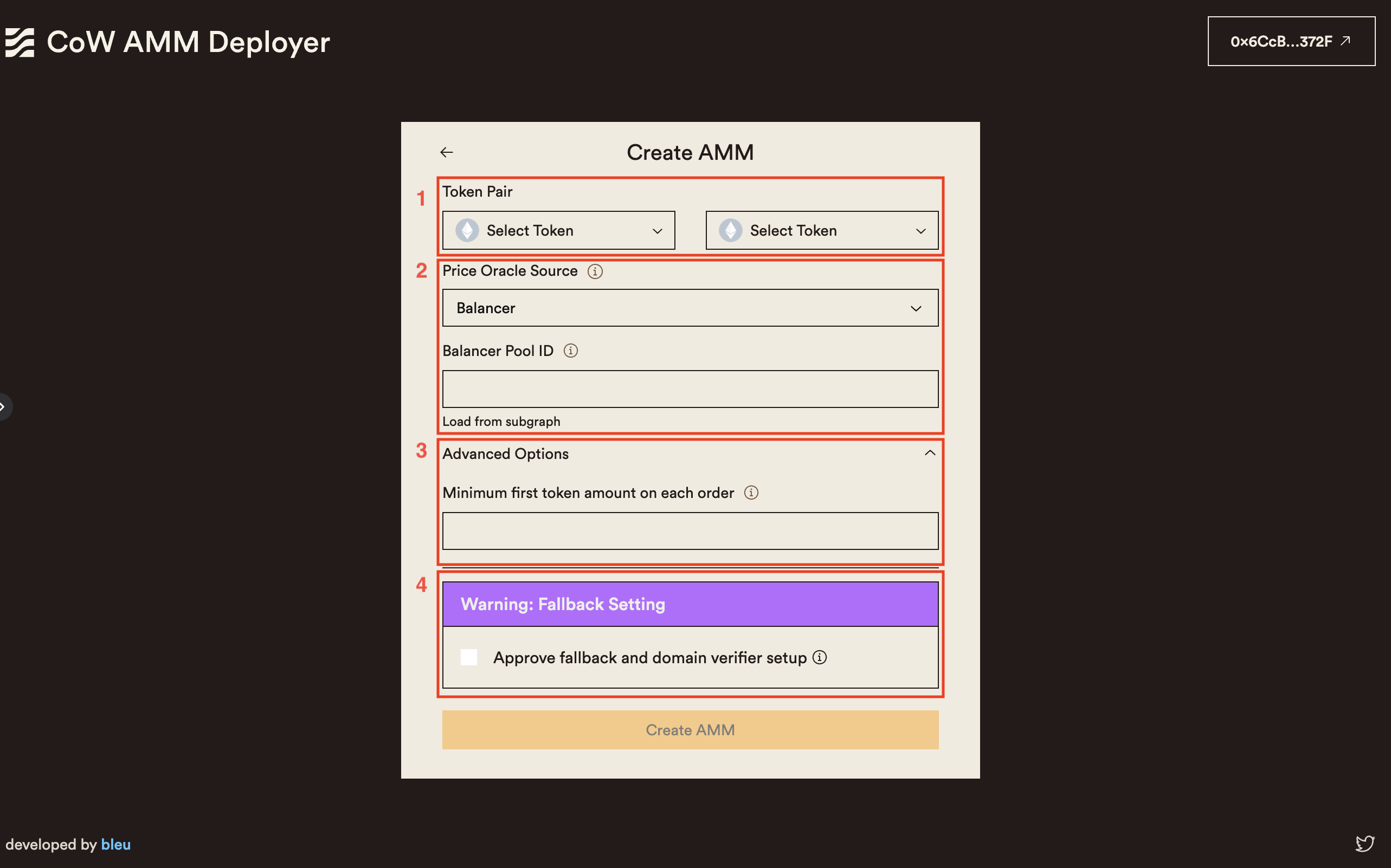
## Managing and Editing an AMM
The "Manager" page provides an overview of your CoW AMM LP position and allows you to manage and edit its parameters.
The page displays the following information:
- **Total Value**: The total value of the liquidity provided to the AMM, calculated based on the current token prices.
- **Token Amounts**: The individual amounts of each token in the AMM liquidity pool.
- **Price Oracle**: The selected price oracle used by the AMM.
- **Swaps Link**: A link to view the swaps executed by the CoW AMM on the CoW Explorer.
From the "Manager" page, you can perform two actions:
1. **Stop AMM LP Position**: Clicking this button will redirect you to a confirmation page. After confirming, the CoW AMM will be stopped, and the tokens in your Safe wallet will no longer be used to provide liquidity.
2. **Edit AMM LP Parameters**: This action will redirect you to the AMM creation form, pre-filled with the current parameters of the AMM. You can modify the parameters as needed and push the changes your existing AMM.
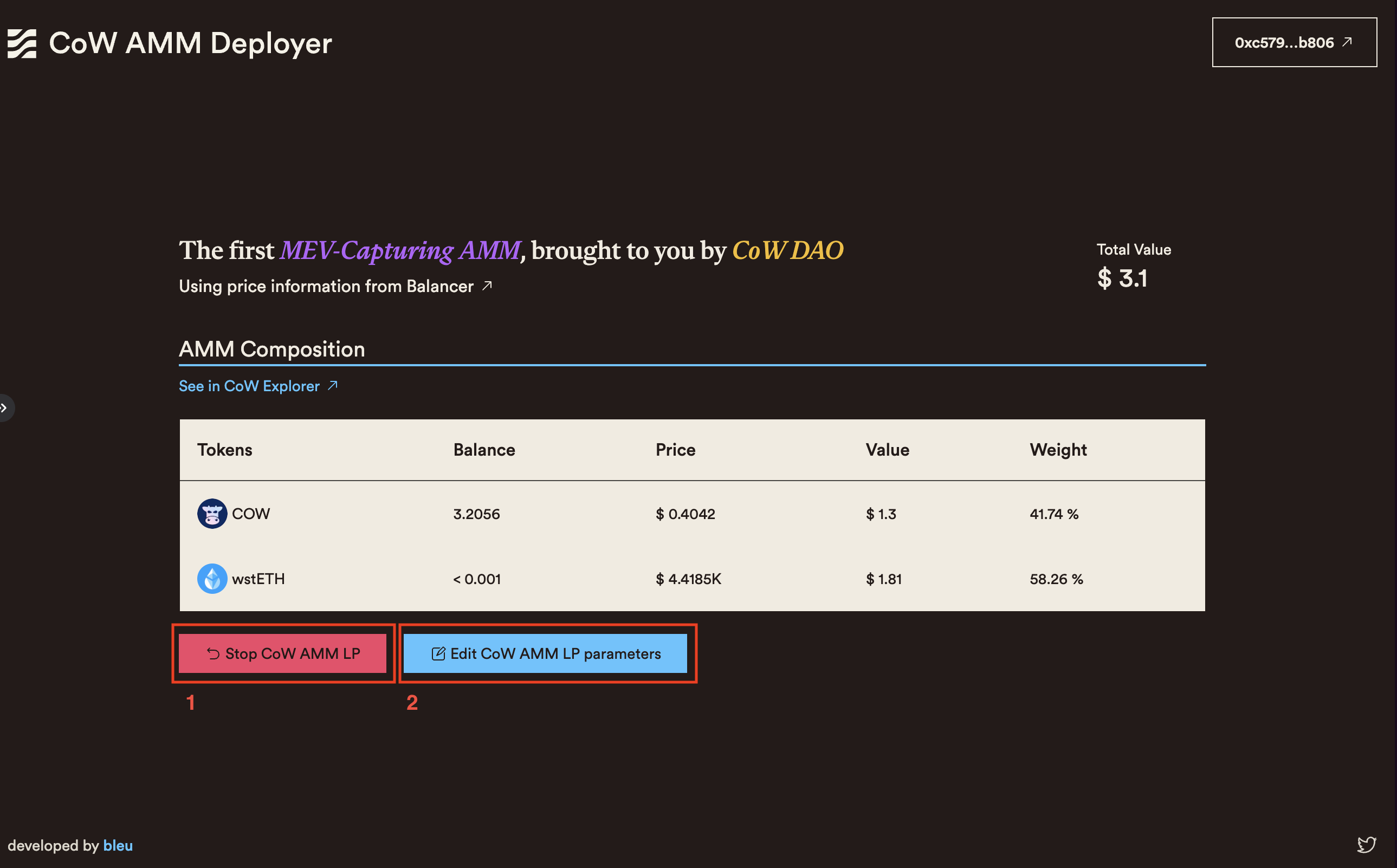
## Additional Resources
- [CoW AMM Documentation](https://cow.finance/cow-amm)
- [CoW Grants DAO](https://grants.cow.finance/)
- [Safe Wallet Documentation](https://help.safe.global/)
- [CoW Swap (Safe App)](https://app.safe.global/share/safe-app?appUrl=https%3A%2F%2Fswap.cow.finance&chain=eth)
## Troubleshooting and FAQs
### Frequently Asked Questions
1. **Can I create multiple CoW AMMs with the same Safe wallet?**
- No.
2. **What happens to my tokens when I stop an AMM LP position?**
- When you stop an AMM LP position, your tokens in your Safe will no longer be used to provide liqudity. As the CoW AMM **IS** the Safe when there is an active CoW AMM, the liquidity never leaves your Safe wallet! You can then withdraw or use them for other purposes.
3. **Can I change the token pair of an existing AMM?**
- No, once an AMM is created with a specific token pair, you cannot change the token pair. If you want to provide liquidity for a different token pair, you need to create a new AMM.
For further assistance or questions, join the [CoW Protocol Discord](https://discord.com/invite/cowprotocol) and ask in the `#tech-talk` channel.
---
## Viewing orders
As CoW Protocol utilizes an off-chain orderbook, and settles on-chain, getting a holistic view of the current state of CoW Protocol requires a combination of on-chain and off-chain data.
Individually, this information is available from the following:
- [Order book API](/cow-protocol/reference/apis/orderbook) (off-chain)
- CoW Protocol Subgraph (on-chain)
Switching between these tools, and reading raw JSON data is better suited for computers, not humans.
To make it easier to view the current state of CoW Protocol, we've built a tool that combines the two, providing a convenient and holistic view of the current state of CoW Protocol.
Enter the [CoW Explorer](#cow-explorer) 🐮🔎.
## CoW Explorer
[CoW Explorer](https://explorer.cow.finance) is an "[Etherscan](https://etherscan.io)"-like interface for the CoW Protocol. It allows users to visualize the orders they have placed on the protocol, as well as the orders that have been executed, across all networks that the protocol is deployed on.
Users may search for:
- Order details by [`orderID`](./cow-explorer/order)
- Orders placed by a specific [user's address](./cow-explorer/address)
- Orders settled by a specific [batch auction's `transactionHash`](./cow-explorer/batch-auction)
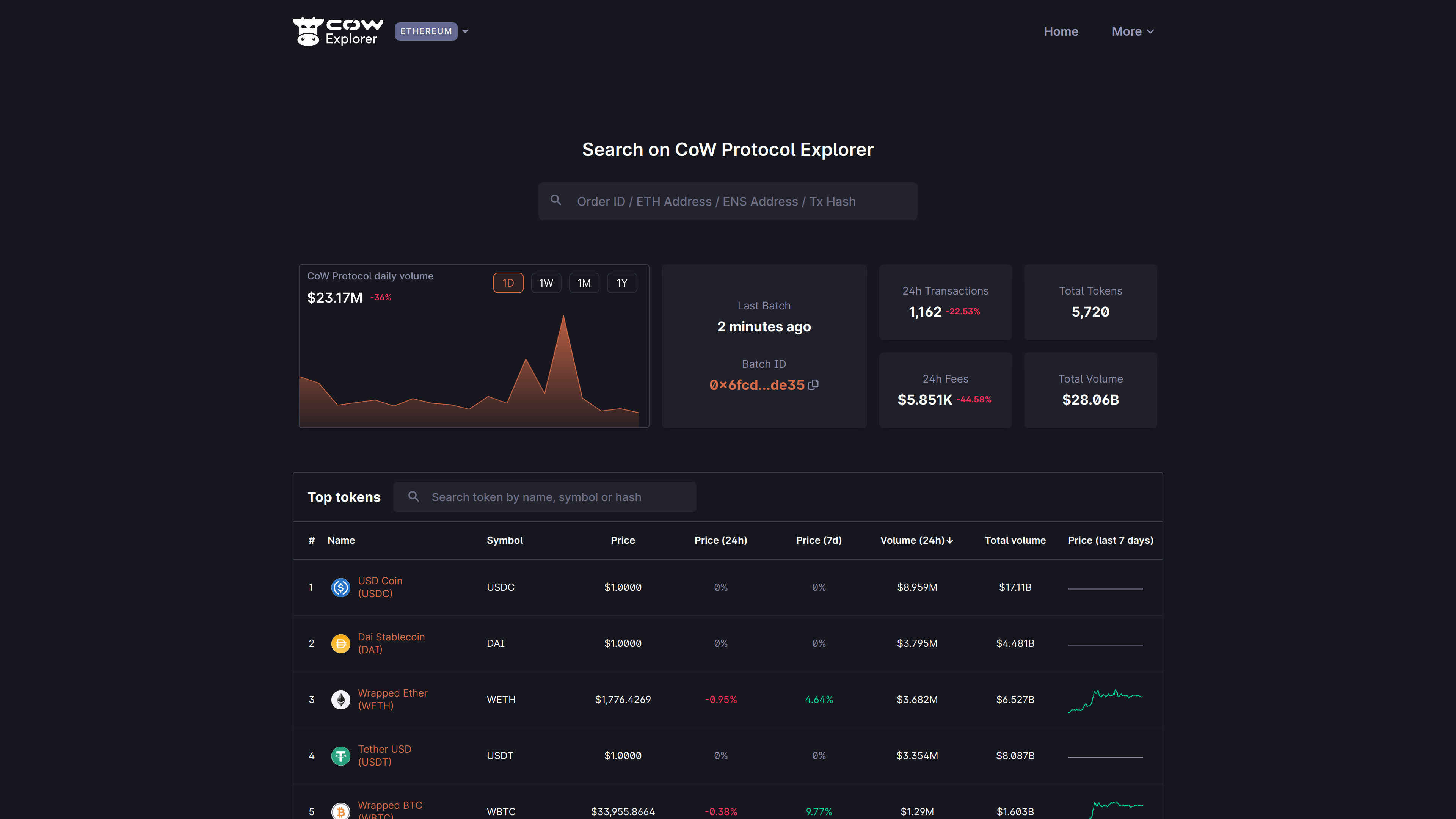
---
## By user address
A user may want to see the details of all orders that they have placed.
When searching for their address, they will be presented with an overview of all orders that they have placed.
For example, below the user has searched for their address [`0x2557...3af7`](
https://explorer.cow.finance/gc/address/0x2557ed03e34f0141722a643589f007836a683af7) that contains multiple orders that were placed on CoW Protocol on Gnosis Chain:
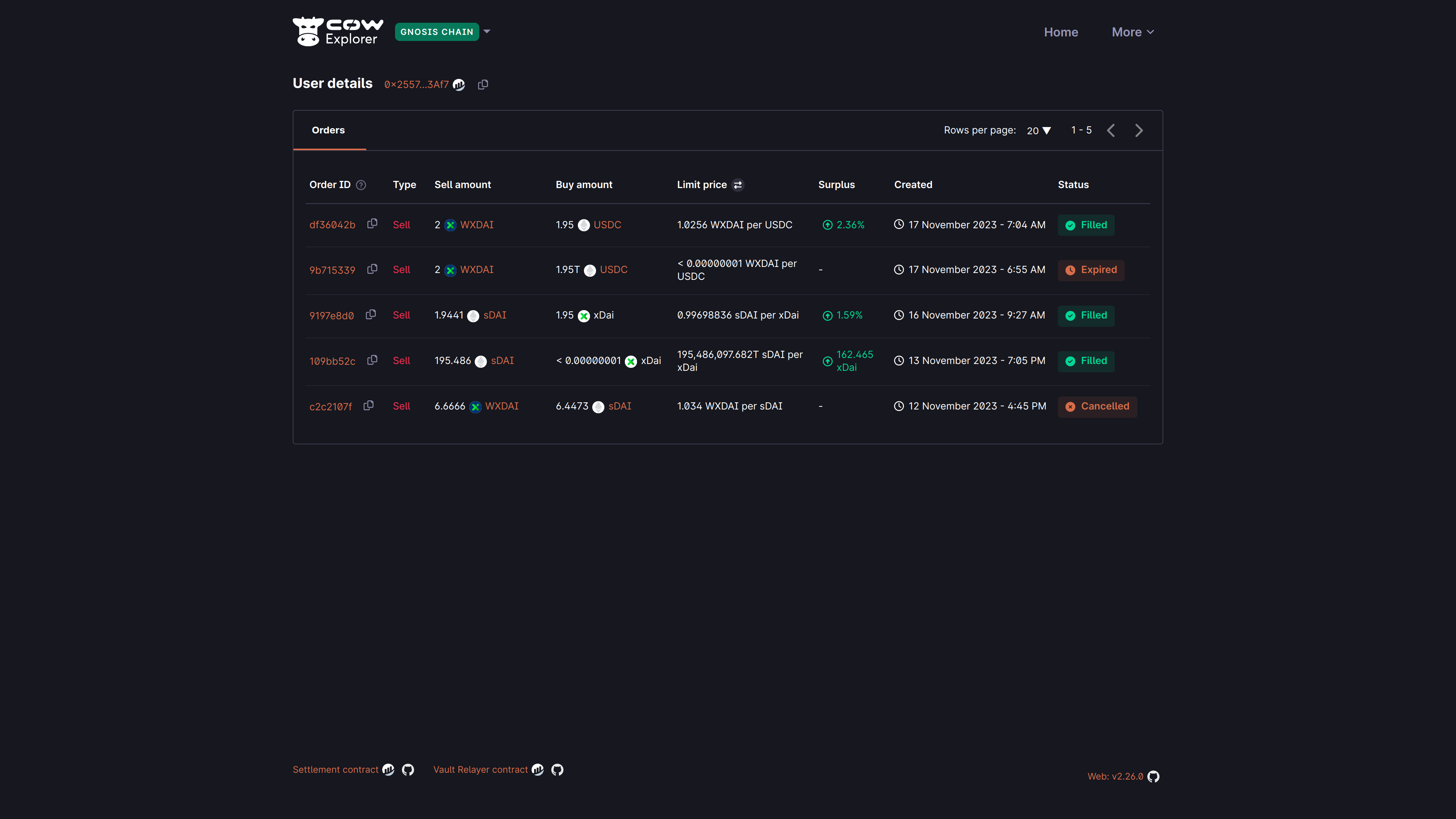
By default, the explorer will show all orders that have been placed by the user, regardless of their status, in reverse chronological order.
Understanding orders listing details
| **Field** | **Description** |
|---|---|
| **Order ID** | The first 8 characters of the `orderUid` for the submitted order. |
| **Type** | Sell or buy order. |
| **Sell amount** | The amount and token that the user is selling. |
| **Buy amount** | The amount and token that the user is buying. |
| **Limit price** | The limit price is the price at which this order shall be filled. |
| **Surplus** | The (averaged) surplus for this order. This is the positive difference between the initial limit price and the actual (average) execution price. |
| **Created** | The date and time at which the order was submitted. The timezone is based on the browser locale settings. |
| **Status** | The order status is either `Open`, `Filled`, `Expired`, `Cancelled`, `Partially Filled`, or `Pre-signing` |
---
## By batch auction
A batch auction is settled on-chain as a single transaction, and it is this transaction hash that is used to query the details of the batch auction. By simply searching for the transaction hash, the user will be presented with an overview of the batch auction.
The batch auction details page provides:
- A list of all orders that were settled in the batch auction
- A graph showing the routing within the batch auction
Let's take a look at the example batch auction [`0x35f6...0fac`](https://explorer.cow.finance/tx/0x35f65ec4a9d84e27bdb6844f13e7cb72d9de62e6ef95855181bf577d69300fac) below...
## Orders
In the "Orders" tab, the user can see all the orders that were settled in the batch auction. If the user clicks on the respective order ID, they will be taken to the order details page for that order.
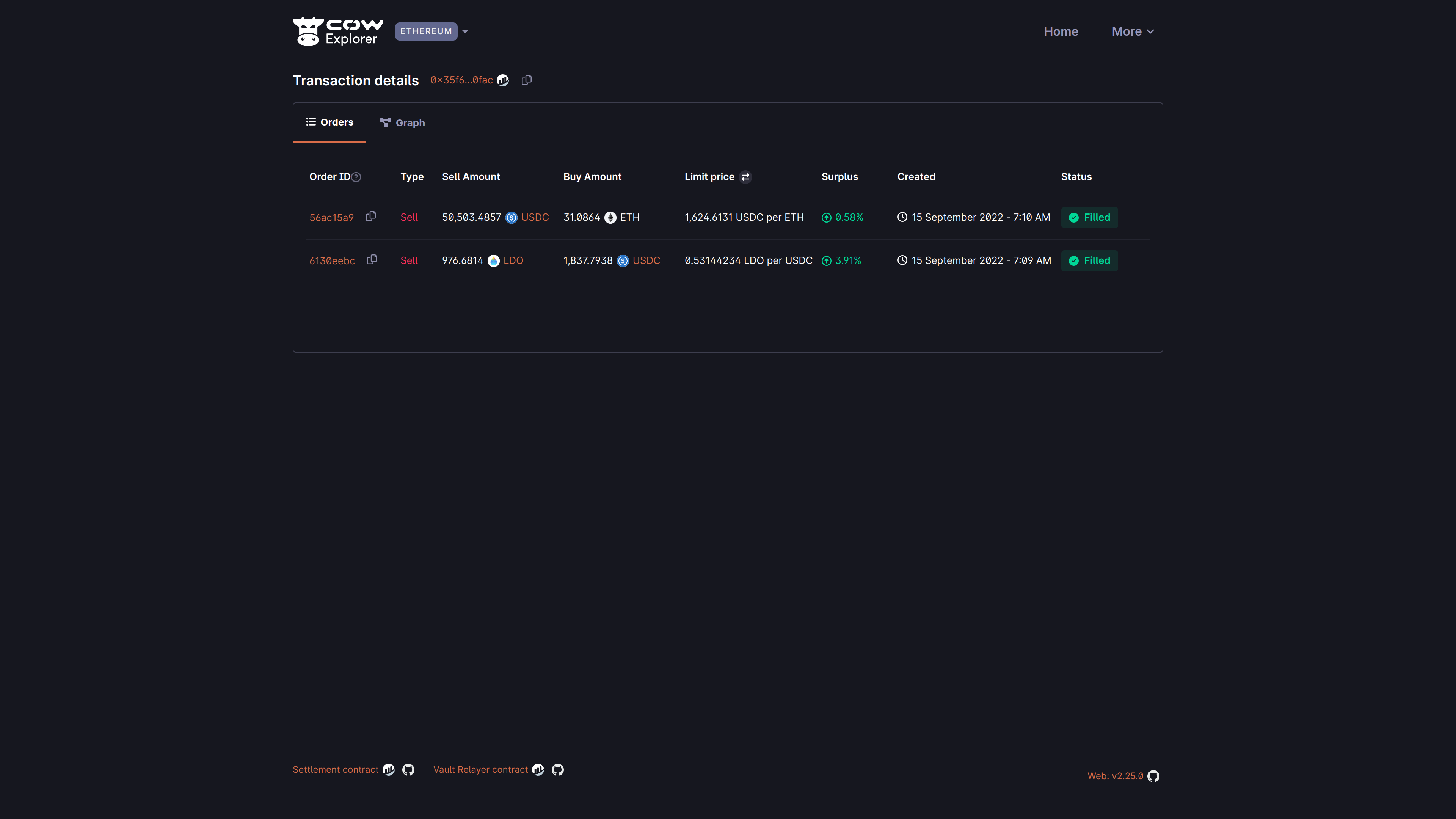
## Settlement graph
This is perhaps one of the most interesting areas, where one can take what was previously an abstract concept of a batch auction, and visualize it in a way that is easy to understand.
This is a visual representation of the routing that was used to settle the batch auction.
There are two types of visualizations, which can be toggled in the controls at the top right of the graph tab:
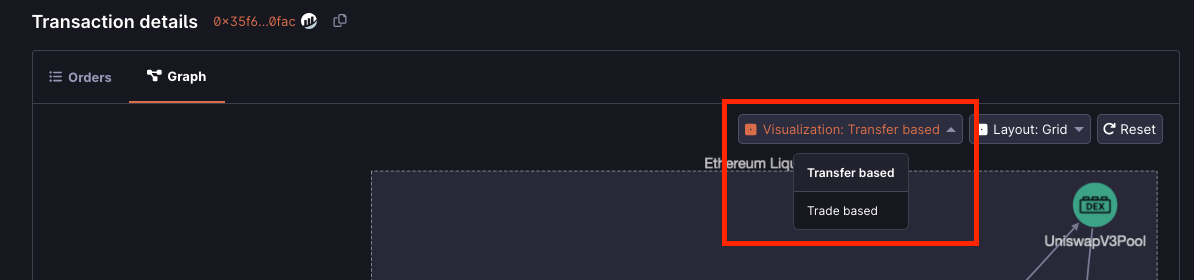
### Transfer based
The default visualization method.
This graph shows the orders that were settled in the batch auction, and the routing that was used to settle the batch auction.
The graph is interactive, and the user can hover over any of the edges to see the amount that was settled between the respective nodes of the graph.
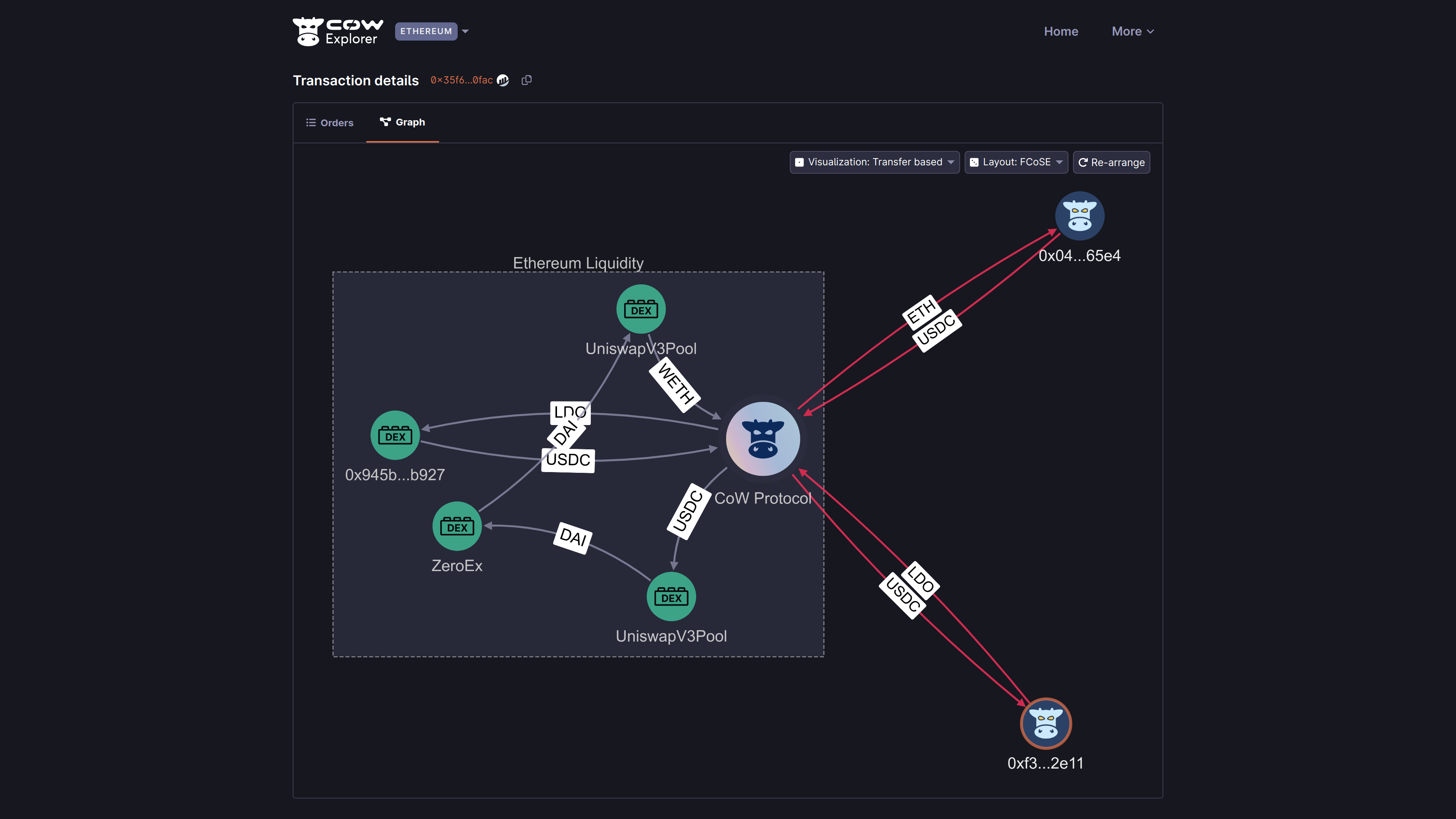
### Trade based
This graph shows the tokens traded as nodes, and the edges are the flow between them.
Green arrows denote protocol trades; red arrows represent token flows through the various pools/AMMs/liquidity sources which make the trades possible.
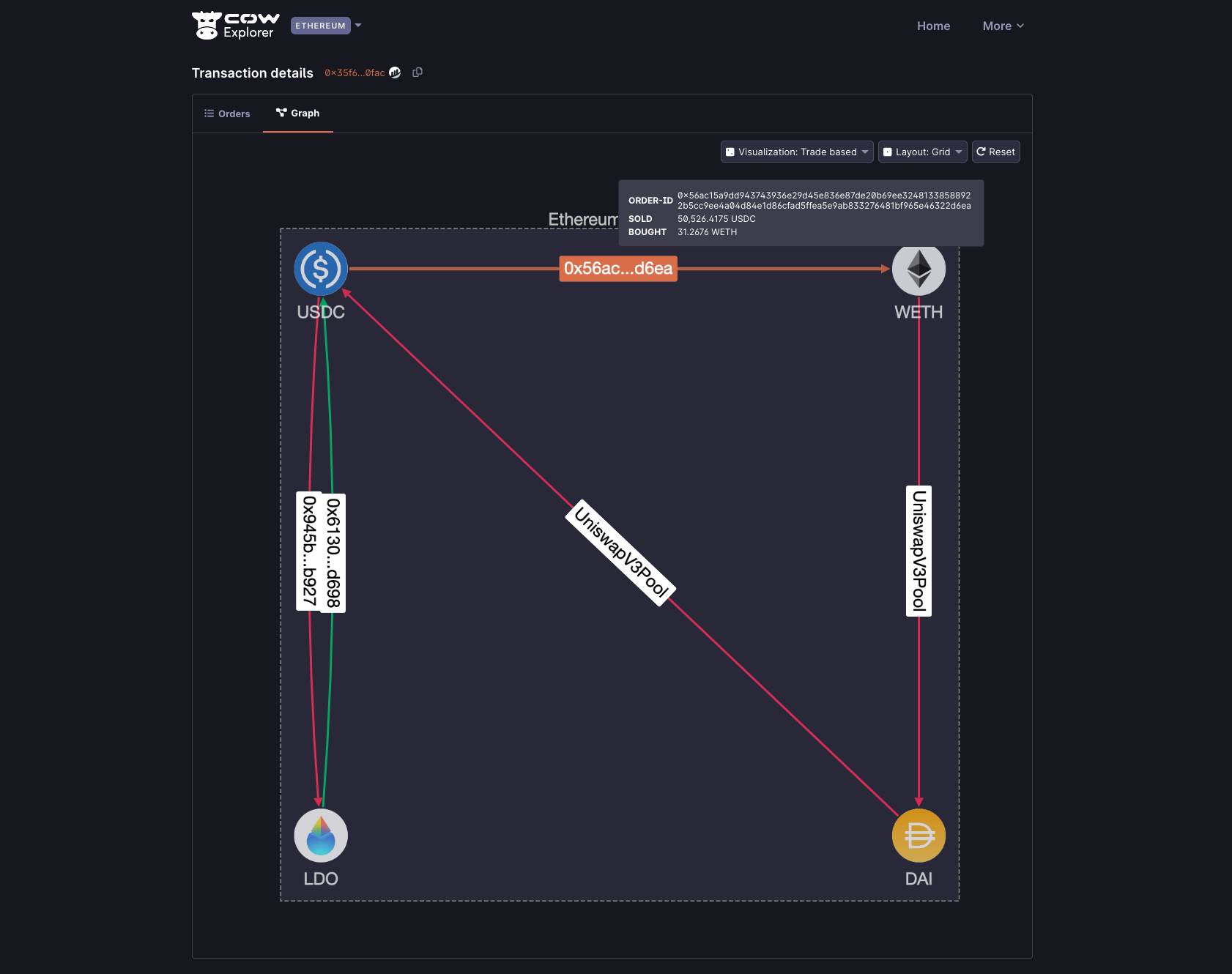
---
## By order
A user may want to see the details of a specific order that they have placed.
They can search for this order by its unique identifier, the `orderUid`.
This identifier is returned when an order is placed and can be used to query the details of the order.
:::note
For brevity, the `orderUid` is referred to as "Order ID" in the explorer, and is shortened to the first 8 characters of the `orderUid`.
:::
## Fill-or-kill
Below is a simple example of Order ID [`56ac15a9`](https://explorer.cow.finance/orders/0x56ac15a9dd943743936e29d45e836e87de20b69ee32481338588922b5cc9ee4a04d84e1d86cfad5ffea5e9ab833276481bf965e46322d6ea) that has been filled:
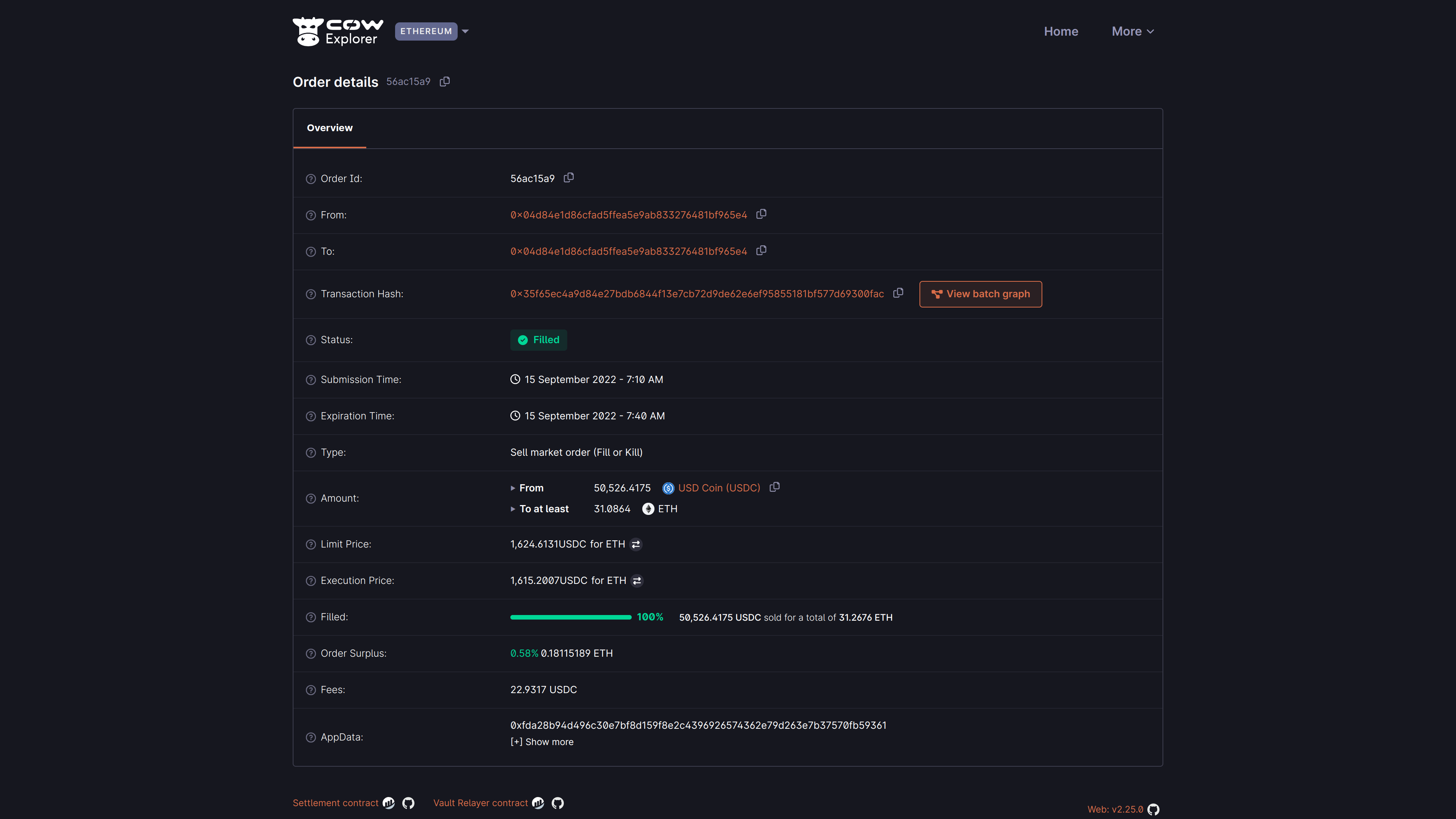
Understanding order details
| **Field** | **Description** |
|---|---|
| **Order ID** | The first 8 characters of the `orderUid` for the submitted order. |
| **From** | The account address which signed the order. |
| **To** | The account address which will/did receive the bought amount. |
| **Transaction hash** | The on-chain settlement transaction for this order (only applicable when Status is `Filled` and not partially fillable). Can be viewed on Etherscan. |
| **Status** | The order status is either `Open`, `Filled`, `Expired`, `Cancelled`, `Partially Filled`, or `Pre-signing` |
| **Submission time** | The date and time at which the order was submitted. The timezone is based on the browser locale settings. |
| **Expiration time** | The date and time at which an order will expire and effectively be cancelled. Depending on the type of order, it may have partial fills upon expiration. |
| **Type** | CoW Protocol supports three types of orders - `Market`, `Limit` and `Liquidity`. May be further classed `Fill or Kill` or `Partial execution`. |
| **Amount** | The total sell and buy amount for this order. Sell amount includes the fee. |
| **Limit price** | The limit price is the price at which this order shall be (partially) filled, in combination with the specified slippage. The fee is already deducted from the sell amount. |
| **Execution price** | The actual price at which this order has been matched and executed, after deducting fees from the amount sold. |
| **Order surplus** | The (averaged) surplus for this order. This is the positive difference between the initial limit price and the actual (average) execution price. |
| **Filled** | Indicates what percentage amount this order has been filled and the amount sold/bought. Amount sold includes the fee. |
| **Fees** | The amount of fees paid for this order. This will show a progressive number for orders with partial fills. |
| **App Data** | The AppData hash for this order. It can denote encoded metadata with info on the app, environment and more, although not all interfaces follow the same pattern. Show more will try to decode that information. |
## Partially fillable
A more complex example may be a user who has placed a _partially fillable_ order. This means that the user has expressed a swap intent for a certain amount of tokens, but the order may be filled in multiple batches. This can only be used with [Limit orders](../cow-swap/limit).
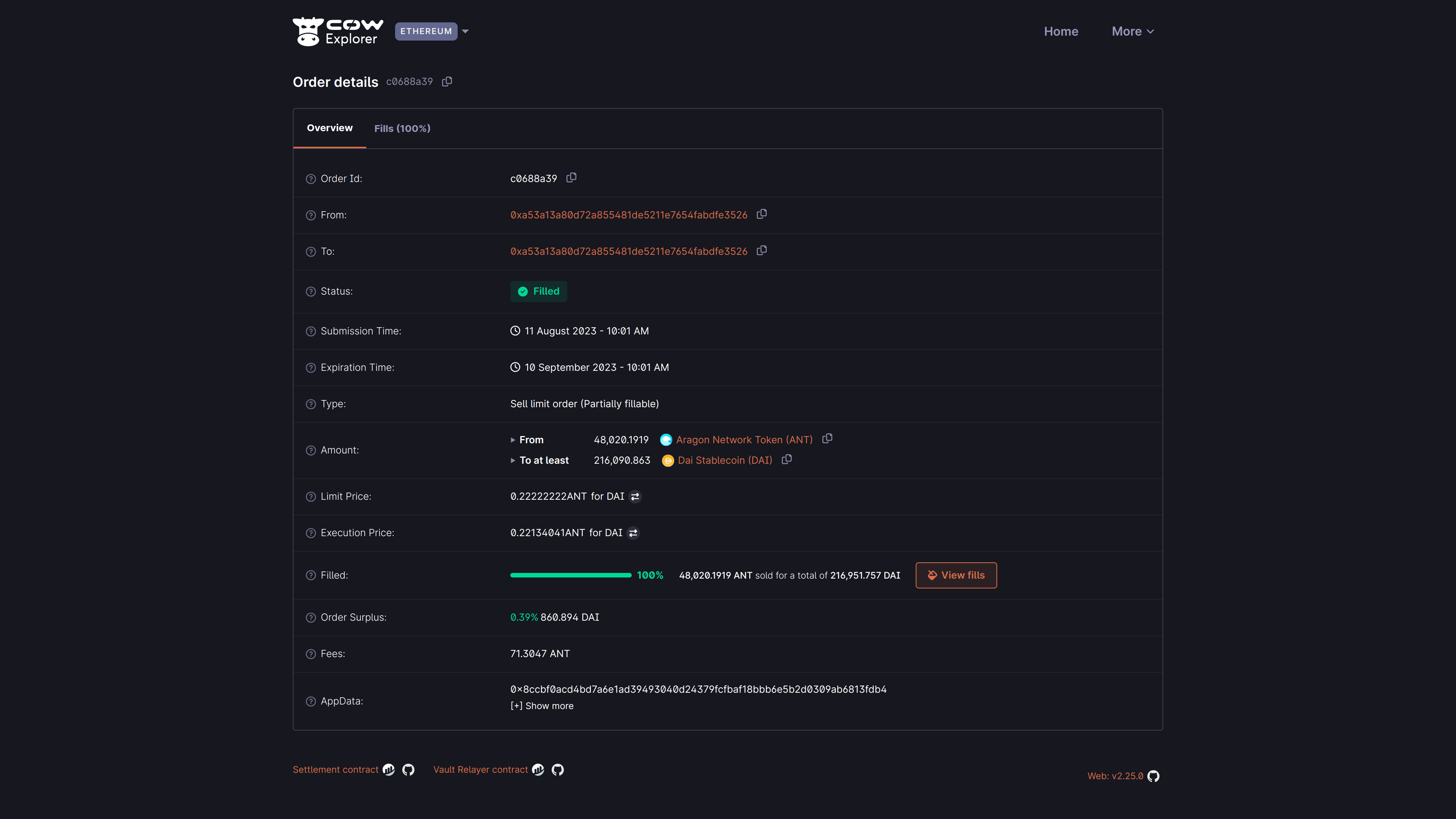
By clicking the "View fills" button, the user can see the fills that have been executed for this order. Fills for the above example are shown below:
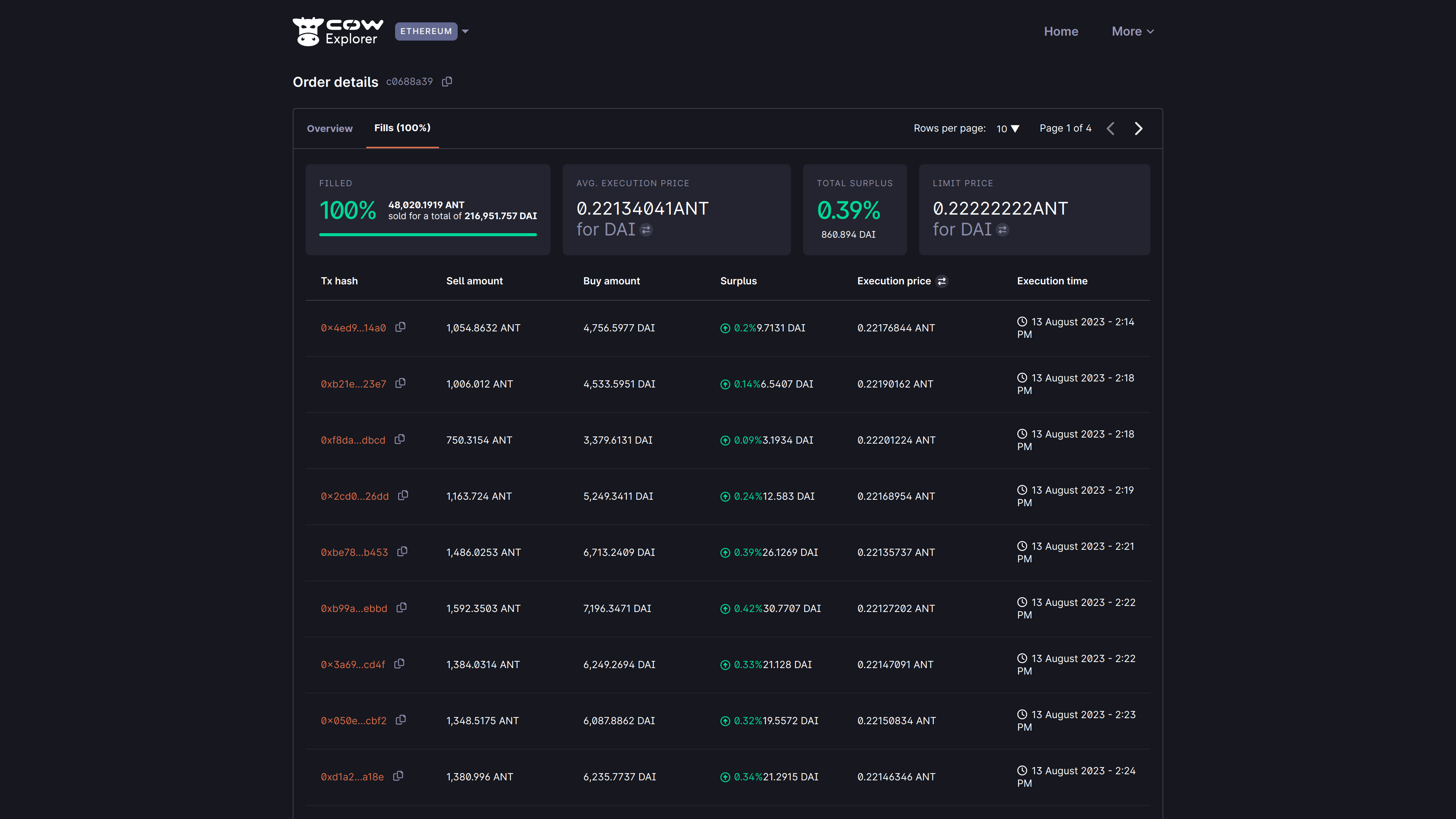
Here we can see that the order has been 100% filled, but in dozens of batches. For ease of analysis, an overview is shown providing:
- The total amount filled (in this case 100%)
- The average execution price (in this case 0.22134041 ANT for DAI)
- Total surplus (in this case 0.39% / 860.894 DAI)
- The limit price applied across all fills (in this case 0.22222222 ANT for DAI)
## States
As CoW Explorer is meant to help users visualize their signed orders, a critical parameter to show is the _state_ of the signed order. This parameter has the following status:
- **Open** (pending)**:** State for a standing order. Orders in this state are being considered by the solvers. It is the entry state for all orders[^presign], the default from the moment the order is placed. From here the order can transition to all other states.
- **Filled:** State for an executed/settled order. Orders in this state have been executed and the corresponding funds transferred to the target account. Orders in this state will have available a link to the corresponding Etherscan settlement transaction. This settlement transaction would contain your order's execution and any other orders that are part of the same batch.
- **Expired:** State for orders that have not been executed. Orders in this state have not been executed during the defined expiration time.
- **Cancelled:** State for orders that have been cancelled. Orders in this state have been cancelled as per user request.
- **Partially-filled:** State for orders that have been partially executed. Parts of the order have been executed and the corresponding funds transferred to the target account.
- **Pre-signing:** State for orders that are to be pre-signed. Commonly used for orders submitted from a Smart Contract wallet, such as the [Safe](https://safe.global/) wallet.
[^presign]: Except for pre-signed orders, where the first state is **Pre-signing**.
---
## CoW Swap
[CoW Swap](https://swap.cow.finance/#/swap?utm_source=docs.cow.finance&utm_content=cow-swap-tutorial) is the first interface built on top of CoW Protocol and serves as a reference implementation for developers wishing to build user interfaces for CoW Protocol.
The interface may look very familiar to the average DeFi user, as it is originally based on the [Uniswap](https://uniswap.org) interface. This provides users with a familiar user experience, while benefiting from the unique features of CoW Protocol.
## Supported Wallets
CoW Swap supports many popular wallets including:
- Injected wallets, such as [Rabby](https://rabby.io), [MetaMask](https://metamask.io), [Trust Wallet](https://trustwallet.com). In general any wallet implementing [EIP-1193](https://eips.ethereum.org/EIPS/eip-1193)
- Multisigs wallets such as [Safe](https://safe.global), both as a [Safe app](https://app.safe.global/share/safe-app?appUrl=https%3A%2F%2Fswap.cow.finance&chain=eth), or using Wallet Connect (IOS, Android and Web).
- Any wallet supporting [WalletConnect v2](https://walletconnect.com) such as most mobile wallets.
- Hardware wallets such as [Trezor](https://trezor.io), either directly, or through integration with injected wallets such us Rabby or Metamask.
If you've developed a wallet that supports [`EIP-712`](https://eips.ethereum.org/EIPS/eip-712) or [`ERC-1271`](https://eips.ethereum.org/EIPS/eip-1271) signing, and would like to have your wallet supported by CoW Swap, please [file an issue](https://github.com/cowprotocol/cowswap/issues/new) or reach out to us on [Discord](https://discord.com/invite/cowprotocol).
Alternatively, you may wish to integrate CoW Swap directly into your wallet interface. If you would like to integrate CoW Swap to your wallet, and would like support in the integration process, please reach out to us on bd@cow.finance.
---
## Make custom links
# Custom Links
[CoW Swap](https://swap.cow.finance) supports URL query parameters to allow anyone to create a custom link for sharing a specific trade with a friend or on social media, or for creating a custom link to a specific trade for your own use.
### Examples
- [`https://swap.cow.finance`](https://swap.cow.finance) - CoW Swap main page (`swap` is default page)
- [`https://swap.cow.finance/#/swap`](https://swap.cow.finance/#/swap) - `swap` page
- [`https://swap.cow.finance/#/limit`](https://swap.cow.finance/#/limit) - `limit` orders page
- [`https://swap.cow.finance/#/100/swap`](https://swap.cow.finance/#/100/swap) - `swap` page on Gnosis chain network
- [`https://swap.cow.finance/#/100/limit/WXDAI/COW`](https://swap.cow.finance/#/100/limit/WXDAI/COW) - Create a `limit` order to sell `WXDAI` for `COW`
- [`https://swap.cow.finance/#/1/swap/WETH/COW?sellAmount=100`](https://swap.cow.finance/#/1/swap/WETH/COW?sellAmount=100) - Swap `100 WETH` for `COW`
- [`https://swap.cow.finance/#/1/swap/WETH/COW?buyAmount=10000&recipient=vitalik.eth`](https://swap.cow.finance/#/1/swap/WETH/COW?buyAmount=10000&recipient=vitalik.eth) - Buy on `swap` sending the outcome to a custom recipient (can be either address or ens)
- [`https://swap.cow.finance/#/100/limit/WETH/WXDAI?sellAmount=2&buyAmount=6000`](https://swap.cow.finance/#/100/limit/WETH/WXDAI?sellAmount=2&buyAmount=6000) - Create a limit order to sell `2 WETH` for `6000 WXDAI`
## Query Parameters
Even though the main page is `swap`, each page has it's own specific URL parameters that can be set, in addition to global parameters that are used on all pages. Parameters not applicable to a page will have no effect on UI settings.
Fortunately, the `swap` and `limit` pages have the same URL query parameters!
### URL links format
#### Swap
`https://swap.cow.finance/#//swap//?recipient=&sellAmount=&buyAmount=`
#### Limit
`https://swap.cow.finance/#//limit//?recipient=&sellAmount=&buyAmount=`
### Global parameters
| **Parameter** | **Type** | **Default** | **Description** |
| ------------- | -------- | ----------------------- | ------------------------------------- |
| `theme` | String | (determined by browser) | Sets theme to `dark` or `light` mode. |
### Swap / limit parameters
:::note
All parameters are optional. If a parameter is not set, the default value will be used.
:::
| **Parameter** | **Type** | **Default** | **Description** |
| -------------------------- | --------------------------- | ------------------------------------------------------------------------- | --------------------------------------------------------------------------- |
| `chainId` | Integer | `1` - Ethereum Mainnet | [Supported blockchains](/cow-protocol/reference/contracts/core#deployments) |
| `sellTokenSymbolOrAddress` | Token `symbol` or `address` | Wrapped native token symbol for the current network (for Mainnet: `WETH`) | Sell token `symbol` or `address` |
| `buyTokenSymbolOrAddress` | Token `symbol` or `address` | | Buy token `symbol` or `address` |
| `recipient` | `address` | `undefined` | Valid Ethereum account address |
| `sellAmount` | Integer or Float | `undefined` | Amount of sell token to sell |
| `buyAmount` | Integer or Float | `undefined` | Amount of buy token to buy |
:::caution
Only one of `sellAmount` or `buyAmount` can be set for the `swap` page. If both are set, only `sellAmount` will be used.
:::
:::note Wrapped native token
Each chain has a native token and it's wrapped version. Native tokens are needed to pay any applicable transaction fees.
Native and wrapped tokens per chain:
- Ethereum Mainnet: [`WETH`](https://etherscan.io/address/0xc02aaa39b223fe8d0a0e5c4f27ead9083c756cc2) - wrapped `ETH`
- Gnosis chain: [`WXDAI`](https://gnosisscan.io/address/0xe91D153E0b41518A2Ce8Dd3D7944Fa863463a97d) - wrapped `XDAI`
- Arbitrum one: [`WETH`](https://arbiscan.io/address/0x82af49447d8a07e3bd95bd0d56f35241523fbab1) - wrapped `ETH`
- Base: [`WETH`](https://basescan.org/address/0x4200000000000000000000000000000000000006) - wrapped `ETH`
- Avalanche: [`WAVAX`](https://snowscan.xyz/address/0xb31f66aa3c1e785363f0875a1b74e27b85fd66c7) - wrapped `AVAX`
- Polygon: [`WPOL`](https://polygonscan.com/address/0x0d500b1d8e8ef31e21c99d1db9a6444d3adf1270) - wrapped `POL`
- BNB: [`WBNB`](https://bscscan.com/address/0xbb4CdB9CBd36B01bD1cBaEBF2De08d9173bc095c) - wrapped `BNB`
- Linea: [`WETH`](https://lineascan.build/token/0xe5D7C2a44FfDDf6b295A15c148167daaAf5Cf34f) - wrapped `ETH`
- Plasma: [`WXPL`](https://plasmascan.to/token/0x6100E367285b01F48D07953803A2d8dCA5D19873) - wrapped `XPL`
- Ink: [`WETH`](https://explorer.inkonchain.com/token/0x4200000000000000000000000000000000000006) - wrapped `ETH`
- Sepolia: [`WETH`](https://sepolia.etherscan.io/address/0xfFf9976782d46CC05630D1f6eBAb18b2324d6B14) - wrapped `ETH`
:::
---
## Flash loans(Cow-swap)
We’ll walk through a concrete example of a debt repayment using flash loans on Sepolia.
There is an [example order](https://explorer.cow.finance/sepolia/orders/0x86ff28a37bf70c549edfe753d899d44307b1b4c3ae943c6f5bdfe271942fd4f135ed9a9d1122a1544e031cc92fcc7ea599e28d9c67dc66ab) for this particular case on Sepolia, including the [corresponding on-chain transaction](https://sepolia.etherscan.io/tx/0x6f4fc9b450e08dab0ab2d935e7c7dcade9e44e330e484657e5b1fadb6c6e8851).
The example was executed using an [automated script](https://github.com/cowprotocol/cow-flashloan-tester) that places and signs a flash loan order on the Sepolia network. The following sections of the tutorial include code snippets from this tool.
## Setup
The setup for the flash loan example is as follows:
* A Safe wallet at address `0x35eD9A9D1122A1544e031Cc92fCC7eA599e28D9C`. We use a smart contract wallet [so that smart contracts can initiate the withdrawal](/cow-protocol/concepts/order-types/pay-debt-flash-loans#lender-does-not-allow-a-third-party-to-initiate-the-transfer-of-collateral-tokens) of the collateral token.
* The Safe borrows 10,000 USDT on Aave using 500,000 USDC as collateral.
* Aave is used as the flash loan lender.
* The necessary `ERC-20` approvals are set in the wallet:
* The collateral token (USDC) is approved for CoW's Vault Relayer contract to facilitate the trade.
* The borrowed token (USDT) is approved for the Aave pool contract to enable debt repayment.
* The Safe must have a non-zero balance of the order's sell token (USDC in this case) to pass CoW Swap order validation, which serves as a spam protection measure.
The order itself intends to:
1. Request a flash loan to Aave of 5,000 USDT.
2. Use those 5,000 to partially repay the 10,000 USDT debt on Aave.
3. Withdraw 400,000 USDC from Aave.
4. Perform a trade on CoW Swap, selling up to 400,000 USDC for 5,002.5 USDT (borrowed amount + [0.05% flash loan fee on Aave](https://aave.com/docs/concepts/flash-loans)).
2. Use the 5,002.5 USDT from the trade to fully repay the flash loan (including the fee).
:::info
Exchange ratios on the Sepolia network can be very inconsistent. To ensure successful execution of the order, a large amount of USDC is withdrawn from Aave and used in the trade.
General considerations when testing flash loans on Sepolia and Aave:
- [Token addresses in Aave may not correspond](https://github.com/cowprotocol/cow-flashloan-tester?tab=readme-ov-file#2-select-aave-tokens) with tokens names in other dapps.
- [Token ratios](https://github.com/cowprotocol/cow-flashloan-tester?tab=readme-ov-file#4-determine-token-amounts-needed-to-trade-and-deposit) may need to be balanced, and trading amounts adjusted accordingly.
- Tokens in Aave can be [obtained from the faucet](https://github.com/cowprotocol/cow-flashloan-tester?tab=readme-ov-file#5-get-tokens-from-the-faucet).
- Check [withdrawal and borrowing availability](https://github.com/cowprotocol/cow-flashloan-tester?tab=readme-ov-file#7-check-aaves-withdrawalborrow-availability) of the tokens on Aave.
In a production network (e.g. mainnet), these considerations generally won’t apply.
:::
## Aave repay pre-hook
We need to define a [pre-hook](/cow-protocol/reference/core/intents/hooks) to repay the 5,000 USDT debt on Aave, ensuring the Aave pool allows us to withdraw the associated collateral.
As part of the settlement, we want to call the [`repay` function on Aave's pool](https://aave.com/docs/developers/smart-contracts/pool#write-methods-repay):
```solidity
function repay(
address asset,
uint256 amount,
uint256 interestRateMode,
address onBehalfOf
) public virtual override returns (uint256)
```
The following Typescript code generates the corresponding function data using [`viem`](https://viem.sh/):
```typescript
const repayTxData = encodeFunctionData({
abi, // ABI definition for the repay function
functionName: 'repay',
args: [
'0xaA8E23Fb1079EA71e0a56F48a2aA51851D8433D0', // asset: USDT
'5000000000', // amount: 5,000 USDT (USDT has 6 decimals)
2, // interestRateMode: 2 for variable
'0x35eD9A9D1122A1544e031Cc92fCC7eA599e28D9C', // onBehalfOf: Safe address
]
});
```
The `repay` call (as well as the `withdraw` call later on) must be executed as a pre-hook during the order settlement process. This ensures that the user has the collateral tokens available before the settlement contract pulls in the sell tokens from all settled orders.
To enable this, the pre-hook defines a transaction that will be sent to the Safe wallet. The Safe then executes the actual repay call to the Aave pool.
The transaction can be built using the [Safe Protocol Kit](https://docs.safe.global/sdk/protocol-kit) as shown below:
```typescript
const repaySafeTxData: SafeTransactionDataPartial = {
to: '0x6Ae43d3271ff6888e7Fc43Fd7321a503ff738951', // Aave pool address in Sepolia
value: '0',
data: repayTxData, // created previously
operation: OperationType.Call,
nonce, // current Safe nonce + 1
};
const safeTransaction = await safe.createTransaction({ transactions: [repaySafeTxData] });
const signedSafeTransaction = await safe.signTransaction(safeTransaction, SigningMethod.ETH_SIGN);
const encodedSafeTransaction = await safe.getEncodedTransaction(signedSafeTransaction);
```
:::note
For this example, the `nonce` should be offset by 1 from the current Safe's nonce.
This is necessary to avoid reusing the same nonce, since a separate transaction will be sent to emit the pre-signature for our order, which is required to make it executable in the first place.
:::
## Aave withdraw pre-hook
We need to define another pre-hook to withdraw 400,000 USDC from the Aave deposit. This ensures that our Safe wallet holds the necessary sell tokens for the order. Otherwise, the settlement contract would be unable to pull the funds from the Safe, causing the settlement to revert.
For this, we need to call the [`withdraw` function on Aave's pool](https://aave.com/docs/developers/smart-contracts/pool#write-methods-withdraw):
```solidity
function withdraw(
address asset,
uint256 amount,
address to
) public virtual override returns (uint256)
```
The corresponding function data can be created as follows:
```typescript
const txData = encodeFunctionData({
abi, // ABI definition for the withdraw function
functionName: 'withdraw',
args: [
'0x94a9d9ac8a22534e3faca9f4e7f2e2cf85d5e4c8', // asset: USDC
'400000000000', // amount: 400,000 USDC (USDC has 6 decimals)
'0x35eD9A9D1122A1544e031Cc92fCC7eA599e28D9C', // to: Safe address
]
});
```
Like in the previous section, the `withdraw` call will be executed during the order settlement process via a Safe transaction, and can be built with:
```typescript
const safeTxData: SafeTransactionDataPartial = {
to: '0x6Ae43d3271ff6888e7Fc43Fd7321a503ff738951', // Aave pool address in Sepolia
value: '0',
data: txData, // created previously
operation: OperationType.Call,
nonce, // current Safe nonce + 2
}
const safeTransaction = await safe.createTransaction({ transactions: [safeTxData] })
const signedSafeTransaction = await safe.signTransaction(safeTransaction, SigningMethod.ETH_SIGN);
const encodedSafeTransaction = await safe.getEncodedTransaction(signedSafeTransaction);
return encodedSafeTransaction;
```
:::note
Just like the `repay` pre-hook, the `nonce` should be incremented to ensure it doesn't conflict with other transactions. Here, we increase it by 2 because there are two preceding transactions: the pre-signature and the `repay` pre-hook.
:::
## Building and publishing the order
With both the `repay` and `withdraw` pre-hooks in place, we can now build the metadata of our order:
```typescript
const appData = {
metadata: {
flashloan: {
lender: config.AAVE_POOL_ADDRESS,
token: USDT_ADDRESS,
amount: "5000000000" // 5,000 USDT
},
hooks: {
pre: [
{
target: config.SAFE_ADDRESS,
value: "0",
callData: repayTx, // repay pre-hook data
gasLimit: "1000000"
},
{
target: config.SAFE_ADDRESS,
value: "0",
callData: withdrawTx, // withdraw pre-hook data
gasLimit: "1000000"
}
],
"post": []
},
signer: config.SAFE_ADDRESS,
},
};
```
To programmatically create and submit a CoW Swap order, we can use [cow-sdk](https://github.com/cowprotocol/cow-sdk):
```typescript
// Setup CoW SDK
const sdk = new TradingSdk({
chainId: SupportedChainId.SEPOLIA,
signer: new VoidSigner(config.SAFE_ADDRESS, new JsonRpcProvider(config.RPC_URL)),
appCode: 'Our flashloan example',
});
// Define trade parameters
const parameters: TradeParameters = {
env: 'staging', // Required for Sepolia
kind: OrderKind.BUY,
sellToken: USDC_ADDRESS,
sellTokenDecimals: 6, // USDC has 6 decimals
buyToken: USDT_ADDRESS,
buyTokenDecimals: 6, // USDT has 6 decimals as well
amount: '5002500000', // 5,002.5 USDT (borrowed amount + 0.05% Aaave flash loan fee)
// receiver is always the settlement contract because the driver takes
// funds from the settlement contract to pay back the loan
receiver: '0x9008D19f58AAbD9eD0D60971565AA8510560ab41', // cow settlement contract address on sepolia
}
const advancedParameters: SwapAdvancedSettings = {
quoteRequest: {
// An EIP-1271 signature could also be used instead
signingScheme: SigningScheme.PRESIGN,
},
appData,
}
const orderId = await sdk.postSwapOrder(parameters, advancedParameters);
console.log('Order created, id: ', orderId);
```
We've now placed our order on CoW Swap. You can track its progress on [CoW Explorer](https://explorer.cow.finance/). Here is an [example of a filled order](https://explorer.cow.finance/sepolia/orders/0x86ff28a37bf70c549edfe753d899d44307b1b4c3ae943c6f5bdfe271942fd4f135ed9a9d1122a1544e031cc92fcc7ea599e28d9c67dc66ab) corresponding to the particular case shown in this tutorial.
## Setting the pre-signature of the order
After placing the order, its pre-signature must be submitted by calling the [`setPresignature` function on the CoW Settlement contract](https://docs.cow.finance/cow-protocol/reference/contracts/core/settlement#setpresignature):
```solidity
function setPreSignature(bytes calldata orderUid, bool signed) external;
```
To build and send the transaction through our Safe wallet:
```typescript
const txData = encodeFunctionData({
abi, // ABI for the setPresignature function
functionName: 'setPreSignature',
args: [
orderId,
true,
]
});
const safeTransactionData: SafeTransactionDataPartial = {
to: "0x9008D19f58AAbD9eD0D60971565AA8510560ab41", // CoW settlement contract on Sepolia
value: '0',
data: txData,
operation: OperationType.Call,
}
const safeTransaction = await safe.createTransaction({ transactions: [safeTransactionData] });
const signedSafeTransaction = await safe.signTransaction(safeTransaction, SigningMethod.ETH_SIGN);
const transactionResult = await safe.executeTransaction(signedSafeTransaction);
console.log('setPreSignature transaction hash: ' + transactionResult.hash);
```
After the pre-signature transaction is confirmed, the order's status will be `Open`, making it eligible for execution within the CoW Protocol.
:::note
This example uses a pre-signature, but a valid EIP-1271 contract signature could also be used.
With an EIP-1271 signature, the `setPreSignature` transaction would not be necessary.
:::
## Order execution
Once an order is placed within the CoW Protocol, it enters an auction batch. When a solution is found, the following steps occur:
1. The winning solver calls the flash loan [`IFlashLoanRouter`](/cow-protocol/reference/contracts/periphery/flashloans#iflashloanrouter-contract) contract.
2. The 5,000 USDT gets transferred to the flash loan `IFlashLoanRouter` contract.
3. In the pre-hook:
- Transfer 5,000 USDC from the flash loan `IFlashLoanRouter` contract to the user.
- Execute the user's pre-hook: Repay the outstanding debt.
- The user receives their 400,000 USDC of collateral.
4. Transfer funds into the settlement contract.
5. Execute the user's order:
- Swap USDC for USDT.
6. Transfer funds to the `receiver` address (funds are sent to the settlement contract, which is to itself).
7. Execute the post-interaction
- Depending on the flash loan provider, either pay back 5,002.5 USDT to the flash loan provider from the settlement contract, or send the funds to the flash loan `IFlashLoanRouter` contract, and then send it to the flash loan provider.
State after the order's execution:
- Some USDC may remain in the user’s wallet as surplus.
- On Aave:
- The USDT debt is reduced from 10,000 to 5,000.
- The USDC collateral is reduced by 400,000.
- The flash loan provider is fully repaid (5,002.5 USDT).
---
## Limit orders(Cow-swap)
CoW Protocol supports limit orders, where users are able to buy or sell tokens at a specified price or better.
A buy limit order allows a trader to specify the maximum price they are willing to pay for a token, while a sell limit order allows a trader to specify the minimum price they are willing to sell a token for.
CoW Swap provides an intuitive interface in which one may place their limit orders.
## Place a limit order
For example, let's say we want to sell `COW`. We can set the limit price at which we want to sell, and the duration over which the limit order is valid:
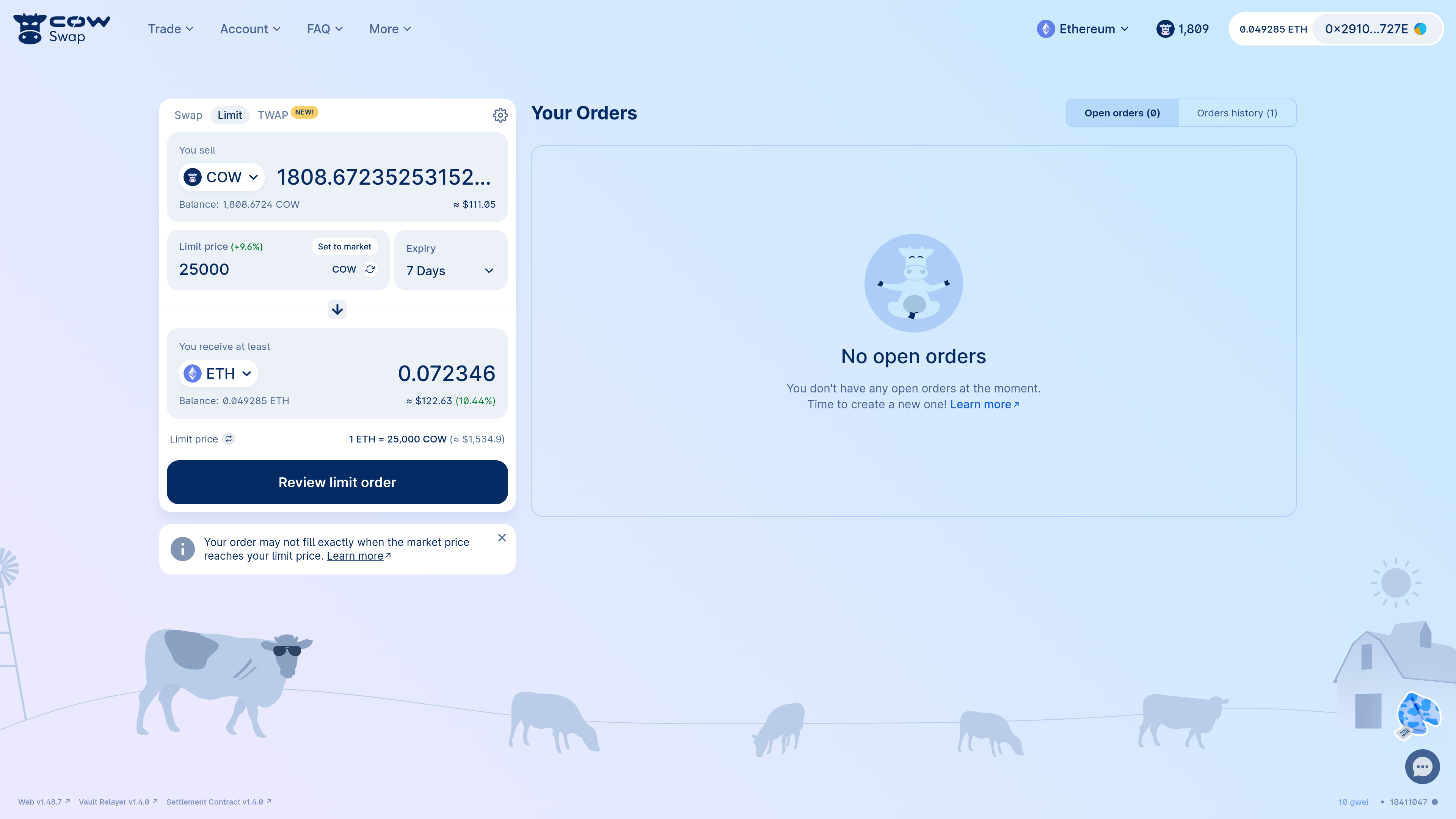
:::info
CoW Protocol does not charge a fee for placing limit orders. Instead, the protocol covers the fees by executing your order at a better price than your limit price. CoW Protocol will wait until the market price is sufficient to cover both your limit price and the network fees - which means that, in practice, your order may not execute exactly when the market price hits your limit price.
:::
At this point, CoW Swap will prompt you to review your limit order:
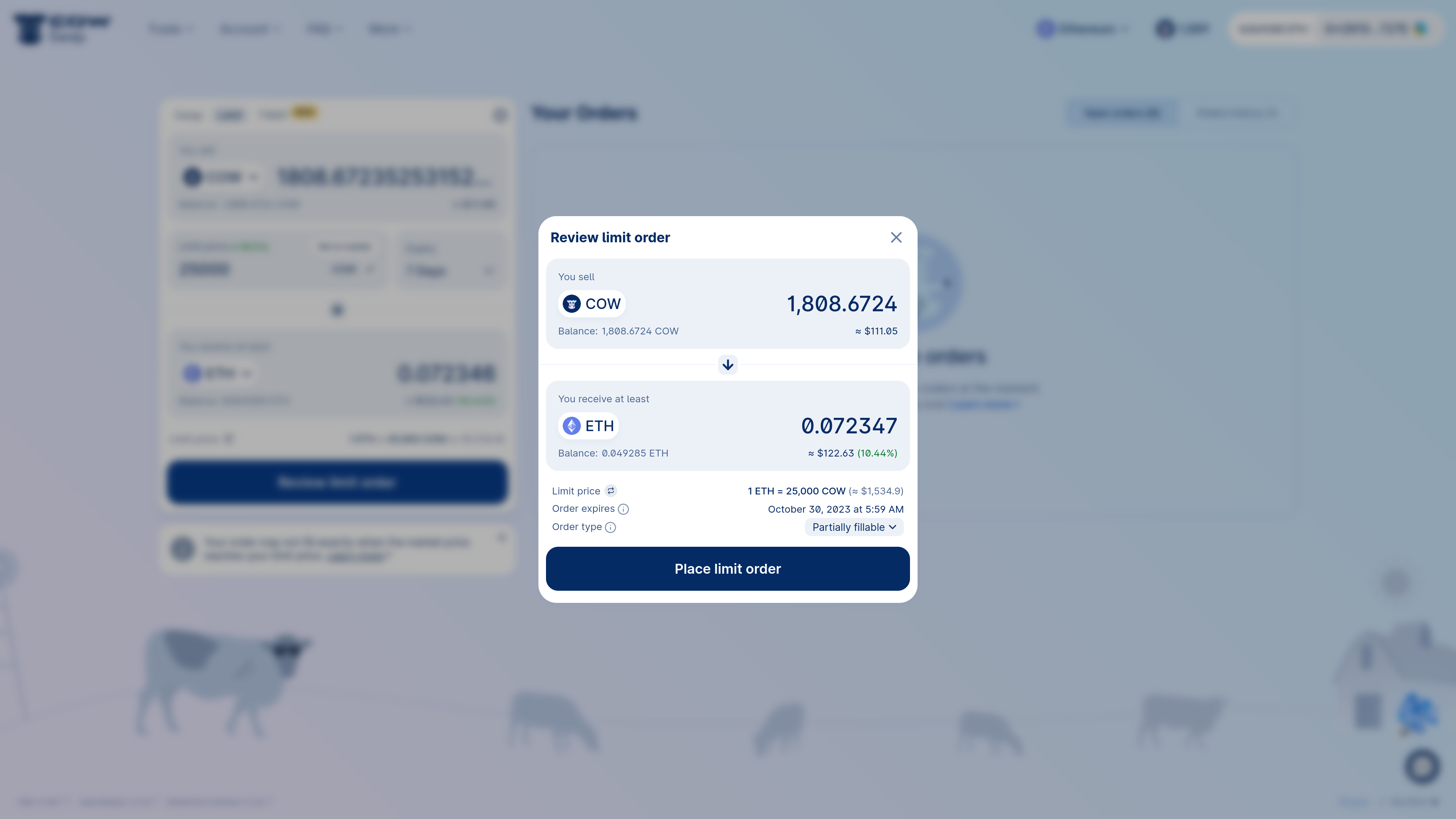
:::tip
By default, CoW Swap sets your limit order to _partially fillable_.
This allows your order to fill gradually as liquidity comes available. Partially fillable orders usually complete faster than _fill or kill_ orders and also provide better prices, so they are the default mechanism used to execute limit orders.
However, your order may not end up being filled completely, if the remaining fill amount is small compared to the required network fees of settling it.
This can cause leftover amounts of sell tokens in your account.
You can turn off partially fillable limit orders and revert back to _fill or kill_ through the swap panel settings.
:::
Once the limit order has been reviewed, click "Place limit order" to proceed with order signing:
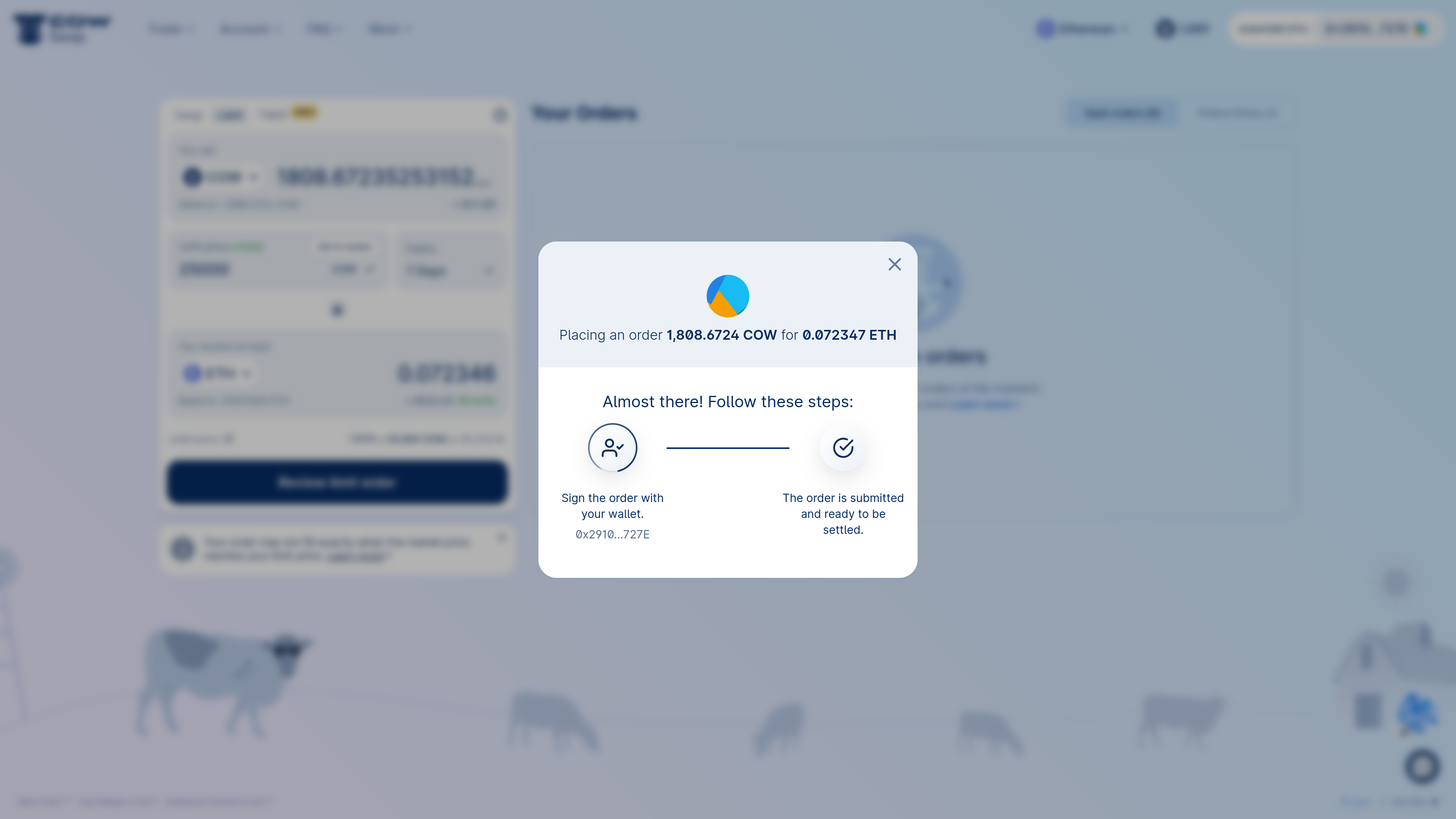
Upon signing the order with your wallet, the limit order will now appear in open orders:
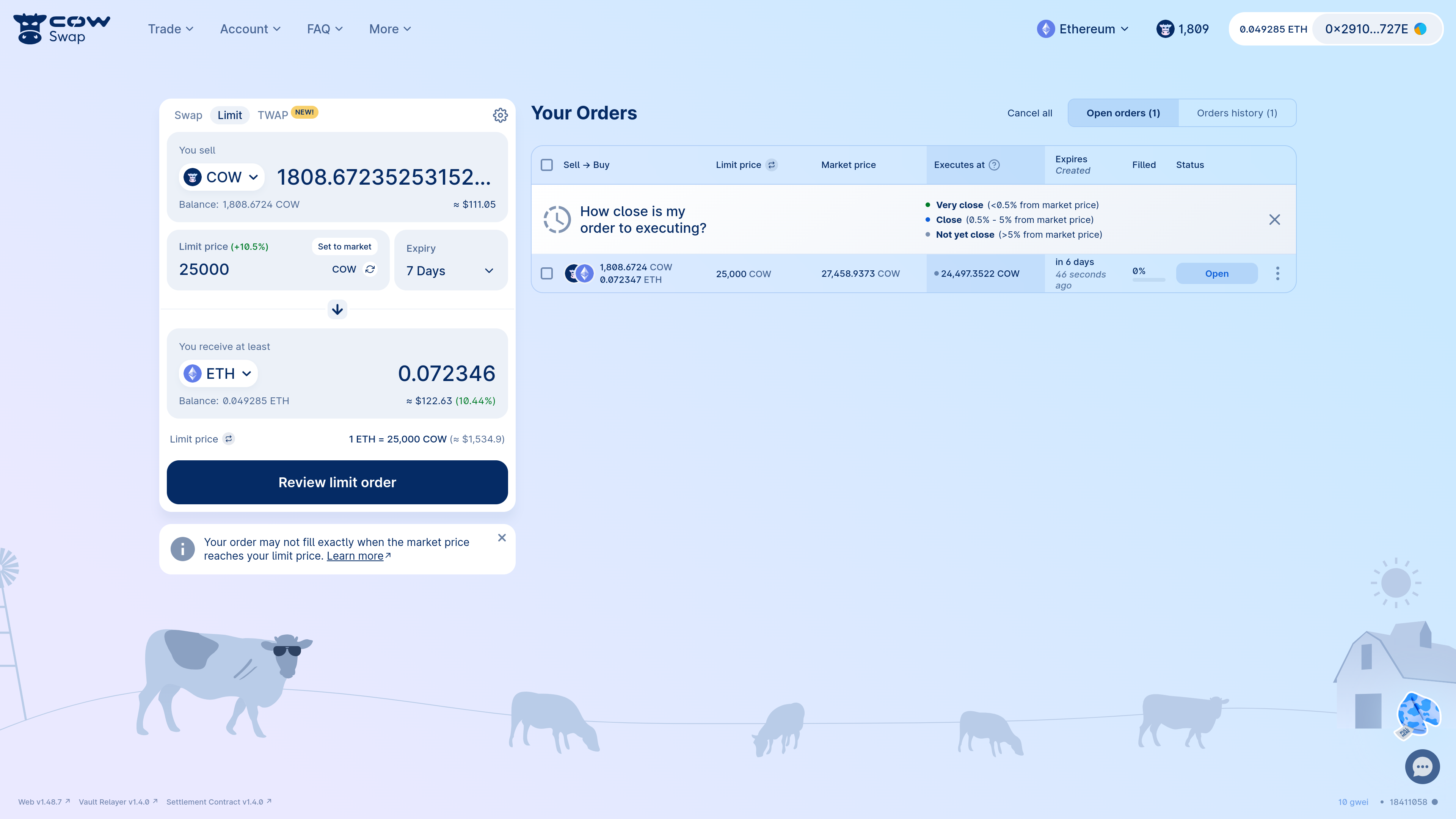
## Track a limit order
As mentioned above, limit orders on CoW Protocol don't always execute exactly when the limit price is reached.
This is because the protocol waits for an even better price in order to cover the order's network fees.
The CoW Swap UI makes this explicit by showing an open order's current _execution price_ in addition to its _limit price_.
Check the "Executes at" column in the open orders panel to see, based on current network conditions, what price your tokens would have to reach for the order to execute.
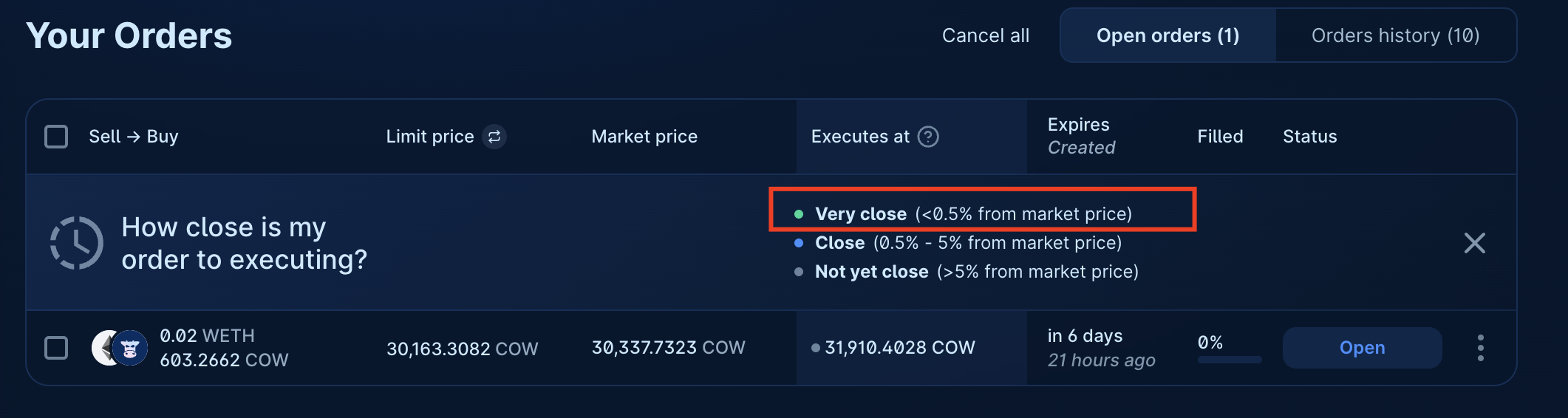
The "Executes at" column has a "traffic light" system to give an estimation of how far the order is from being executed.
It takes into the account current network fees, the size of the order and current market (spot) price.
Hovering the mouse pointer over the column will give an indication of how far the price has to move for the order to enter the execution range.
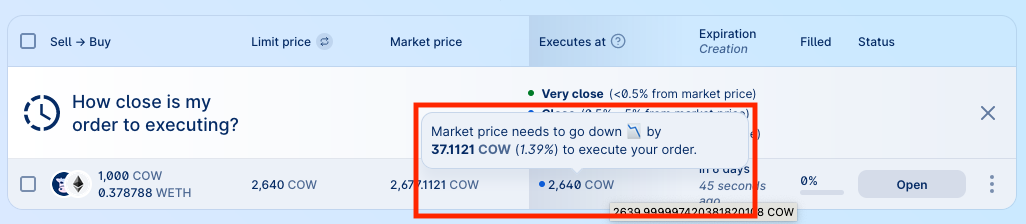
Clicking on that field will invert the price display for the individual order, and the hover text will also reflect the change in direction.
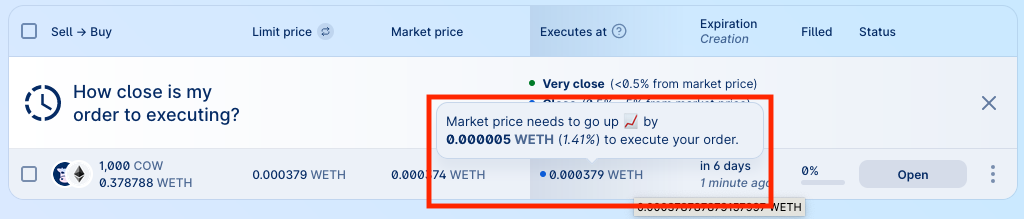
## Cancel a limit order
Now we've been doing some thinking and realised we shouldn't be selling `COW`, so we want to cancel our limit order.
We can do this by clicking the context menu on the order and selecting "Cancel order":
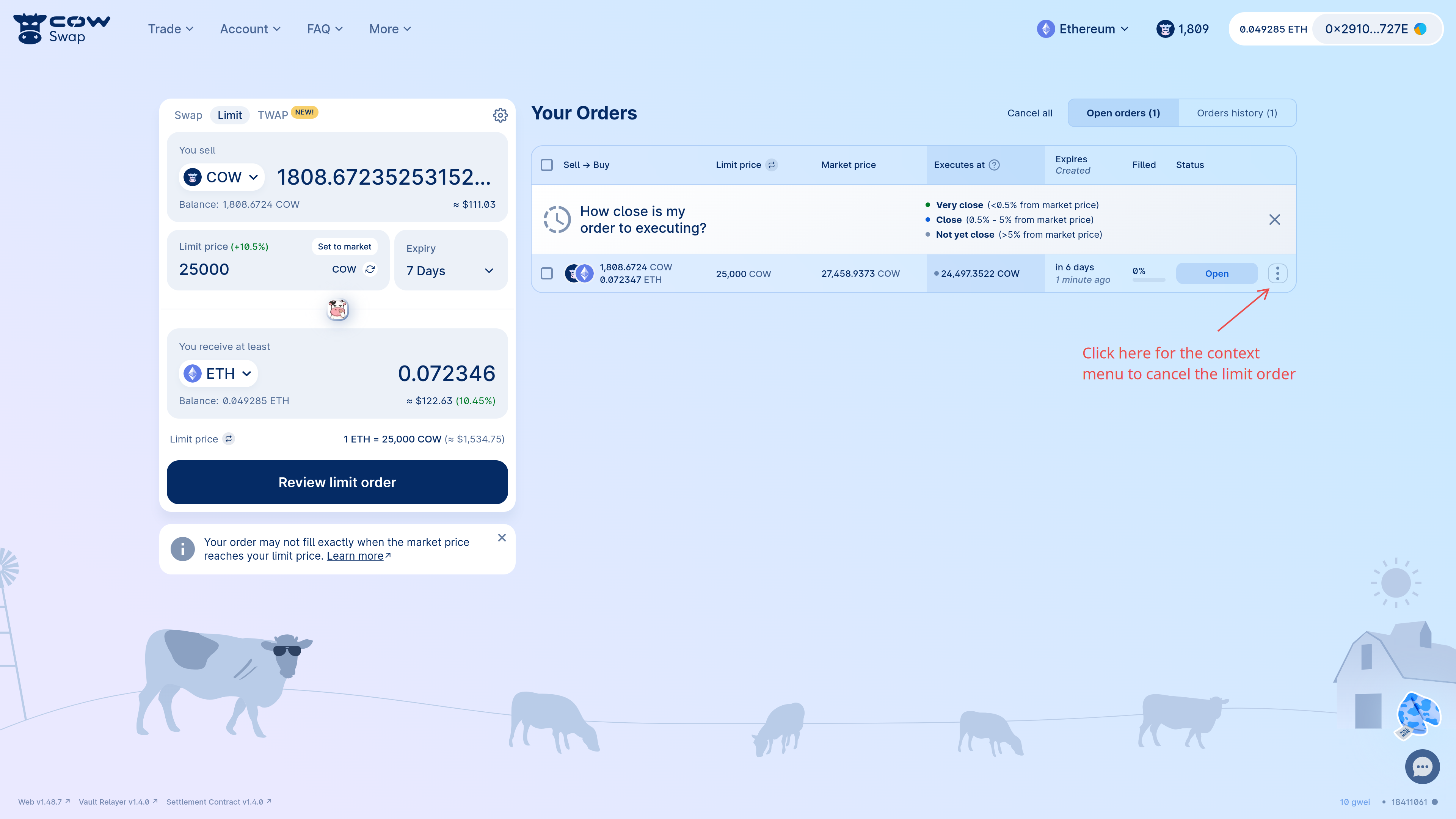
After selecting "Cancel order", you will be prompted to confirm this action.
Cancelling orders `off-chain` is free and does *not* require a transaction. However, there is a risk that the order is matched between the time you cancel it and the time the cancellation is processed `off-chain`.
:::note
Cancellations are not immediate, and your order may settle before the cancellation goes through.
:::
To proceed with an `off-chain` cancellation, click "Request cancellation" as shown below.
<>
If you do not want to place trust in the API to cancel your order, you may wish to cancel your order via an `on-chain` cancellation transaction.
This will cost gas.
To do so, toggle the type of cancellation to `on-chain` by clicking on `off-chain`.
:::note
Even with `on-chain` cancellations, there is still a risk that the order is matched before the `on-chain` cancellation transaction is confirmed.
Make sure to set a high priority fee and sign swiftly.
:::
Cancelling limit orders is free as it's an `off-chain` transaction. So feel free to place and cancel limit orders as many times as you want! (Alternatively, if you want a limit order to be canceled as quickly as possible, you can choose to do the cancellation `on-chain` instead.)
Once the order has been cancelled, it will be removed from the open orders list and move to the orders history:
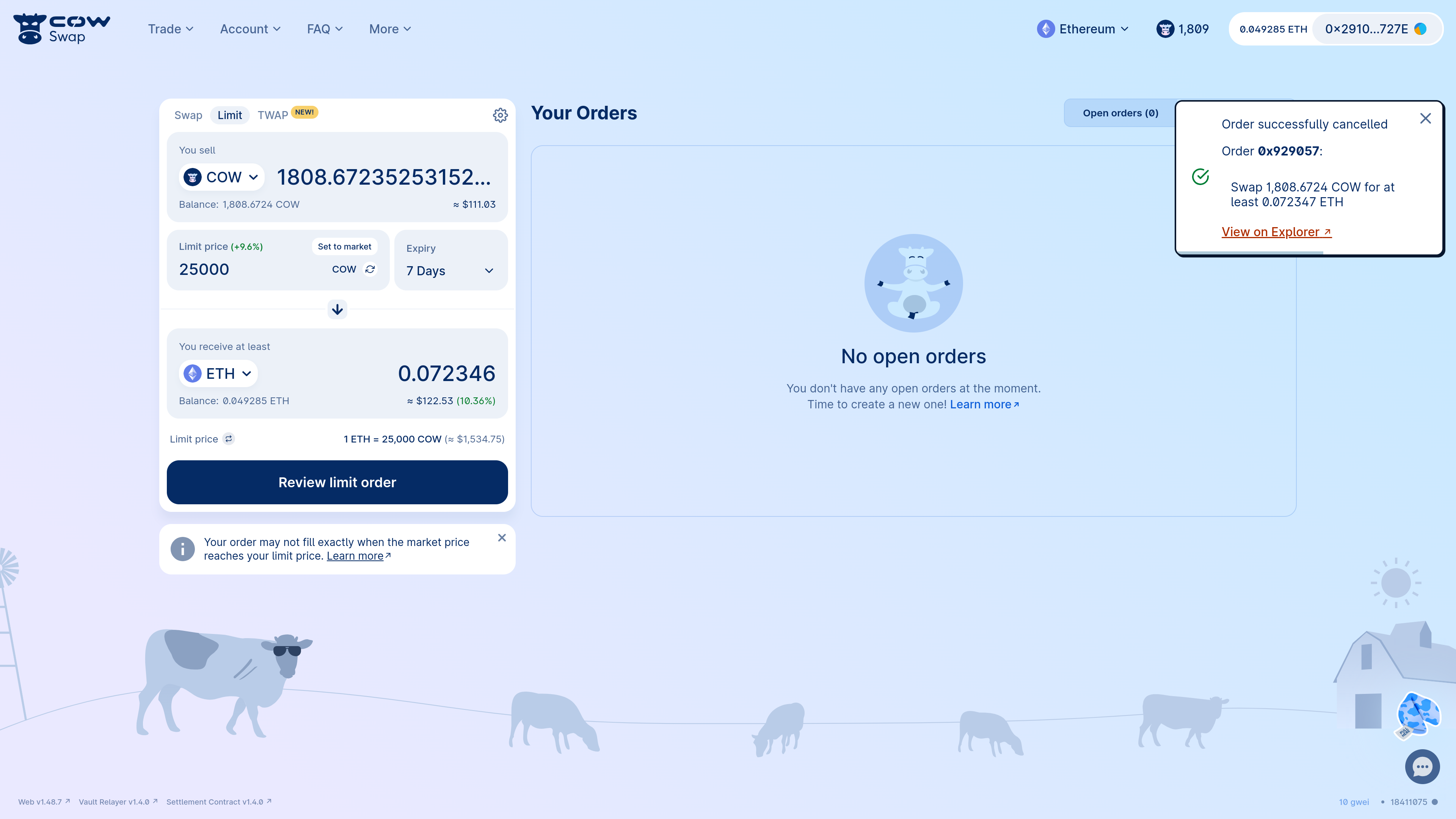
---
## Native tokens
In blockchain networks the "native token" - for example, Ether (ETH) on Ethereum, Arbitrum One and Base, and xDAI (xDAI) on Gnosis Chain - is the primary digital currency.
It's essential for network operations, like paying transaction fees.
"Wrapped" tokens - for example, Wrapped Ether (WETH) & Wrapped xDAI (wxDAI) - are [`ERC-20`-compatible](https://ethereum.org/en/developers/docs/standards/tokens/`ERC-20`/) versions of these native tokens.
They exist to improve interoperability with decentralized applications. The native token and its wrapped version are equivalent to each other, and a user is always allowed to turn one into the other ("wrap" or "unwrap") at a rate of 1:1.
_Buying_ native tokens such as ETH on CoW Protocol is straightforward. However, CoW Protocol is only natively capable of _selling_ `ERC-20` tokens - not native tokens.
This is because the protocol's intent-based architecture relies on solvers to trade the sell tokens on behalf of its users.
Doing so is only possible thanks to `ERC-20`'s concept of approvals, which allow certain "spender" contracts to manage funds on the user's behalf.
Despite this, CoW Protocol provides two ways for users to sell their native tokens:
* **Option 1) [Wrap native tokens](#wrap-native-tokens) before swapping**: Wrap the native token into an `ERC-20` token (e.g. `ETH` to `WETH`) and then swap WETH Gaslessly on CoW Protocol; or
* **Option 2) [Use Eth-flow](#use-eth-flow)**: Place a single transaction in a special contract that wraps + places your order.
:::tip
Wrapping is best for returning users. Also, if you plan to sell the native tokens over multiple orders, its best to wrap all ETH together, so you only pay the gas fee once.
If this is a one-off swap, consider using Eth-flow instead.
:::
## Option 1) Wrap native tokens before swapping {#wrap-native-tokens}
Wrapping before swapping requires an extra step. However, users who wrap before swapping get the following benefits:
1. Lower overall fees (if you need to swap multiple times)
2. Lower default slippage
3. No fees for failed swaps
The CoW Swap UI has built-in support for wrapping native tokens. To do this, simply select the native token you want to wrap (e.g. `ETH`) as your sell token, then select its wrapped `ERC-20` counterpart (e.g. `WETH`) as your buy token.
The button will automatically change from "Swap" to "Wrap".
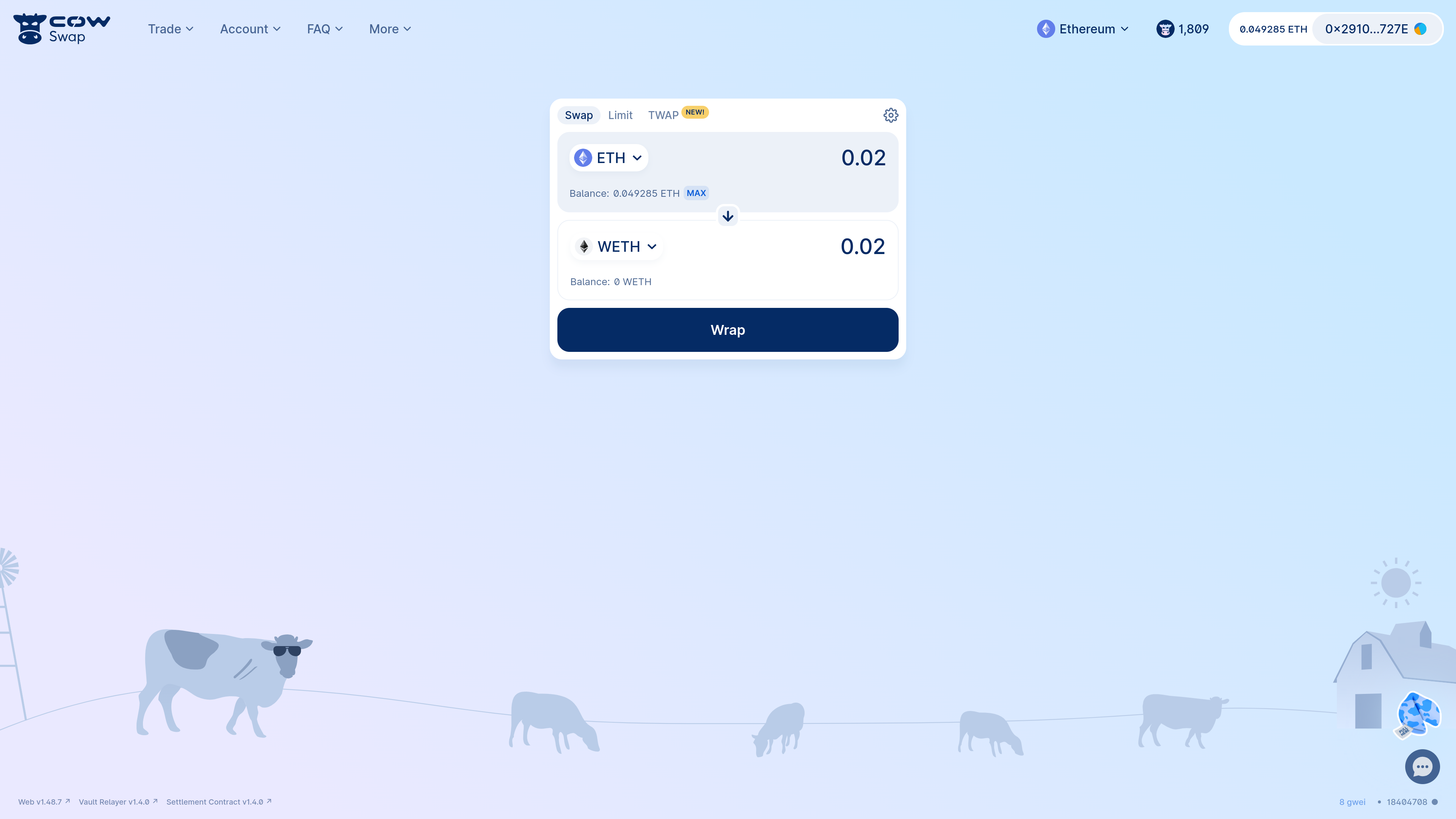
Wrapping the native token is an on-chain transaction and requires a gas fee.
After wrapping the token, you can simply select the wrapped token as your sell token and continue with your swap.
## Option 2) Use Eth-flow {#use-eth-flow}
In an attempt to smoothen the user experience, CoW Protocol has introduced the [Eth-flow](/cow-protocol/reference/contracts/periphery/eth-flow) contract. This allows users to automate the [above process](#wrap-native-tokens) and wrap + swap in a single **on-chain** transaction.
Eth-flow get the following benefits:
1. Lower overall fees (if you need to swap just once)
2. Simpler UX (single transaction)
3. You don't need to approve WETH explicitly in order to sell it
Using the Eth-flow contract is faster than wrapping and swapping (as discussed above). However, because an Eth-flow transaction is on-chain (unlike most CoW Swap swaps), the user must pay an up-front gas fee in the native token. This fee is not refunded if the order fails.
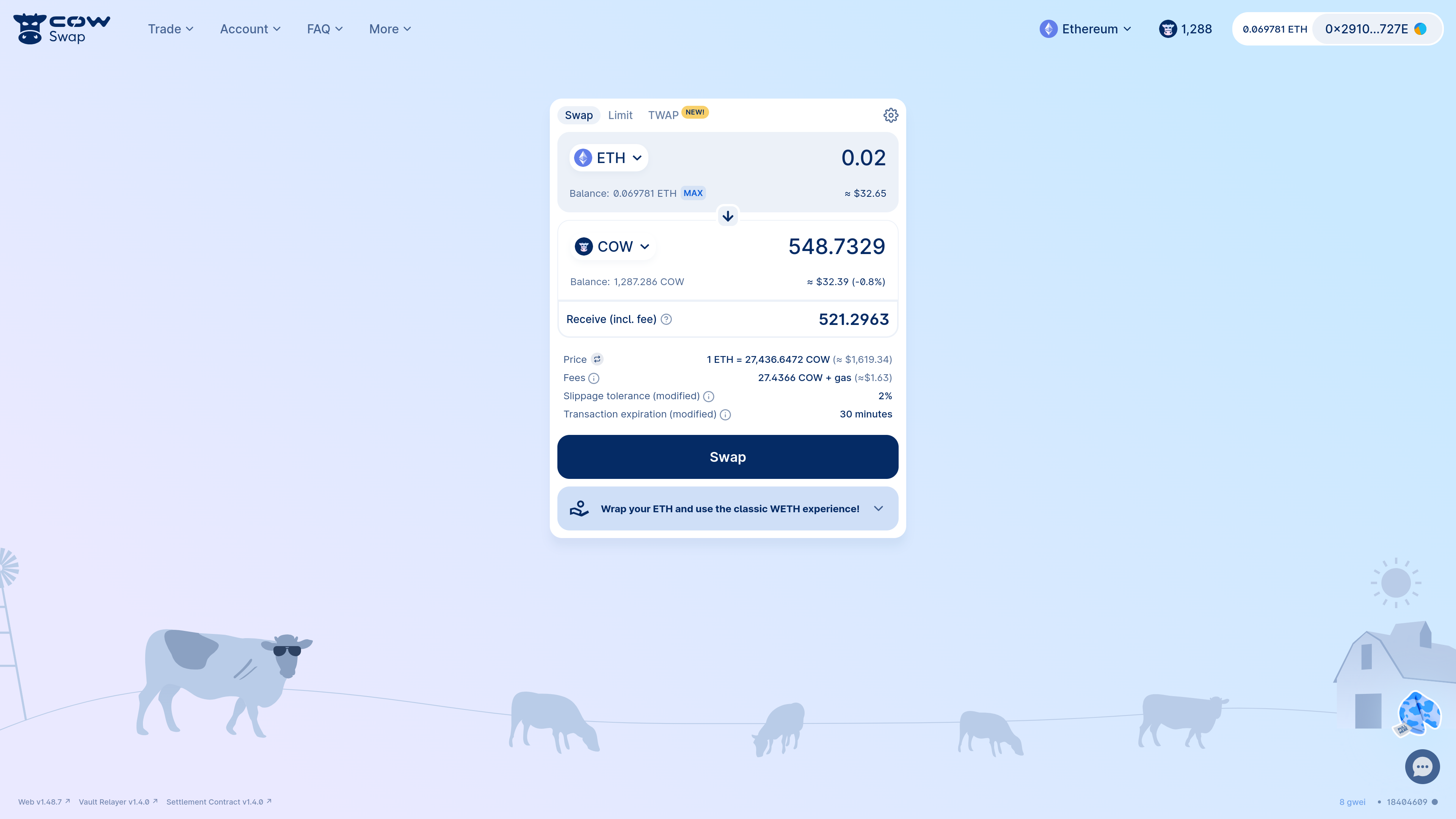
To use the Eth-flow contract, first select the native token you want to swap (e.g. `ETH`) and the token you want to buy (e.g. `COW`).
Then click "Swap". CoW Protocol will automatically detect if the native token needs to be wrapped and will execute the Eth-flow contract on your behalf.
After selecting your tokens, CoW Swap will prompt you to confirm the swap. This will be a single on-chain transaction that will wrap your native tokens (if required) and place the order on CoW Protocol.
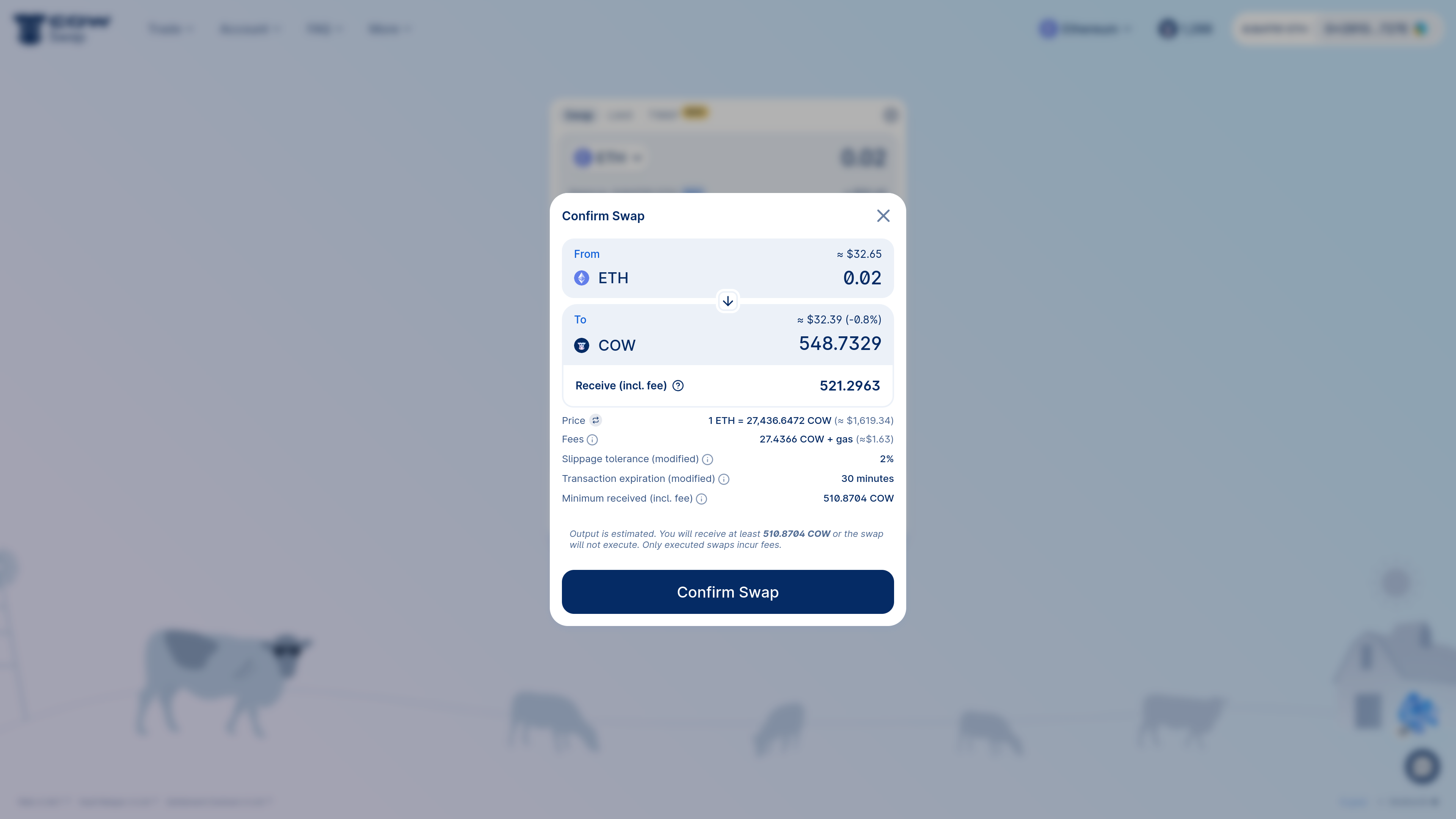
:::tip
If you intend to swap ETH frequently, consider wrapping some of your Ether into WETH to save on network fees.
The network costs of using the [Eth-flow](/cow-protocol/reference/contracts/periphery/eth-flow) multiple times are typically higher than wrapping the native token a single time and swapping with WETH multiple times on CoW Protocol.
Moreover, non-native token swaps allow for gasless cancellations.
:::
Once you have confirmed the swap, your wallet will prompt you to sign and create the on-chain transaction interacting with the [Eth-flow](/cow-protocol/reference/contracts/periphery/eth-flow) contract. On completion of this transaction, your order will be placed on CoW Protocol.
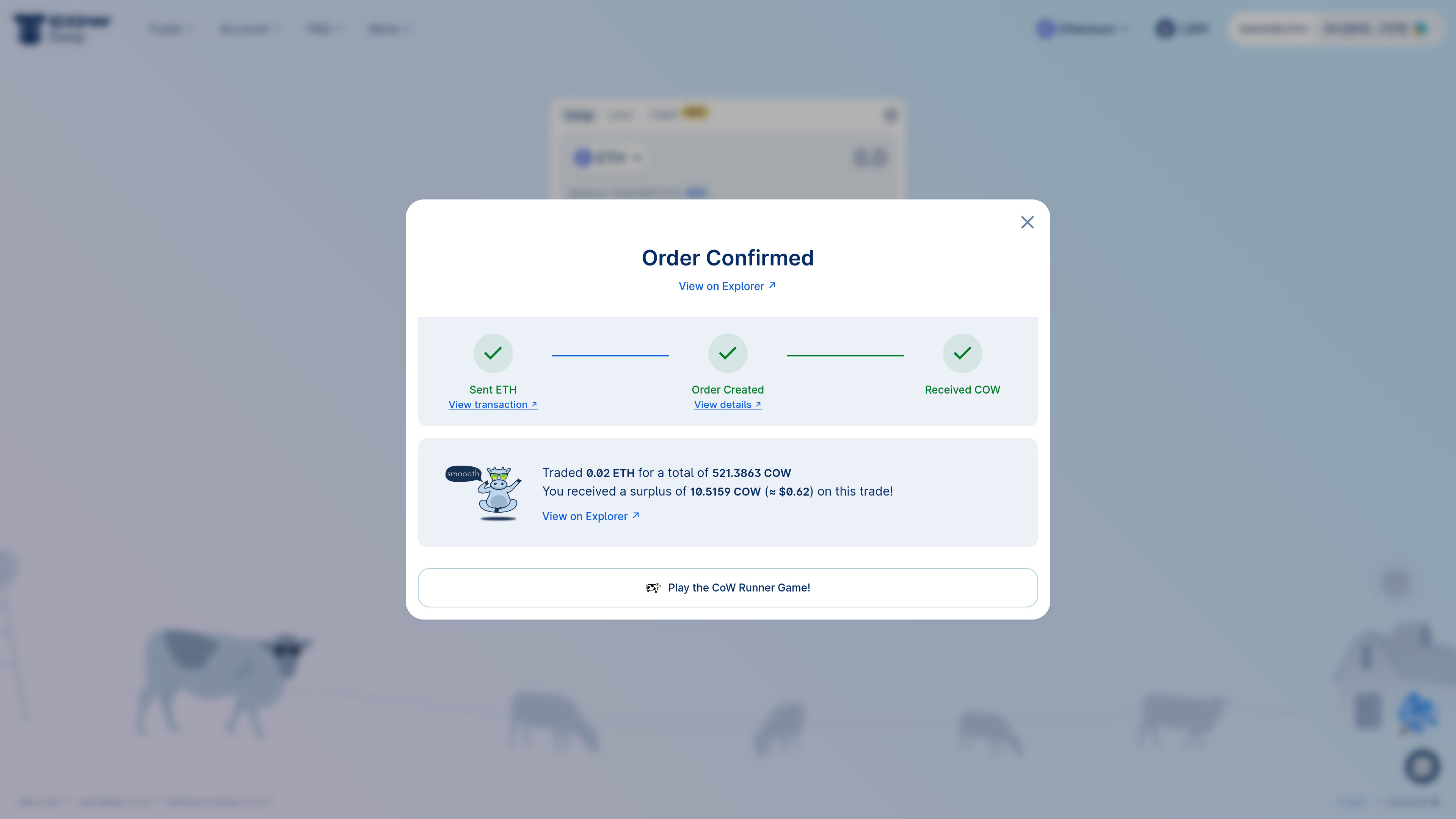
:::note
When using the [Eth-flow](/cow-protocol/reference/contracts/periphery/eth-flow) contract, your order is only placed once the transaction that sends your ETH into the Eth-flow contract is confirmed.
This means you may see ETH missing in your account before the buy tokens arrive.
Fear not! If the order fails, your ETH can be refunded into your account.
The refund can be triggered by any account and should happen automatically if you used the CoW Swap UI. If not, get in touch with us for help at [info@cow.finance](mailto:info@cow.finance)!
:::
:::note
The [Eth-flow](/cow-protocol/reference/contracts/periphery/eth-flow) option is ONLY available for [Swaps](/cow-protocol/tutorials/cow-swap/swap).
:::
:::note
The [Eth-flow](/cow-protocol/reference/contracts/periphery/eth-flow) option is NOT available for Smart Contract wallets **in CoW Swap**.
:::
:::tip
While the CoW Swap UI doesn't support the [Eth-flow](/cow-protocol/reference/contracts/periphery/eth-flow) contract, it's possible to bundle the **wrap**, **approval** (if needed) and **order placement** via the special integration with the [Safe](https://app.safe.global) when using [CoW Swap's Safe app](https://app.safe.global/share/safe-app?appUrl=https%3A%2F%2Fswap.cow.finance&chain=eth).
:::
### Cancel eth-flow order
Like regular [swap](swap) orders, Eth-flow orders can also be cancelled.
:::note
Beware that only `on-chain` cancellation is possible.
:::
First, open the activity panel by clicking on your address at the top right
Then, click on `Cancel order` in your pending order.
Confirm the cancellation, then sign the transaction in your wallet. You are done!
:::note
Please note that our solvers can be quite quick, so it is entirely possible that your order will have already been filled before it can be invalidated.
:::
The original Eth amount will be refunded as part of the cancellation transaction.
---
## Cross-chain swaps
The **Cross-chain swaps** feature on [swap.cow.finance](https://swap.cow.finance) lets you swap a token on one network and receive a different token on another network — all in one seamless transaction.
This guide will walk you through the process step-by-step, from setting up your trade to tracking it in the explorer.
:::note
Currently, the Cross-chain swaps functionality is limited to swap orders and is not available for smart contract wallets. These features will be available in the future.
:::
---
## 1. Setting up a Swap with Different Network Assets
When using **Cross-chain swaps**, you’ll start by selecting the tokens you want to trade — just like a regular swap — but with the option to choose a different destination chain.
### Source Token Selector
Open a source token selector:
Select the network and token you want to sell:
### Destination Token Selector
Similarly to Source Token Selector, open the selector, choose a network and token you would like to buy
:::tip
The list of available destination networks depends on the source token you’ve selected.
If you choose a destination network different from the source token’s network:
- You will only see tokens supported by the bridge provider for that chain.
If the destination network is the same as the source network:
- You’ll see the regular list of tokens from the token lists.
:::
:::note
**Tokens must be different.** Bridging the same token between two networks is not yet supported. This feature will be available in the future.
:::
---
## 2. Creating a Cross-chain swap
Once your tokens and networks are set, you can proceed to create the order.
### Token Approval
If it’s your first time selling this token through CoW Swap, you’ll need to approve it.
This is the standard ERC-20 approval process that allows CoW Protocol to use your tokens for the trade.
Approvals can happen through:
* Regular ERC-20 allowance transactions
* [EIP-2612](https://eips.ethereum.org/EIPS/eip-2612) signature (when supported by the token)
### Signing Steps
1. **Sign the post-hook call** for the bridge provider.
* The post-hook might include a call to approve an `intermediate token` in the Account Proxy, allowing it to be transferred to the deposit smart contract.
* The post-hook always includes a call to the bridge provider’s smart contract, which transfers the swapped amount to the deposit smart contract.
2. **Sign the order**:
* Sign an off-chain order (ERC-20 token selling).
* Sign a transaction (Native tokens (e.g., ETH) selling).
:::note
**Intermediate token** — the currency received on the source chain as the result of a swap, which is then deposited to the bridge provider.
It is usually the same currency as on the destination chain, but issued on the source blockchain.
:::
:::note
If a token to sell does not have an approved permit, the process will involve three signing steps, beginning with the permit signature.
:::
---
## 3. Using a Custom Recipient
By default, your connected wallet address will be set as the recipient on the destination chain.
If you want to send funds to another address:
* Enable **Custom recipient** in the settings (same place as in the regular Swap).
* Enter a recipient address.
* **Note:** ENS names are **not** supported here — you must use a full wallet address.
---
## 4. Previewing Your Quote
In the Swap form you can see a detailed breakdown of the expected swap and bridge:
* Swap **Min. to receive** → Final amount after all swap costs and a slippage tolerance.
* **Expected deposit amount** → This is equal to the “Expected to receive” amount from the swap step.
* **Bridge cost** → A fee charged by a bridge provider for processing your transfer.
* **Estimated bridging time** → Pulled directly from a bridge provider (varies by a network and a provider).
* Bridge **Min. to receive** → Calculated as: `(Swap min. to receive)` - `(Bridge provider cost)`
---
## 5. Understanding the Account Proxy
The [**Account Proxy**](https://swap.cow.finance/#/1/account-proxy) (also known as **CoW Shed**) is a helper contract that powers advanced features like [**CoW Hooks**](/cow-protocol/reference/core/intents/hooks).
* **CoW Hooks** allow solvers to execute additional Ethereum calls before or after your order is settled.
* Your funds are safe:
If anything goes wrong during execution, your assets will be sent to your personal proxy account. You can withdraw them to your wallet at any time.
>More detailed information can be found in [Account Proxy page](https://swap.cow.finance/#/1/account-proxy/help).
---
## 6. How Bridging Execution Works
1. The bridge step will only start **after** a successful swap.
:::note
If your order expires, is canceled, or fails, bridging will not start — your funds will remain in your wallet.
:::
:::note
You can only soft‑cancel your order during the swap phase. Once the swap has executed and the bridge deposit has been submitted by your Account Proxy, the bridge transfer cannot be canceled. It will complete on the destination chain or be refunded per the provider’s policy.
:::
2. Once the swap completes:
* The order goes into 'Bridging in progress' status.
* The received amount is sent to your [**Account Proxy**](https://swap.cow.finance/#/1/account-proxy).
* From there, it’s deposited into the bridge provider’s smart contract.
* These steps happen within **one transaction**.
3. When the bridging completes, you’ll see a **“Bridging completed!”** status along with the final amount received on the destination chain.
4. You’ll always get a link to the bridge provider’s explorer to track your order progress.
5. Your Cross-chain swaps history is available in the **Account modal** on CoW Swap. .
:::note
**Account modal** displays only last 10 orders. For your full order history, visit [CoW Explorer](https://explorer.cow.finance)
:::
---
## 7. If Bridging Fails — Getting a Refund
In rare cases, the bridging step may fail. Don’t worry — your funds are safe.
Most bridge providers will automatically send your funds back to your [**Account Proxy**](https://swap.cow.finance/#/1/account-proxy) once the deposit expires.
Expiration time varies by provider. For example, **Across** provider usually refunds after \~3 hours if the deposit hasn’t been completed.
Once the refund arrives in your Account Proxy:
* Open the CoW Swap [**Account Proxy**](https://swap.cow.finance/#/1/account-proxy/help) page.
* In the list of Account Proxy versions, select the latest Account Proxy version (unless you’ve been told to use a different one).
* Open details of the required Account Proxy version.
* Choose a token and recover the funds to your wallet.
---
## 8. Tracking Your Orders in the Explorer
You can view all your Cross-chain swaps on [explorer.cow.finance](https://explorer.cow.finance).
* See orders in any state — **In Progress**, **Completed**, **Cancelled**, and more.
* Filter results and view full details for each trade.
* Each Cross-chain swap has two tabs — Swap and Bridge — so you can easily explore both parts of the transaction.
---
## Market orders (swap)
Swapping is the bread and butter of CoW Protocol! Let's swap some tokens!
## Connect wallet
Go to [CoW Swap](https://swap.cow.finance/#/swap?utm_source=docs.cow.finance&utm_content=swap-tutorial) and connect your web3 wallet.
:::note
If you don't have a web3 wallet yet, you can easily get one! Here are some suggestions:
- Use a browser extension wallet such as [Rabby](https://rabby.io/) or [Metamask](https://metamask.io/download/)
- A hardware wallet such as [Trezor](https://trezor.io/)
- A Smart Contract Wallet such as [Safe](https://app.safe.global)
Please do your own research on the advantages and disadvantages of each wallet to select the one that works best for you.
:::
Click on `Connect wallet`.
Select one of the available wallets.
## Select tokens
Consider an example swapping 0.05 `WETH` for `COW`.
When you do a swap on CoW Swap for the first time, you must give approval for the [_vault relayer_](/cow-protocol/reference/contracts/core/vault-relayer) contract to spend your token (in this case, `WETH`).
This is because this is the contract that will pull the `WETH` from your wallet and send it to the [_settlement_](/cow-protocol/reference/contracts/core/settlement) contract that will co-ordinate the swap on your behalf.
Both contracts are audited, battle-tested and non-upgradeable.
Moreover, the settlement contract is the only address that can request the vault relayer to pull your funds and **only after verifying** both that:
1. Your order was signed by you
2. and that you will receive at least your limit execution price or better
## Approve sell token
:::tip
Some tokens, such as `USDC`, `DAI`, `COW` and many others support gasless approvals. This means that you can approve the [vault relayer](/cow-protocol/reference/contracts/core/vault-relayer) contract to spend your tokens without having any initial gas for an on-chain transaction. This is a great way to save on gas costs!
You don't have to worry about this, as CoW Swap will automatically detect if the token supports gasless approvals and will guide you through the process.
Just look for the `gasless approval` flag when picking the tokens to get started:
:::
:::note
Trade of gasless compatible tokens is supported on Swap and [Limit](/cow-protocol/tutorials/cow-swap/limit) orders, and are NOT available for Smart Contract wallets.
:::
By default, CoW Swap prompts you to give [vault relayer](/cow-protocol/reference/contracts/core/vault-relayer) an "unlimited" allowance for the sell token.
This has the benefits of:
- Not having to approve every time you trade
- Saving on gas costs
:::caution
A user should be careful when signing approval transactions. Verify carefully that the spender address is correct (in this case {props.spender}'s address).
If in doubt about any of the above, do *not* sign the transaction. To review your approvals, you can use https://revoke.cash/.
:::
Once the `approve` transaction is confirmed, you can proceed to swap!
:::tip
CoW Swap has a special integration with [Safe](https://app.safe.global) when opened as a [Safe app](https://app.safe.global/share/safe-app?appUrl=https%3A%2F%2Fswap.cow.finance&chain=eth), where the approval and order placement transactions can be combined into a single Safe transaction.
:::
## Confirm swap
When you're ready to swap, click the "Swap" button.
You will be prompted to confirm the swap. This is when you can review the details of the swap (i.e. the quote, the slippage tolerance, etc.).
If you're happy with the details, click "Confirm Swap". You will be prompted to sign the order.
:::danger Warning
Ensure that the `receiver` address is correct. Fake CoW Swap websites have been observed and often substitute this parameter with their own address.
This **should be set to 0x0...0 or your signer's address** to indicate that the tokens will be sent to the order signer's address.
If you have set a custom receiver, you should verify that the address is correct.
The user interface should display a warning if the `receiver` address is not the address from which you are signing the order.
:::
Be careful when signing an order.
All of the associated parameters are final and cannot be changed once the order is signed and submitted to the API.
If you make a mistake, you will need to cancel the order and create a new one.
At this stage, your wallet will prompt you to sign the order. The user interface for this will vary depending on your wallet.
Once the order has been signed, it will be submitted to CoW Protocol where it is now ready to be executed! 🎉
## Track your order
Your order will be in the order book and ready to be executed.
- CoW Swap will automatically notify in a pop-up message once your order is executed.
- You can keep track of the order status by checking the recent history (click on your connected wallet address in the top right corner).
- You can also view your order on [CoW Explorer](/cow-protocol/tutorials/cow-explorer).
## Cancel your order
Changed your mind? Not a problem! CoW Swap makes it easy and gasless[^1] to cancel your order.
[^1]: Only `off-chain` cancellations are gasless. `on-chain` cancellations - as the name states - require a regular network transaction.
First, open the activity panel by clicking on your address in the top right corner.
Find your pending order in the list and click on `Cancel order`.
Confirm the cancellation, picking which mode of cancellation you'd like: `off-chain` (default) or `on-chain`.
Cancelling orders `off-chain` is free and does *not* require a transaction. However, there is a risk that the order is matched between the time you cancel it and the time the cancellation is processed `off-chain`.
:::note
Cancellations are not immediate, and your order may settle before the cancellation goes through.
:::
To proceed with an `off-chain` cancellation, click "Request cancellation" as shown below.
<>
If you do not want to place trust in the API to cancel your order, you may wish to cancel your order via an `on-chain` cancellation transaction.
This will cost gas.
To do so, toggle the type of cancellation to `on-chain` by clicking on `off-chain`.
:::note
Even with `on-chain` cancellations, there is still a risk that the order is matched before the `on-chain` cancellation transaction is confirmed.
Make sure to set a high priority fee and sign swiftly.
:::
Confirm the transaction in your wallet and you are done!
---
## TWAP orders(Cow-swap)
Time-Weighted Average Price (TWAP) orders are an advanced feature of CoW Protocol, ideal for executing large trades with minimal price impact by distributing the order over a specified time.
## Introduction
TWAP orders allow you to split a large trade into smaller parts, executed at regular intervals.
This helps in minimizing market impact and in doing so likely achieves a better average price.
### Benefits
- **Reduce price impact on large orders**: For example, buying `$1M` of ETH over 3 hours in 6 parts; the TWAP will place an order of `$166k` every `30min`, significantly reducing the price impact and allowing the market to recover.
- **Average buy price over time**: This strategy reduces the risk of buying at a high price by averaging the prices over a selected period.
- **Ideal for recurring or big trades**: The minimum required order size is `$1k` on Mainnet or `$5` on Gnosis Chain, Arbitrum One and Base.
## Placing a TWAP Order
### Connect your Safe wallet
_CoW Swap_ TWAP requires a [Safe](https://safe.global) wallet.
* 🆕 If you don't have one, you can [create a Safe](https://app.safe.global/welcome) wallet
* 🔌 With your Safe wallet, open [CoW Swap (Safe App)](https://app.safe.global/share/safe-app?appUrl=https%3A%2F%2Fswap.cow.finance&chain=eth)
Once CoW Swap is loaded and connected to your Safe you can access TWAP orders via the "TWAP" tab near the center module or the drop-down menu next to the CoW Swap logo.
### Select tokens
Choose the token you wish to sell (e.g., `WETH`) and enter the total amount you wish to sell.
### Specify parameters
This is a _critical_ step where you'll define how your order will be executed over time. Here's how to fine-tune your TWAP order settings:
1. **Price Protection**: This is a measure to prevent your order from being executed at a price that's too far from the market price when the order was placed. Set the percentage of price protection to define the acceptable price range for your trades. For instance, a 10% price protection means that your order will not execute if the price moves unfavorably by more than 10% from the price at the time the order was made.
2. **Number of Parts**: Decide how many discrete parts you want to divide your order into. This choice will determine the granularity of your TWAP strategy. For example, if you choose to split your order into 2 parts and you are selling a total of 2 WETH, each part will involve selling 1 WETH. The parts have a minimum size of `$5k` on Mainnet or `$5` on Gnosis Chain because each part will need to be executed on-chain, meaning there's a cost associated with each execution.
3. **Total Duration**: Choose the total time frame over which your order should be executed. The TWAP strategy will distribute your trades evenly across this duration. Select from predefined durations like 1 hour, or set a custom duration based on your trading strategy.
4. **Part Duration** _(read-only)_: View the duration of each individual part of your order. It is calculated automatically as the total duration divided by the number of parts. For instance, if your total duration is 1 hour and you have 2 parts, each part will have a duration of 30 minutes.
5. **Sell per Part** _(read-only)_: After setting the number of parts and the total duration, the interface will display the sell amount for each part. Ensure this aligns with your trade expectations.
6. **Buy per Part** _(read-only)_: Similarly, for a buy TWAP order, this will indicate how much of the token you are looking to purchase in each part of the order.
Carefully review and adjust your order parameters to align with market conditions, anticipated movements, and your trading objectives, as they are crucial in dictating the execution and efficacy of your TWAP strategy. Once you have tailored these details to your satisfaction, you can move on to the next step to finalize and place your order.
### Unsupported wallet? Upgrade Safe Fallback Handler
If your wallet is _unsupported_, upgrade to a Safe with the special fallback handler required for TWAP orders. [Learn all about the new Safe fallback handler](https://blog.cow.finance/all-you-need-to-know-about-cow-swaps-new-safe-fallback-handler-8ef0439925d1) and its relevance to Safe in this [overview](https://help.safe.global/en/articles/40838-what-is-a-fallback-handler-and-how-does-it-relate-to-safe). Naturally, the upgrade process has undergone [extensive auditing](https://github.com/cowprotocol/composable-cow/tree/ab3addad9bc05acdbf5fb040eb5c336209b58e31/audits) for increased peace of mind.
### Review and confirm
Check all the details of your order, including price protection and limit price. Once you have reviewed the details, sign the transaction in your Safe interface.
:::caution
A user should be careful when signing approval transactions. Verify carefully that the spender address is correct (in this case {props.spender}'s address).
If in doubt about any of the above, do *not* sign the transaction. To review your approvals, you can use https://revoke.cash/.
:::
Be careful when signing an order. All of the associated parameters are final and cannot be changed once the order is signed and submitted to the API. If you make a mistake, you will need to cancel the order and create a new one. You can do this in the orders overview.
### Finalization and monitoring
Once you've signed the order, the process of finalizing and monitoring your TWAP order begins. This is a multi-step process that ensures your order is securely processed and activated.
The "Order submitted successfully" screen indicates that your order has been initially accepted.
The "Order in signing state" screen shows that your order may require additional signatures from your Safe. Ensure all necessary parties sign to proceed.
After all signatures are collected and the transaction is submitted on-chain, your order becomes 'active'. The "Orders overview" allows you to monitor its current status and see the full list of active orders.
Each TWAP can be expanded to show the individual parts.
The three-dot menu for the parent TWAP shows the actions available that affects all parts of a TWAP.
Each individual TWAP part also have a three-dot menu with actions pertaining to that individual order.
Finally, the "Order receipt" provides a detailed confirmation of your active TWAP order, complete with execution details and transaction details.
## Cancelling a TWAP order
Canceling a TWAP order involves a few simple steps. Begin by locating your active TWAP order in the "Your Orders" section to manage it.
Here in the order overview, find the order you intend to cancel. Click the three-dot menu icon at the end of the order's row to open up additional actions. Select "Cancel order" from the dropdown menu to initiate the cancellation process.
A confirmation window will appear, summarizing the order you are about to cancel, including the swap details and the transaction type. This is your opportunity to review and ensure that you are canceling the correct order.
When you confirm the cancellation by clicking "Request cancellation," a new transaction will be created in your Safe. This transaction is not final until all required parties (Safe owners) provide their signature.
Once all signatures are collected, the transaction to cancel the order will be executed. It's vital to coordinate with all signers to complete this promptly, especially if the order needs to be canceled quickly due to changing market conditions or other strategic considerations. After the cancellation transaction is fully signed and submitted, the order will be removed from your active orders list and considered canceled.
## Conclusion
TWAP orders are a strategic approach for large trades, reducing price impact and securing better average prices. Try it out and let us know your experience at [info@cow.finance](mailto:info@cow.finance)!
---
## CoW Hook dApp
### [What are CoW Hooks?](/cow-protocol/concepts/order-types/cow-hooks)
### [Technical specification](/cow-protocol/reference/core/intents/hooks)
| | |
| ------------------------------------------------------------------ | ----------------------------------------------------------------------- |
**Hook dApp** - is an application that allows you to conveniently program an order to perform any action before or after a swap.
In the CoW Swap interface you can find several hooks for different tasks. For example, you can claim GNO from Gnosis validators before your swap. You can also specify an arbitrary call to a smart contract before or after your swap using the "Build your own hooks" dApp.
But that's not all. You can also develop your own application that will install a hook in CoW Swap!
For this purpose, there is a custom application based on [iframe](https://developer.mozilla.org/en-US/docs/Web/HTML/Element/iframe).
In order to add a custom hook, you need to:
- Click "add Pre/Post-Hook Action"
- Go to "My Custom Hooks" tab
- Paste a URL of the hook dApp
:::note
CoW Hooks are still under development!
But you can test it by switching "Enable hooks" toggle ON in the Swap settings.
:::
## How to develop CoW Hook dApps
CoW Hook dApp is a web application that communicates with CoW Swap using [post-messages](https://developer.mozilla.org/en-US/docs/Web/API/Window/postMessage).
For your convenience there is a npm library [`@cowprotocol/hook-dapp-lib`](https://www.npmjs.com/package/@cowprotocol/hook-dapp-lib) which provides everything necessary to get started with your hook dApp development.
### Install
```bash
yarn add @cowprotocol/hook-dapp-lib
```
```bash
npm install @cowprotocol/hook-dapp-lib
```
It provides:
- [`EIP-1193`](https://eips.ethereum.org/EIPS/eip-1193) provider to interact with a user wallet
- `HookDappContext` which contains environment parameters (chainId, account, etc.) and current order parameters (sell token, validTo, etc.)
And it expects calling following callbacks:
- `addHook` when a hook data is ready and can be added to an order
- `editHook` when hook parameters were changed (edit mode)
- `setSellToken / setBuyToken` if you want to change the trade assets
### Quick start
Let's create a simple hook dApp that checks the COW token balance of the order creator.
```html
```
### Types specification
```typescript
// context: HookDappContext
// actions: CoWHookDappActions
// provider: EIP-1193
const { actions, provider } = initCoWHookDapp({ onContext(context: HookDappContext) {} })
```
---
#### `HookDappContext`
| Parameter | Type | Optional | Description |
| ----------------- | ----------------------------- | -------- | ------------------------------------------------------------------------------------------------------------------------------------------------------------------------------------------------------------------------------------------------ |
| `chainId` | `number` | false | Current chainId in CoW Swap. |
| `account` | `string` | true | The user's account address. If not set, the wallet is not connected yet. |
| `orderParams` | `HookDappOrderParams \| null` | false | The parameters for the order. If value is `null`, the order is not ready yet. See [HookDappOrderParams](https://github.com/cowprotocol/cowswap/blob/develop/libs/hook-dapp-lib/src/types.ts#L29) for more details. |
| `hookToEdit` | `CowHookDetails` | true | CoW Swap supports editing hooks that have been created already. If the parameter is set, then it's in edit mode. See [CowHookDetails](https://github.com/cowprotocol/cowswap/blob/develop/libs/hook-dapp-lib/src/types.ts#L18) for more details. |
| `isSmartContract` | `boolean \| undefined` | true | Whether the account is a smart contract. `undefined` if unknown. |
| `isPreHook` | `boolean` | false | Indicates the position of the hook. |
---
#### `CoWHookDappActions`
| Parameter | Type | Description |
| ---------------------------- | -------------------------------------- | ------------------------------------------------------------------- |
| `addHook` | `(payload: CowHookCreation) => void` | The callback should be executed once the hook is ready to be added. |
| `editHook` | `(payload: CowHookDetails) => void` | The callback should be executed when the hook data is changed. |
| `setSellToken / setBuyToken` | `(token: { address: string }) => void` | Optionally you can change the asset for sell/buy. |
### Manifest
As stated at the beginning of this document, in the CoW Swap interface you can add your application as a custom application.
To do this, the application must contain `manifest.json` file with following structure:
```json
{
"cow_hook_dapp": {
"id": "06a2747d08f0026f47aebb91ac13172a318eb3f6116f742751e2d83cc61b8753",
"name": "Your Hook Dapp",
"descriptionShort": "Your Hook Dapp short description",
"description": "Your Hook Dapp full description",
"version": "0.0.1",
"website": "https://your-cow-hook.dapp",
"image": "http://your-cow-hook.dapp/logo.png",
"conditions": {
"position": "pre",
"smartContractWalletSupported": false,
"supportedNetworks": [1, 100, 42161]
}
}
}
```
| Parameter | Type | Description |
| -------------------------------- | ------------------------------- | ---------------------------------------------------------------------------------------------------------------------------------------------------------------------------------------------------------------------- |
| `id` | `string` | 64-bit hex application identifier `(keccak256(YOUR_APP_NAME))`. This value is used to match hooks in an order with the dApp that generated the hook. |
| `name` | `string` | The name of the Hook Dapp. |
| `descriptionShort` | `string` | A short description. |
| `description` | `string` | A full, detailed description of the Hook Dapp. |
| `version` | `string` | The version number of the Hook Dapp, typically following semantic versioning. |
| `website` | `string` (URL) | The URL link to the Hook Dapp's official website. |
| `image` | `string` (URL) | The URL link to the Hook Dapp's logo or representative image. |
| `conditions.position` | `pre \| post` | Specifies the execution position of the hook, `pre` or `post`. If not set, then the Hook Dapp supports both positions. |
| `conditions.walletCompatibility` | `HookDappWalletCompatibility[]` | Indicates whether the Hook Dapp supports smart contract wallets or EOAs. |
| `conditions.supportedNetworks` | `array` of `integers` | List of supported network IDs (e.g., `1` for Ethereum mainnet, `100` for Gnosis chain, `42161` for Arbitrum, `8453` for Base). If not set, then the Hook Dapp will be available for any network supported by CoW Swap. |
## Advanced Hook Dapps
For more complex scenarios, such as transferring the buy amount to another smart-contract or other smart-contract related actions, you will probably need CoW Shed:
- [CoW Shed](https://github.com/cowdao-grants/cow-shed)
- [Permit, Swap & Bridge CoW Hook example](https://v1.docs.cow.finance/overview/cow-hooks/cow-hooks-example/permit-swap-and-bridge-cow-hook)
---
## How to execute flashloans orders
This short tutorial explains how orders with flashloans hints can be executed by solvers.
## Where to get information about an order’s flashloan?
Information about an order's flashloan is added by the user inside the order’s [appdata](/docs/cow-protocol/reference/core/intents/app_data.mdx). As a reminder, the autopilot only shares the appdata hash as part of the auction instance it shares with the [drivers](/docs/cow-protocol/tutorials/arbitrate/solver/driver.md), and so it is the driver's responsibility to recover the full appdata.
:::note
[Solvers](/docs/cow-protocol/tutorials/arbitrate/solver/solver-engine.md) connected to the reference driver already receive the full appdata from the driver.
:::
For example, this [staging order](https://explorer.cow.finance/gc/orders/0x413a7246f58441ad92ea19c09cef90d1b23a1e211e0963f3d39b7db48140533d669685c660c260d80b614f8d1a5ffd24c4e3b82668cd8760) has the appdata hash `0xa8476d34ec1e22b818cf3d6289e30271a04a4e38a8a3a71f947b5881de06a852` which can be looked up [here](https://barn.api.cow.finance/xdai/api/v1/app_data/0xa8476d34ec1e22b818cf3d6289e30271a04a4e38a8a3a71f947b5881de06a852). Specifically, in the `metadata` field, the `flashloan` entry looks as follows:
```json
"flashloan": {
"amount": "20000000000000000000",
"liquidityProvider": "0xb50201558B00496A145fE76f7424749556E326D8",
"protocolAdapter": "0x19167A179bcDDBecc2d655d059f20501E5323560",
"receiver": "0x19167A179bcDDBecc2d655d059f20501E5323560",
"token": "0xe91D153E0b41518A2Ce8Dd3D7944Fa863463a97d"
}
```
We now briefly explain what each entry means:
- `amount`: units (in wei) that should be flashloaned;
- `token`: which token should be flashloaned;
- `receiver`: address that is supposed to receive the tokens;
- `liquidityProvider`: the lending protocol’s contract (i.e. AavePool);
- `protocolAdapter`: which address needs to be used to adapt the `liquidityProvider` to CoW Protocol’s flashloan machinery.
## Adjustments needed in the solver/driver
### Encoding the Call to the Flashloan Router
As the flashloan needs to be available over the entire duration of the settlement, all flashloan settlements will have to go through the [flashloan router](/cow-protocol/reference/contracts/periphery/flashloans#iflashloanrouter-contract) (deterministically deployed at `0x9da8b48441583a2b93e2ef8213aad0ec0b392c69`; see the [flash-loan-router repository](https://github.com/cowprotocol/flash-loan-router) and the mainnet deployment [here](https://etherscan.io/address/0x9da8b48441583a2b93e2ef8213aad0ec0b392c69#code)). So, instead of calling `settle()` on the settlement contract, the driver has to call `flashloanAndSettle()` on the flashloan router contract. This `flashloanAndSettle()` call takes 2 arguments:
1. `Loan.Data[]`, which can be trivially initialized with the data from the order’s `flashloan` field;
2. the settlement, which is the calldata for the regular `settle()` call the router will eventually initiate after taking out all the flashloans.
:::note
Specifically for the Aave integration, the driver is not required to inject any additional permissioned interactions. If the call to the flashloan router is constructed correctly and the pre- and post-hooks of the order are included, the call should succeed.
We stress again that this is fully handled by the reference driver.
:::
### Estimating the Gas Costs
Solvers are responsible for capturing enough network fees to cover the total gas cost of a settlement. The flashloan flow, as described in the previous section, requires a call to a wrapper contract, which first takes the loans and then calls the settlement contract. This wrapper adds an overhead compared to just calling the settlement contract, and for this reason solvers should pay extra attention when estimating the total gas needed.
:::caution
Proper gas estimation will be needed for all solvers - even the ones connected to the reference driver, as the reference driver does not do any post-processing and adjustments of the network fees computed by solvers. If this overhead is not taken into account, every time a solver settles a flashloan order would result in losses due to the underestimated gas costs.
:::
:::note
If the solver does a simulation of the `eth_call` as part of its gas estimation logic, one will need to adjust it to call the flashloan router instead of the settlement contract. Alternatively, one can consider heuristically adding an overhead to estimate the additional gas needed. Some information on the gas can be found [here](https://github.com/cowprotocol/flash-loan-router/pull/19).
:::
### Adjusting the Order Filtering Logic
Many solvers implement some order filtering logic that, for example, discards orders with missing balances early so the matching engine does not have to process them. Orders may be placed if taking out a flashloan and executing the pre-hooks will lead to sufficient balance and allowance for the order. In Aave’s case, for example, the order will only pass the signature verification check if the pre-hook executed successfully. And that can only be executed if the `receiver` in the flashloan hint got enough tokens before hand.
There are multiple ways for a solver to handle this:
- assume an order is good if it uses flashloan;
- adjust the solver's verification logic to simulate the whole flashloan (as discussed in the section about calling the router);
- adjust the solver's verification logic to "fake" the flashloan by using state overrides to make it appear as if the flashloan `receiver` got the tokens it needed.
### Handling Bigger Auction Instances
Together with the support for flashloans, we want to minimize the order filtering the autopilot does before even building the auction. This filtering was initially implemented as a performance optimization since most of the orders do not have sufficient balance, and the plan is to remove it. The order filtering is already implemented in the reference driver as well so nothing should change for solvers connected to that. For other solver/ drivers the auction in the `/solve` endpoint will contain ~3K orders or more from now on.
## Details on Aave’s Integration
Aave will cover 3 new use cases:
1. **Collateral swap**: User has a debt position and wants to change the collateral they use ([example](https://explorer.cow.finance/gc/orders/0x413a7246f58441ad92ea19c09cef90d1b23a1e211e0963f3d39b7db48140533d669685c660c260d80b614f8d1a5ffd24c4e3b82668cd8760)).
2. **Repay debt with collateral**: Use some of the collateral to repay the debt. This is essentially auto-liquidating without a fee ([example](https://explorer.cow.finance/gc/orders/0xab8596fb7eae317bf15b1b4d57169f5e6714479e38661e0f06df7e7f12409915d20982aedc2074bd3b798cd6c02f6e03e51743cc68cdd580
)).
3. **Debt swap**: User has a debt in a token and wants to swap for something else. Think about leverage, changing the debt to reduce interest for example ([example](https://explorer.cow.finance/gc/orders/0x6c100f2f6bb46ebf1c9f52660fdbe31079d4f982f56b524605358bd419af3a6237c390b08d5a3104b3efc1401e8d11e52624c75868d305a0
)).
:::note
These orders do not involve Aave’s `aToken` (i.e. `aUSDC` instead of `USDC`) but supporting them is recommended to participate in the non-flashloan version of each of the three usecases.
:::
Assuming the flashloan router call is encoded correctly, Aave’s orders will move the flashloaned funds to the correct spot using the pre-hook and will repay the flashloan in the post-hook. No additional calls have to be encoded in a solution. However, for this to work the flashloan has to be taken out with the given flashloan information. Getting the tokens, for example, by private liquidity is not supported in this use case.
---
## Locally testing a solver with the CoW Protocol orderflow
CoW Protocol infrastructure is a lot of services running together in herd harmony, which is a bit intimidating at the beginning. Before proceeding, it would be advisable to read the architectural overview to get a better understanding of how CoW Protocol works and its entities.
In order to test a solver against CoW Protocol's orderflow, one needs to locally run the following components
- autopilot, which will be configured to point, for example, to the production orderbook and to send the auctions to a local driver.
- driver, which will receive auctions from the autopilot and forward them to the solver engine
- the solver engine that is meant to be tested, run as a local http server able to receive `/solve` requests from the driver and respond to them.
:::caution
It is assumed you have rust setup correctly with `rustup`.
:::
The repository where all the backend services can be found is this one: [https://github.com/cowprotocol/services](https://github.com/cowprotocol/services). Here are the main instructions to run the autopilot and the driver.
For the autopilot, we run
```
cargo run --bin autopilot -- --native-price-estimators "baseline|http://driver/baseline" --skip-event-sync true --node-url $NODE_URL --shadow https://api.cow.finance/mainnet --drivers "mysolver1|http://localhost:11088/mysolver1"
```
where one needs to set the NODE_URL appropriately (e.g., a free Infura endpoint).
:::caution
CoW Protocol services infrastructure can be very heavy on RPC resource consumption. Be careful if using with post-paid plans, it's recommended to keep a close eye on RPC resource consumption.
:::
For the driver, we run
```
cargo run -p driver -- --config driver.config.toml --ethrpc $NODE_URL
```
where one needs to configure driver.config.toml to point to their solver engine. A sample such file can be found [here](https://github.com/cowprotocol/services/blob/main/crates/driver/example.toml).
Once the above are set up and running, one can then start testing their solver engine against one of the following orderbooks:
| Orderbook URL | Network | Environment |
| ------------------------------------------ | ------------ | ----------- |
| | Mainnet | Staging |
| | Mainnet | Production |
| | Gnosis Chain | Staging |
| | Gnosis Chain | Production |
| | Arbitrum One | Staging |
| | Arbitrum One | Production |
| | Base | Staging |
| | Base | Production |
| | Avalanche | Staging |
| | Avalanche | Production |
| | Polygon | Staging |
| | Polygon | Production |
| | BNB | Staging |
| | BNB | Production |
| | Linea | Staging |
| | Linea | Production |
| | Plasma | Staging |
| | Plasma | Production |
| | Ink | Staging |
| | Ink | Production |
| | Sepolia | Staging |
| | Sepolia | Production |
---
## Joining The CoW Protocol Solver Competition
> **_NOTE:_** In order to get connected to the shadow competition, feel free to reach out to an admin of the ["CoW Swap Solvers"](https://t.me/+2Z_-DW57meA1MDlh) group on Telegram.
> **_NOTE:_** Most of this document assumes that you will be joining the solver competition under the CoW DAO bonding pool. If you were to set up your own bonding pool then most of the information in this document is either optional or irrelevant. To join the solver competition under your own bonding pool refer to [this document](https://docs.cow.finance/cow-protocol/reference/core/auctions/bonding-pools) and reach out to help set up the bonding pool and whitelist your solver's address.

## Index
1. Essential information
2. Locally developing your solver
3. Joining the shadow competition
4. KYC checks and onboarding call
5. Joining the staging competition
6. Moving to production
7. Weekly rewards and accounting
8. Moving to other networks
9. Joining the mainnet competition
10. Joining the quoting competition
11. F.A.Q.
## 1. Essential information for joining the solver competition
### Requirements for joining the CoW DAO bonding pool
The general KYC requirements are as follows:
- Incorporation details of the company behind the solver that includes details of who the shareholders are.
- One or two passports of the main shareholders and developers of the solver.
- Please include the name of your solver in the email.
Do not send this before the meeting, we will explain the process during the meeting so that you can send the documents afterwards. We usually expect the KYC process to take about 1 to 3 working days, but it may vary.
Given the risk that will be carried by the CoW DAO bonding pool we also ask that solvers who join the solver competition through the CoW DAO bonding pool start solving on Arbitrum first. After being in production on Arbitrum solvers can move to other L2's relatively easily. But joining the mainnet competition will require further evaluation after some time of solving on L2's.
### Service fees
As specified in [CIP-48](https://snapshot.box/#/s:cow.eth/proposal/0x563ab9a66265ad72c47a8e55f620f927685dd07d4d49f6d1812905c683f05805) solvers that are part of the CoW DAO bonding pool will be charged a service fee that is withheld from their weekly rewards. This fee will begin six months after the solver has joined the CoW Bonding pool and will encompass 15% of the weekly COW rewards that the solver would have received.
## 2. Locally developing your solver
The first step to joining the solver competition is to set up a solver. We have a [local set up guide](https://docs.cow.finance/cow-protocol/tutorials/solvers/local_test) that can help you set up a solver locally. There are also open-source example solvers available in the [solvers crate](https://github.com/cowprotocol/services/tree/main/crates/solvers) that you can use as a starting point for developing your solver.
API specification: https://github.com/cowprotocol/services/blob/main/crates/solvers/openapi.yml
## 3. Joining the shadow (test) competition
Once you have a solver running locally you can join the shadow competition to start testing your solver using CoW Protocol's order flow.
If you would like to secure your solver, you can set up a firewall and only accept requests from IP addresses that you whitelist beforehand. Contact us for the IP addresses that we use to send requests to your solver that you can whitelist.
### Exposed Endpoint
The exposed endpoint provided must be of the following format: {base_url}/\${envName}/\${network} - for example: https://api.mysolver.io/staging/mainnet
envName values: shadow, staging, prod
supported networks: arbitrum-one, avalanche, base, bnb, mainnet, xdai (gnosis), ink, linea, plasma, optimism, polygon, sepolia, and more are coming out!
:::note
The `/solve` response sent to your solver is quite large. If you are using Nginx then the default request size will be too small and prevent you from receiving any auctions.
:::
### Driver configuration for your solver
There are various configurations for your solver in the driver to help you optimize your solver:
#### - Wrapping / unwrapping native tokens
The default behavior for the driver is to set the native token address to `0xeee` and to insert interactions into your solution to unwrap the native token. It's also possible to configure this to either send the wrapped token address (WETH) and unwrap the native token, or send the wrapped token address and not unwrap the native token.
#### - Liquidity fetching
It is possible to enable or disable liquidity fetching for your solver. If this is enabled, the driver will search for on-chain liquidity sources for your solver to use and send them to your solver. [Docs](https://docs.cow.finance/cow-protocol/tutorials/arbitrate/solver/driver#fetching-liquidity)
#### - Fairness checks for EBBO
To ensure a fair execution for the users there are several EBBO rules that are maintained in the auction. Usually, an EBBO violation means that a reference pool from the base protocol would have given the user a better price than what they ended up receiving.
In the event of an EBBO violation the team will reach out and ask you to reimburse the user. [Docs](https://docs.cow.finance/cow-protocol/reference/core/auctions/ebbo-rules)
#### - Merging disjoint solutions
It is possible for your solver to submit multiple solutions for a single auction and let the driver select the solution with the highest score to submit to the auction. It is possible to enable the driver to merge disjoint solutions into a single solution for the auction. [Docs](https://docs.cow.finance/cow-protocol/tutorials/arbitrate/solver/driver#postprocessing-solutions)
## 4. KYC checks and onboarding call
Once your solver is tested and ready to join the solver competition, it is time to start the onboarding process. At this point, it would be best to reach out to the team on Telegram to schedule an onboarding call. During this call the team will go over the onboarding process and discuss the next steps.
The main goal of the onboarding call is to both make sure that your team understands everything they need to know related to the solver competition, and for everyone to get to know each other. The main structure of these calls is:
- Introduction
- Solver overview (what is your solver's background and strategy)
- The bonding pool (such as how to join the bonding pool, locking 25% of the weekly rewards, and service fees)
- KYC process and requirements
- Surplus shifting and the EBBO rules
- The slippage accounting process and weekly rewards
## 5. Joining the staging (barn) competition
After the onboarding call, the CoW team will begin preparing the required infrastructure for your solver to join the solver competition. If you are joining the solver competition under the CoW DAO bonding pool, then this will involve setting up and managing the driver on your behalf and setting up and managing the submission keys on your behalf.
To do this, the team will generate keys for your solver to use for settling auctions on-chain and whitelisting those for the solver competition. In order to do this you will need to send a `rewards address` that you would like to use to receive weekly rewards on the chain that you are solving on. Specifically, the rewards address needs to be controlled by the relevant solver team on both the chain it is currently solving and on mainnet, as we send native token transfers to the chain the solver is active while we send COW rewards to the mainnet address always.
After this process is done, the team will send you the submission addresses that your solver will use to settle auctions on-chain. While this is managed by the CoW team, it will be your responsibility to monitor this and make sure that is holds enough funds to cover gas fees. The driver has a minimum threshold for gas that it applies to make sure that the address holds (more than) enough funds to pay the required gas fees. Therefore we recommend these balances:
| Network | Environment | Recommended initial balance |
|---|---|---|
| Mainnet | Staging | 0.2 ETH |
| Mainnet | Production | 1 ETH |
| Arbitrum | Staging | 0.05 ETH |
| Arbitrum | Production | 0.2 ETH |
| Base | Staging | 0.05 ETH |
| Base | Production | 0.2 ETH |
| Gnosis | Staging | 15 xDAI |
| Gnosis | Production | 100 xDAI |
> **_NOTE:_** Please send the funds in the native currency of the chain that these addresses will be solving on. So for a submission address generated for your solver on Arbitrum, send the funds in ETH on the Arbitrum network.
After your solver is live and begins settling transactions, it will be your responsibility to monitor these addresses and to make sure that they hold enough funds to settle transactions for winning auctions.
In order to create some volume to test your solver, you can create orders on staging by using our barn swap interface ([https://barn.cow.finance](https://barn.cow.finance)).
## 6. Moving to production
Once your solver has moved to staging we can deploy your solver on production. Usually the team will schedule your solver to go live with the next release (on Tuesday) after you are deployed on staging. This gives your team a few days to test your solver by settling some transactions on-chain before going live on production.
## 7. Weekly rewards and accounting
Every week on Tuesday your solver will receive payments and rewards for settling auctions. Rewards in COW will be sent to the rewards address on mainnet, and reimbursements for network fees and slippage will be distributed on the same network as where the solving took place.
We advise using a single rewards address that is available on all networks.
[You can find more information about how we calculate and distribute rewards here.](https://docs.cow.finance/cow-protocol/reference/core/auctions/rewards). The accounting process is documented in detail [here](https://docs.cow.finance/cow-protocol/reference/core/auctions/accounting).
## 8. Moving to other networks
After joining the solver competition on Arbitrum we can enable your solver on other chains relatively soon. For this we will go through the same process of generating addresses, vouching for them, and whitelisting them. For each new chain that we deploy your solver on we will need:
- A rewards address for receiving the weekly COW rewards associated with that network;
- An endpoint that you would like to use for staging amd production.
## 9. Joining the mainnet competition
We usually wait a bit before migrating solvers to mainnet. After your solver has been active on other networks for some time the team can enable your solver on mainnet.
## 10. Joining the quoting competition
Besides the solving competition, there is also a quoting competition. More information about the quoting competition can be found [here](https://docs.cow.finance/cow-protocol/reference/core/auctions/rewards#price-estimation-competition-rewards-cips-27-57-72).
## 11. F.A.Q.
### Can we get access to the orderbook API?
Yes, we can whitelist solvers so that they can have access to the orderbook API. Although we generally wait with this until your solver is live and settling orders on-chain.
### How do we integrate CoW AMMs?
[We have a section in the documentation about integrating CoW AMMs.](https://docs.cow.finance/cow-amm/tutorials/cow-amm-for-solvers)
### Is there a way to find out the COW reward in real time immediately after the trade?
[This table](https://dune.com/queries/5270914) contains reward data per solver and per auction (denominated in the native token of the chain). Note that data is updated every 2 hours.
### What are the environments?
There are three environments: shadow, staging, and production.
In the shadow competition (only arbitrum and mainnet now) the solver is tested using production order flow but without settling any orders. This is for testing the integration of the solver. It is possible to simulate the solver's solutions and see how it does.
In the staging (barn) competition settling happens on-chain but the volume is much lower. That way the solver is tested by actually settling orders on chain.
Finally, production is where the solver is participating in the main solver competition.
### Are there any prerequisites in the shadow environment that we must meet before being allowed to join staging?
No, there are no prerequisites (other than KYC if joining the CoW DAO bonding pool) but it is recommended that the solver manages to submit and win solutions on shadow before staging.
---
## Getting new routes integrated Into CoW Protocol
## Overview
This guide is designed for teams building in DeFi who want to get their routes integrated and supported by CoW Protocol. Integration of new liquidity sources enables CoW Protocol's solvers to access more trading opportunities, potentially leading to better prices for users.
## Why integrate with CoW Protocol?
CoW Protocol's unique batch auction mechanism and competition between multiple solvers provides several advantages:
- Gain access to our growing ecosystem of traders and protocol integrators
- The protocol finds optimal prices by aggregating liquidity across multiple sources
- Trades gain protection from MEV through our batch auction system
- Users benefit from reduced gas costs through our order batching mechanism
## Integration Requirements
### 1. Price Discovery Interface
Solvers need a reliable way to obtain price estimates and available liquidity. This can be provided through:
- On-chain methods to query pool states or oracle prices
- Off-chain API endpoints providing real-time pricing data
- WebSocket feeds for continuous updates
- Documentation of pricing functions or AMM curves
### 2. Settlement Interface
A well-documented smart contract interface for executing trades, including:
- Function specifications for swap execution
- Required parameters and their formats
- Gas consumption estimates
- Safety checks and failure modes
### 3. Technical Documentation
Comprehensive documentation should include:
- Smart contract addresses on supported networks
- API specifications and endpoints
- Authentication requirements (if any)
- Rate limits and other technical constraints
- Example implementations or code snippets
## Self Service Integration
Instead of waiting for solver teams to have the capacity and resources to deliver your integration, few solver teams offer a self service integration.
**Tycho (Propeller heads) - read more [here](https://docs.propellerheads.xyz/tycho/for-dexs/protocol-integration-sdk)**
## Integration Process
1. **Submit Integration Proposal**
- Use the integration proposal template and make sure to add all necessary information
- Post on CoW DAO forum, and engage with any follow-up questions
2. **Solver Integration**
- Solver teams evaluate integration opportunity
- Development and testing
- Deployment to production
## Integration Proposal Template
```markdown
# Liquidity Source Integration Proposal
## Title
[Your DEX/Liquidity Source Name] Integration
## Author
[Name(s)]
[Contact Information]
## Simple Summary
[Brief description of your liquidity source and its unique features]
## Motivation
- What unique value does your liquidity source bring?
- How will it improve settlement quality?
- What trading pairs/assets are supported?
- Current trading volumes and liquidity depth
## Technical Specification
### Price Discovery
- How can solvers obtain price information?
- API endpoints or on-chain methods
- Response formats and data structures
- Rate limits and performance characteristics
### Settlement Interface
- Smart contract addresses
- Function signatures
- Parameter specifications
- Gas cost estimates
- Example transactions
## Integration Incentives
- Are you offering integration grants?
## Additional Information
- Security audits
- Known limitations
- Future roadmap
- Testing environment details
## Contact Information
- Development team contacts
- Technical support channels
- Response time expectations
```
## Support and Communication
- Join the CoW Protocol Discord for technical discussions
- Participate in the CoW Protocol forum
- Schedule technical calls with solver teams if needed
---
## Swap in Safe Apps
With over [100 Billon secured assets](https://x.com/SchorLukas/status/1765865822797410466), Safe is a multi-signature wallet that allows users to manage their assets in a secure and decentralized way.
Safe Dapps, are third party interfaces that live inside the [Safe Wallet Web](https://app.safe.global) and allow users to interact with deFI protocols with a customised user experience.
[CoW Protocol Widget](https://widget.cow.finance) has a deep integration with Safe Dapps, which allows anyone building a Safe Dapp to seamlessly add trading functionality.
This is interesting for Safe Dapps because:
* 🧱 Cut the development costs, building a good trading experience is hard!
* ☔️ Offer users all CoW Protocol innovations, like protection from MEV, just-in-time path finding (optimised for Multisigs), batching of transactions and more.
* 🤑 Create a revenue model for your Dapp by using the `partnerFee` (see [Fees](/governance/fees#partner-fees)).
The easiest way to get started is to follow the steps below.
## Demo
Before you start, you can get a feel of the Safe App example. Feel free to skip this step!
The example shows:
- How to make a new Safe App
- How to make Swaps, Limit orders and TWAPs
- How to control programatically the swap widget
- How to detect trade parameters (token selection, amounts, etc.)
- How to define a dynamic fee
- How to customize the colors, tokens, sounds, etc
To use the demo, just follow the instructions in [Add your custom dapp in Safe Wallet](#add-custom-dapp) below, but instead of adding the URL `http://localhost:9999`, use the URL `https://safe.widget.cow.finance`.
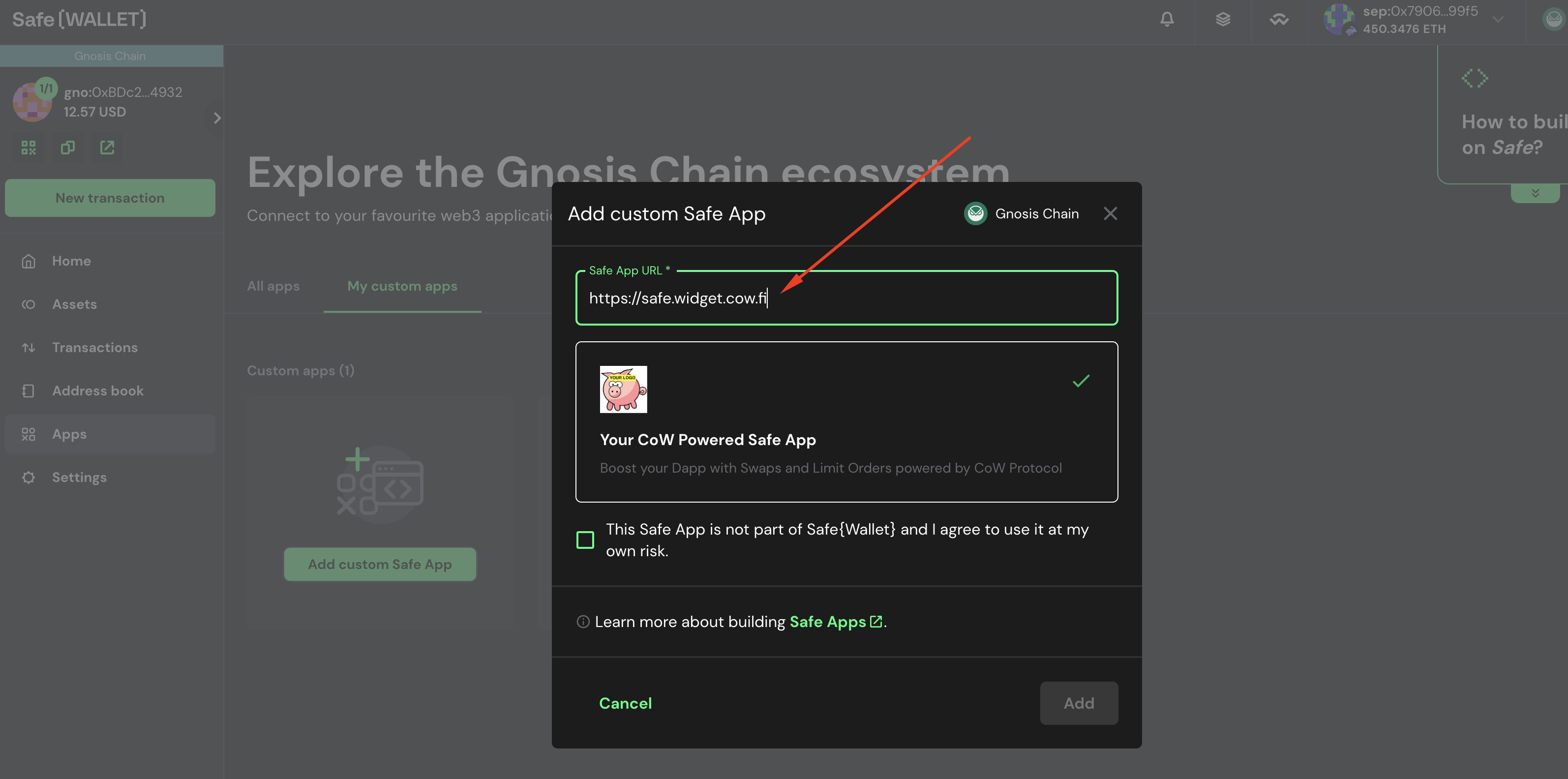
## Fork the project
You can use the **safe-app-example** to start with some basic boilerplate code.
Go to https://github.com/cowprotocol/safe-app-example and fork it.

This will create a copy of the project so you can safely make modifications on it.
## Clone boilerplate code
Once you have forked the project, clone it to your local machine.
```bash
git clone
```
## Run app locally
Launch the Dapp on port 9999 (for example).
```bash
# Install dependencies
yarn
# Run the app
PORT=9999 yarn start
```
The app should be running on http://localhost:9999.
## Add your custom dapp in Safe Wallet {#add-custom-dapp}
Go to https://app.safe.global and create a safe if you don't have one for Sepolia network (convenient for testing).
Then navigate to: `Apps` > `My Custom Dapps`.
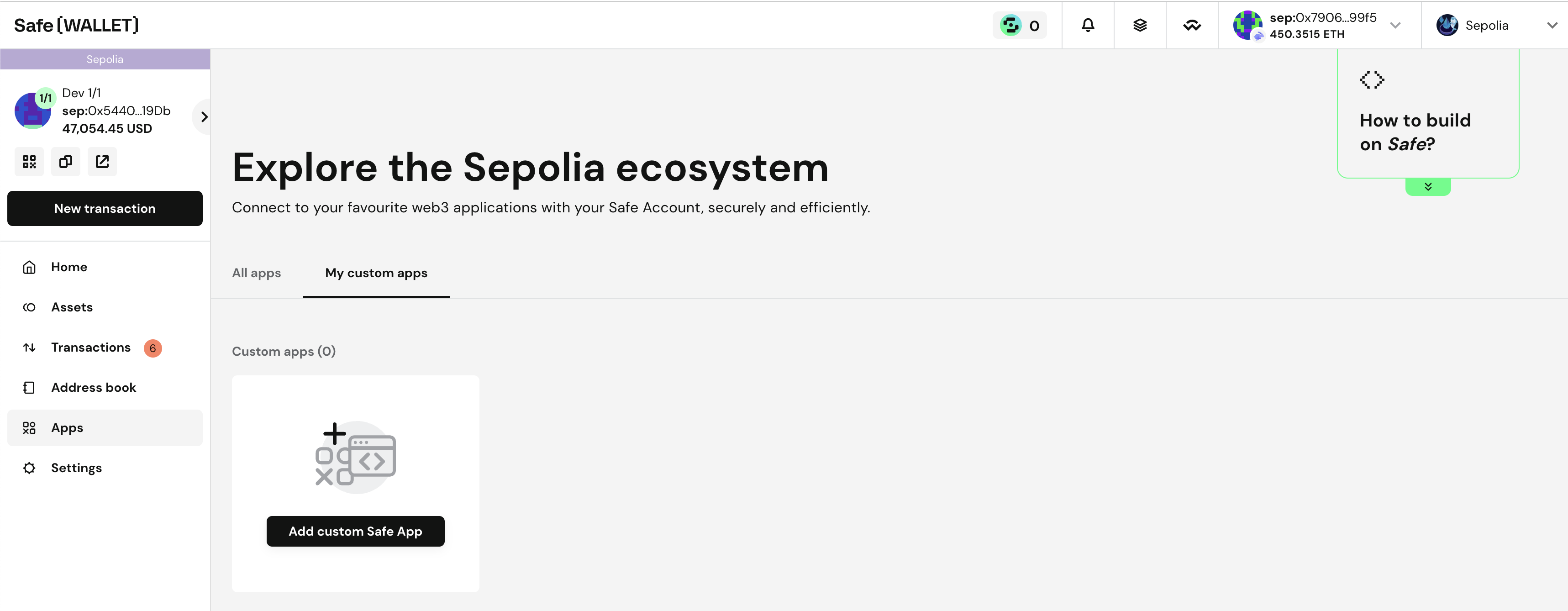
Add your custom dapp: http://localhost:9999.
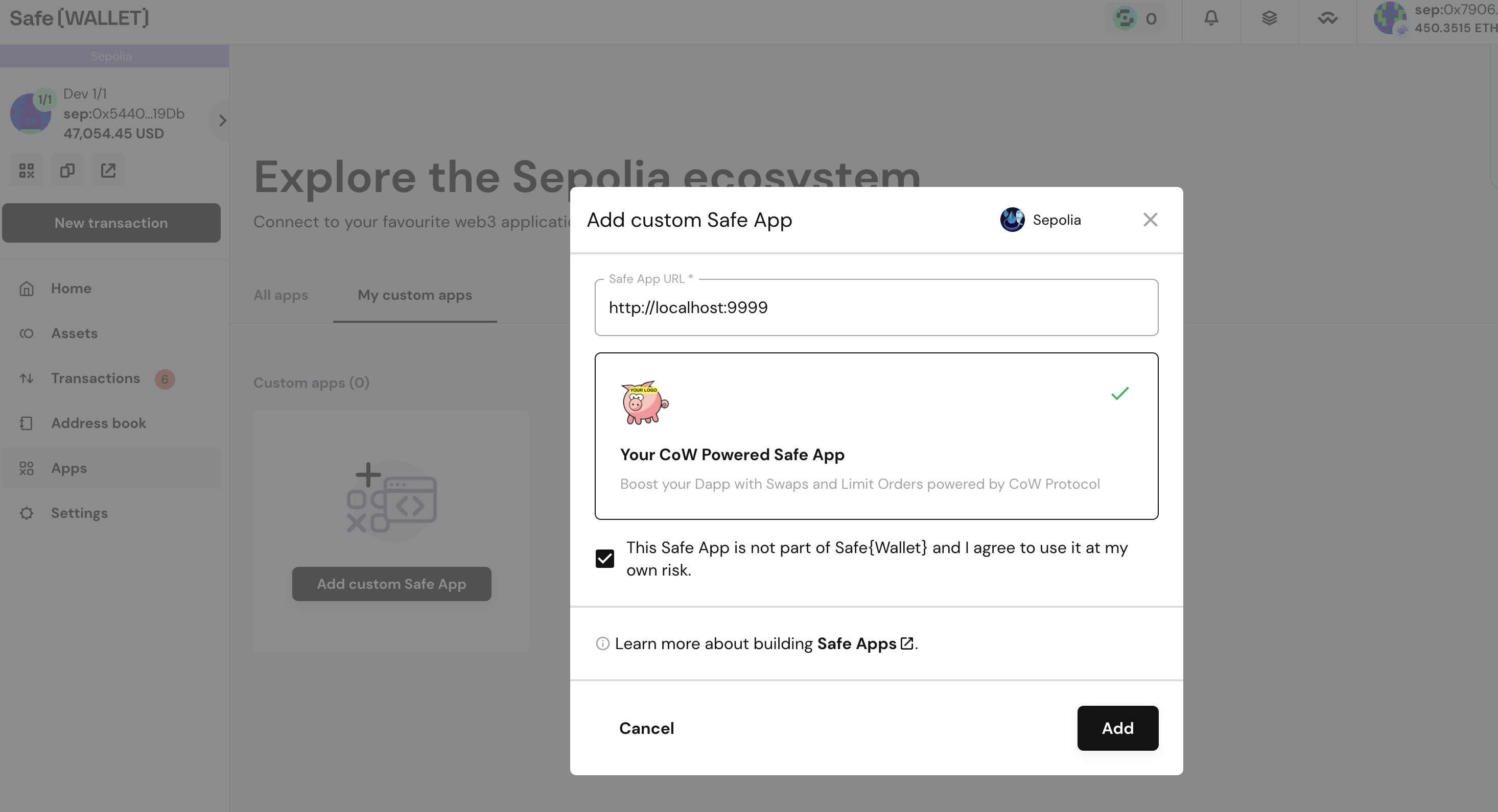
The dapp should be added in your local browser.
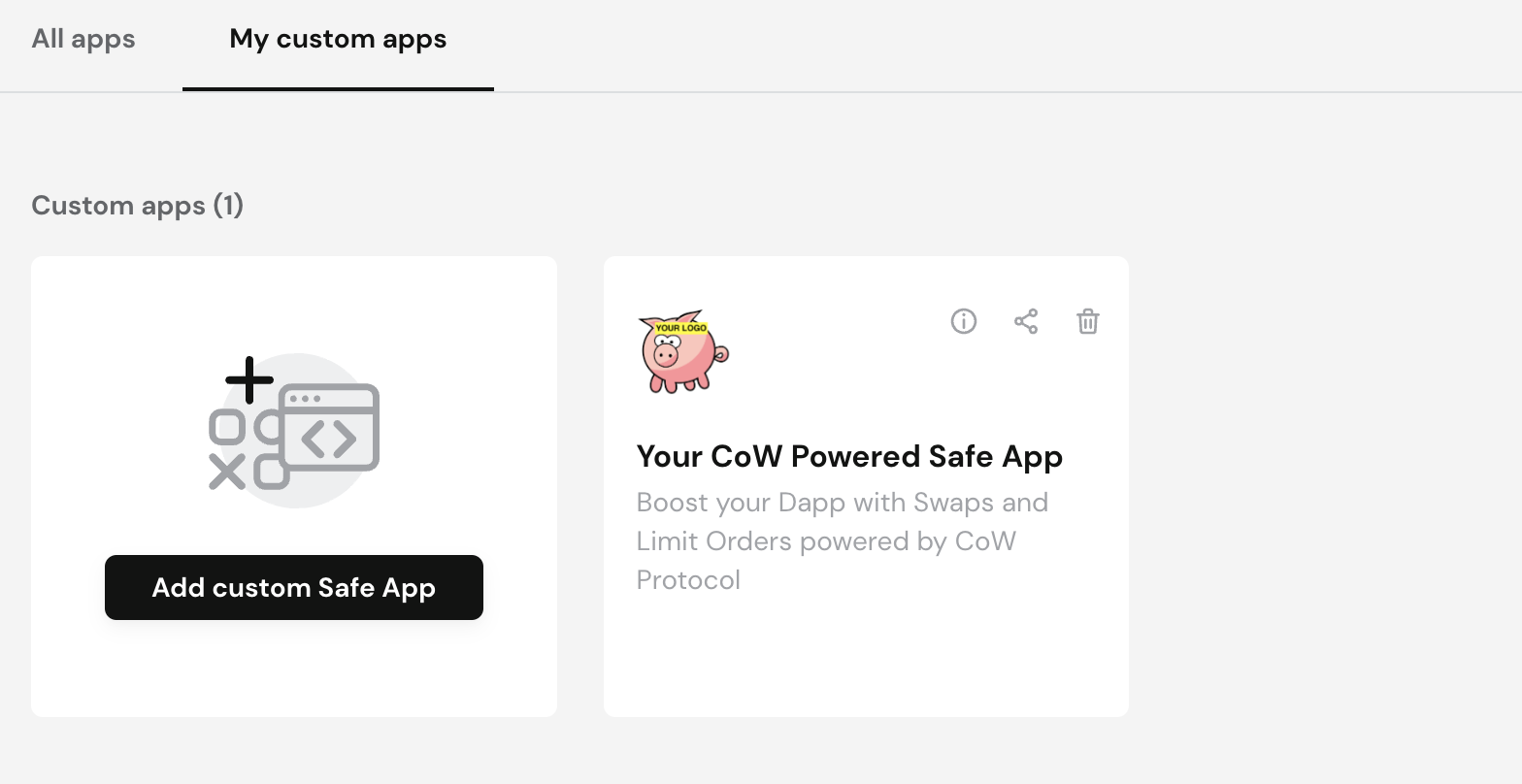
Open the app:
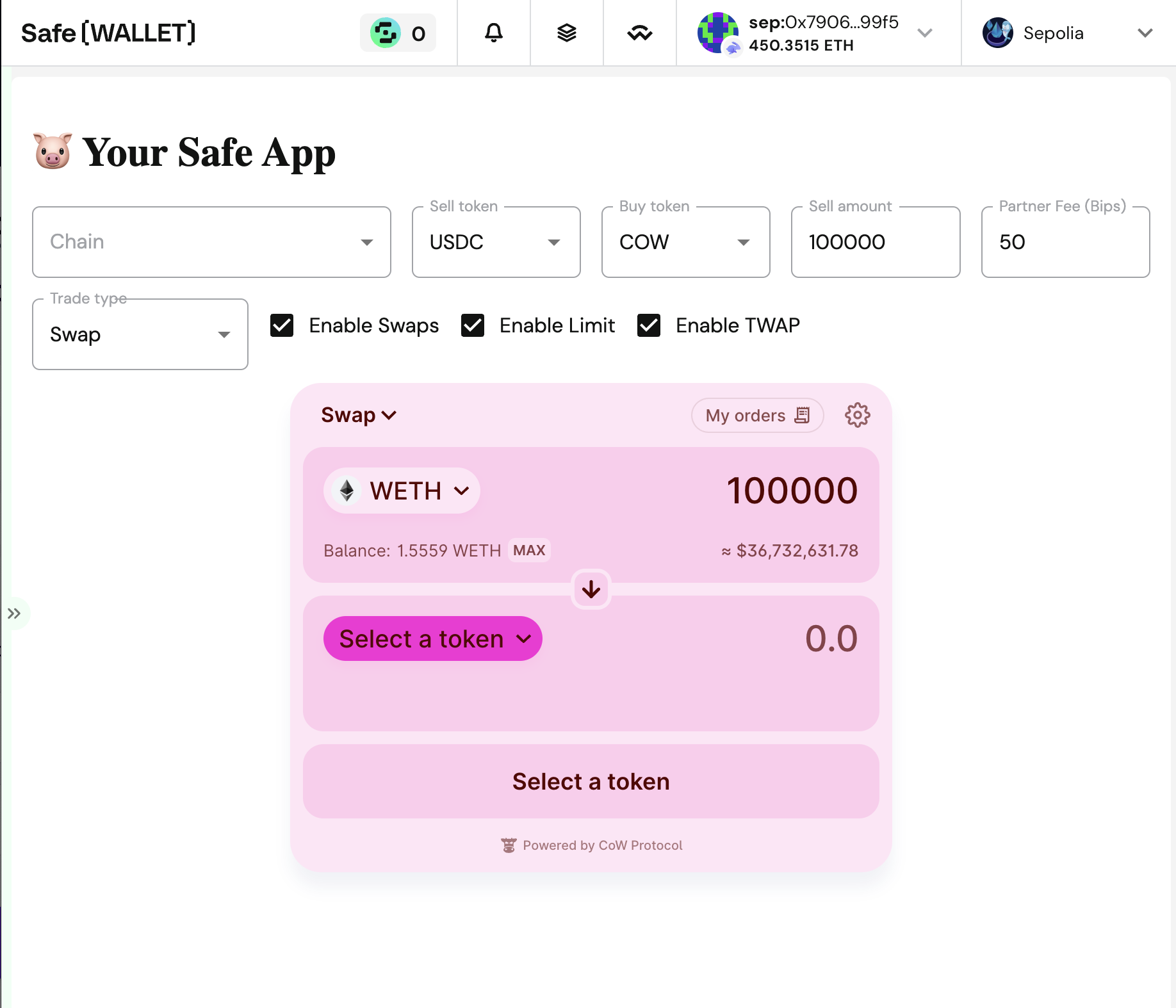
Try to make your first trade! You might need some tokens, or Sepolia Ether (you could use this [faucet](https://sepolia-faucet.pk910.de)).
## Explore the code
Explore the code and try to make modifications!
It's your code now, try to make something useful for Safe users.
## Follow Up
From here, try to get more familiar with [CoW Protocol](/) and [Safe](https://docs.safe.global), and enhance your application.
---
## CoW Swap Widget
Integrate the power of `CoW Swap` into your product!
With the widget, you can create an incredible trading interface. Specify the required pair of currencies, customize the
look and much more!
Create your own widget using the configurator .
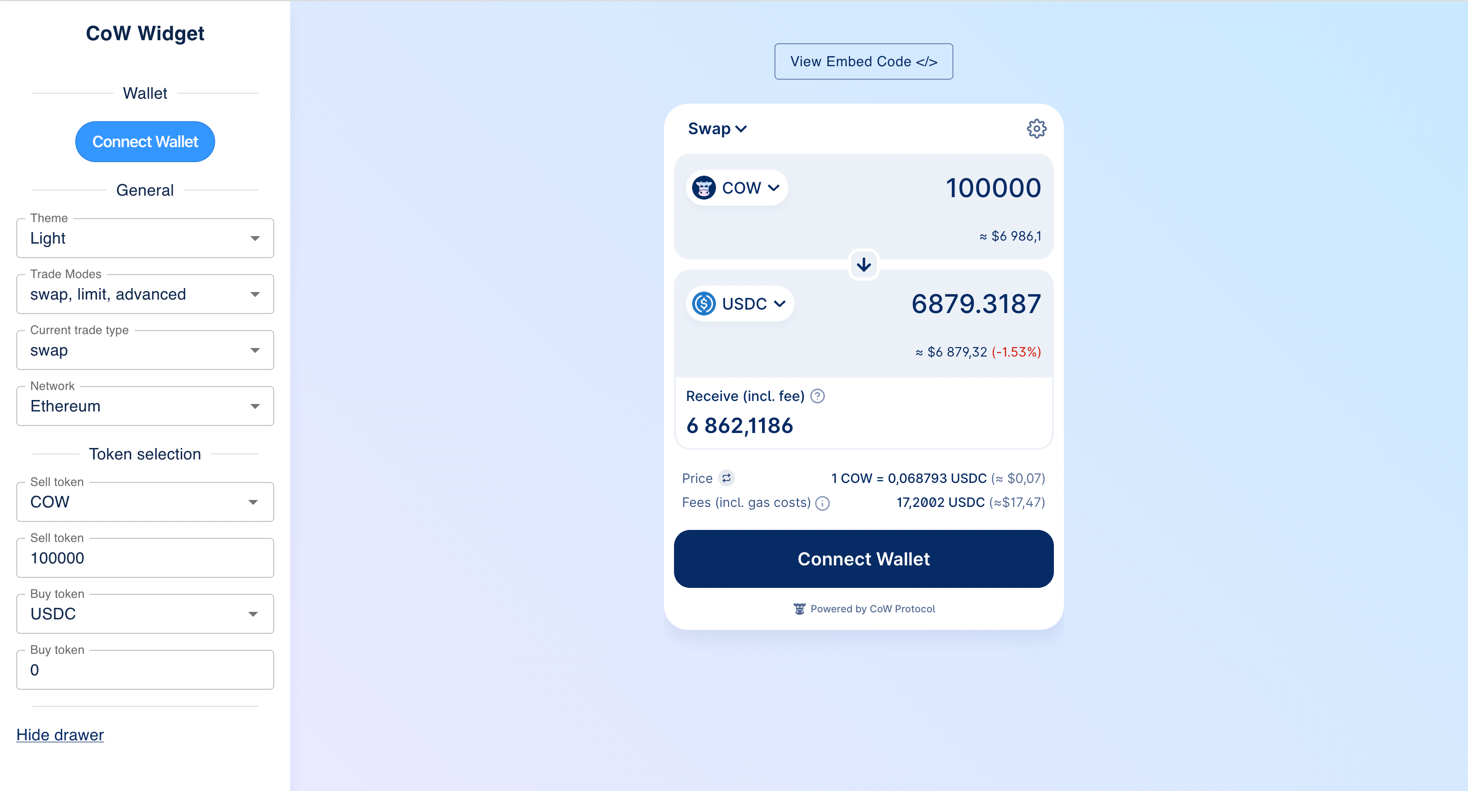
## Install
```bash
yarn add @cowprotocol/widget-lib
```
```bash
npm install @cowprotocol/widget-lib
```
## Quick start
```typescript
// HTML element where the widget will be rendered
const widgetContainer = document.getElementById('cowswap-widget')
const params: CowSwapWidgetParams = {
appCode: 'NAME-OF-YOU-APP', // Add here the name of your app. e.g. "Pig Swap"
width: 600,
height: 640,
sell: { asset: 'DAI' },
buy: { asset: 'USDC', amount: '0.1' },
}
createCowSwapWidget(widgetContainer, { params })
```
## App key
You must specify the `appCode` parameter when initializing the widget. This parameter is used to identify the source of
orders.
The key must be a UTF8 string of up to 50 chars.
It will be a part of orders meta-data, see more in
the [CoW Protocol Docs](https://docs.cow.finance/front-end/creating-app-ids/create-the-order-meta-data-file/appcode).
## Partner fee
You may participate in the Partner Fee program to collect fee on [Market order](https://docs.cow.finance/cow-protocol/concepts/order-types/market-orders) trades executed by your users through the Widget by
adding the following parameter to your Widget:
```typescript
const widgetContainer = document.getElementById('cowswap-widget')
const params: CowSwapWidgetParams = {
partnerFee: {
bps: 50, // 0.5%
recipient: '0x0000000000000000000000000000000000000000', // Fee destination address
},
}
createCowSwapWidget(widgetContainer, { params })
```
This configuration will apply a partner fee for all networks and trade types (swaps, limit orders, TWAPs, etc.). You can use [Flexible config](#flexible-config) for having more flexibility, or [Advanced configuration](#advanced-configuration) to have even more control over the partner fee configuration parameters.
### Flexible config
Both `bps` and `recipient` can be set for different chains and different trade types (swap/limit/advanced).
Bellow you can see the `partnerFee` configuration variations:
```typescript
// The fee is 1% for all trades on all chains
const a: PartnerFee = { bps: 100, recipient: '0x0000000000000000000000000000000000000000' }
// Different fee per network and per trade type, same recipient for all
const b: PartnerFee = {
bps: {
[SupportedChainId.MAINNET]: { [TradeType.SWAP]: 100, [TradeType.LIMIT]: 50, [TradeType.ADVANCED]: 30 },
[SupportedChainId.ARBITRUM_ONE]: { [TradeType.SWAP]: 100, [TradeType.LIMIT]: 50, [TradeType.ADVANCED]: 30 },
[SupportedChainId.BASE]: { [TradeType.SWAP]: 100, [TradeType.LIMIT]: 50, [TradeType.ADVANCED]: 30 },
[SupportedChainId.GNOSIS_CHAIN]: { [TradeType.SWAP]: 100, [TradeType.LIMIT]: 50, [TradeType.ADVANCED]: 30 },
[SupportedChainId.AVALANCHE]: { [TradeType.SWAP]: 100, [TradeType.LIMIT]: 50, [TradeType.ADVANCED]: 30 },
[SupportedChainId.POLYGON]: { [TradeType.SWAP]: 100, [TradeType.LIMIT]: 50, [TradeType.ADVANCED]: 30 },
[SupportedChainId.BNB]: { [TradeType.SWAP]: 100, [TradeType.LIMIT]: 50, [TradeType.ADVANCED]: 30 },
[SupportedChainId.LINEA]: { [TradeType.SWAP]: 100, [TradeType.LIMIT]: 50, [TradeType.ADVANCED]: 30 },
[SupportedChainId.PLASMA]: { [TradeType.SWAP]: 100, [TradeType.LIMIT]: 50, [TradeType.ADVANCED]: 30 },
[SupportedChainId.SEPOLIA]: { [TradeType.SWAP]: 100, [TradeType.LIMIT]: 50, [TradeType.ADVANCED]: 30 },
},
recipient: '0x0000000000000000000000000000000000000000',
}
// Same fee for all, different recipient per network and per trade type
const c: PartnerFee = {
bps: 100,
recipient: {
[TradeType.SWAP]: {
[SupportedChainId.MAINNET]: '0x...a',
[SupportedChainId.ARBITRUM_ONE]: '0x...b',
[SupportedChainId.BASE]: '0x...bb',
[SupportedChainId.GNOSIS_CHAIN]: '0x...c',
[SupportedChainId.AVALANCHE]: '0x...c',
[SupportedChainId.POLYGON]: '0x...c',
[SupportedChainId.BNB]: '0x...c',
[SupportedChainId.LINEA]: '0x...c',
[SupportedChainId.PLASMA]: '0x...c',
[SupportedChainId.SEPOLIA]: '0x...d',
},
[TradeType.LIMIT]: {
[SupportedChainId.MAINNET]: '0x...e',
[SupportedChainId.ARBITRUM_ONE]: '0x...f',
[SupportedChainId.BASE]: '0x...ff',
[SupportedChainId.GNOSIS_CHAIN]: '0x...g',
[SupportedChainId.AVALANCHE]: '0x...x',
[SupportedChainId.POLYGON]: '0x...y',
[SupportedChainId.BNB]: '0x...y',
[SupportedChainId.LINEA]: '0x...y',
[SupportedChainId.PLASMA]: '0x...y',
[SupportedChainId.SEPOLIA]: '0x...h',
},
[TradeType.ADVANCED]: {
[SupportedChainId.MAINNET]: '0x...j',
[SupportedChainId.ARBITRUM_ONE]: '0x...i',
[SupportedChainId.BASE]: '0x...ii',
[SupportedChainId.GNOSIS_CHAIN]: '0x...k',
[SupportedChainId.AVALANCHE]: '0x...z',
[SupportedChainId.POLYGON]: '0x...t',
[SupportedChainId.BNB]: '0x...t',
[SupportedChainId.LINEA]: '0x...t',
[SupportedChainId.PLASMA]: '0x...t',
[SupportedChainId.SEPOLIA]: '0x...l',
},
},
}
```
See [FlexibleConfig](https://github.com/cowprotocol/cowswap/blob/develop/libs/widget-lib/src/types.ts) type for more information.
### Advanced configuration
The `partnerFee` parameter can be set in a more advanced way using events.
For example, you can define different fees for different assets:
```typescript
let updateParams = null
const recipient = '0x0000000000000000000000000000000000000000'
const defaultPartnerFee = { bps: 50, recipient }
const params: CowSwapWidgetParams = { appCode: 'YOUR_APP_ID', partnerFee: defaultPartnerFee }
const listeners: CowEventListeners = [
{
event: CowEvents.ON_CHANGE_TRADE_PARAMS,
handler: (event) => {
if (!updateParams) return
if (event.sellToken.symbol === 'DAI') {
updateParams({ partnerFee: { bps: 20, recipient } })
} else if (event.sellToken.symbol === 'USDC') {
updateParams({ partnerFee: { bps: 10, recipient } })
} else {
updateParams({ partnerFee: defaultPartnerFee })
}
},
},
]
const widget = createCowSwapWidget(container, { params, listeners })
updateParams = widget.updateParams
```
### Fee BPS
The fee in basis points (BPS). One basis point is equivalent to 0.01% (1/100th of a percent).
:::note
The fee cannot exceed 1% (100 bps).
:::
### Recipient
The recipient is the address to which the fee will be sent.
Make sure that the fee recipient address exists on the respective network defined in the parameters.
For example, if you use a Safe as a recipient and the Safe was created on Ethereum mainnet, then for Gnosis Chain you must create **another** Safe and set it as a fee recipient.
As a fee recipient, you can specify either string or a key-value pair in the format `chainId: recipientAddress`:
```typescript
const params: CowSwapWidgetParams = {
partnerFee: {
bps: 50, // 0.5%
recipient: { 1: '0x0000000000000000000000000000000000000001', 100: '0x0000000000000000000000000000000000000002' },
},
}
```
Once you have set up the partner fee, you will see the fee in the CoW Swap UI:
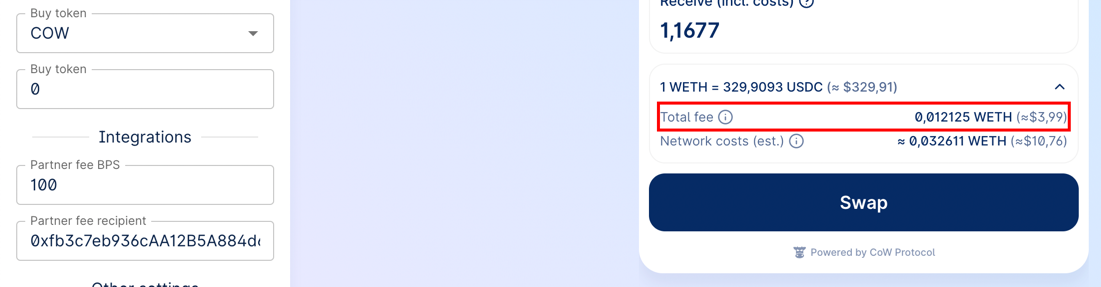
[Terms and conditions](https://cow.finance/widget/terms-and-conditions) apply.
See [here](/governance/fees/partner-fee) for detailed info about fee calculation and examples.
---
## Slippage configuration
The widget supports declarative slippage settings. This allows you to fine‑tune the minimum, maximum and default slippage per network.
### Types
```ts
/** Slippage expressed in basis points (1 % = 100 bps) */
export interface SlippageConfig {
/** Lower bound. Values below this will be clamped */
min?: number
/** Upper bound. Values above this will be clamped */
max?: number
/** Default slippage */
defaultValue?: number
}
export type FlexibleSlippageConfig = FlexibleConfig
```
_All values are **basis points** (bps)._
### Parameter
Add the `slippage` field to `CowSwapWidgetParams`:
```ts
const params: CowSwapWidgetParams = {
appCode: 'YOUR_APP_ID',
slippage: {
// Global rule – applies to every network
min: 50, // 0.50 %
max: 300, // 3.00 %
defaultValue: 100, // 1.00 %
},
}
```
Or configure per‑network rules using the same [FlexibleConfig](https://github.com/cowprotocol/cowswap/blob/develop/libs/widget-lib/src/types.ts) pattern as `partnerFee`:
```ts
const params: CowSwapWidgetParams = {
slippage: {
[SupportedChainId.MAINNET]: { min: 1, max: 3900, defaultValue: 3000 },
[SupportedChainId.BASE]: { min: 500, max: 5000, defaultValue: 600 },
},
}
```
### Behaviour & validation
| Rule | Description |
| ------------------ | ----------------------------------------------------------------------------------------------------------------------------------------------------------------------------------------------- |
| **Ranges** | `min ≥ 0`, `max ≤ 5000` (50 %), `min ≤ defaultValue ≤ max`, `min < max` |
| **Defaults** | If the user doesn’t specify a slippage, the widget falls back to `defaultValue` |
| **Auto slippage** | If the auto-slippage is less than or equal to `defaultValue`, the swap will use `defaultValue` |
| **ETH‑Flow floor** | When `defaultValue < 200` bps (2 %) for Ethereum Mainnet or `defaultValue < 50` (0.5 %) for other networks and the trade is _ETH‑Flow_, the widget will force the slippage to **2 %**/**0.5 %** |
### Example JSON (Configurator ready)
```json
{
"slippage": {
"1": { "min": 1, "max": 3900, "defaultValue": 3000 },
"8453": { "min": 500, "max": 5000, "defaultValue": 600 }
}
}
```
Paste the snippet into **RAW JSON params** → open the **Swap** form → check that the Settings panel reflects the configured slippage.
---
## Wallet provider
You can pass the wallet provider from your application to seamlessly use the widget as part of your application.
Also, you can not specify the provider, in this case the widget will work in standalone mode with the ability to connect
any wallet supported in CoW Swap.
A provider must comply with [EIP-1193](https://eips.ethereum.org/EIPS/eip-1193) and implement the interface:
```typescript
interface EthereumProvider {
on(event: string, args: unknown): void
request(params: JsonRpcRequest): Promise
enable(): Promise
}
interface JsonRpcRequest {
id: number
method: string
params: unknown[]
}
```
An example of connecting a widget to Rabby Wallet or Metamask:
```typescript
createCowSwapWidget(document.getElementById('cowswap-widget'), {
params: { appCode: 'NAME-OF-YOU-APP' }, // Add here the name of your app. e.g. "Pig Swap"
provider: window.ethereum, // <-------
})
```
## Configuration
### `CowSwapWidgetParams`
> All params are optional
| Parameter | Type | Default | Description |
| ------------------------------------- | ---------------------- | ---------------------- |----------------------------------------------------------------------------------------------------------------------------------------------------------------------------------------------------------------------------------------------------------------------------------------------------------------------------------------------------------------------------------------------|
| `width` | `string` | 400px | The width of the widget in css values (px, vh, etc.). |
| `height` | `string` | 600px | The height of the widget in css values (px, vh, etc.). |
| `maxHeight` | `number` | --- | The widget automatically adjusts its height depending on the content. By default, the maximum height is `body.offsetHeight`, but it might be customized using the `maxHeight` parameter. |
| `appCode` | `string` | --- | The unique identifier of the widget consumer. Please fill the for to let us know a little about you: . |
| `provider` | `EthereumProvider` | --- | The Ethereum provider to be used for interacting with a wallet. To connect, for example, to Rabby Wallet or Metamask, just set `window.ethereum`. You also might like to use . |
| `chainId` | `number` | 1 | The blockchain ID on which the trade will take place. Currently supported: 1 (Mainnet), 100 (Gnosis chain), 42161 (Arbitrum one), 8453 (Base), 11155111 (Sepolia). |
| `tradeType` | `TradeType` | 'swap' | The type of trade. Can be `swap` or `limit` or `advanced`. |
| `env` | `CowSwapWidgetEnv` | 'prod' | The environment of the widget (`local` , `prod` , `dev` , `pr`). See [`COWSWAP_URLS`](https://github.com/cowprotocol/cowswap/blob/develop/libs/widget-lib/src/consts.ts) const value for urls. |
| `sell` | `TradeAsset` | Same as in swap.cow.finance | An object containing information about the sell asset. Example: `{ asset: 'WBTC', amount: 12 }` or `{ asset: '0xa0b86991c6218b36c1d19d4a2e9eb0ce3606eb48' }`. |
| `buy` | `TradeAsset` | --- | An object containing information about the buy asset. Example: `{ asset: 'WBTC', amount: 12 }` or `{ asset: '0xa0b86991c6218b36c1d19d4a2e9eb0ce3606eb48' }`. |
| `theme` | `CowSwapTheme` | 'light' | The theme of the widget (`'dark'` for dark theme or `'light'` for light theme). It is also possible to set your own colors (`CowSwapWidgetPalette`). See [Custom theme](#custom-theme) section for more details. |
| `sounds` | `CowSwapWidgetSounds` | --- | The famous MOOO! sound can be changed to something else, just provide a link to a media file (mp3 or any other audio format supported by your browser). You can also specify a value of `null` to disable the sound. |
| `images` | `CowSwapWidgetImages` | --- | To make your widget unique, you can replace some of the images. For example, a stub image when there are no limit orders. |
| `banners` | `CowSwapWidgetBanners` | --- | With this option you can control the display of some banners in the CoW Swap interface. |
| `tokenLists` | `string[]` | --- | CoW Swap uses the [token lists standard](https://tokenlists.org), which allows flexible and decentralized management of assets for trading. Using this option you can set any token list you want. You also might want to use `customTokens` option for more flexible configuration. |
| `customTokens` | `TokenInfo[]` | --- | In the case when you want to use tokens that are not included in the default token lists, you can add them programmatically by simply passing an array of ERC-20 tokens info. There is also `tokenLists` option to set a ready-made list of tokens. |
| `disableToastMessages` | `boolean` | false | CoW Swap displays a pop-up notification when certain events occur, for example: an order has been filled. You may want to handle these events yourself and disable the display of notifications in the widget, to do this you need to enable this option. See [Events handling](#events-handling) section for more details. |
| `disablePostedOrderConfirmationModal` | `boolean` | false | Disables showing the confirmation modal after posting an order. |
| `disableProgressBar` | `boolean` | false | Disables showing the progress bar after a SWAP order is placed. |
| `disableCrossChainSwap` | `boolean` | false | Disables cross-chain swaps (aka Swap and Bridge) feature. |
| `standaloneMode` | `boolean` | false | When this option is enabled, the widget will use its own Ethereum provider and the user will be able to connect a wallet from within the widget. |
| `hideNetworkSelector` | `boolean` | false | Disables an opportunity to change the network from the widget UI. |
| `hideLogo` | `boolean` | false | Hides the logo in the widget. |
| `hideBridgeInfo` | `boolean` | false | Hides bridge info in the `swap` form. |
| `hideOrdersTable` | `boolean` | false | Hides orders table on `limit` and `advanced` forms. Warning! When `true`, users won't be able to see their `limit`/`twap` order status or history, neither they'll be able to cancel active orders. |
| `enabledTradeTypes` | `Array` | All are enabled | CoW Swap provides three trading widgets: `swap`, `limit` and `advanced` orders. Using this option you can narrow down the list of available trading widgets. |
| `partnerFee` | `PartnerFee` | --- | You can enable a fee for all trades in the widget. See [Partner fee](#partner-fee) section for more details. |
| `forcedOrderDeadline` | `ForcedOrderDeadline` | --- | Order deadline in minutes. Either a single value applied to each individual order type accordingly or an optional individual value per order type. The app will use the appropriated min/max value per order type. When set, user's won't be able to edit the deadline. Accepted values: single for all `123` OR per TradeType `{"swap": 15, "limit": 666}` OR per network `{1: 35, 100: 5}` |
| `slippage` | `SlippageConfig` | --- | You can set up a slippage settings for all networks in the widget. See [Slippage configuration](#slippage-configuration) section for more details. |
## Custom theme
By setting custom colors you can very flexibly control the appearance of the widget.
To do this, you need to pass an object of type `CowSwapWidgetPalette` to the `theme` parameter.
You actually can specify only 2 or 3 basic colors, the rest of the palette is efficiently derived (also with the help of the [color2k](https://github.com/ricokahler/color2k) library to get 'AA' rated text/background color contrasts).
Example:
```typescript
const widgetContainer = document.getElementById('cowswap-widget')
// Set custom colors
const theme: CowSwapWidgetPalette = {
baseTheme: 'light',
primary: '#00ff85',
background: '#f7f7f7',
paper: '#1a4435',
text: '#ffffff',
warning: '#ffb700',
alert: '#b8ffb2',
success: '#19ff64',
}
const params: CowSwapWidgetParams = {
appCode: 'NAME-OF-YOU-APP', // Add here the name of your app. e.g. "Pig Swap"
theme,
}
createCowSwapWidget(widgetContainer, { params })
```
Try it yourself: .
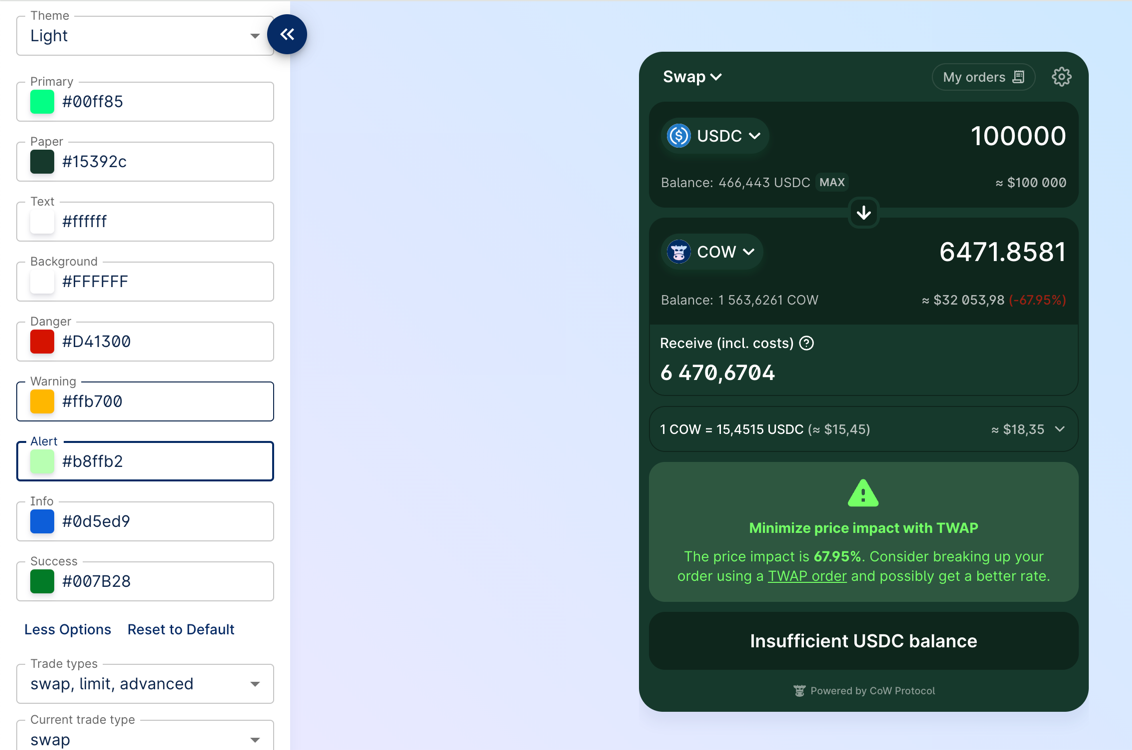
## Custom tokens
CowSwap uses the [token lists standard](https://tokenlists.org), which allows flexible and decentralized management of assets for trading.
You can manage the list of tokens in CoW Swap UI:
In the widget you have two options to add custom tokens:
- using `tokenLists` parameter
- using `customTokens` parameter
### `tokenLists`
In this parameter you can specify the URL or ENS address of the token list.
> How to create and deploy your own token list you can find in the [guide](https://hackmd.io/@mastercow/creating-custom-token-lists).
```typescript
const container = document.getElementById('cowswap-widget')
const params: CowSwapWidgetParams = { tokenLists: ['https://files.cow.finance/tokens/CowSwap.json'] }
createCowSwapWidget(container, { params })
```
### `customTokens`
If you want to use tokens that are not included in the default token lists, you can add them programmatically by passing an array of ERC-20 tokens info.
```typescript
const container = document.getElementById('cowswap-widget')
const customTokens: TokenInfo = [
{
chainId: 1,
address: '0x69D29F1b0cC37d8d3B61583c99Ad0ab926142069',
name: 'ƎԀƎԀ',
decimals: 9,
symbol: 'ƎԀƎԀ',
logoURI: 'https://assets.coingecko.com/coins/images/31948/large/photo_2023-09-25_14-05-49.jpg?1696530754',
},
{
chainId: 1,
address: '0x9F9643209dCCe8D7399D7BF932354768069Ebc64',
name: 'Invest Club Global',
decimals: 18,
symbol: 'ICG',
logoURI: 'https://assets.coingecko.com/coins/images/34316/large/thatone_200%281%29.png?1704621005',
},
]
const params: CowSwapWidgetParams = { customTokens }
createCowSwapWidget(container, { params })
```
## Events handling
The widget provides a bus of events that occur in the widget.
Using it, you can receive notifications, for example, when an order has been executed or when an approval transaction has been mined.
Separately, it is worth noting the `ON_TOAST_MESSAGE` event; it occurs every time any notification is displayed in CoW Swap.
To avoid double display of notifications, enable the `disableToastMessages` option in the widget configurations.
> A list of all possible events can be found in the source code on [Github](https://github.com/cowprotocol/cowswap/blob/develop/libs/events/src/types/events.ts).
### Events usage example
```typescript
const params: CowSwapWidgetParams = { appCode: 'YOUR_APP_ID' }
const listeners: CowEventListeners = [
{ event: CowEvents.ON_TOAST_MESSAGE, handler: (event) => console.log('[ON_TOAST_MESSAGE]', event.message) },
{ event: CowEvents.ON_EXPIRED_ORDER, handler: (event) => console.log('Order was expired:', event.order) },
]
const { updateListeners } = createCowSwapWidget(container, { params, listeners })
// If you want to change listeners at some point, you can do it like:
updateListeners([
{ event: CowEvents.ON_CANCELLED_ORDER, handler: (event) => console.log('Order was cancelled:', event.order) },
])
```
## Widget updating
You can change all possible widget options on the fly:
```typescript
const container = document.getElementById('cowswap-widget')
const params: CowSwapWidgetParams = {
appCode: 'NAME-OF-YOU-APP', // Add here the name of your app. e.g. "Pig Swap"
logoUrl: 'YOUR_LOGO_URL',
}
const updateWidget = createCowSwapWidget(container, { params })
// Update the widget
updateWidget({
...params,
theme: 'dark', // <- Change theme to dark
hideNetworkSelector: true, // <- Hide the network selector
})
```
## Widget URL
Most of the widget parameters are controlled via the URL, which means that you can create the URL yourself and embed the
iframe.
An example of URL:
```
https://swap.cow.finance/#/100/swap/WXDAI/GNO?sellAmount=200&theme=dark
```
## Customization
### Sounds
```typescript
const container = document.getElementById('cowswap-widget')
const params: CowSwapWidgetParams = {
sounds: {
// The sound that will be played when the order is placed
postOrder: 'https://swap.cow.finance/audio/send-winterTheme.mp3',
// Nothing will be played when the order is executed
orderExecuted: null,
// Since `orderError` is not specified, the default sound will be played
},
}
createCowSwapWidget(container, { params })
```
### Images
In the example below, we replace the image that is displayed when there are no orders in the limit orders table.
You can replace any image in the widget in the same way.
```typescript
const container = document.getElementById('cowswap-widget')
const params: CowSwapWidgetParams = { images: { emptyOrders: 'https://cow.finance/images/cowamm-illustration-lvr.svg' } }
createCowSwapWidget(container, { params })
```
### Banners
In some cases, you may want to hide some banners in the CoW Swap interface.
To do this, you need to specify the `banners` parameter in the widget configuration.
```typescript
const container = document.getElementById('cowswap-widget')
const params: CowSwapWidgetParams = { banners: { hideSafeWebAppBanner: true } }
createCowSwapWidget(container, { params })
```
This banner will be hidden:
---
## Governance
> This site represents the current governance structure of CoW DAO.
:::note Governance evolution
CoW DAO's governance is to be owned, developed, and enforced by the CoWmunity. Therefore, this document should be considered a living document and will be updated as the CoW DAO evolves.
:::
## Venues
Several governance venues are available to participate in CoW DAO governance, each serving its own particular purpose.
### [Forum](https://forum.cow.finance)
CoW DAO's forum is the main venue for governance-related discussion. Signing up for the forum allows community members to post and participate in discussions.
### [Snapshot](https://snapshot.org/#/cow.eth)
CoW DAO's snapshot space is a simple voting interface that allows members to vote on [CIPs](/governance/process/#cow-dao-improvement-proposals-cips). Votes on snapshot are weighted by the number of vCOW+COW held or delegated to the address used to vote.
### [Discord](https://discord.gg/cowprotocol)
The CoW DAO Discord server is currently the main discussion hub for the CoWmunity and an informal place for governance discussions. The `governance-discussion` channel is where the governance matters and proposals can be discussed.
---
## Fees
:::note
This documentation refers to CoW Protocol fees.
:::
The purpose of this page is to let users know which fee models are active at any point in time, so they know what fees they will encounter when using CoW Protocol (either directly or through CoW Swap).
## Current Fees
### Surplus fee on out-of-market limit orders
> **Definition:** 50% of surplus on out-of-market limit orders, capped at 0.98% of the total volume of the order
>
> **Eligible orders:** the fee only applies to out-of-market limit orders and discrete TWAP orders where the order is not executable at the time it is generated
>
> **Fee calculation:** surplus \* 0.5 **OR** volume \* 0.0098 [whichever number is lower]
### Quote improvement fee on market orders
> **Definition:** 50% of positive quote improvement on market orders (aka swaps), capped at 0.98% of the total volume of the order
>
> **Eligible orders:** all market orders (including in-market limit and TWAP orders) where the user receives a better price than they were quoted
>
> **Fee calculation:** quote improvement \* 0.5 **OR** volume \* 0.0098 [whichever number is lower]
### Volume Fee
> **Definition:** A tiered fee based on the total volume of the order, adjusted by asset type
>
> **Eligible orders:** all orders
>
> **Fee structure:**
> - **Standard Assets:** 2 basis points (bps)
> - **Correlated Assets (Stables/RWAs):** 0.3 basis points (bps)
>
> **Fee calculation:**
> - **Standard**: Volume * 0.0002
> - **Correlated:** Volume * 0.00003
:::note
**Surplus** is defined as the difference between the executed price and the minimum execution price for an order
**Quote improvement** is defined as the difference between the executed price and the quoted price for an order, so long as the value is positive (if the value is negative, no fee is taken)
:::
### Partner fees
Partners may charge a fee when integrating CoW Protocol.
See the [Partner Fee](/governance/fees/partner-fee) section of these docs for details on how the partner fee is calculated, with examples and payment details.
---
## Partner fee
### Partner Fee Calculation
The Partner Fee is calculated as the sum of all transactions traded through your integration with CoW Protocol with Partner Fee defined in the `appData`, multiplied by the percentage of the Partner Fee bps defined in the [`appData`](/cow-protocol/reference/core/intents/app-data).
The Partner Fee per order is calculated in the surplus token of the order (i.e. buy token for sell orders, and sell token for buy orders) and is then converted into WETH using an external price provider at the time of order settlement.
A percentage of the Partner Fee shall be retained as a service fee to CoW Protocol (the "Service Fee").
Per [CIP-75](https://snapshot.box/#/s:cow.eth/proposal/0x64f3649a6eeab2ac1326d704c3ddaf04f0229a3d4605708deff04f4cba7ccd46), this Service Fee is set to 25% of the total eligible Partner Fee by default and can be negotiated with the core team on behalf of CoW DAO.
The Partner Fee net of the Service Fee is the Partner Fee amount (the "Net Partner Fee") eligible for weekly payment.
See the [Partner Fee calculation](#partner-fee-calculation-examples) section for examples.
:::note
You may charge users a fee of no more than 100 bps of order volume through your Widget.
The Partner Fee will begin to accrue on April 4th, 2024 (the release date of the Partner Fee feature).
The Partner Fee is currently only applicable to [Market order](https://docs.cow.finance/cow-protocol/concepts/order-types/market-orders) trades executed by your users through the Widget or API integration.
:::
### Partner Fee Calculation Examples
#### A User Sells 1 ETH for DAI on your Widget
- Partner Fee: **100 BPS**
- Quote to User on Widget:
- Swap Sell Amount (estimated): **0.995 ETH**
- Gas Fee (estimated): **0.005 ETH**
- Total Sell Amount: **1 ETH**
- Buy Amount: **3,500 DAI**
- User Slippage = **0%**
- User's Signed Order (integrating bps for Partner Fee):
- Raw Sell Amount: **1 ETH**
- Raw Fee: **0 ETH** (as all orders now have zero-signed fee)
- Min Buy Amount: **3,465 DAI** (= 3,500 - 3,500 * 0.01)
**Order Execution**
- Imagine, the solver used **0.003 ETH** for gas and sold the **0.997 ETH** for **3,525 DAI** (managed to get "raw surplus" of 60 DAI)
- Partner Fee: **35.25 DAI** ( 3,525 * 0.01)
- User Receives: **3489.75 DAI** (3,525 - 35.25)
- User's Surplus: **24.75 DAI** (3,489.75 - 3465)
#### A User Buys 1 ETH for DAI on your Widget
- Partner Fee: **100 BPS**
- Quote to User on Widget:
- Swap Sell Amount (estimated): **3520 DAI**
- Gas Fee (estimated): **30 DAI**
- Total Sell Amount: **3550 DAI**
- Buy Amount: **1 ETH**
- User Slippage = **0%**
- User's Signed Order (integrating bps for Partner Fee):
- Max Sell Amount: **3,585.5 DAI** (3,550 + 3,550 * 0.01)
- Raw Fee: **0 DAI** (as all orders now have zero-signed fee)
- Buy Amount: **1 ETH**
**Order Execution**
- Imagine, the solver used **20 DAI** for gas and bought the **1 ETH** for **3500 DAI** (managed to get a "raw surplus" of 65.5 DAI)
- Partner Fee: **35.2 DAI** (3520 * 0.01)
- User Pays: **3555.2 DAI** (3520 + 35.2)
- User's Surplus: **30.3 DAI** (3585.5 - 3555.2)
### Partner Fee Payment Process
1. Upon completing the implementation of the Partner Fee parameters, you will be eligible to receive the Partner Fee on trades executed by your users through the Widget or API integration.
2. A data script will be run on a weekly basis on your project's eligible Partner Fee amount calculated based on the sum of all transactions traded through your project's Widget or API integration associated with Partner Fee defined in the [`appData`](/cow-protocol/reference/core/intents/app-data) your AppKey.
3. The Net Partner Fee (refer to the [Partner Fee Calculation](#partner-fee-calculation) section for details on calculations) will be transferred to your designated Ethereum wallet address defined under the Partner Fee "Recipient" parameter of the integration on a weekly basis.
:::note
Payments will be made only if the accrued fee value equals or exceeds **0.001 WETH**. Any lesser amount will be voided.
:::
---
## CoW Grants Program Overview
The CoW Grants Program (CGP) funds initiatives that support the growth of the CoW Protocol ecosystem, aligned with the [CoW DAO mission statement](/governance/mission).
## Current Mandate
The Grants Program operates under [CIP-63](https://snapshot.org/#/cow.eth/proposal/0xa83e2a3e98e9e4dfb41e54efdb94824a5e0e1ec9a2a381bc978ed46ef8f33a24), approved in January 2025, which provides:
- A budget of 600,000 xDAI and 1,465,260 COW for grant activities
- An additional 4,990,000 COW allocated for volume grants
- Operating authority through January 31, 2026
## Focus Areas
The CoW Grants Program focuses on these key areas:
- **Community growth**: Growing the active user base and community engagement
- **UI/UX improvements**: Enhancing user interfaces and experiences
- **Decentralization**: Increasing network resilience and community participation
- **Solver ecosystem**: Developing new solvers and optimization algorithms
- **Developer tools**: Creating SDKs and resources for builders
- **Integrations**: Establishing partnerships and protocol order flow
- **Innovation**: Supporting novel ideas that benefit the ecosystem
## Committee Structure
The Grants Committee consists of five members (three community members and two core team members) who operate through a multisig with a 4/5 signing threshold. The committee evaluates proposals, assigns stewards and reviewers, and oversees the grant lifecycle.
The committee's operations follow the updated structure approved in CIP-63, allowing for efficient operations while maintaining DAO oversight.
## Navigation
- [How to Apply](/governance/grants/how-to-apply) - Application process and guidelines
- [Grant Types](/governance/grants/grant-types) - Different types of available grants
- [Program Structure](/governance/grants/program-structure) - Governance and operational details
---
## Grant Types
The CoW Grants Program offers different types of grants to accommodate various project needs. Understanding the differences will help you choose the most appropriate structure for your proposal.
## Milestone-Based Grants
Milestone-based grants are designed for projects with clearly defined deliverables and outcomes.
### Key characteristics:
- Structured around specific, measurable deliverables
- Payment tied to completion of defined milestones
- Suitable for development projects, integrations, or research with clear outputs
- Each milestone includes detailed descriptions, deliverables, due dates, and funding amounts
### When to choose:
- Your project has clear, measurable deliverables
- You can break down the work into distinct phases
- You need funding based on completion of specific objectives
## Time-Based Grants
Time-based grants are not tied to specific deliverables but to the provision of time and effort over a period.
### Key characteristics:
- Based on dedicated time commitment rather than specific deliverables
- Suitable for ongoing roles, maintenance, or advisory services
- Can be structured by hours, days, or months
- Requires clear scope of work and responsibilities
### When to choose:
- Your contribution involves ongoing work or maintenance
- The value is in consistent effort rather than specific outputs
- Your role requires flexibility in addressing emerging needs
## Hybrid Grants
Some projects may benefit from combining aspects of both milestone and time-based grants.
### Key characteristics:
- Combines fixed deliverables with ongoing time commitments
- Allows for both structured outcomes and flexible contributions
- Must clearly specify which parts are milestone-based and which are time-based
The specific grant type must be clearly stated in your application and will be confirmed during the approval process.
## Bonus Allocations
As introduced in CIP-63, the Grants DAO Committee may award discretionary bonuses to grantees who demonstrate exceptional performance. These bonuses:
- Are capped at 10,000 xDAI or equivalent in COW per grant
- Do not require additional milestones or deliverables
- Are awarded at the committee's discretion for outstanding contributions
- May be given for exceptional results, significant ecosystem impact, or extraordinary efficiency
For complete details on grant types and requirements, refer to the [CoW DAO Grant Agreement](https://bafkreifcftgaleyxkekkic36beyveiomqmlwyduyfh3s25zj3uyngr6ht4.ipfs.dweb.link/).
---
## How to Apply for a Grant
This page provides an overview of the application process. For complete details, please refer to the [official Process Guide](https://forum.cow.finance/t/for-cow-grantees-process-guide-feb-2025/2830/2) on the forum.
## Application Steps
1. **Review existing materials**:
- Read the [Process Guide](https://forum.cow.finance/t/for-cow-grantees-process-guide-feb-2025/2830/2) and [Grant Agreement Terms](https://bafkreifcftgaleyxkekkic36beyveiomqmlwyduyfh3s25zj3uyngr6ht4.ipfs.dweb.link/)
- Check the [Grants Program Forum Section](https://forum.cow.finance/c/cow-grants-program/10) for similar past proposals
- Review [RFPs](https://forum.cow.finance/tags/c/cow-grants-program/10/none/rfp) if you're looking for ideas
2. **Create a forum post**:
- Visit the [CoW Grants Program](https://forum.cow.finance/c/cow-grants-program/10) section
- Click "New Topic" and use the [Grant Application Template](https://forum.cow.finance/t/for-grantees-grant-application-template/2768/2)
- Be sure to include all required sections and a clear funding request
3. **Engage with feedback**:
- Respond to community questions and committee feedback
- Refine your proposal based on discussions
- Work with your assigned Steward (if one engages with your proposal)
4. **Submit to Snapshot**:
- After sufficient discussion, submit your proposal to [Snapshot](https://snapshot.box/#/s:cowgrants.eth)
- Include a link to the forum discussion and the final version of your application
- Ensure you include a link to the [CoW DAO Grant Agreement](https://bafkreifcftgaleyxkekkic36beyveiomqmlwyduyfh3s25zj3uyngr6ht4.ipfs.dweb.link/)
5. **Proposal voting**:
- The voting period lasts three days
- The committee members vote based on the evaluation criteria
- Update your forum post with the Snapshot link
## Evaluation Criteria
Proposals are evaluated based on:
1. **Feasibility**: Can your proposal be implemented within the current stage of the CoW Protocol ecosystem?
2. **Impact**: How significantly will your project benefit the CoW ecosystem?
3. **Workload estimation**: Is your time and resource estimation reasonable?
4. **Technical expertise**: Do you have the skills and experience to deliver the proposed outcomes?
## After Approval
If your grant is approved:
1. A Steward will be assigned if not already done
2. You'll need to deliver according to your milestones or time-based commitments
3. Request reviews through the forum when milestones are complete
4. Payments are typically processed at the end of each month, after review
## Contact and Support
For questions about the grants program:
- Post in the [CoW Grants Program](https://forum.cow.finance/c/cow-grants-program/10) forum section
- Visit the #grants channel in the [CoW Protocol Discord](https://discord.gg/cowprotocol)
---
## Program Structure
The CoW Grants Program operates under a structured governance framework as defined in [CIP-63](https://snapshot.org/#/cow.eth/proposal/0xa83e2a3e98e9e4dfb41e54efdb94824a5e0e1ec9a2a381bc978ed46ef8f33a24).
## Committee Composition
The Grants Committee consists of five members:
- **3 Community Members**:
- [@Kubesqrt](https://forum.cow.finance/u/kubesqrt)
- [@Chim9](https://forum.cow.finance/u/chim9)
- [@mfw78](https://forum.cow.finance/u/mfw78)
- **2 Core Team Members**:
- [@middleway.eth](https://forum.cow.finance/u/middleway.eth)
- [@Master_CoW](https://forum.cow.finance/u/Master_CoW)
The committee operates as a Gnosis Safe with a 4/5 quorum required for approving grants.
## Committee Roles
Each committee member may serve in one or more of these roles:
### Technical Lead
- Conducts technical assessments of grant applications
- Manages the technical infrastructure
- Provides technical guidance to stewards and grantees
### Grant Steward
- Serves as primary point of contact for assigned grantees
- Monitors and evaluates grant milestones
- Facilitates safe and timely execution of payments
- Consolidates grantee updates for the community
### Grant Moderator
- Screens applications and ensures timely reviews
- Monitors communication channels
- Maintains order and transparency in the process
## Safe Structure
As updated in February 2025, the Grants DAO operates with a streamlined Safe structure:
- The Grants Committee Safe ([`gno:0xCA1F000D520c21C47E6c634DD31b92b91A6338bD`](https://app.safe.global/home?safe=gno:0xCA1F000D520c21C47E6c634DD31b92b91A6338bD)) ([Gnosisscan](https://gnosisscan.io/address/0xCA1F000D520c21C47E6c634DD31b92b91A6338bD)) directly manages grant disbursements
- CoW DAO acts as the ultimate beneficial owner (UBO) of the Committee Safe
- This structure improves operational efficiency while maintaining DAO oversight
## Decision Making Process
1. Grant proposals are submitted on the forum
2. The committee assigns a steward and reviewer
3. Community discussion and feedback takes place
4. The proposal moves to Snapshot for formal voting
5. With 4/5 committee approval, the grant is executed
## Grant Lifecycle Management
For each approved grant:
- A steward oversees the grant's progress
- A reviewer (internal or external) evaluates technical milestones
- Monthly payout cycles process approved milestone payments
- Regular updates are shared with the community
## Communication and Resources
- **Forum**: The [Grants Program Forum Section](https://forum.cow.finance/c/cow-grants-program/10) is the primary communication channel
- **Discord**: The #grants channel in the CoW Protocol Discord serves as a secondary communication channel
- **Snapshot**: All formal votes happen on the [Grants Program Snapshot Space](https://snapshot.box/#/s:cowgrants.eth)
For questions about the program structure, please post in the grants section of the forum.
---
## Mission statement
CoW DAO is an open organization of developers, market makers, and community contributors on a mission to create a fairer, more-protective financial system. CoW DAO currently supports CoW Swap and CoW Protocol – decentralized trading products that leverage order flow auctions to shield users from MEV attacks and give them more than they ask for.
## Vision
We foresee a future where all kinds of assets will be tokenized on Ethereum and other decentralized blockchains, where everyone - individuals and collectives - can have full custody of their tokenized assets. CoW DAO's vision is a decentralized future where digital assets can be traded in a fair, efficient and reliable manner among people, organizations, smart contracts and communities around the world. Our mission is to build products that help users exchange digital assets in the most user-friendly and price-effective ways possible, enabling all users to trade securely and know their trades are protected.
We are committed to applying continuous innovation, cultivating intellectual bravery and – by expanding the CoW DAO ecosystem – inviting the brightest minds to join the community.
---
## Multisigs
CoW DAO uses [Safe](https://safe.global) to manage its funds and operations. The following safes are currently deployed:
| **Name** | **Description** | **Chain** |
|---|---|---|
| [CoW DAO](https://app.safe.global/home?safe=eth:0xcA771eda0c70aA7d053aB1B25004559B918FE662) | `0xcA771eda0c70aA7d053aB1B25004559B918FE662` Main DAO safe bound to COW token holder votes on `cow.eth` snapshot space | Mainnet |
| [CoW DAO (USDC)](https://app.safe.global/home?safe=eth:0xA1cb7762F40318ee0260F53e15De835fF001cb7E) | `0xA1cb7762F40318ee0260F53e15De835fF001cb7E` Safe controlled by CoW DAO dedicated for storing `USDC` | Mainnet |
| [Solver payouts](https://app.safe.global/home?safe=eth:0xA03be496e67Ec29bC62F01a428683D7F9c204930) | `0xA03be496e67Ec29bC62F01a428683D7F9c204930` Responsible for executing solver payouts according to the DAO-defined [solver accounting rules](https://forum.cow.finance/t/cip-20-auction-model-for-solver-rewards/1405); it receives collected fees from the settlement contract | Mainnet |
| [Solver controller](https://app.safe.global/home?safe=eth:0x423cEc87f19F0778f549846e0801ee267a917935) | `0x423cEc87f19F0778f549846e0801ee267a917935` Responsible for adding / removing solvers from the settlement contract allow-list, according to DAO-defined solver bonding rules; it also converts the collected protocol fees to ETH | Mainnet |
| [CoW Treasury](https://app.safe.global/home?safe=eth:0x616dE58c011F8736fa20c7Ae5352F7f6FB9F0669) | `0x616dE58c011F8736fa20c7Ae5352F7f6FB9F0669` Managed with support of Karpatkey DAO to generate yield on idle treasury funds | Mainnet |
| [CoW DAO (GC)](https://app.safe.global/home?safe=gno:0xcA771eda0c70aA7d053aB1B25004559B918FE662) | `0xcA771eda0c70aA7d053aB1B25004559B918FE662` CoW DAO main safe on Gnosis Chain | GC |
| [Grants Committee](https://app.safe.global/home?safe=gno:0xCA1F000D520c21C47E6c634DD31b92b91A6338bD) | `0xCA1F000D520c21C47E6c634DD31b92b91A6338bD` Controlled by 7 committee members, responsible for funding CoW Grants | GC |
| [Grants Funds](https://app.safe.global/home?safe=gno:0xDA00000B30dCf0C3f5d968e4451Ebdee6950d63e) | `0xDA00000B30dCf0C3f5d968e4451Ebdee6950d63e` Controlled by CoW DAO and Grants Committee to allow CoW DAO clawback of grants funds | GC |
| [Grant Funds (Volume-based Partner Reward Program - COW)](https://app.safe.global/home?safe=gno:0xbD96C4Fe53f1d89a8Bdb3522BCEDfB20b5601b69) | `0xbD96C4Fe53f1d89a8Bdb3522BCEDfB20b5601b69` Controlled by CoW DAO and Grants Committee to allow CoW DAO clawback of grants funds | GC |
---
## Governance Process
> This site represents the current governance structure of CoW DAO.
:::note Governance evolution
CoW DAO's governance is to be owned, developed, and enforced by the CoWmunity. Therefore, this document should be considered a living document and will be updated as the CoW DAO evolves.
:::
This document outlines a process for developing and advancing CoW DAO. The purpose of this process is to garner discussion and help the community to get the needed information and sufficient time in order to review and vote on proposals.
## CoW DAO Improvement Proposals (CIPs)
At the core of CoW DAO governance is the CoW DAO Improvement Proposal (CIP) process. CIPs are the primary mechanism for proposing new features, collecting community input on an issue, and for documenting the design decisions that have gone into CoW DAO.
It is a best practice to create a CIP for any significant change to CoW DAO. This helps to ensure that the community is aware of the change and has an opportunity to provide feedback before the change is implemented.
:::tip CIP Template
Want to get started writing a CIP? Check out the [CIP template](./process/template) to get started.
:::
## Methodology
The CoW DAO governance process includes two steps for proposals to get approved:
```mermaid
flowchart TD
Proposer[Proposer]
Community[CoW Community]
Phase1[Phase 1: Draft ProposalForum discussion, incorporating feedbackmin Duration: six days]
Phase2[Phase 2: ConsensusCommunity vote on SnapshotDuration: seven days]
ProposalRejected(Proposal rejected)
ProposalAccepted[Transaction execution* and proposal implementation]
direction LR
Proposer -->|Submit initial proposal| Phase1
Phase1 --> Phase2
Community -->|Discussion| Phase1
Community -->|Voting| Phase2
Phase2 -->|Consensus is not reached| ProposalRejected
Phase2 -->|Consensus is reached| ProposalAccepted
```
(*) note: if the execution is via oSnap module for automatic execution on-chain, it adds a three day delay to the actual transaction execution.
### Phase 1: Community Discussion
**Minimum time: 6 days**
In the first phase, a *draft* proposal is created and posted to the forum. The purpose of the Draft Proposal phase is to establish formal discussion around a potential proposal.
To create a Draft Proposal please follow these steps:
- Create a new topic in the [Governance category](https://forum.cow.finance/c/cow-improvement-proposals-cip/6/none), using the [proposal template pinned](https://forum.cow.finance/t/cip-0-template/28) to the top of the _Governance Resources_ category.
- Engage in discussion to build support for the proposal.
- If your proposal includes any on chain interactions by CoW DAO, you will need to write the code for your proposal while it is in draft stage. It is **required** to provide Tenderly transaction simulations. You may wish to wait until the proposal gathers some support before doing this.
Once you are confident the proposal is in a stable state, and at least the minimum time has passed since the proposal was first published, you can move the proposal yourself to the [next phase](#phase-2-voting).
**Note: there is an exception to the 6-days rule with fast-tracked proposals that only require 72hours (3 days) on the forum: at the moment of writing, these include slashing proposals due to EBBO-violation (refer to CIP-52)**
### Phase 2: Voting
**Vote duration: 7 days**
- Anyone that holds >10,000 COW can advance a CIP and post it to [snapshot](https://snapshot.org/#/cow.eth) assuming all criteria defined in [Phase 1](#phase-1-community-discussion) above are met.
- Assign the CIP a number in the form `CIP-###`.
- Change the topic from _Draft Proposal_ to **Active Proposal**.
- Create a snapshot vote with a duration of 7 days, and cross link the snapshot and forum post.
- If your proposal should include an executable transactions, you will now need to create the transaction on the oSnap Snapshot module as part of the process for posting the proposal on Snapshot.
- After creating the proposal on Snapshot and before proceeding, please double and triple check that the included transaction is correct. Asking another community member for a review is advised.
**Note that the oSnap implementation on CoW DAO adds a three day delay in execution after the voting is successfully closed.**
## Process Improvement
The aforementioned process is open to improvement. If you have any suggestions, please post them in the [Governance category](https://forum.cow.finance/c/cow-improvement-proposals-cip/6/none) of the forum. Proposals that increase governance efficiency and/or decentralization are encouraged, as CoW Protocol continues to move to a more community-owned and decentralized governance model.
---
## CIP Template
> 📜 This template is to be used to create any new CoW DAO Improvement Proposal.
:::note
CIP number will be assigned by a forum moderator when the proposal is moved to the second phase. When creating a topic to submit your CIP, please name accordingly, `CIP-draft: title`.
:::
````md
# CIP-Draft: Template
CIP:
title:
author:
status: Draft
created:
requires (*optional):
replaces (*optional):
## Simple Summary
If you can't explain it simply, you don't understand it well enough. Provide a
simplified and layman-accessible explanation of the CIP.
## Motivation
The motivation is critical for gathering support within the community. Please
explain how your CIP is intended to advance CoW DAO and / or CoW Protocol, and
how it's aligned with CoW DAO's values.
## Specification
The technical specification should describe the syntax and semantics of any new
feature. The specification should be detailed enough to allow for it to be
reasoned about by participants in the CoW DAO.
## Rationale
The rationale fleshes out the specification by describing what motivated the
design and why particular design decisions were made. It should describe
alternate designs that were considered and related work. The rationale may also
provide evidence of consensus within the community, and should discuss
important objections or concerns raised during discussion.
## Execution
### Safe Transaction Data
Mandatory for every proposal that requires transaction from CoW DAO.
```
```
### Tenderly Simulation
Mandatory for every proposal that requires transaction from CoW DAO.
Link to Tenderly simulation
## Snapshot
Phase 2 Proposal: Add a link to the corresponding CoW DAO Snapshot poll you've
created.
````
---
## Snapshot (Voting)
CoW DAO uses [Snapshot](https://snapshot.org/#/cow.eth) for voting on [CoW DAO Improvement Proposals (CIPs)](process/#cow-dao-improvement-proposals-cips). Votes on snapshot are weighted by the number of vCOW+COW held, or delegated to the addressed, as determined by the [snapshot strategies](#snapshot-strategies).
:::tip Voting requirements
For a proposal to pass, it must have a _simple majority_ of **YES** votes **and** a _quorum_ of **35,000,000** votes.
:::
## Settings
| **Parameter** | **Value** |
| --- | --- |
| `vote.type` | Basic |
| `vote.quorum` | 35,000,000 |
| `vote.period` | 7 days |
:::tip
Any change to the snapshot settings requires a CIP to change the [`snapshot` text record on cow.eth](https://app.ens.domains/cow.eth).
:::
:::note
The settings are located in a JSON file that is stored on IPFS, whose hash is referenced in the `snapshot` text record on cow.eth. The JSON file is managed in a [GitHub repository](https://github.com/cowprotocol/snapshot-settings).
:::
### ENS name controller
Snapshot spaces are tied to ENS names. In CoW DAO's case; [cow.eth](https://app.ens.domains/cow.eth). The method of assigning the ENS name controller is by adding the address of the desired controller to the `snapshot` text record.
### Roles
#### Super admin
The super admin is able to control all of the spaces' parameters including adding authors, admins, changing strategies etc. The super admin role is assigned by the ENS name controller and is [currently set](https://app.ens.domains/cow.eth) to the [CoW DAO main safe](https://app.safe.global/eth:0xcA771eda0c70aA7d053aB1B25004559B918FE662/home)
#### Regular admins
[Regular admins](https://snapshot.org/#/cow.eth/about) can do all of what the super admin can do except adding and removing admins. As of CIP-31 CoW DAO's snapshot space has no admins except the [CoW DAO main safe](https://app.safe.global/eth:0xcA771eda0c70aA7d053aB1B25004559B918FE662/home) as a super admin.
#### Moderators
Moderators can create and delete proposals but cannot change any space parameters. As of CIP-31, there are three community moderators responsible for removing spam proposals.
#### Authors
Authors cannot change any of the space parameters but they are able to create proposals. As of CIP-31, there are no authors on CoW DAO's snapshot space. Anyone with at least 10K COW holding can create proposals on snapshot according the the [governance process](process).
## Snapshot strategies
To ensure a democratic and fair voting process within the CoW DAO, the organization has implemented a comprehensive snapshot strategy. This strategy employs a multi-faceted approach to determine the voting power of each participant, utilizing a combination of eight strategies based on the balance of `ERC-20` COW and vCOW tokens across different chains and states of delegation. The following table outlines the strategies used:
| Strategy Number | Strategy Description | Token Type | Chain | Delegation Status |
|--- | --- | --- | --- | --- |
| 1 | Balance of `ERC-20`s vCOW | vCOW | Ethereum Mainnet | No |
| 2 | Balance of `ERC-20`s vCOW | vCOW | Gnosis Chain | No |
| 3 | Balance of delegated `ERC-20`s vCOW | vCOW | Ethereum Mainnet | Yes |
| 4 | Balance of delegated `ERC-20`s vCOW | vCOW | Gnosis Chain | Yes |
| 5 | Balance of `ERC-20`s COW | COW | Ethereum Mainnet | No |
| 6 | Balance of `ERC-20`s COW | COW | Gnosis Chain | No |
| 7 | Balance of delegated `ERC-20`s COW | COW | Ethereum Mainnet | Yes |
| 8 | Balance of delegated `ERC-20`s COW | COW | Gnosis Chain | Yes |
The aggregate voting power of a CoW DAO member is the sum of their balances across all eight strategies. This system ensures that every token, whether it is vCOW or COW, and regardless of its location or delegation status, contributes to the overall governance process. By accounting for both vested and liquid tokens, and considering their respective delegation choices, the CoW DAO captures a complete snapshot of an individual's vested interests and participation in the ecosystem. This comprehensive approach underlines the CoW DAO's commitment to an inclusive and representative governance structure, where each stakeholder's voice is heard and weighted accurately in the collective decision-making process.
To confirm, the current deployed voting strategies can be found [here](https://snapshot.org/#/cow.eth/about).
---
## Token
At the core of CoW Protocol lies the COW token, which serves as a governance token within the CoW Protocol ecosystem, allowing stakeholders to participate directly in the decision-making processes that guide the protocol's development and evolution. The governance framework is designed to align incentives between the protocol's users, developers, and supporters, creating a robust and community-driven governance system.
### Contract Address
#### `COW` - Main token
| **Chain** | **COW Token Address** |
| ------------ | ----------------------------------------------------------------------------------------------------------------------------------------- |
| Ethereum | [`0xDEf1CA1fb7FBcDC777520aa7f396b4E015F497aB`](https://etherscan.io/token/0xDEf1CA1fb7FBcDC777520aa7f396b4E015F497aB) |
| Gnosis Chain | [`0x177127622c4a00f3d409b75571e12cb3c8973d3c`](https://gnosisscan.io/token/0x177127622c4a00f3d409b75571e12cb3c8973d3c) [^bridgedTokens] |
| Arbitrum One | [`0xcb8b5cd20bdcaea9a010ac1f8d835824f5c87a04`](https://arbiscan.io/token/0xcb8b5cd20bdcaea9a010ac1f8d835824f5c87a04) [^bridgedTokens] |
| Base | [`0xc694a91e6b071bf030a18bd3053a7fe09b6dae69`](https://basescan.org/token/0xc694a91e6b071bf030a18bd3053a7fe09b6dae69) [^bridgedTokens] |
| Polygon | [`0x2f4efd3aa42e15a1ec6114547151b63ee5d39958`](https://polygonscan.com/token/0x2f4efd3aa42e15a1ec6114547151b63ee5d39958) [^bridgedTokens] |
| Avalanche | N/A |
| BNB | [`0x5bfdaa3f7c28b9994b56135403bf1acea02595b0`](https://bscscan.com/token/0x5bfdaa3f7c28b9994b56135403bf1acea02595b0) [^stargateBridge] |
| Linea | N/A |
| Plasma | N/A |
| Ink | N/A |
[^bridgedTokens]:
These contracts were not developed nor deployed by CoW DAO, however, they are the bridged versions of the canonical token from Ethereum, using the official bridges.
[Omni bridge](https://gnosisscan.io/address/0xf6A78083ca3e2a662D6dd1703c939c8aCE2e268d#code) for Gnosis Chain, [Arbitrum One bridge](https://arbiscan.io/address/0x09e9222e96e7b4ae2a407b98d48e330053351eee#code) for Arbitrum one, [Superbridge](https://basescan.org/tx/0xf76a915b7db279a4e559dbc382462e23cb63615f3d3a87ddf36bd96cedf4ca56) for Base, and [Polygon Bridge](https://portal.polygon.technology/bridge) for Polygon.
[^stargateBridge]:
These contracts were not developed nor deployed by CoW DAO, however, they are the bridged versions deployed using [Stargate](https://stargate.finance/).
#### `vCOW` - Vesting token
| **Chain** | **vCOW Token Address** |
| ------------ | ---------------------------------------------------------------------------------------------------------------------- |
| Ethereum | [`0xD057B63f5E69CF1B929b356b579Cba08D7688048`](https://etherscan.io/token/0xD057B63f5E69CF1B929b356b579Cba08D7688048) |
| Gnosis Chain | [`0xc20C9C13E853fc64d054b73fF21d3636B2d97eaB`](https://gnosisscan.io/token/0xc20C9C13E853fc64d054b73fF21d3636B2d97eaB) |
| Arbitrum One | N/A |
| Base | N/A |
| Avalanche | N/A |
| Polygon | N/A |
| BNB | N/A |
| Linea | N/A |
| Plasma | N/A |
| Ink | N/A |
## Supply & Inflation Schedule
The COW token is engineered to support the long-term sustainability and autonomy of CoW Protocol. The maximum inflation rate is capped at 3% per annum, and any inflationary measures can only be enacted with a minimum frequency of once every 365 days. This cautious approach to inflation ensures that any increase in the token supply is both measured and deliberate, guarding against the potential dilutive effects of unchecked token issuance.
## How many tokens were issued?
There were 1 billion tokens issued during the TGE.
## How were tokens distributed?
The allocation of the initial 1 Billion COW token supply is as follows:
- CoW DAO Treasury: 44.4%. This significant share underscores the community's central role in the protocol's ongoing development and maintenance.
- Team: 15%, rewarding the individuals who have built and continue to enhance the CoW Protocol.
- GnosisDAO: 10%, recognizing their partnership and collaboration in the CoW Protocol venture.
- CoWmunity Airdrop: 10%, ensuring that early users and contributors are acknowledged and retained.
- CoWmunity Investment: 10%, as an option to increase early users' stakes on the protocol in exchange for a financial contribution to the protocol, fostering engagement and long-term commitment from the broader CoW Protocol community.
- CoW Advisory: 0.6%, rewarding strategic guidance and expertise provided to the protocol.
- Investment Round: 10%, providing necessary funding and financial support for the protocol's growth.
## The difference between COW and vCOW
vCOW is a separate token contract with token holders that was issued during the TGE. The contract exposes a “swap” function allowing the conversion of vCOW into COW at 1:1.
vCOW tokens are a virtual representation of the [CoW Protocol](https://docs.cow.finance/governance/token)'s core token, COW, used to incentivize long-term engagement by certain stakeholders like advisors, team members, and early investors.
vCOW tokens are subject to a vesting schedule, unlocking linearly over a period of 4 years that starts at the time of deployment.
## How does vCOW affect the circulating supply of COW Tokens?
Historically, all vCOW was excluded from circulating supply, but as the amount of vested - and thus claimable - tokens is growing, we have updated our API to include how much vCOW is now swappable.
The updated API now includes vested - yet unclaimed - vCOW tokens. This offers a more accurate representation of the circulating supply as vested vCOW tokens can be converted to COW any moment by their holders.
## How is the circulating supply calculated?
The current formula CoW DAO uses to calculate circulating token supply is the following:
Circulating Supply = Total Supply - Unvested Tokens - DAO Treasury Holdings
Here's what each of those components means:
1. Total Supply (1 Billion COW)
This is the maximum number of COW tokens that will ever exist. For CoW Protocol, that number is fixed at 1,000,000,000 COW.
This is the starting point of the calculation-but not all of those tokens are active or tradeable yet.
1. Unvested COW Tokens
These are tokens that have been allocated (to team members, contributors, advisors, etc.) but are locked and not yet available for use or sale.
Vesting schedules are a common mechanism in crypto projects to align long-term incentives. For example, a team member might receive COW tokens on a 4-year vesting schedule, meaning those tokens unlock gradually over time.
These are tokens that have been allocated (to team members, investors, advisors, etc.) but are not yet vested and therefore not yet available for use or sale.
1. DAO Treasury Holdings
The DAO treasury holds a significant portion of the token supply for long-term governance, ecosystem growth, partnerships, and grants. These tokens are not circulating because they're not in the hands of individual users or entities who can trade them freely.
Even if the DAO eventually allocates these tokens (via votes, incentive programs, etc.), until that happens, they're considered non-circulating.
---
## LLMs.txt
CoW DAO documentation follows the [llmstxt.org](https://llmstxt.org/) standard, making it easy for AI tools and large language models to understand our documentation.
## Available files
| File | Description |
|------|-------------|
| [llms.txt](https://docs.cow.finance/llms.txt) | Structured overview with links to all documentation pages |
| [llms-full.txt](https://docs.cow.finance/llms-full.txt) | Complete documentation content in a single file |
## Usage
### Cursor
Use the `@Docs` feature to add the llms.txt URL as a documentation source. This gives Cursor accurate context about CoW Protocol, CoW AMM, and Governance when generating code suggestions.
See [Cursor docs](https://docs.cursor.com/context/@-symbols/@-docs) for more details.
### Windsurf
Reference the llms.txt file using `@` mentions or add it to your `.windsurfrules` configuration to enhance Windsurf's understanding of CoW DAO products.
See [Windsurf docs](https://docs.windsurf.com/windsurf/memories) for more details.
### Other tools
Any AI tool that supports the llms.txt standard can use these files. Point it to `https://docs.cow.finance/llms.txt` or `https://docs.cow.finance/llms-full.txt` depending on whether you need an overview or full content.